One missing invoice number, one manager on vacation, and suddenly your month-end close turns into a fire drill. If you’ve ever chased an approval through email threads while vendors ping you for payment, you already know the real cost isn’t just money—it’s attention.
This guide breaks down how to automate your invoice workflow without breaking your controls. You’ll see what a clean invoice approval workflow looks like, where ap automation fits into your financial workflow, and the tools and best practices that help you automate your invoice process with fewer delays, fewer errors, and better visibility.
Invoice management software: what it replaces (and what it shouldn’t)
Invoice management software replaces the messy middle: receiving an invoice, capturing invoice data, routing for approval, matching to a purchase order, and pushing clean information into your accounting software or Enterprise resource planning system. It’s not just “Software”—it’s a set of Workflow rules that decide who approves what, when, and why.
What it shouldn’t replace is your Policy. If your Organization hasn’t defined separation of duties, thresholds, and Regulatory compliance requirements, automation will just move chaos faster.
The real-world pain it removes
Think about a typical week in Accounts payable: a Vendor emails a PDF invoice, someone downloads it, then manually entering invoice details into a spreadsheet or Accounting system. Next comes an approval process that lives in Email, plus a side conversation in chat about a discrepancy in price or quantity.
That’s a classic Bottleneck (production). Not because your ap team is slow, but because manual processes create too many handoffs and too little Transparency (behavior) into the status of every invoice.
Quick checklist: are you ready for invoice management?
- You can define an approval workflow by amount, department, Vendor, and cost center.
- You can standardize invoice details (tax fields, PO references, payment terms).
- You can map where Data goes (Accounting, Procurement, Payment).
- You can name owners for exceptions, disputes, and escalations.
Benefits of automated invoice processing you’ll actually feel in week one
The benefits of automated invoice processing aren’t abstract. You feel them when the invoice is received and routed in minutes instead of days, when approvals stop living in inboxes, and when you can answer “where is this invoice?” without opening five tabs.
Invoice processing is one of those back-office areas where small improvements compound. Cut a day of delay from each approval loop and you’ll see faster processing, fewer vendor follow-ups, and more predictable cash flow.
Three immediate wins (with metrics you can track)
1) Fewer re-keys and fewer mistakes. When you reduce manual data entry, you also reduce errors caused by typographical error, misread totals, or the wrong Vendor selected. Track: number of corrections per week and how often human error triggers rework.
2) Shorter invoice processing time. If your team currently spends days waiting on approval, automation helps by routing instantly and escalating automatically. Track: invoice processing time (from invoice receipt to approved) and average processing time by department.
3) Better visibility and compliance. A system with an audit trail shows who approved what and when, which supports Audit and Regulation needs. Track: percent of invoices with complete documentation and time to answer audit questions.
Invoice processing workflow: map the steps before you automate anything
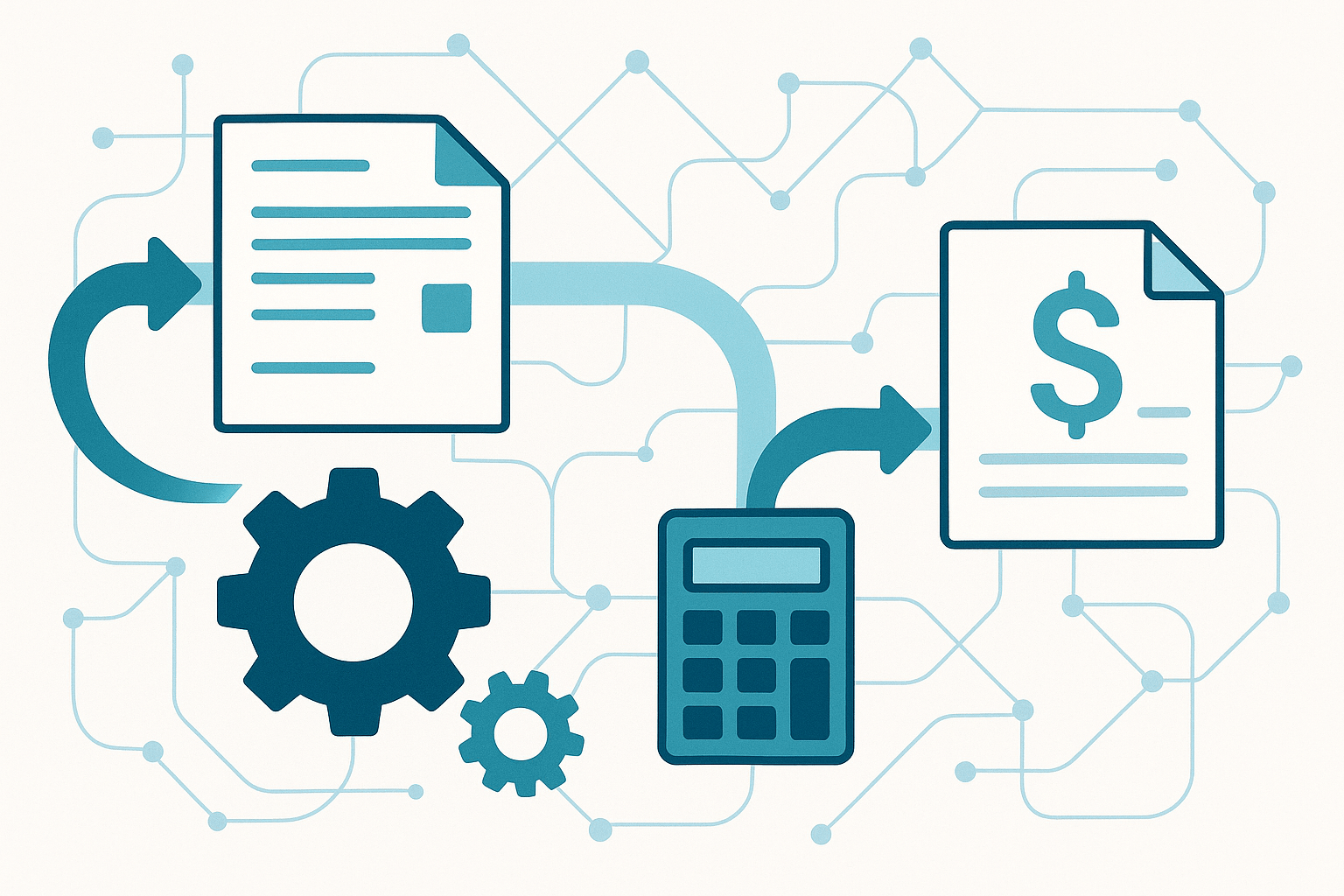
If you automate a broken invoice processing workflow, you’ll just create a faster mess. Start by mapping the sequence from the moment an invoice is received to the moment Payment is released—then decide where automation belongs.
This is where you make “invoice workflow” real: who touches the invoice, what information they need, and what happens when something doesn’t match.
A practical workflow map (use this as your baseline)
- Invoice intake: invoice receipt via Email, portal upload, Electronic data interchange, or Paper scan.
- Data capture: OCR / Optical character recognition and data extraction to pull vendor name, invoice amount, dates, line items, and tax.
- Validation: check required fields (invoice number, tax ID, payment terms) and duplicate detection.
- Invoice matching: match to Purchase order and Receipt, or route non-PO invoices for coding.
- Approval routing: approval workflow based on thresholds and department rules.
- Exception handling: discrepancy resolution, Vendor communication, and re-approval if needed.
- Posting and payment: sync to accounting software / Enterprise resource planning, schedule Payment (ACH, wire transfer, check).
- Reporting: real-time visibility into invoice status, aging, and performance indicator tracking.
Mini-scenario: why mapping saves you from rework
A marketing manager approves a $4,800 invoice for a campaign, but the PO was for $4,200. With no defined workflow functions for exceptions, the invoice gets paid anyway, then Procurement disputes it later. If your workflow ensures the invoice can’t reach payment without resolving the discrepancy, you prevent the downstream mess and reduce the risk of disputes and Fraud.
Invoice matching: how to stop paying the wrong thing (and still move fast)
Invoice matching is where most teams either gain control or lose it. Done well, it protects Accuracy and precision without turning your process into a slowdown.
The goal isn’t to block every invoice. It’s to decide which invoices need strict matching (high Risk categories) and which can move with lighter controls.
When to use two-way vs three-way match
Two-way match compares the invoice to the purchase order. It’s common for services where there’s no physical Receipt.
Three-way match (yes, the classic three-way match) compares the invoice, the purchase order, and receiving documentation. It’s essential in supply chain-heavy teams where quantities and deliveries change.
Exception rules that keep matching from becoming a bottleneck
- Tolerance thresholds: auto-approve small variances (e.g., ±1% or ±$25) to avoid unnecessary delay.
- Category-based routing: route IT subscriptions differently than inventory.
- Split routing: if line items map to different departments, send parallel approval instead of serial approval.
- Auto-flag duplicates: same Vendor + invoice number + amount within a date window.
Mini-scenario: catching a quiet discrepancy
A Vendor bills monthly for “support hours.” One month, the invoice amount jumps 20% with no change request. With automated systems, you can flag the discrepancy based on historical patterns and require an extra approval step. That’s the kind of control that reduces the risk of overpayment without forcing your finance team to manually review every invoice.
Accounts payable automation: design an approval workflow that doesn’t stall
Accounts payable automation lives and dies on approval. You can have perfect data capture, but if approvals stall, your cash flow suffers and vendors get frustrated.
The fix is a clear approval workflow with escalation rules, separation of duties, and a path for exceptions. Your goal is an accounts payable process where every invoice has an owner at every step.
Build a tiered approval workflow (example you can copy)
Here’s a simple model that scales:
- $0–$500: department lead approval within 24 hours
- $501–$5,000: department lead + budget owner approval
- $5,001–$25,000: budget owner + Finance review
- $25,001+: Finance + executive approval
This structure keeps low-risk invoices moving while preserving accountability for larger spend.
How to eliminate approval bottlenecks without losing control
Use time-based escalation. If approval hasn’t happened in 48 hours, re-route to a delegate. That prevents the “manager out sick” delay that drags out invoice processing time.
Require context inside the approval screen. Approvers shouldn’t hunt for backup. Put the PO, Receipt, contract, and prior invoices in the same view to reduce back-and-forth Communication.
Separate creation from approval. The person entering invoice data shouldn’t be the final approver. That’s basic compliance and separation of duties, and it matters more as volume grows.
A note on invoice approval vs. payment approval
Invoice approval confirms the charge is valid. Payment approval confirms timing and method (ACH vs Wire vs check) based on cash flow and Discounting opportunities. Keeping these distinct reduces the risk of rushed payments while still keeping the invoice process moving.
Key benefits of automated invoice: where you’ll see ROI (and how to prove it)
The key benefits of automated invoice work show up in Cost, Efficiency, and control. But if you want budget approval for an automation solution, you’ll need numbers.
Start with two baseline metrics: cost per invoice and invoice processing time. Then measure what changes after you automate invoice processing.
ROI metrics you can pull in 30 days
Processing costs: add up labor time spent on manual invoice processing, rework from errors, and time chasing approvals. Even a small reduction pays off quickly at scale.
Early payment discounts: if you routinely miss 2/10 net 30 terms because of approval delay, that’s real money. Automation ensures invoices route quickly enough to capture discounts when it makes sense.
Exception rate: track how many invoices require rework due to missing PO, mismatched amounts, or incomplete invoice details. A good system will reduce errors and lower exception volume.
Mini-scenario: proving return on investment
A 10-person Company processes 2,000 invoices per month. Before automation, the average invoice processing time is 9 days, and cost per invoice is estimated at $9. After automating routing and data capture, they cut it to 4 days and $6. That’s $6,000/month saved—before counting fewer late fees, fewer vendor escalations, and better cash planning.
Automation tools: what to look for in an automation solution (and what to avoid)
Not all automation tools are built the same. Some are great at data capture but weak at approval workflow. Others handle routing but don’t integrate cleanly with Accounting or Enterprise resource planning.
Your best fit depends on volume, complexity, and how much of the invoice process you want to standardize across teams.
Must-have capabilities for automate invoice processing
- OCR and data capture: OCR plus Optical character recognition should extract key fields reliably, not just read a total.
- Flexible approval routing: rules by Vendor, department, amount, and category.
- Invoice matching: support PO and non-PO flows, with tolerance thresholds.
- Audit trail and compliance: timestamps, approver identity, and change logs for audit.
- Integrations: the ability to integrate with your accounting software, ERP, and Payment rails.
- Real-time visibility: dashboards that show the status of every invoice and where the bottleneck sits.
Red flags that create new manual work
“Automation” that still requires manual data entry. If your team is still manually entering invoice details for most vendors, you haven’t eliminated the need for manual data entry—you’ve just added another screen.
Rigid workflows. If the workflow can’t handle exceptions, you’ll end up back in Email approvals and spreadsheets.
Weak controls. If you can’t enforce separation of duties, you increase Risk exposure, including Fraud and duplicate payments.
Where InvoiceCrowd fits for invoicing and workflow support
If your focus includes sending invoices as well as managing them, tools like InvoiceCrowd can help you standardize outgoing invoice creation, customer-facing payment options, and reporting. For teams that need a clean way to create and send an invoice consistently, start with invoice creation features and build from there.
If you’re still living in spreadsheets, the practical case for switching is laid out in switching from spreadsheets to professional invoicing software, especially when you’re trying to improve visibility and compliance.
Best practices for automating invoice without breaking compliance
Best practices matter most when you’re scaling. The biggest failures happen when teams automate quickly, then discover they can’t explain approvals during an Audit or they can’t enforce Policy consistently.
These best practices for automating invoice are the guardrails that keep speed and control in balance.
Automation best practices you can implement this month
Standardize intake channels. Decide how invoice is received (portal, dedicated Email, EDI). When invoices arrive in ten places, you lose visibility and create delay.
Define required fields. Make invoice number, Vendor name, invoice date, line items, and tax fields mandatory. Missing invoice details should stop the workflow early, not at payment time.
Set approval SLAs. Put a 24–48 hour SLA on routine approvals and escalate automatically. This is where workflow streamlines the process without constant chasing.
Lock down edits after approval. If someone changes the invoice amount after approval, require re-approval. That’s basic compliance and reduces the risk of manipulation.
Mini-scenario: compliance without slowing things down
A nonprofit has strict Regulatory compliance requirements and needs documentation for every invoice. They automate capture, attach supporting documents, and maintain an audit trail automatically. Approvers see everything in one place, and auditors get a clean history without the team digging through shared drives.
Implement automated steps: a rollout plan your team won’t hate
To implement automated invoicing systems successfully, you need a rollout that respects how people actually work. Drop a new tool on a busy accounts payable team and they’ll keep doing what they’ve always done—just with more frustration.
This section shows how to implement automated changes in phases, so you get wins early and avoid a long, painful changeover.
Phase 1: start with intake + data capture
Centralize invoice receipt first. A dedicated Email inbox or vendor portal reduces “lost invoice” problems immediately.
Then add OCR and data capture so your team stops entering invoice fields by hand. This is how you reduce manual work while keeping the invoice process familiar.
Phase 2: automate routing and approvals
Next, automate routing based on amount and category. Make sure the workflow ensures clear ownership: when an invoice is received, it should have an assigned approver within minutes.
Set escalation rules to prevent delay. If the primary approver doesn’t act, the automated workflow should re-route to a delegate or manager.
Phase 3: add matching + exception handling
Once routing is stable, implement invoice matching against purchase order and Receipt data. Start with a limited set of vendors or categories to avoid overwhelming the team.
Define what happens when there’s a discrepancy: who gets notified, what documentation is required, and how re-approval works. This is where automation ensures controls don’t depend on memory.
Phase 4: integrate with accounting and payment
Finally, integrate with your Accounting software and Payment methods. Posting should be automatic once approvals are complete, with guardrails for bank changes and unusual payments.
If your team uses Zapier-style connectors for adjacent workflows, you can also look at patterns from integrating your accounting software with Zapier to reduce duplicate entry across Finance and Accounting.
A simple rollout scorecard (track weekly)
- Percent of invoices captured automatically vs manually entering invoice details
- Average approval time by department
- Exception rate (missing PO, mismatch, duplicates)
- Real-time visibility into invoice status adoption (how often stakeholders check the dashboard vs ask the AP team)
Benefits of automating invoice for cash flow, vendors, and your finance team
The benefits of automating invoice go beyond “save time.” They show up in calmer vendor relationships, fewer internal escalations, and tighter cash flow planning.
When you automate invoice processing, you also create a shared source of truth. That’s what gives your team visibility without constant status meetings.
Cash flow becomes predictable (not reactive)
When invoice is processed quickly and approvals don’t stall, you can forecast payables with confidence. That helps you decide when to pay early for early payment discounts and when to hold to terms to protect Cash flow.
It also reduces the risk of surprise outflows caused by late “urgent” approvals.
Vendors get paid on time—and stop chasing you
When vendors can check status (or at least get predictable payment timing), the tone changes. You’ll see fewer “Just following up…” emails and fewer internal pings like “Can you please expedite this?” because the invoice workflow is no longer invisible.
What improves fast:
-
Fewer late fees and rush payments. You stop paying “because it’s urgent” and start paying because it’s approved and scheduled.
-
Cleaner vendor communication. Exceptions get routed to the right owner (PO mismatch → procurement, missing tax info → AP, contract question → budget owner).
-
Better vendor trust. Consistency beats speed. If you can pay on the date you commit to, vendors stop escalating.
Mini-scenario: vendor trust rebuilt
A vendor used to resend the same invoice three times a month because they never knew if you received it. After you centralize invoice intake and add status visibility, they send it once—and your AP team gets hours back.
Common mistakes when you automate invoice workflows (and how to avoid them)
Most AP automation failures aren’t caused by “bad software.” They happen because teams skip the boring parts: clear ownership, clean fields, and exception rules.
Mistake 1: Automating before you standardize
If you don’t standardize invoice details (vendor name format, tax fields, PO references, payment terms), your workflow becomes a patchwork of manual fixes.
Fix: Create a required-field checklist and enforce it at intake.
Mistake 2: One workflow for everything
Treating a $120 software subscription like a $60,000 inventory order creates either too much friction or too little control.
Fix: Use category- and risk-based routing. Light controls for low-risk spend, strict match for high-risk categories.
Mistake 3: No “owner” for exceptions
When nobody owns mismatches, invoices just sit.
Fix: Assign owners by exception type, and set escalation paths.
Mistake 4: Weak approval evidence
If approvals happen in chat or email, you lose auditability and create compliance exposure.
Fix: Keep approvals inside the system with timestamps, comments, and attachments.
How to choose invoice management software for your team
Here’s a practical way to evaluate options without getting buried in feature lists.
1) Start with your workflow complexity
-
Low complexity: mostly non-PO invoices, simple approvals, low volume
-
Medium complexity: mix of PO/non-PO, multiple departments, moderate exceptions
-
High complexity: heavy PO matching, receiving workflows, strict compliance, high volume
Your target solution should match your complexity—not overkill it.
2) Test real invoices, not demo data
Pick 20–30 recent invoices and run them through a trial:
-
10 “clean” invoices
-
10 with common exceptions (missing PO, wrong totals, missing tax fields)
-
5 duplicates or near-duplicates
-
5 high-value invoices requiring multiple approvers
If the tool handles exceptions poorly, it will fail in production.
3) Score the system on three deal-breakers
-
Reliability of data capture (OCR + validation)
-
Approval routing + escalation
-
Integrations to accounting/ERP + payment workflows
If any of these are weak, you’ll end up back in spreadsheets and email.
Where Invoice Crowd can help (and where it complements AP automation)
If your biggest pain is sending invoices, collecting payments, and tracking status, Invoice Crowd helps you standardize outgoing invoicing with templates, invoice status tracking, partial payments, multiple gateways, and customer portal visibility.
overview
For teams building a broader finance workflow, Invoice Crowd can sit alongside AP tools by keeping your customer-side billing clean and consistent—while your AP platform focuses on inbound vendor invoices and approvals.
overview
FAQs: Automate invoice workflow
What’s the difference between invoice workflow automation and AP automation?
Invoice workflow automation usually refers to routing, approvals, visibility, and rules. AP automation is broader—it can include OCR, matching, posting to accounting/ERP, and payment scheduling.
Do you need OCR to automate invoice processing?
Not always, but it helps most teams. OCR reduces manual data entry, improves speed, and supports consistent validation. The key is pairing OCR with required-field checks and exception routing.
How long does it take to implement invoice automation?
Many teams can see results in phases: intake + data capture first, then approvals, then matching, then integrations. The timeline depends on workflow complexity and integration needs.
How do you keep automation compliant?
Use separation of duties, lock edits after approval, maintain an audit trail, and require re-approval if financial fields change. Also define thresholds and documented policies before you automate.
What metrics prove ROI fastest?
Track cost per invoice, approval cycle time, exception rate, duplicate rate, and discounts captured (e.g., 2/10 net 30). These are measurable within 30–60 days.
Conclusion: Automate invoice processing without losing control
Invoice automation isn’t about speed at any cost—it’s about turning your invoice workflow into a predictable system. When intake is centralized, invoice details are validated early, approvals are routed with escalation, and exceptions have owners, month-end stops being a fire drill.
If you want a quick starting point, map your current invoice processing workflow, pick the highest-friction step (usually intake or approvals), and automate that first. Then expand into matching, exception handling, and accounting/payment integrations once the workflow is stable.
Want a simpler invoicing workflow today?
If you’re also looking to streamline outgoing invoicing—standard templates, recurring invoices, payment tracking, partial payments, and a customer portal—try Invoice Crowd to bring consistency and visibility to your billing workflow.