



Skip to content

A profit and loss statement, month by month

Invoice Crowd's P&L statement shows income, cost of goods sold, operating expenses and net profit month by month for any period you choose, on a cash or accrual basis and beside earlier periods, ready to export for an owner or adviser.

  • A column for every month
  • Cash or accrual basis
  • PDF or Excel download
Invoice Crowd Profit and Loss statement with monthly income, cost of goods sold, gross profit and expense lines, net profit of $164,565.00 and the date range filter

What is inside

What the statement shows, and how to change it

The P&L reads across the financial year: income on one side, expenses on the other, and the difference between them for each month in the period you chose.

Reading it

The year on one page

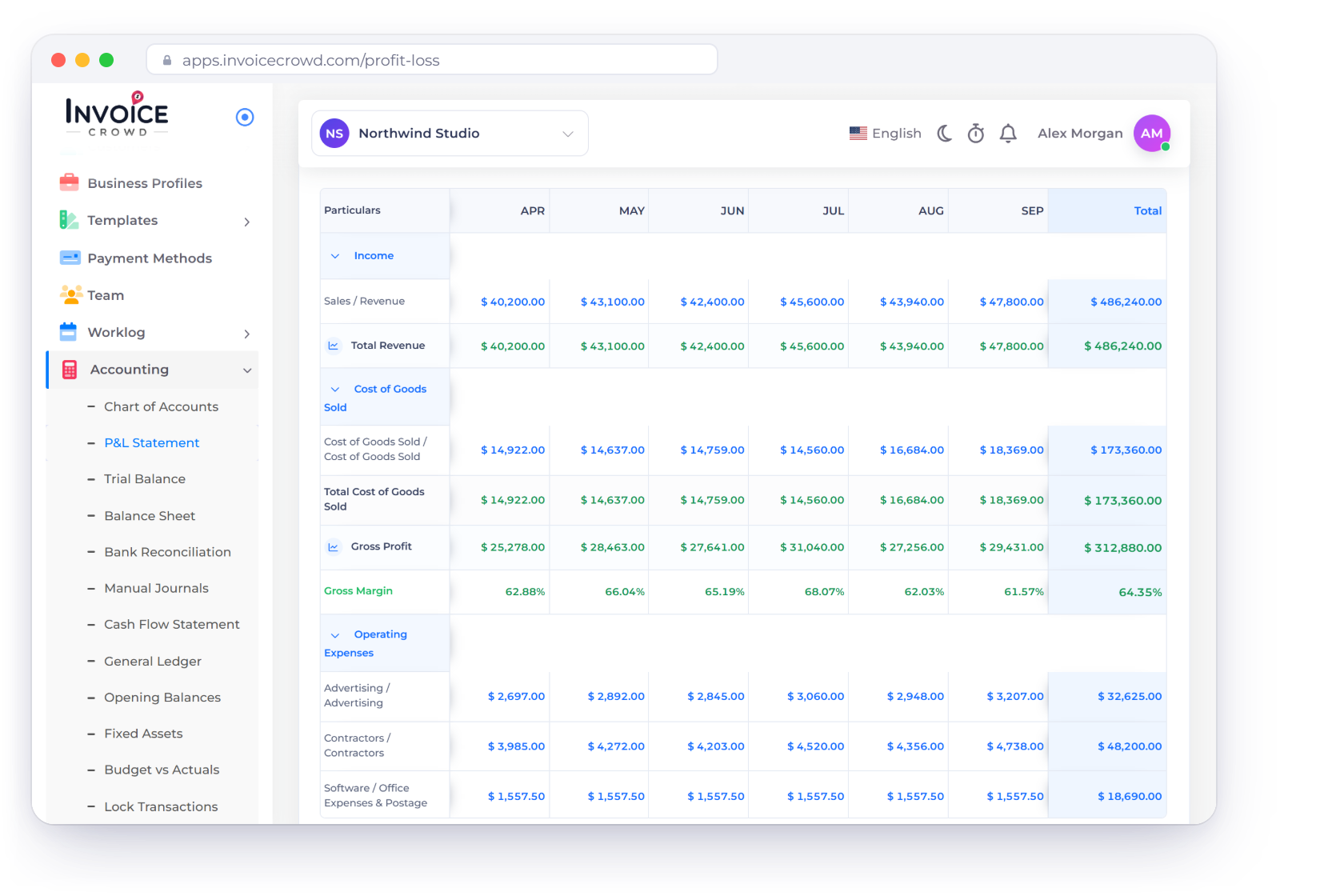
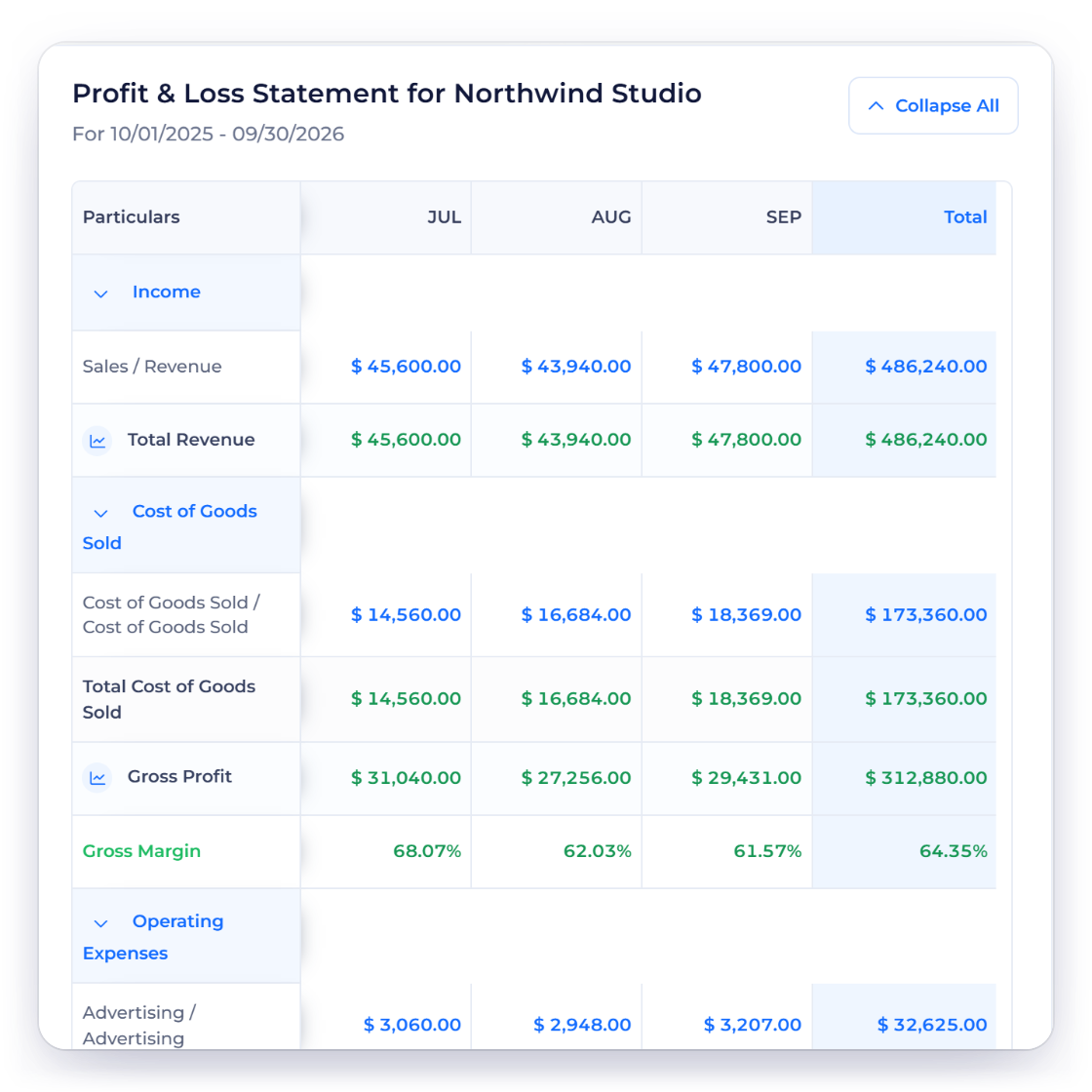
Invoice Crowd profit and loss statement with July, August and September columns beside the total for sales, cost of goods sold, gross profit and expenses

A column for every month

Income and expenses are set out month by month across the financial year, so a quiet March or an expensive September is obvious at a glance. You are looking at the shape of the year rather than one annual total that hides everything inside it.

  • Each month of the financial year
  • Income and expenses side by side
  • Movement visible without building a chart
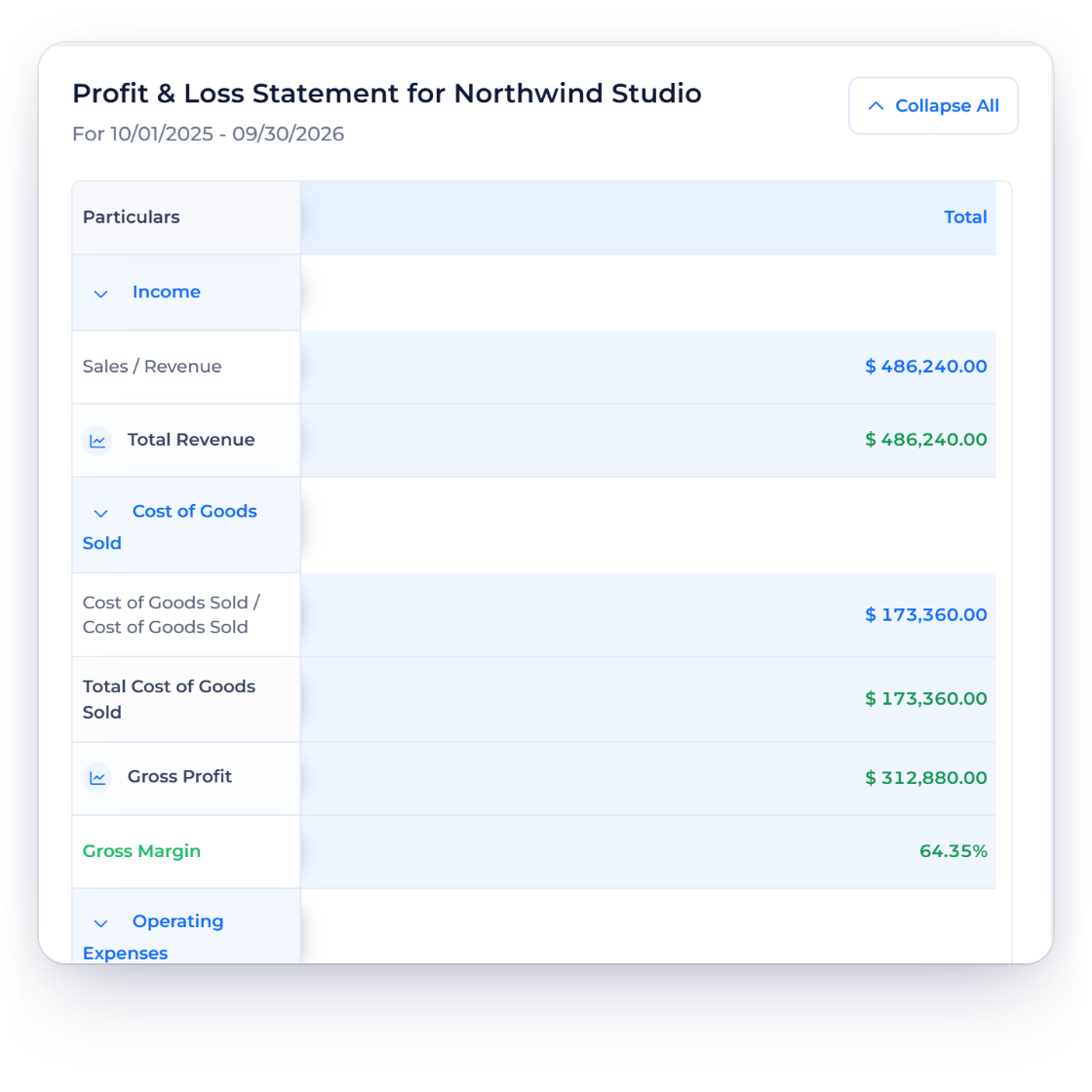
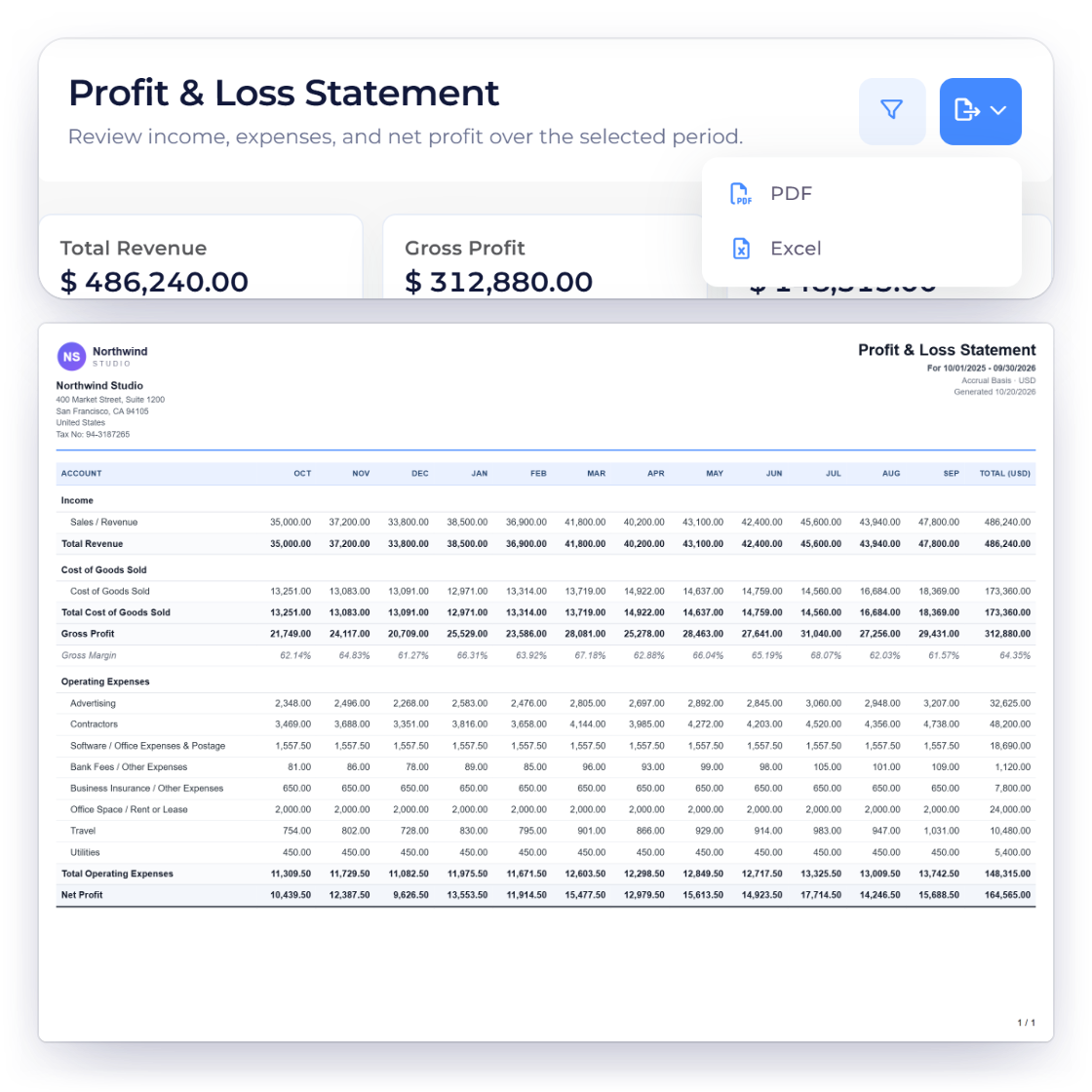
Invoice Crowd profit and loss statement for the year: income, eight expense lines and net profit of $164,565.00

Clear, focused and easy to read

Income, cost of goods sold, operating expenses, gross profit and net profit, with totals shown as a share of revenue and a gross margin beside them. Enough to know whether the last quarter paid for itself, and simple enough to read every month end.

  • Just the figures that matter
  • Clear for owners and advisers
  • Detail one click away
The ledger underneath

Changing the view

Dates in, statement out

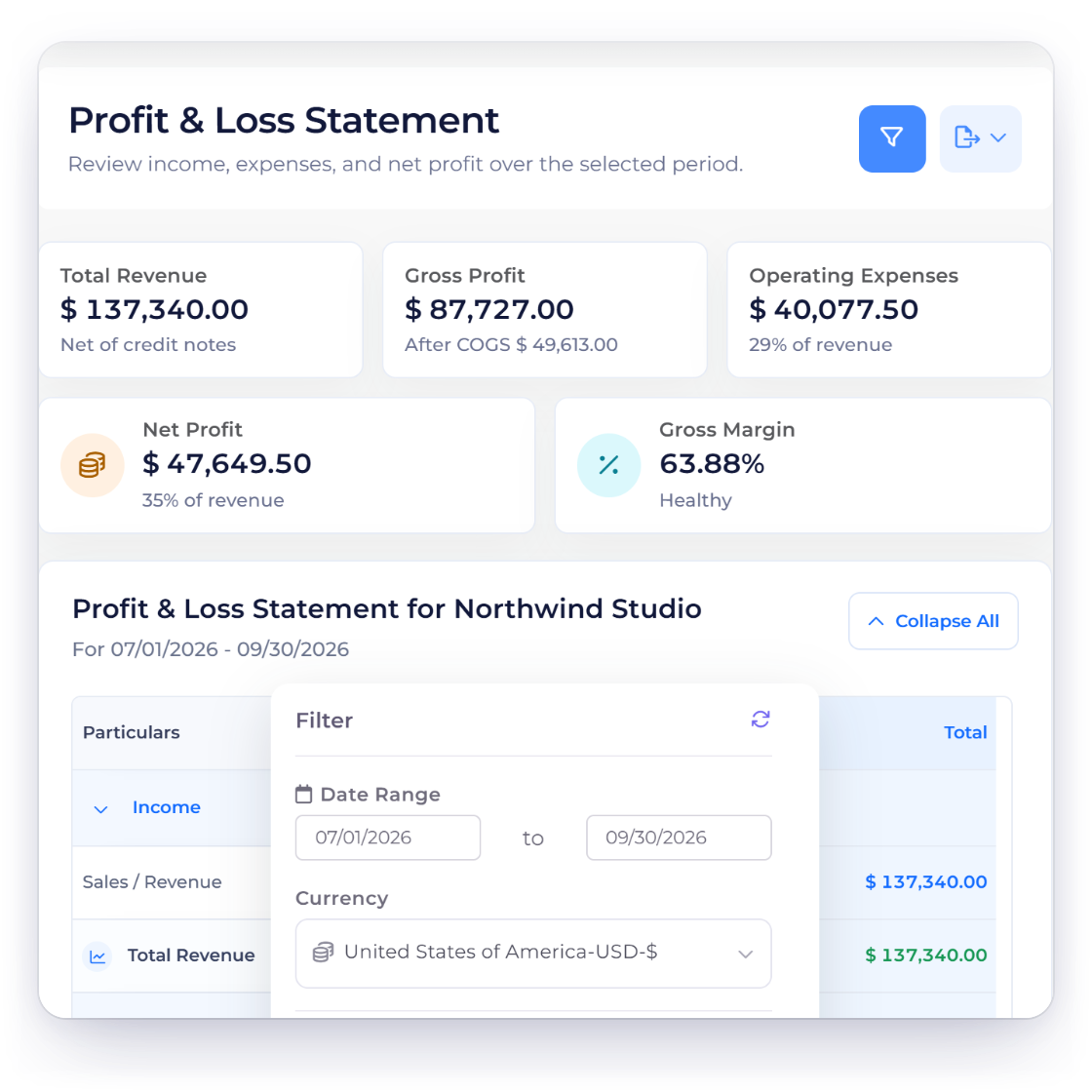
Invoice Crowd profit and loss statement filtered to July through September 2026, with revenue of $137,340.00 and net profit of $47,649.50

Set the period yourself

Move the dates and the statement redraws for that span: a single month, a quarter, the tax year, or the eighteen months a lender asked about. The figures are always the latest in your account.

  • Any start and end date
  • Redraws as soon as the dates change
  • Built from current records
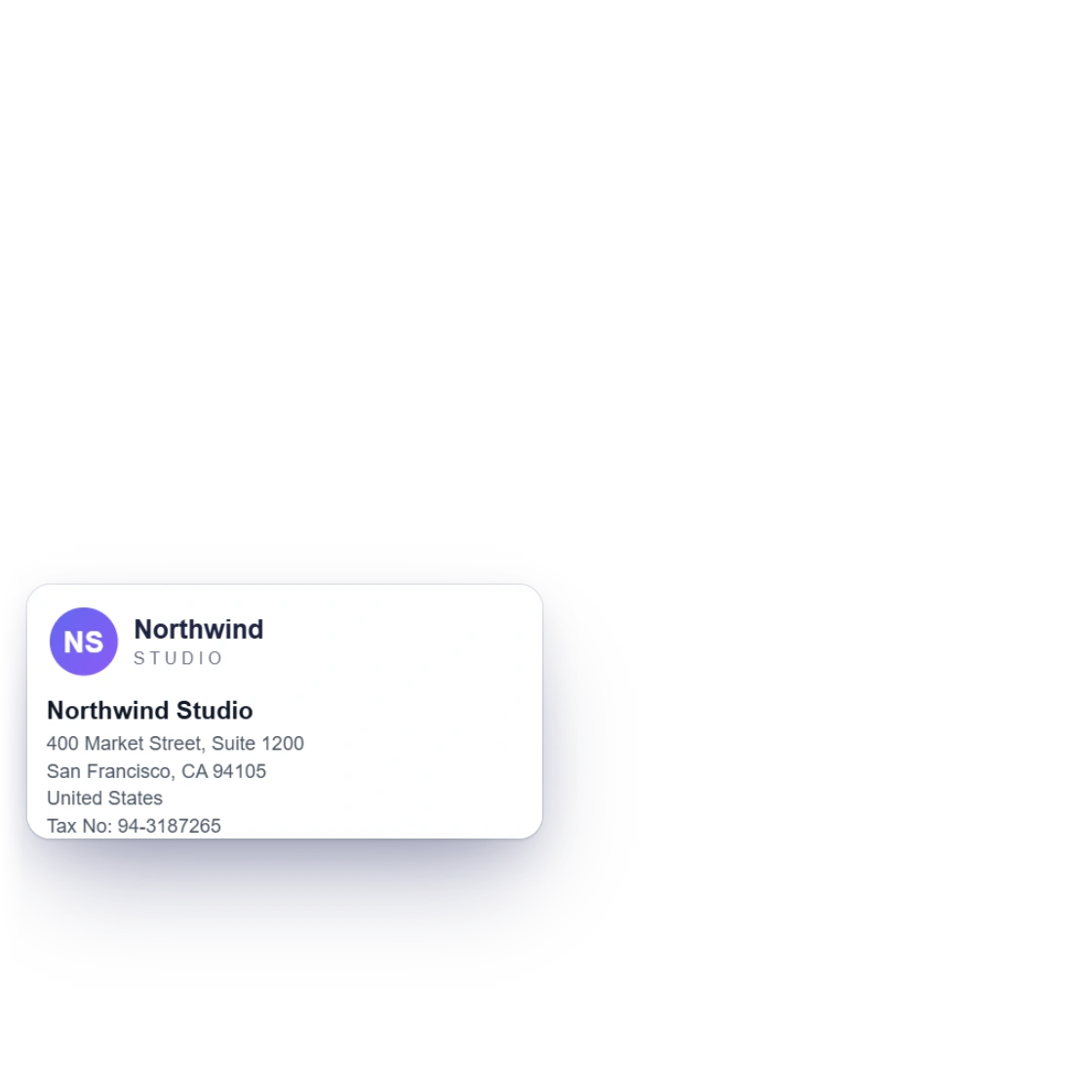
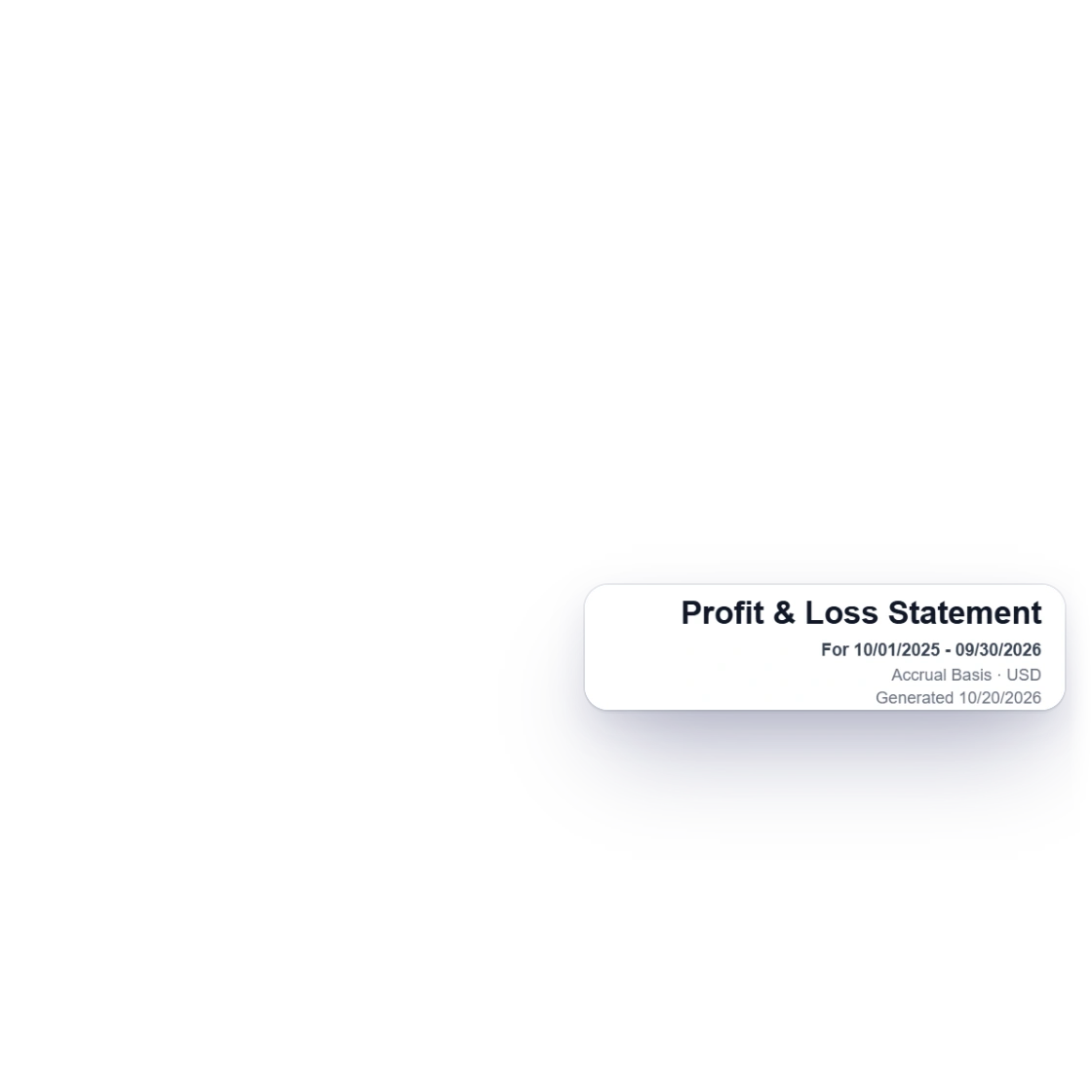
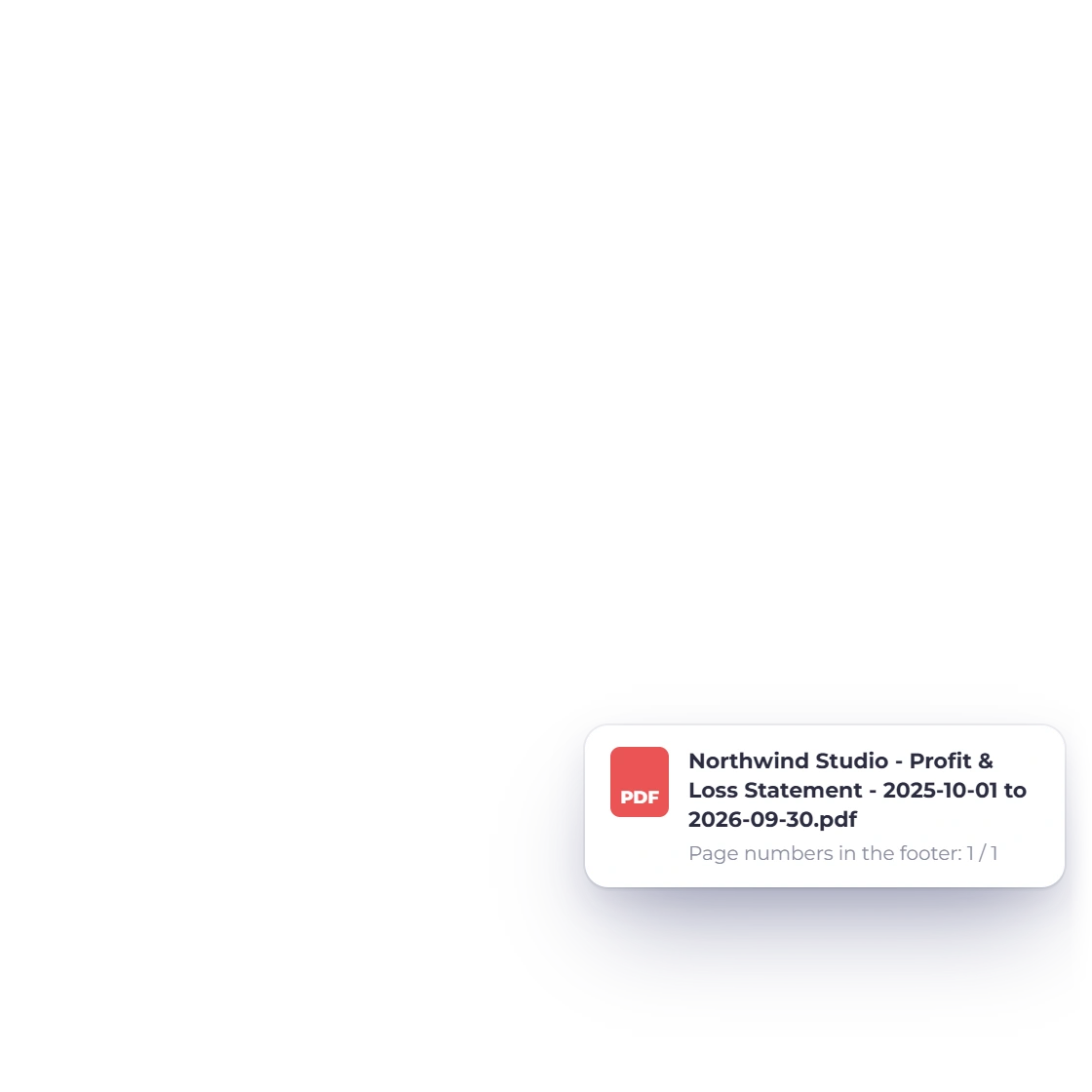
Invoice Crowd Profit and Loss Statement with the Export menu open on PDF, and the PDF it downloads: a letterhead with the Northwind Studio logo, address and tax number, the period, Accrual Basis and USD, every month with its total, and the file name made of the business, the report and the period

Ready when your accountant asks

A P&L is usually wanted by somebody else: an accountant at year end, a bank reading an application, a partner who wants the quarter. Take the statement down as it stands and send that, instead of rebuilding the same numbers in a spreadsheet the night before. For year end, Report Pack puts the P&L, balance sheet, cash flow, trial balance and general ledger in one PDF behind an At a Glance cover.

  • PDF or Excel download
  • Send to an accountant or a lender
  • Keep a copy per period on file
Other reports you can pull
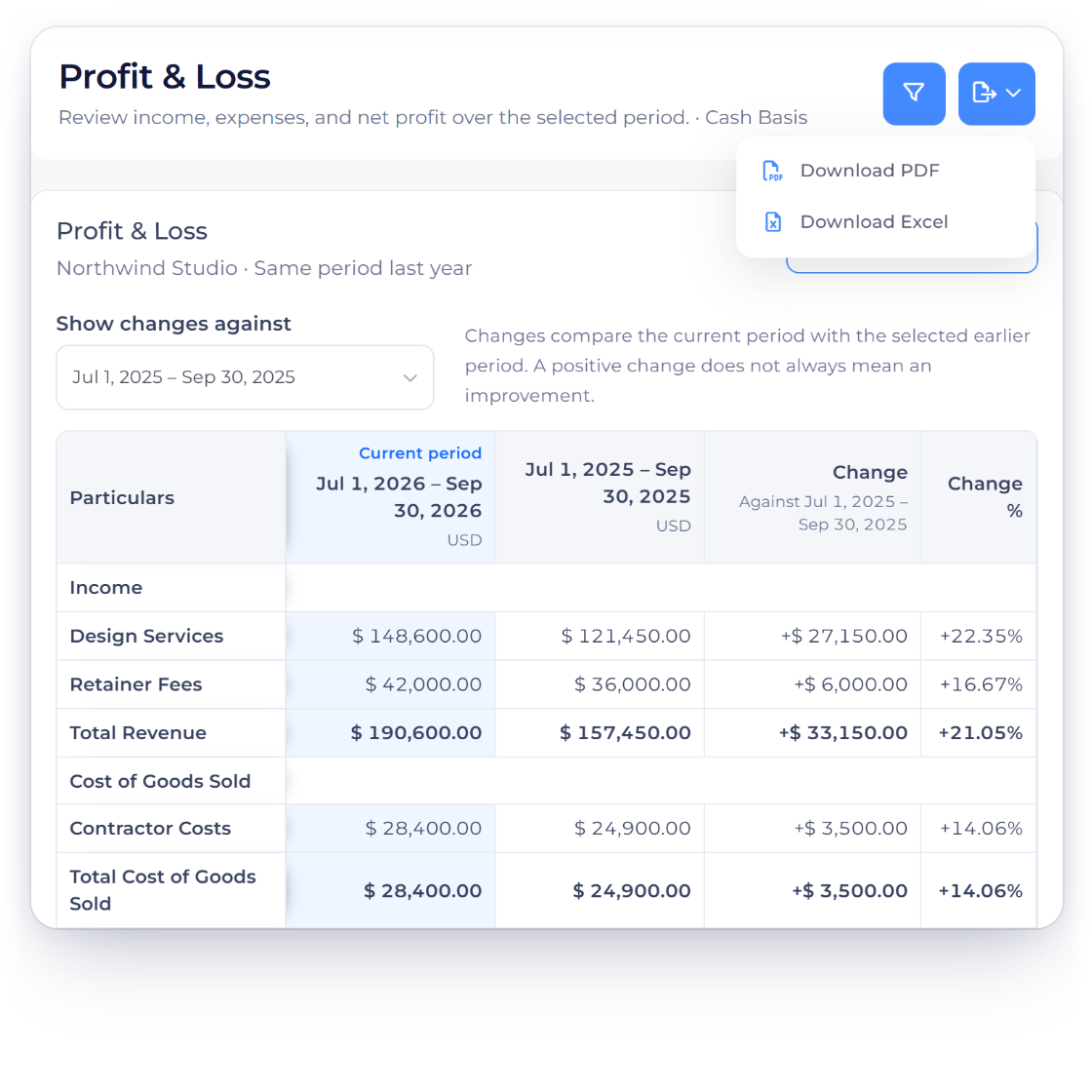
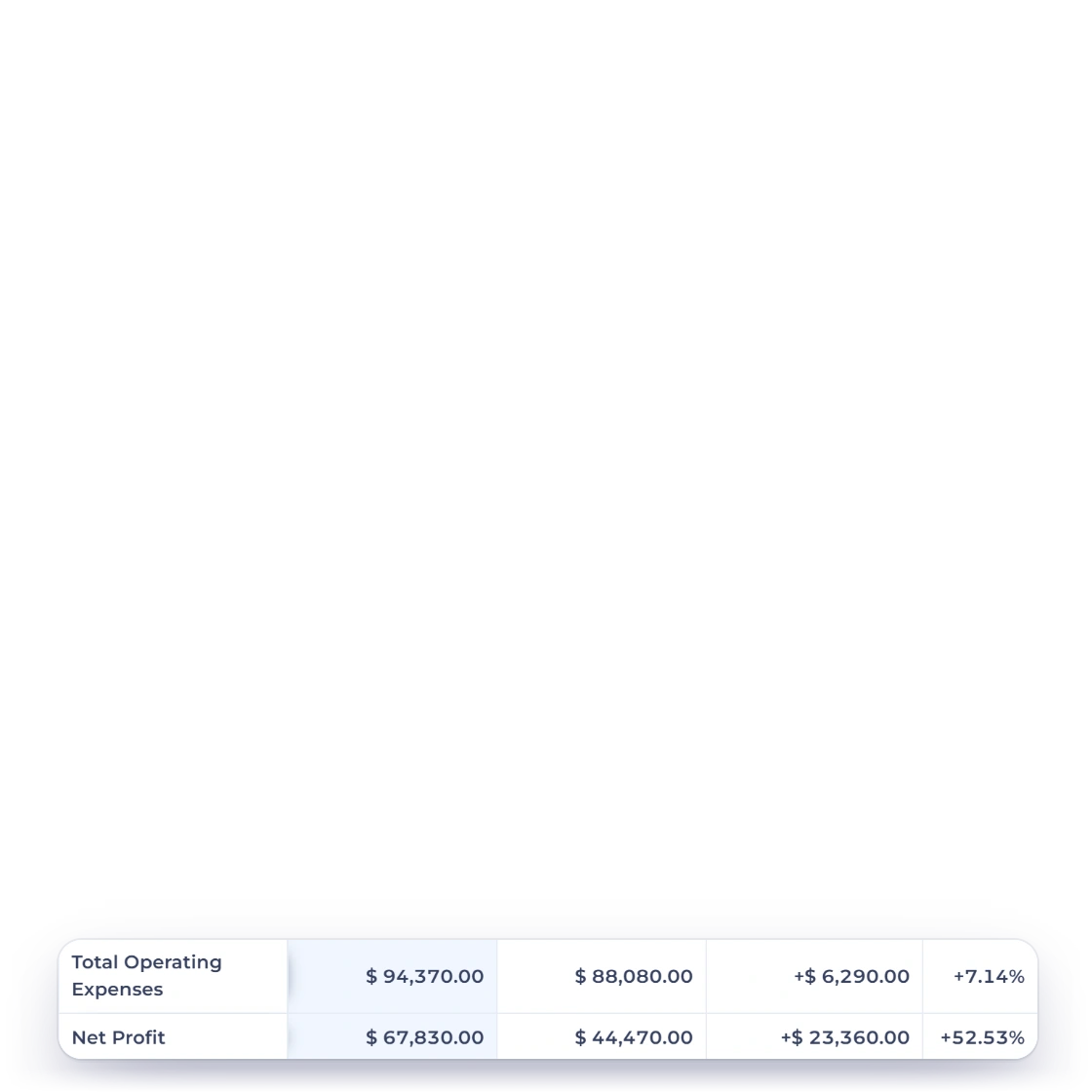
Invoice Crowd Profit and Loss for July to September 2026 compared with the same period last year, Cash Basis, with Change and Change % on every line from Design Services to Net Profit, and the Export menu with Download PDF and Download Excel

Compare periods, on cash or accrual

Compare puts the period beside the Previous period, the Same period last year or the Last 12 months, with up to three earlier periods and a Change and Change % on every line. Accounting Basis switches between Accrual, income when invoiced, and Cash, income when paid with part payments included, and the PDF prints the basis you chose.

  • Previous period or same period last year
  • Change and Change % on every line
  • Cash Basis or Accrual Basis on the PDF

Also included

The statements either side of it

The P&L answers what a period earned. The rest of the accounting module answers what the business holds, what it owes and where the cash went.

  • Balance sheet

    Assets, liabilities and equity as they stand, sitting alongside the P&L in the accounting module.

  • Trial balance

    Every account with its debit and credit balance, for the period you select.

  • Cash flow

    What actually moved in and out of the business, which is not always the same as profit.

  • General ledger

    The line-by-line postings behind each figure, if you ever need to see them.

  • 148 accounts

    The chart ships with 148 accounts: 19 asset, 12 liability, 8 equity, 6 income, 103 expense.

  • Expenses feed it

    Costs recorded in expense tracking show up on the expense side of the statement.

  • Invoices feed it

    Issued invoices, net of credit notes, land on the income side without being retyped.

  • Manual journals

    Post an accrual or a correction by hand when a period needs adjusting.

  • Budget vs actuals

    Budget each income and expense account by month, then read budget, actual and variance side by side, with the Net Variance at the top.

  • Scheduled reports

    Have the Payables Aging, Age Debt, Expense, Income or Invoice report emailed on a schedule instead of remembering to open the app.

  • Base currency

    Invoice in several currencies and still read one statement in the currency you report in.

  • Report Pack, either basis

    Report Pack puts the five statements in one PDF behind an At a Glance cover, on the cash or accrual basis you choose.

Questions

The P&L statement, answered

How do I change the date range on my P&L statement?

Adjust the dates on the statement itself and it refreshes for that period. Looking at last quarter and then at the full year takes just two changes of date.

Can I run a cash basis profit and loss statement?

Yes. Open Filter Report on the Profit & Loss and set Accounting Basis to Cash. Income and expenses are then recognized when they are paid, including part payments, while Accrual recognizes them when invoiced or billed. Your original invoices, bills and expenses stay unchanged, and the PDF prints Cash Basis so every reader knows which view they hold.

Can I compare this year's P&L with last year?

Yes. In Filter Report, Compare offers Previous period, Same period last year and Last 12 months, and Earlier Periods adds up to three columns. Each line shows its Change and Change %, and Export downloads the comparison as a PDF or an Excel file. Comparisons work on the Cash basis too.

Can I download the P&L statement?

Yes, as a PDF or an Excel file. Most people take a copy at the end of a quarter or a year to send to an accountant, attach to a loan application or keep for the record. The download reflects the period and currency you had on screen. The PDF carries your logo, business details and tax number, the period and basis, and page numbers, and is named after your business, the report and the period.

Is the statement showing current figures?

Yes. It reads the most recent data in your Invoice Crowd account, so an invoice issued this morning and an expense entered an hour ago are both already in it.

How much detail does the statement carry?

It shows each income and expense account with a figure for every month in the period you selected, grouped into Income, Cost of Goods Sold and Operating Expenses, which is what most owners need to see. If you want the individual postings behind a figure, the general ledger in the accounting module holds them.

Where do the income and expense figures come from?

From the records already in the account. On the Accrual basis, issued invoices, net of credit notes, and recorded income make up the income side, and expenses and bills make up the other, all posting through the chart of accounts; on the Cash basis, each counts when it is paid. A payment settles its invoice, so income is counted once. Expense accounts marked as Cost of Goods Sold get their own section above Gross Profit.

What other financial statements are available?

The accounting module also carries a balance sheet, a trial balance, a cash flow statement and the general ledger, along with manual journals, opening balances, fixed assets, bank reconciliation and a budget versus actuals view. The accounting module is included on paid plans.

Can I compare my P&L against a budget?

Yes. Budget vs Actuals, under Accounting, compares monthly income and expense budgets with the activity actually posted. Add Budget sets an amount for one income or expense account, month and currency. The table then shows each account's budget, actual and variance for every month in the date range, which starts as your financial year, with totals per account, and the figures at the top show income and expenses against budget and the Net Variance. Like the P&L, it is included on paid plans.

See where the year actually stands

Invoice and record costs in the same account, and the profit and loss statement is written as you go. Pick a period and read it.

  • 30-day free trial
  • Cancel anytime
  • Nothing to install