
Skip to content

Features

See what each project earns after labour and expenses

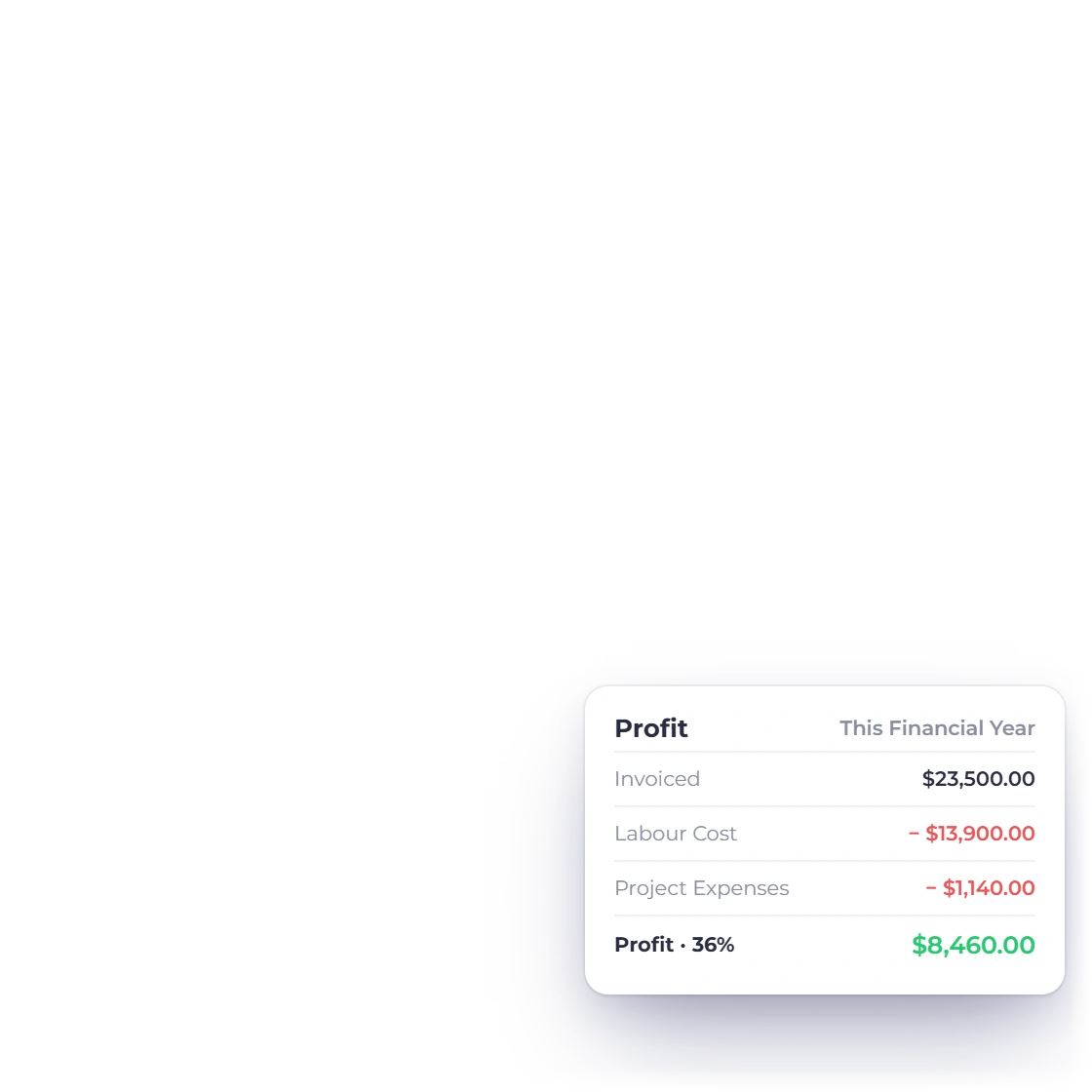
Project profitability in Invoice Crowd is the revenue invoiced on a project, minus labour cost (each person's hours times their cost per hour), minus project expenses, shown as profit and margin. The invoice wizard then bills time up to a date, rounds each entry, re-bills project expenses and splits fixed fees into parts.

  • Profit and margin per project
  • Labour cost never posted to your books
  • Money Waiting on the dashboard

Last updated:

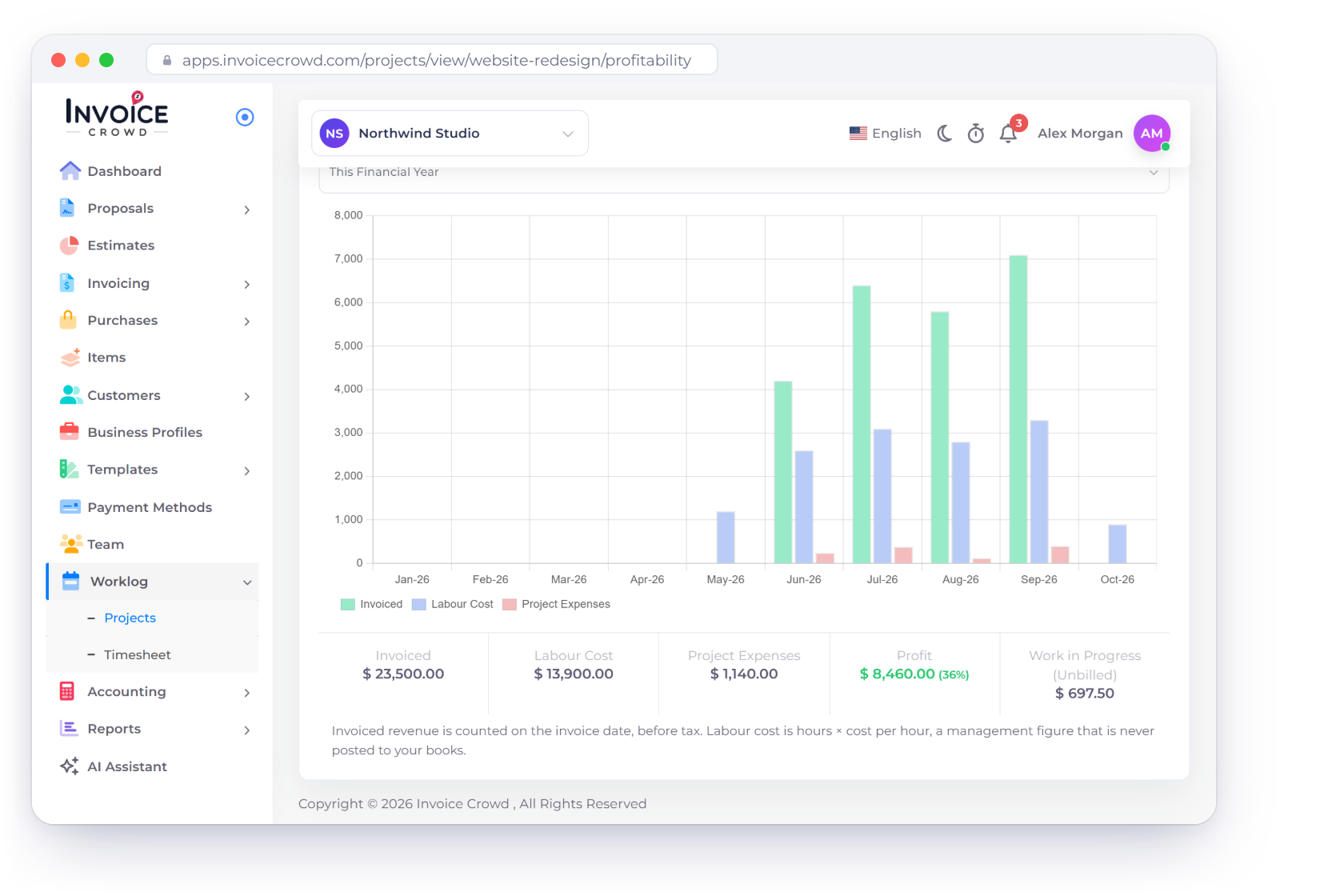
Invoice Crowd project Profitability tab with invoiced revenue, labour cost and project expenses by month, profit of $8,460.00 at a 36% margin and unbilled work in progress, beside team cost rates and the Money Waiting card

What is inside

Know the margin, then bill what is waiting

A project's Profitability tab shows what the work earned once people and costs are counted. The Create Invoice wizard and the Money Waiting card turn what is still unbilled into an invoice.

Profit per project

Revenue, labour, expenses

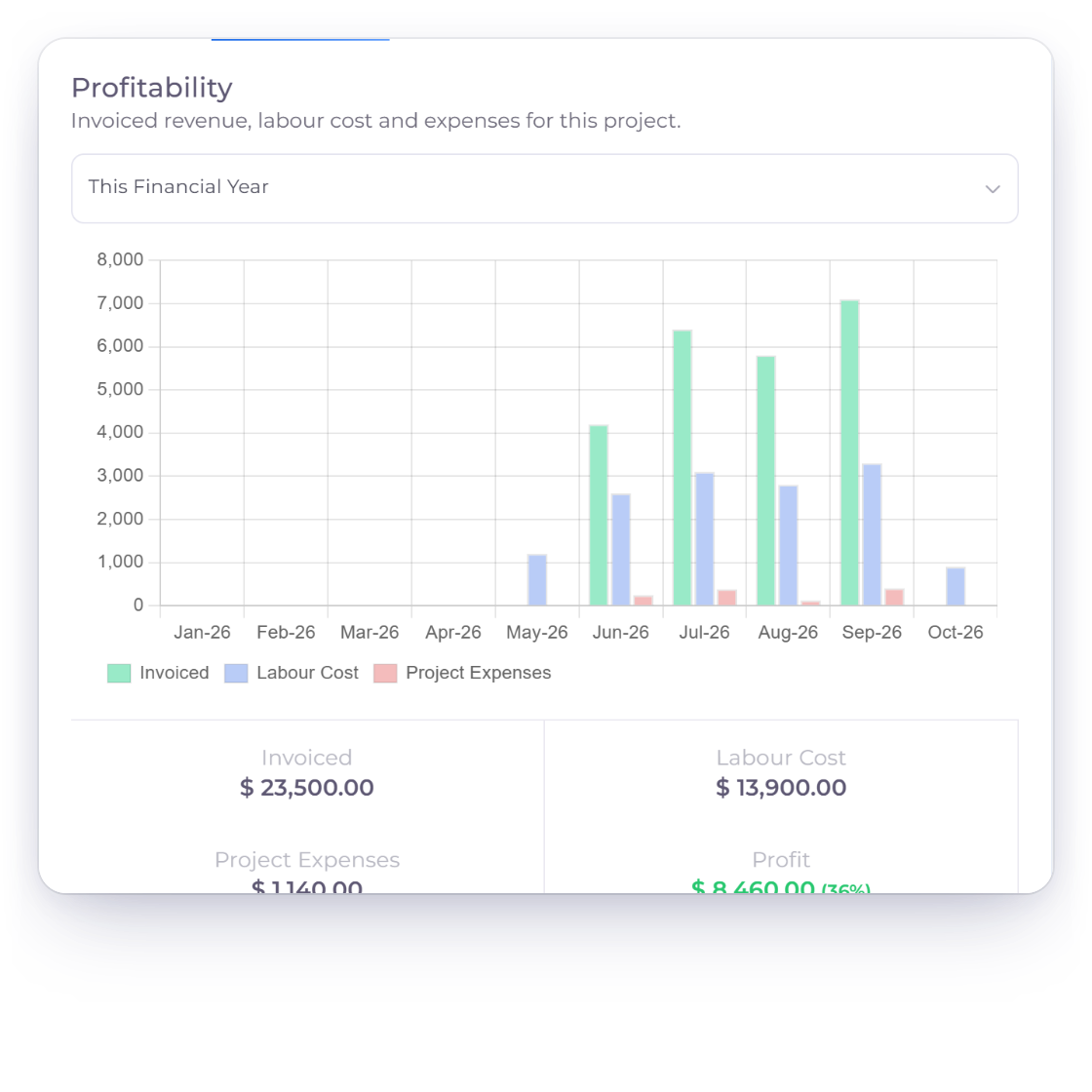
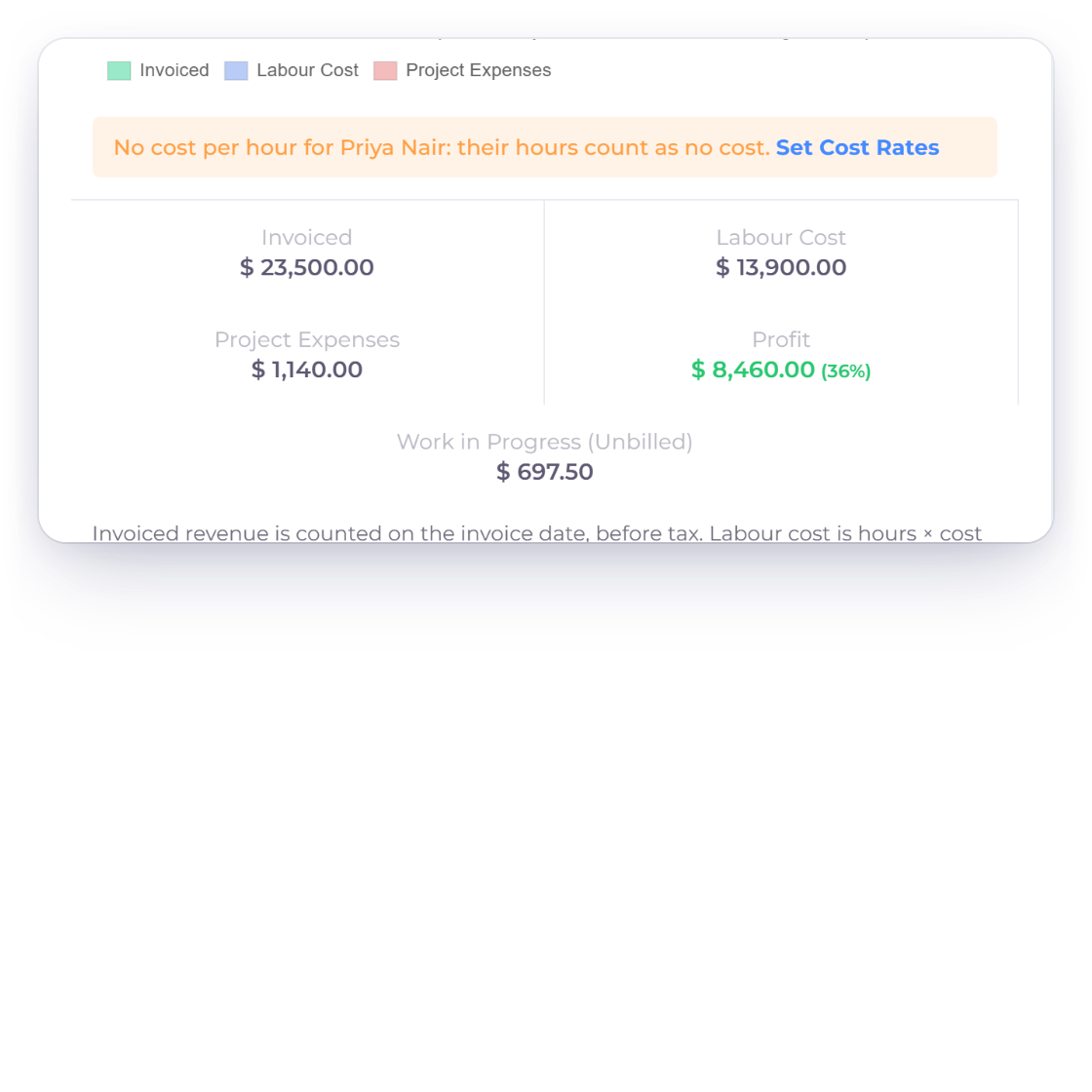
Invoice Crowd project Profitability tab with invoiced revenue, labour cost and project expenses by month, and how profit and margin are worked out, with unbilled work in progress shown apart

Revenue minus labour minus expenses

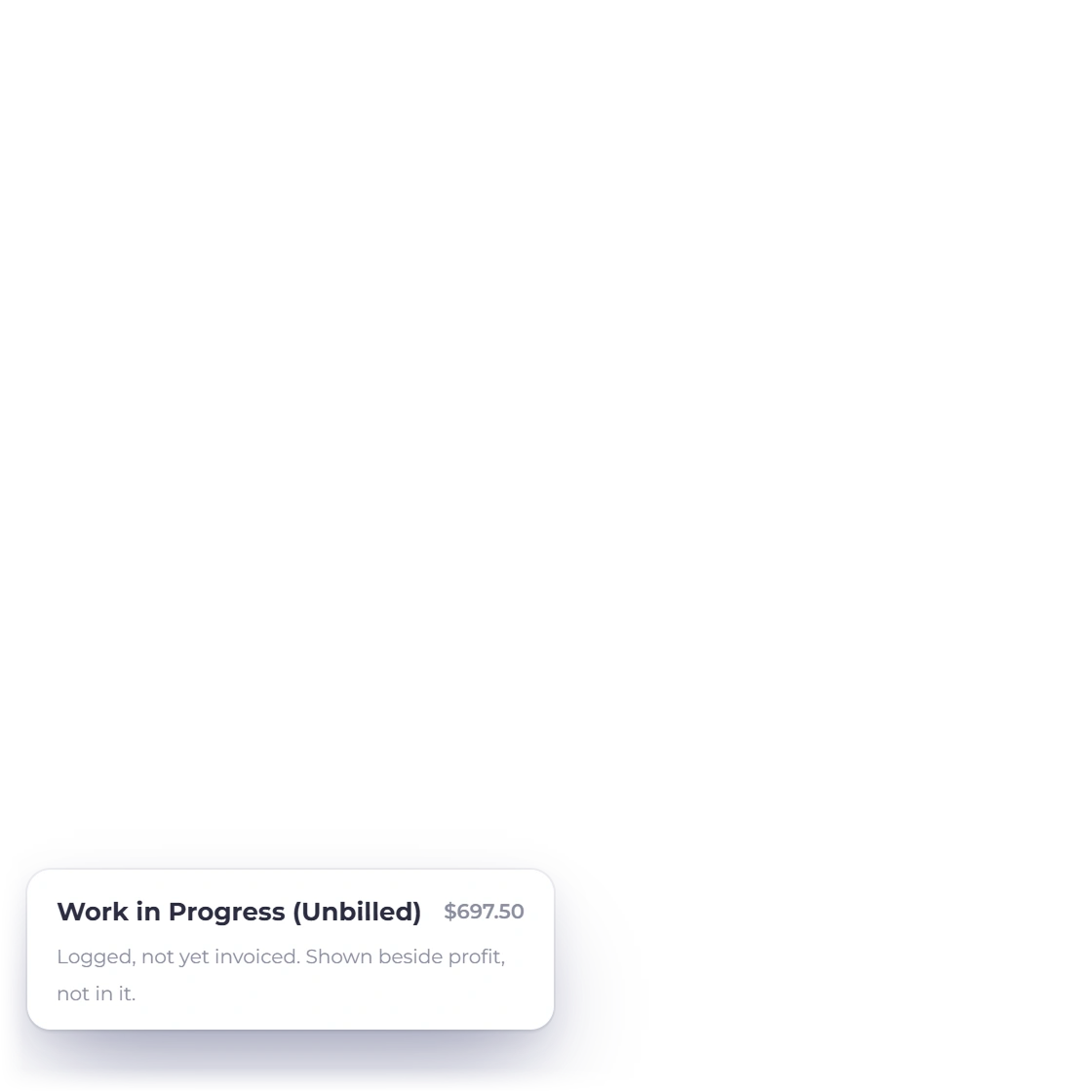
The project's Profitability tab charts invoiced revenue, labour cost and project expenses by month, for this financial year, the previous one, or the last 6 or 12 months. Below the chart sit Invoiced, Labour Cost, Project Expenses, Profit with its margin, and Work in Progress: logged time not yet invoiced, shown beside profit rather than in it.

  • Revenue counts on the invoice date, before tax
  • An invoice shared by projects is split by time
  • Uses your business's own financial year
Projects
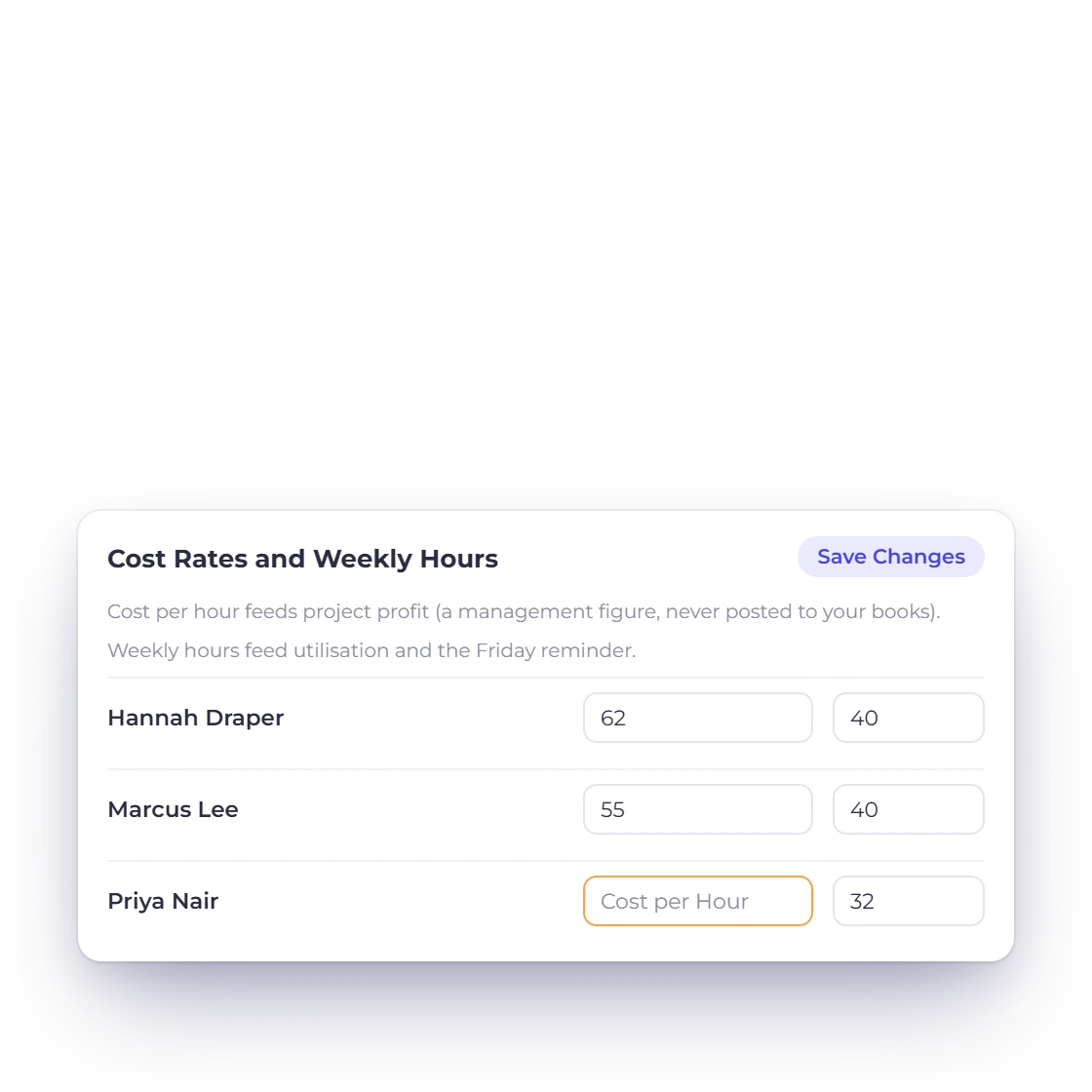
Invoice Crowd project profit figures with a warning that one team member has no cost per hour, and the Cost Rates and Weekly Hours settings where the owner sets each person's cost

Cost rates stay with you

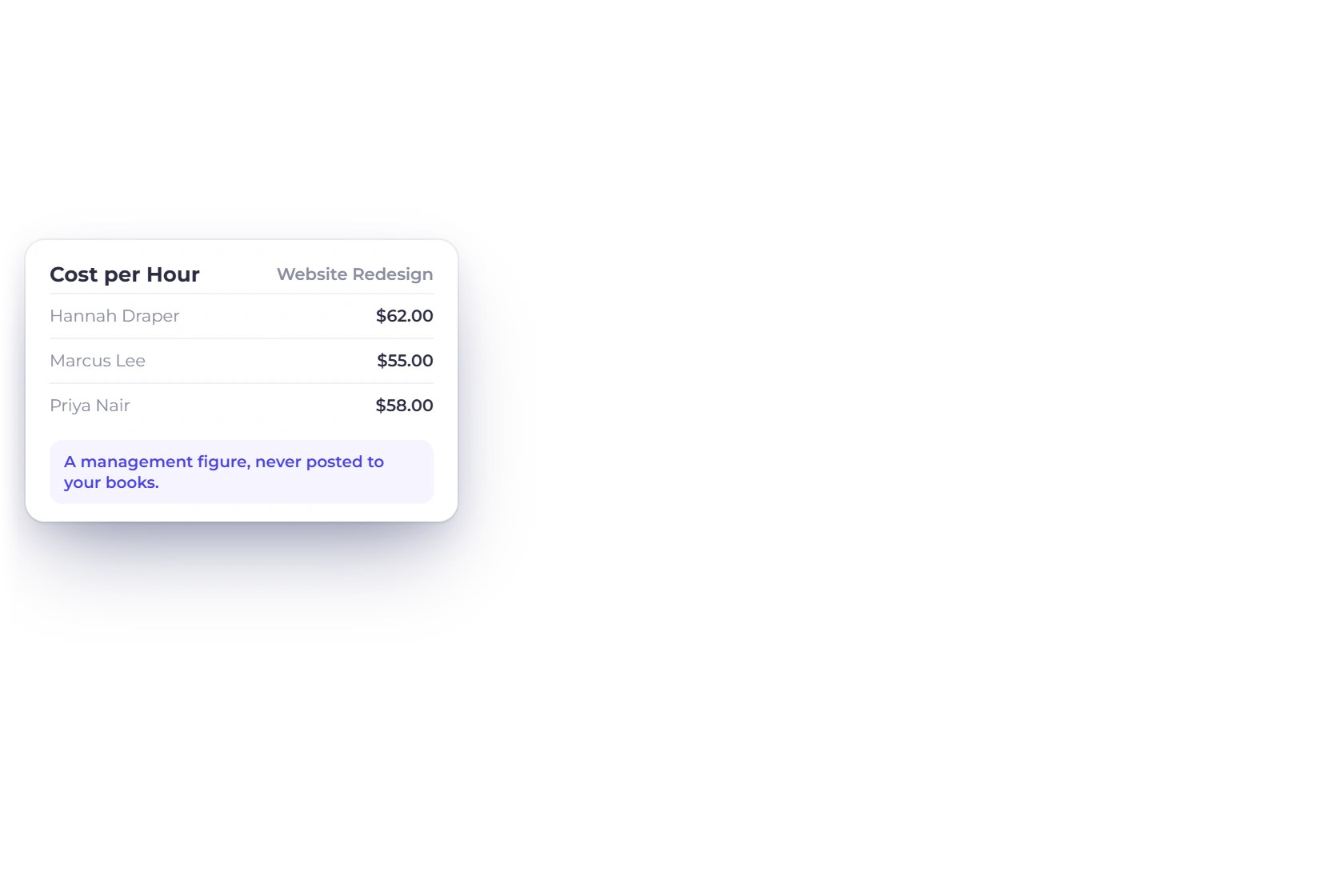
Set a cost per hour for each person in Cost Rates and Weekly Hours, or a different one on a project. Labour cost is hours times that rate, a management figure that is never posted to your books. If someone has no rate, the tab names them, and their hours count as no cost until you set one.

  • Only the owner and timesheet managers see costs
  • Never shown to team members or the portal
  • Set Cost Rates links straight to the settings
Timesheets

Billing the work

One Create Invoice wizard

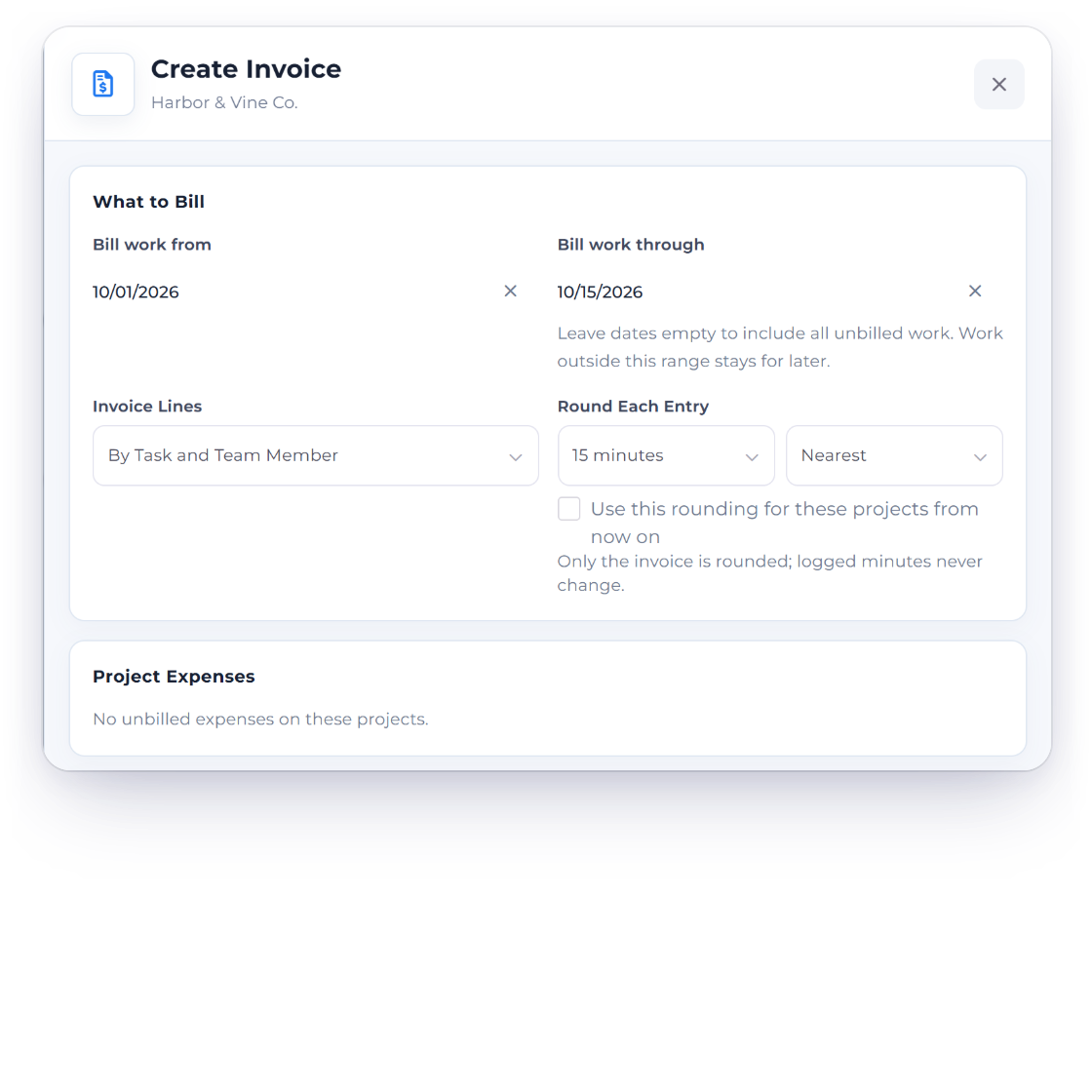
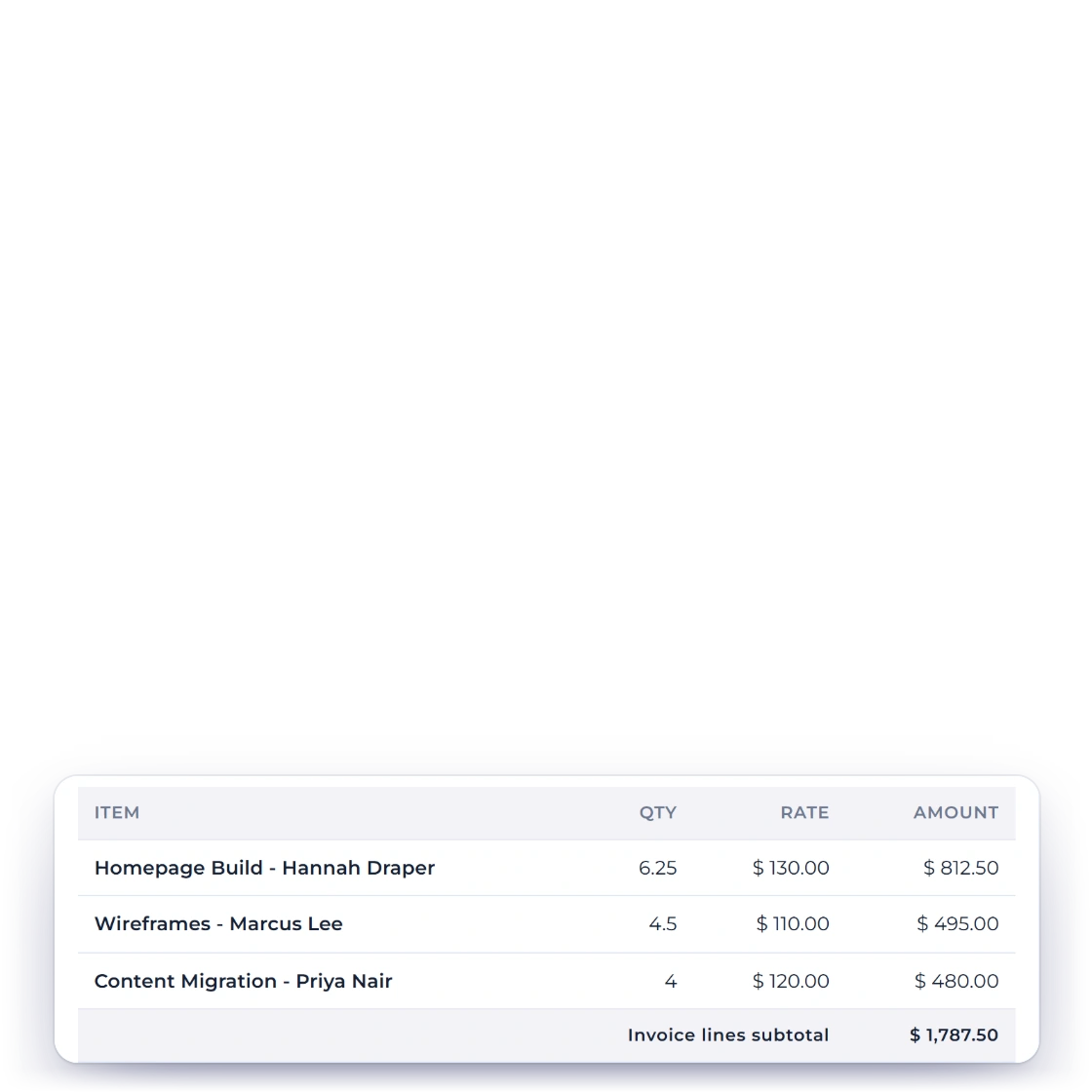
Invoice Crowd Create Invoice drawer billing time up to 10/06/2026, with invoice lines by task and team member and each entry rounded to the nearest 15 minutes, beside the rounding choices

Bill time up to a date, rounded your way

Create Invoice opens one drawer with a live preview. Bill Time Up To leaves later time for the next invoice. Invoice Lines follow the project's setting, or switch to one line per project, each time entry, by task, or by task and team member. Round Each Entry to 6, 15 or 30 minutes, nearest or up: only the invoice is rounded, and logged minutes never change.

  • Keep the rounding for the project's later invoices
  • Shows how many weeks the client approved
  • Running timers stay off the invoice
Time tracking
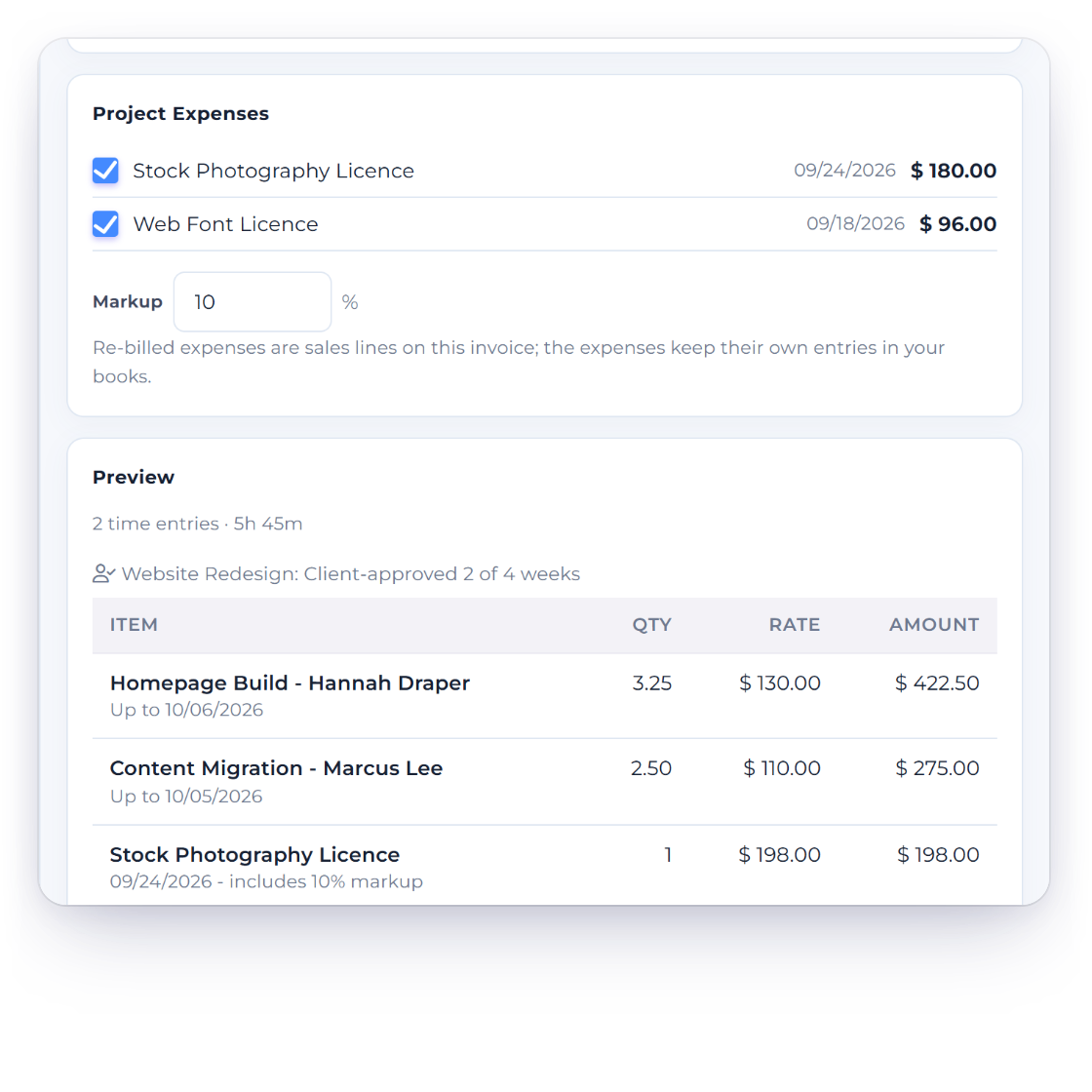
Invoice Crowd Create Invoice drawer re-billing two unbilled project expenses with a 10% markup, with a client-approved weeks note and a live preview of time and expense lines totalling $1,001.10

Re-bill project expenses with a markup

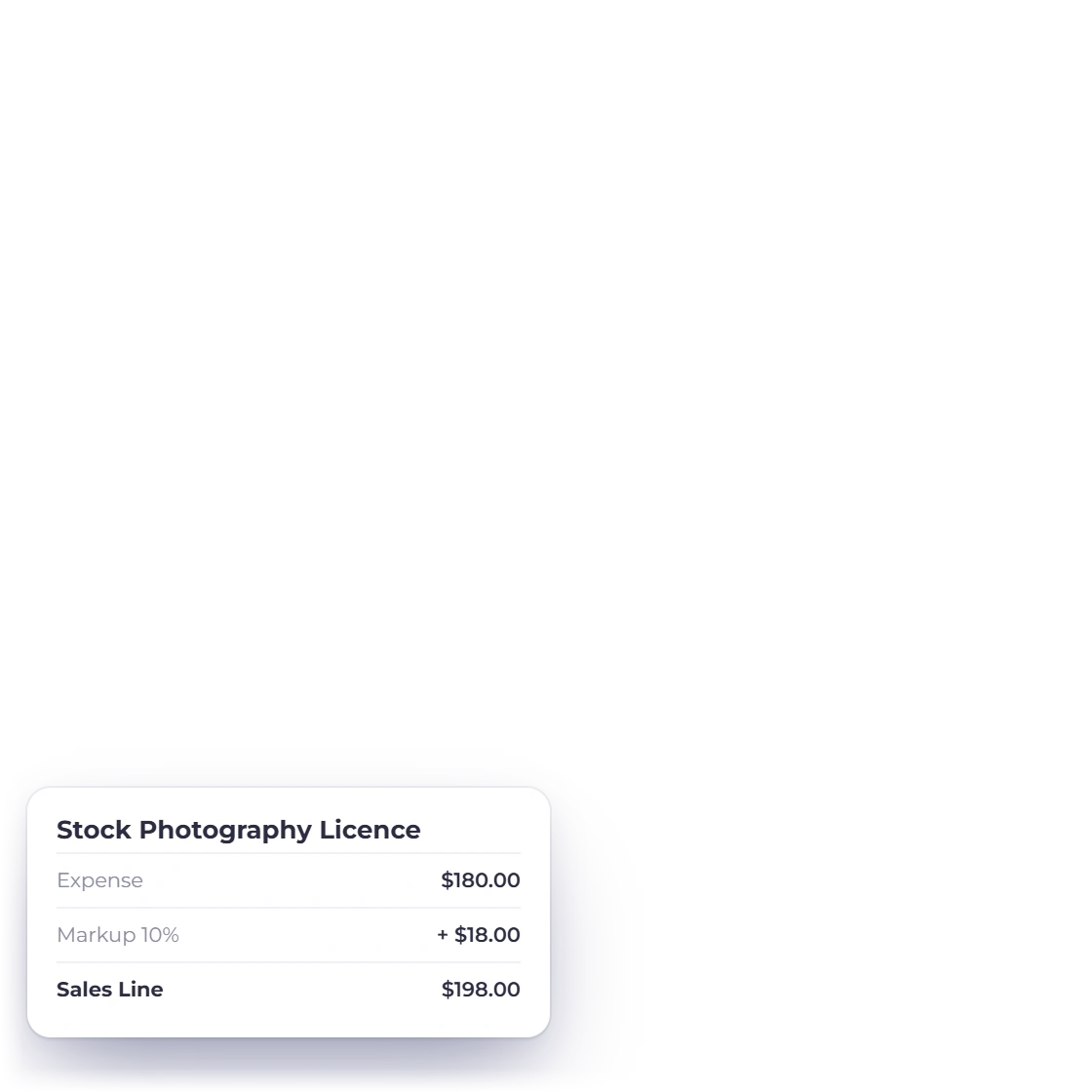
Unbilled expenses filed against the project appear in the wizard. Tick the ones to re-bill and add a markup percentage: each becomes a sales line at cost plus markup, with its date and the markup noted. The expense keeps its own entry in your books and counts as billed while that invoice exists.

  • Project expenses only, not general expenses
  • In the project's own currency
  • Deleting the invoice frees the expense again
Expenses

Fixed fees and what is waiting

Parts of a fee, Money Waiting

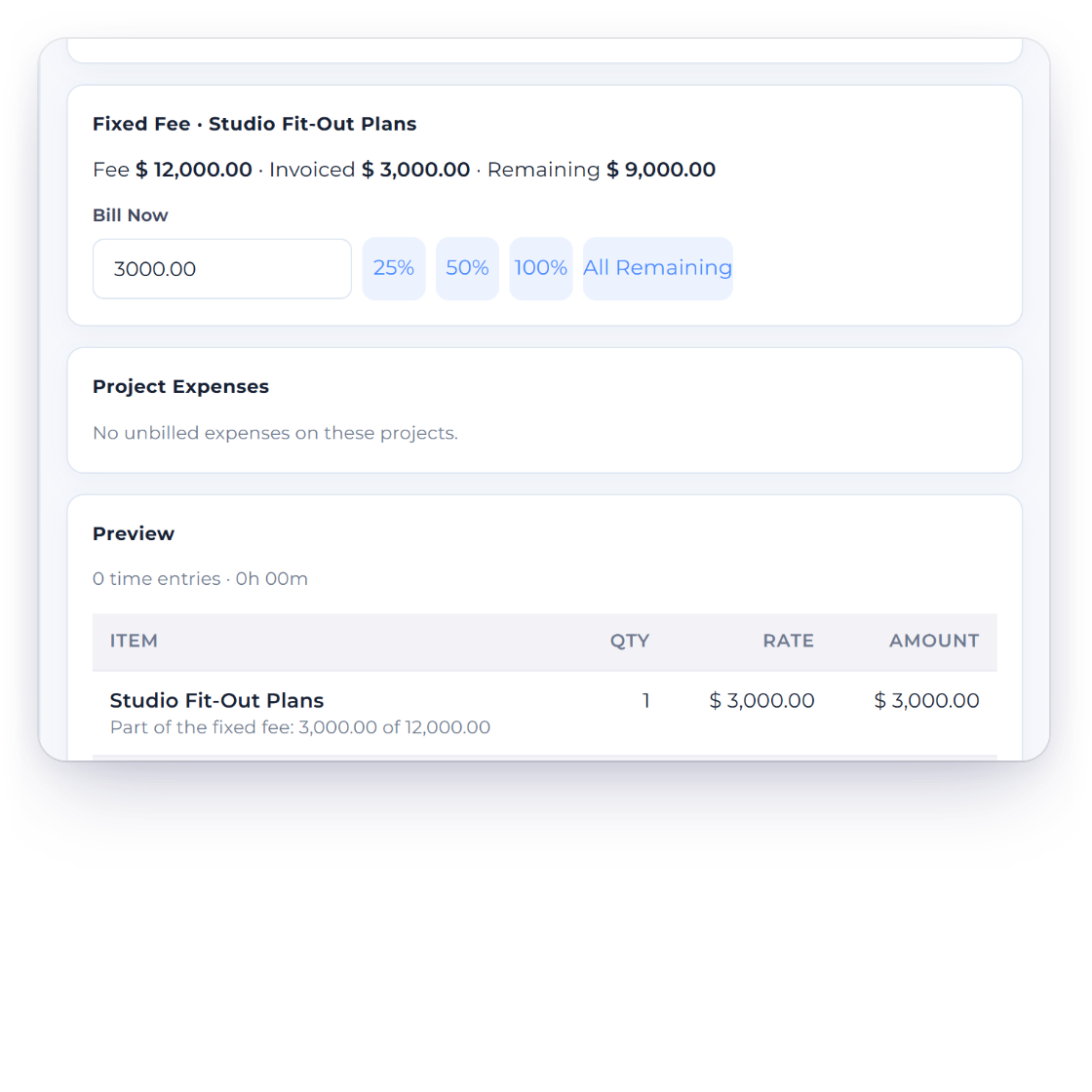
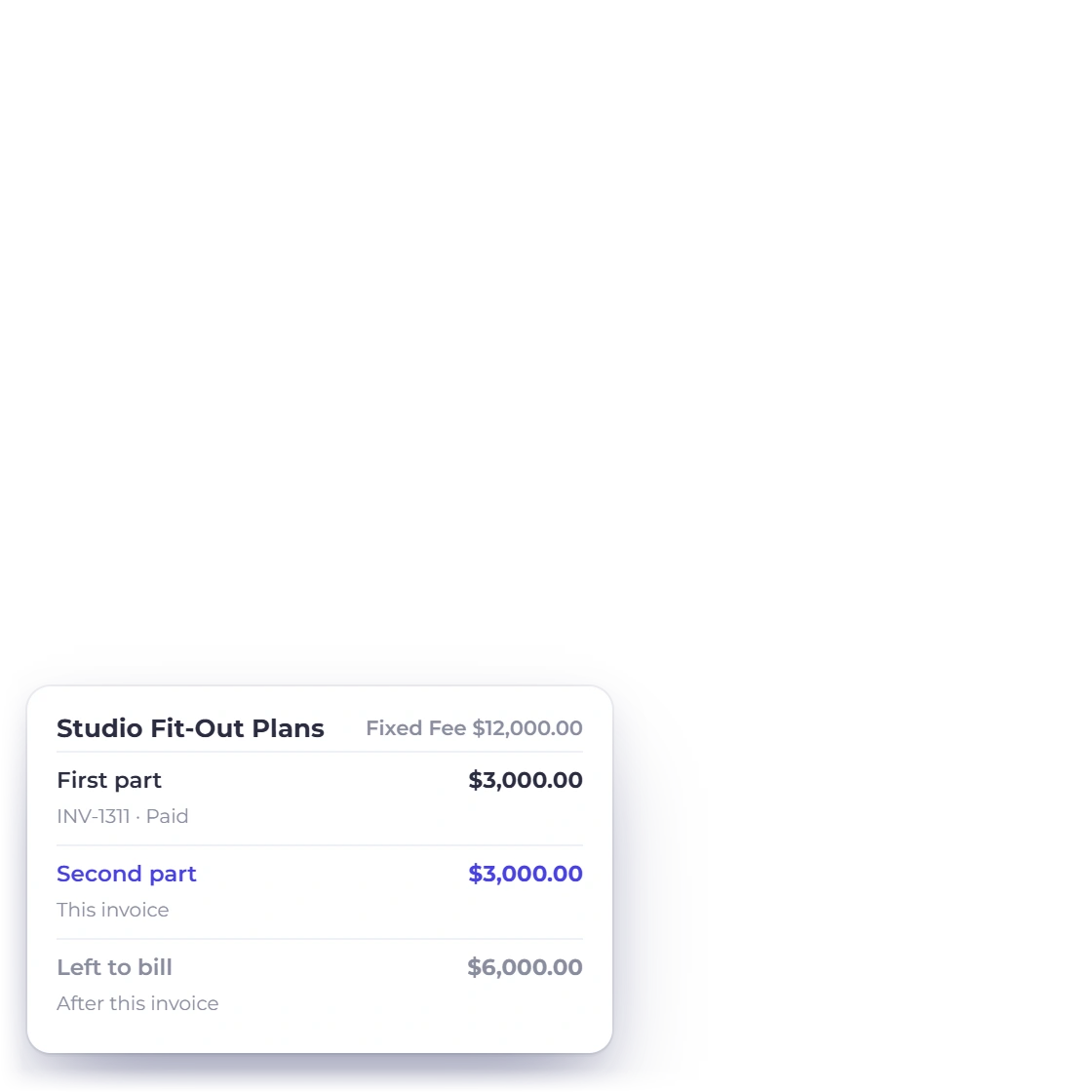
Invoice Crowd Create Invoice drawer for a fixed-fee project with the fee, the amount invoiced and the amount remaining, billing $3,000.00 now with quick 25%, 50% and 100% choices, beside the fee's milestones

Bill a fixed fee in parts

For a fixed-fee project the wizard shows the Fee, what is Invoiced and what is Remaining. Bill Now takes any amount up to what is left, or 25%, 50%, 100% or All Remaining in one click, and the line notes which part of the fee it is. A fee is never billed past what is left.

  • Billing part of a fee needs the project on its own invoice
  • Deleting an invoice frees its part again
  • The project overview shows Invoiced and Remaining
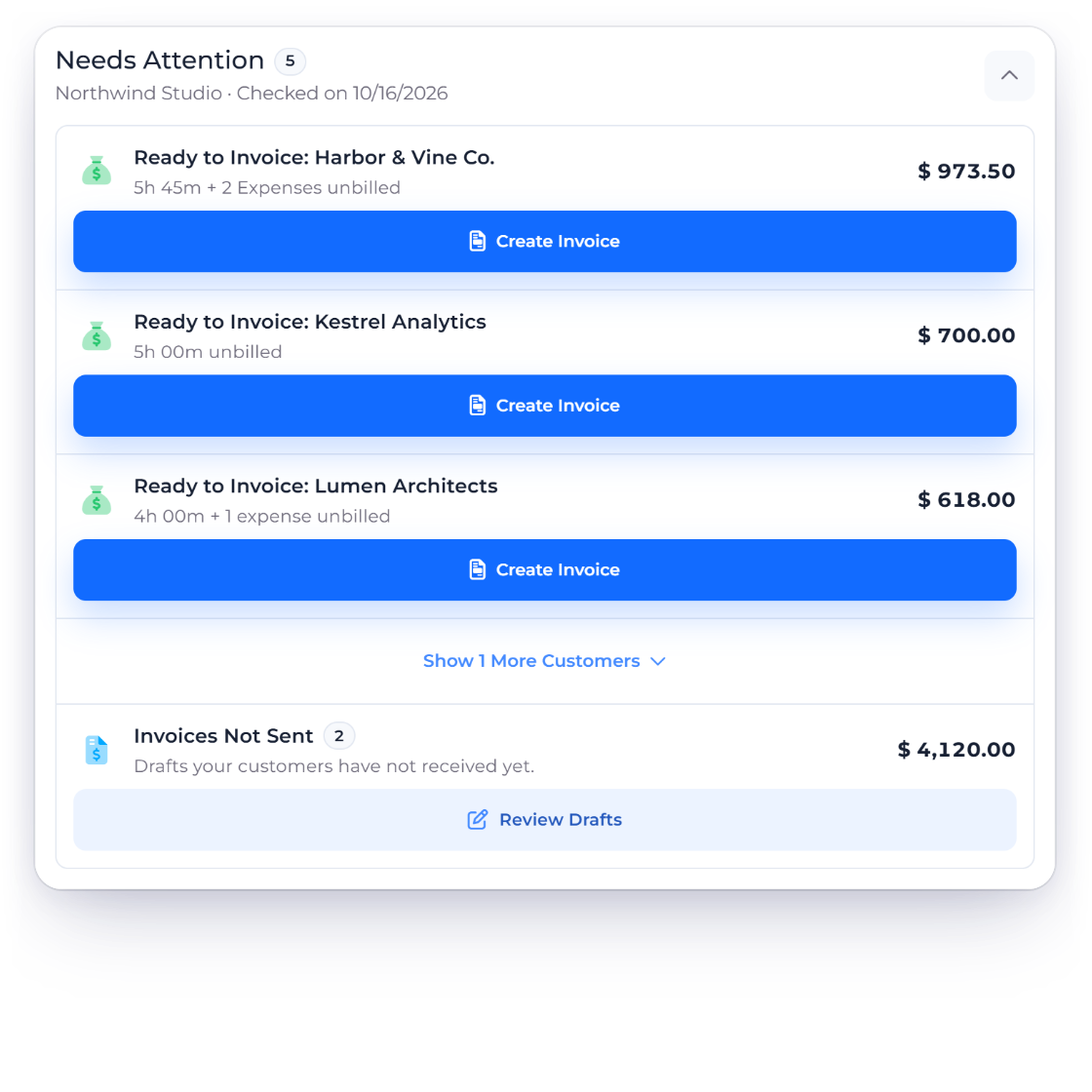
Invoice Crowd dashboard Money Waiting card listing customers with unbilled time and project expenses and a Create Invoice button for each, which opens the invoice wizard

Money Waiting on the dashboard

The Money Waiting card on the dashboard lists the customers with the most unbilled time and project expenses, with the total for each. Create Invoice opens the wizard with that customer's projects already chosen. Hide the card, and it stays hidden until another customer has unbilled work.

  • Up to five customers, each in its own currency
  • Retainer time is left out
  • Part of Worklog on paid plans
Retainers

Built in

The rest of project profit and billing

The periods, safeguards and choices behind the figures and the invoices.

  • Choose the period

    This financial year, the previous one, or the last 6 or 12 months, following your business's own financial year.

  • Margin, not just profit

    Profit shows its margin as a share of what was invoiced on the project in the period.

  • Work in progress

    Billable time not yet invoiced is valued at current rates and shown beside profit, not inside it.

  • Shared invoices split

    When one invoice bills several projects, each project counts its share by the time it billed.

  • Never posted

    Labour cost is a management figure. It never creates a journal entry or touches your profit and loss statement.

  • Missing rates named

    Anyone without a cost per hour is named above the figures, with a Set Cost Rates link to fix it.

  • Five line choices

    As Set for the Project, One Line per Project, Each Time Entry, By Task, or By Task and Team Member, per invoice.

  • Rounding that sticks

    Tick Use this rounding for these projects from now on, and later invoices start with it.

  • Approved time only

    Projects set to Invoice Only Approved Time bill only hours from approved weeks.

  • Item costs count

    Item costs on the project's invoices, and expenses linked to its invoice lines, count as project costs, each once.

  • Refused, with a reason

    A selection across customers, or made only of retainer time, is refused with a link to put it right.

  • Paid plans

    Profitability, the invoice wizard and Money Waiting come with Worklog on paid plans. Profit is for the owner and timesheet managers.

Questions

Project Profitability, answered

Can Invoice Crowd show profit per project?

Yes. Each project has a Profitability tab that takes the revenue invoiced on the project, subtracts labour cost (hours times each person's cost per hour) and project expenses, and shows profit and margin for this financial year, the previous one, or the last 6 or 12 months. It is for the account owner and timesheet managers, as part of Worklog on paid plans.

Is labour cost posted to my books?

No. Labour cost is a management figure worked out from logged hours and each person's cost per hour. It never creates a journal entry, so your profit and loss statement shows invoices and expenses exactly as before.

How is project revenue counted?

From invoices linked to the project, or that billed its time, on the invoice date and before tax. When one invoice bills several projects, each project counts its share by the time it billed. Billable time not yet invoiced is shown separately as Work in Progress.

Can I round billable time on invoices?

Yes. In the invoice wizard, Round Each Entry rounds every time entry to 6, 15 or 30 minutes, to the nearest step or up. Only the invoice is rounded; logged minutes never change. Tick Use this rounding for these projects from now on to make it the project's default.

Can I re-bill expenses to a client?

Yes, for project expenses. Unbilled expenses filed against a project appear in the invoice wizard; tick them and add a markup percentage, and each becomes a sales line at cost plus markup. The expense keeps its own entry in your books. Expenses not linked to a project are not re-billed this way.

Can I invoice a fixed-fee project in milestones?

Yes. Create an invoice for the fixed-fee project on its own, and the wizard shows the fee, what is already invoiced and what remains. Bill any amount up to what is left, or 25%, 50%, 100% or all that remains. The fee is never billed twice, and deleting an invoice frees its part again.

What is the Money Waiting card?

A dashboard card that lists the customers with the most unbilled time and project expenses, with the amount waiting for each. Create Invoice opens the invoice wizard with that customer's projects chosen. Time a retainer counts is left out, so it is never billed twice.

Find the margin on your next project

Set each person's cost per hour, open a project's Profitability tab, and bill what is waiting from one Create Invoice wizard.

  • No card required to start
  • Your data stays yours
  • Cancel anytime