
Skip to content

India GST

GST invoicing and return prep for Indian businesses

Invoice Crowd is invoicing and accounting software that handles GST for India business profiles: each invoice records the customer's GSTIN, the GST treatment and the place of supply for your return, and the GST Filing page turns your books into a GSTR-1 JSON for the GST offline tool and GSTR-3B and GSTR-9 workpapers. Nothing is filed to the GST portal for you; you or your accountant upload or enter the return there.

  • CGST, SGST or IGST checked against place of supply
  • GSTR-1 JSON, GSTR-3B and GSTR-9 workpapers
  • Input tax credit from bills and expenses

Last updated:

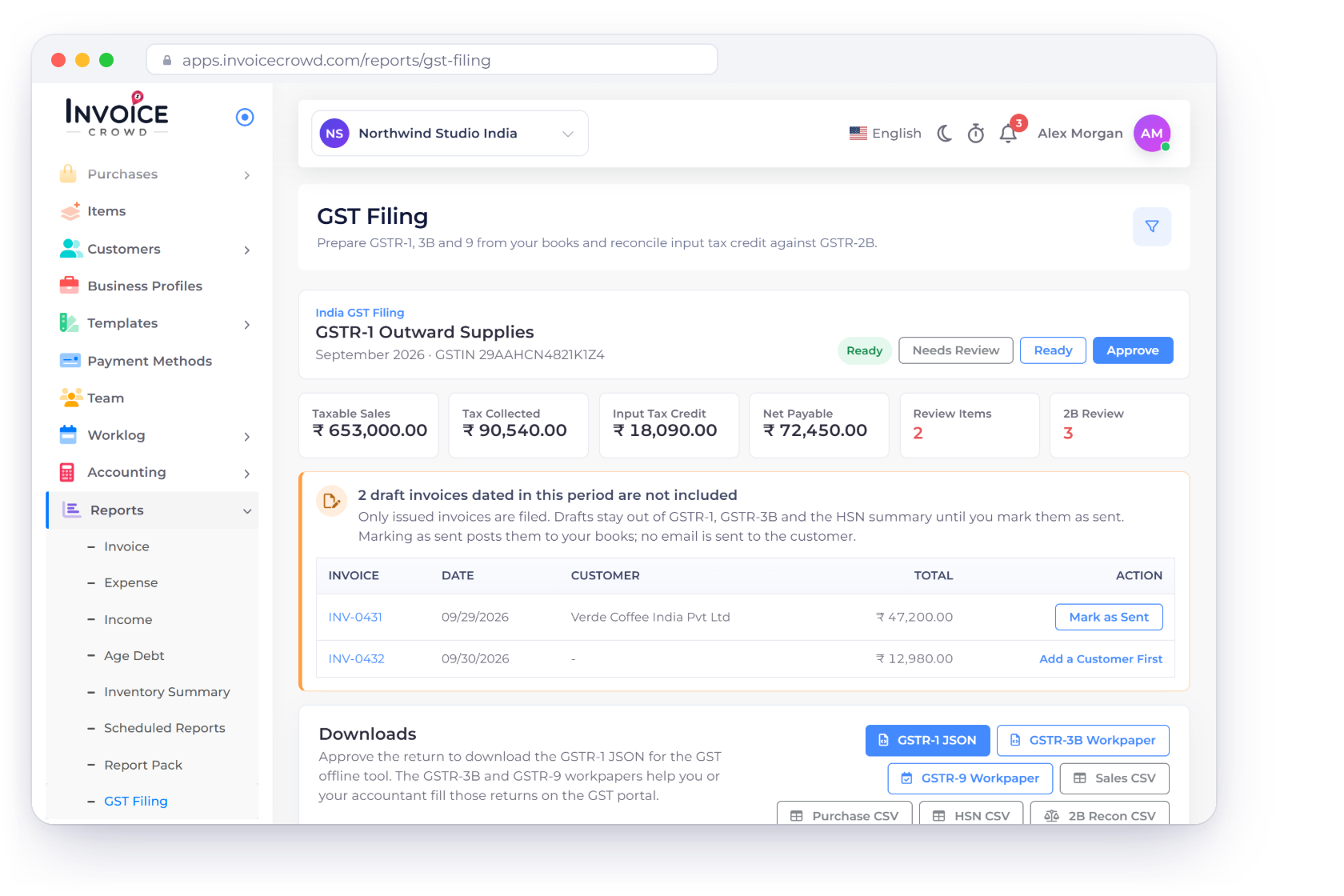
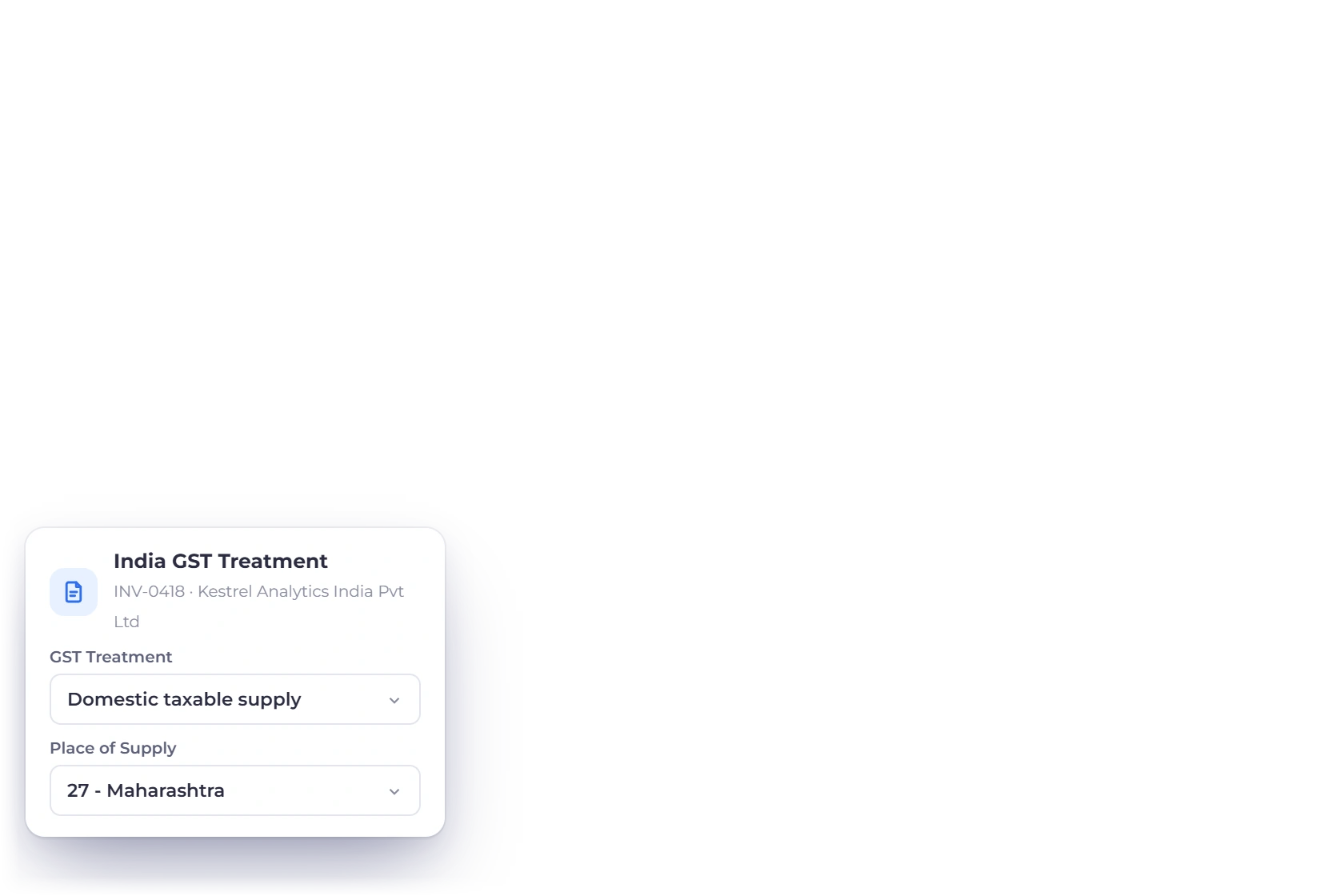
Invoice Crowd GST Filing for an Indian business with the GSTR-1 for September 2026, taxable sales, tax collected, input tax credit and net payable in rupees, two draft invoices left out, and the GST treatment set on an invoice

How it works

From a GST invoice to a return you can review

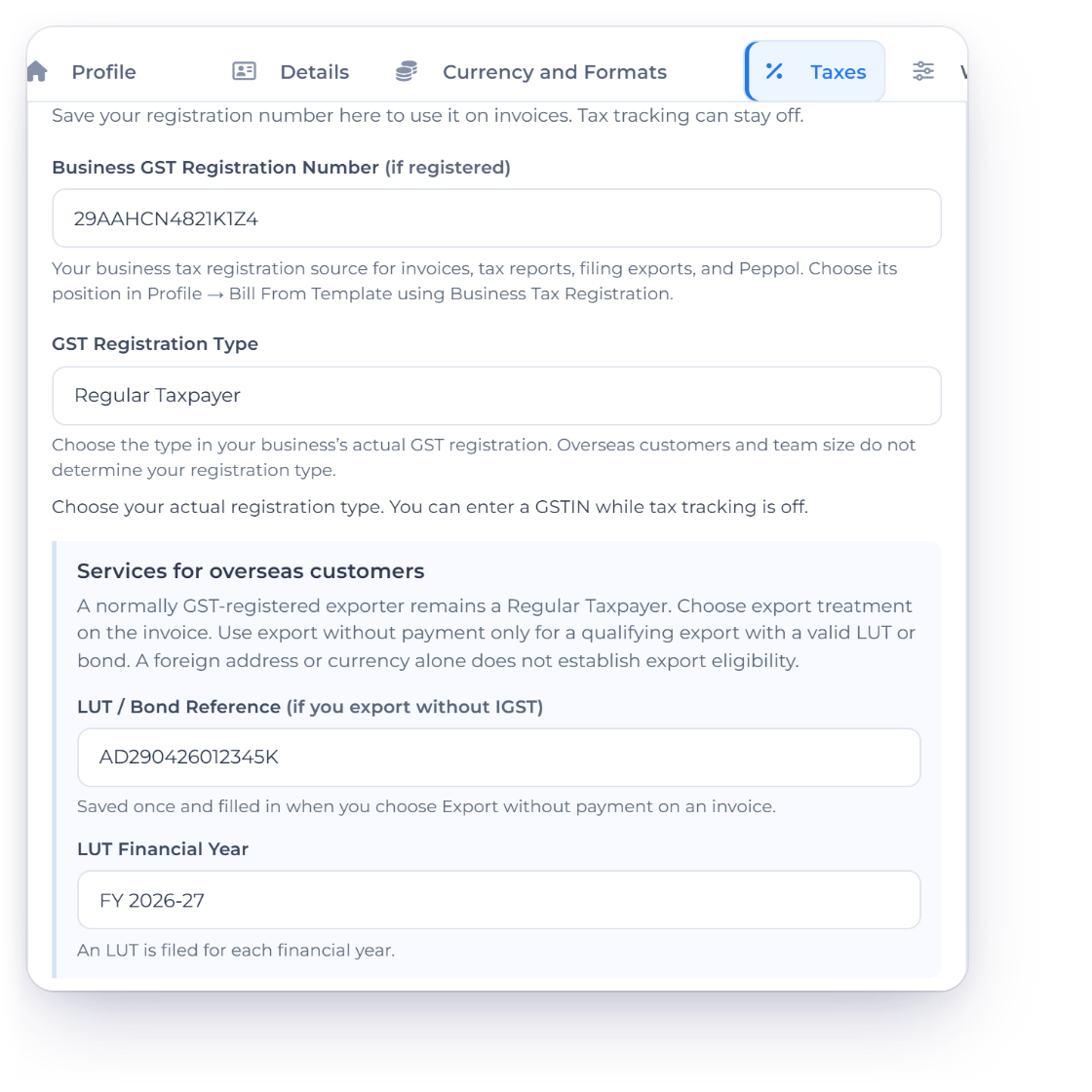
GST features appear for business profiles set up in India. Your GSTIN is entered once, under Business Profile, Taxes, and every invoice, bill and expense feeds the GST Filing page in Reports.

Bill with GST

Tax heads checked on every invoice

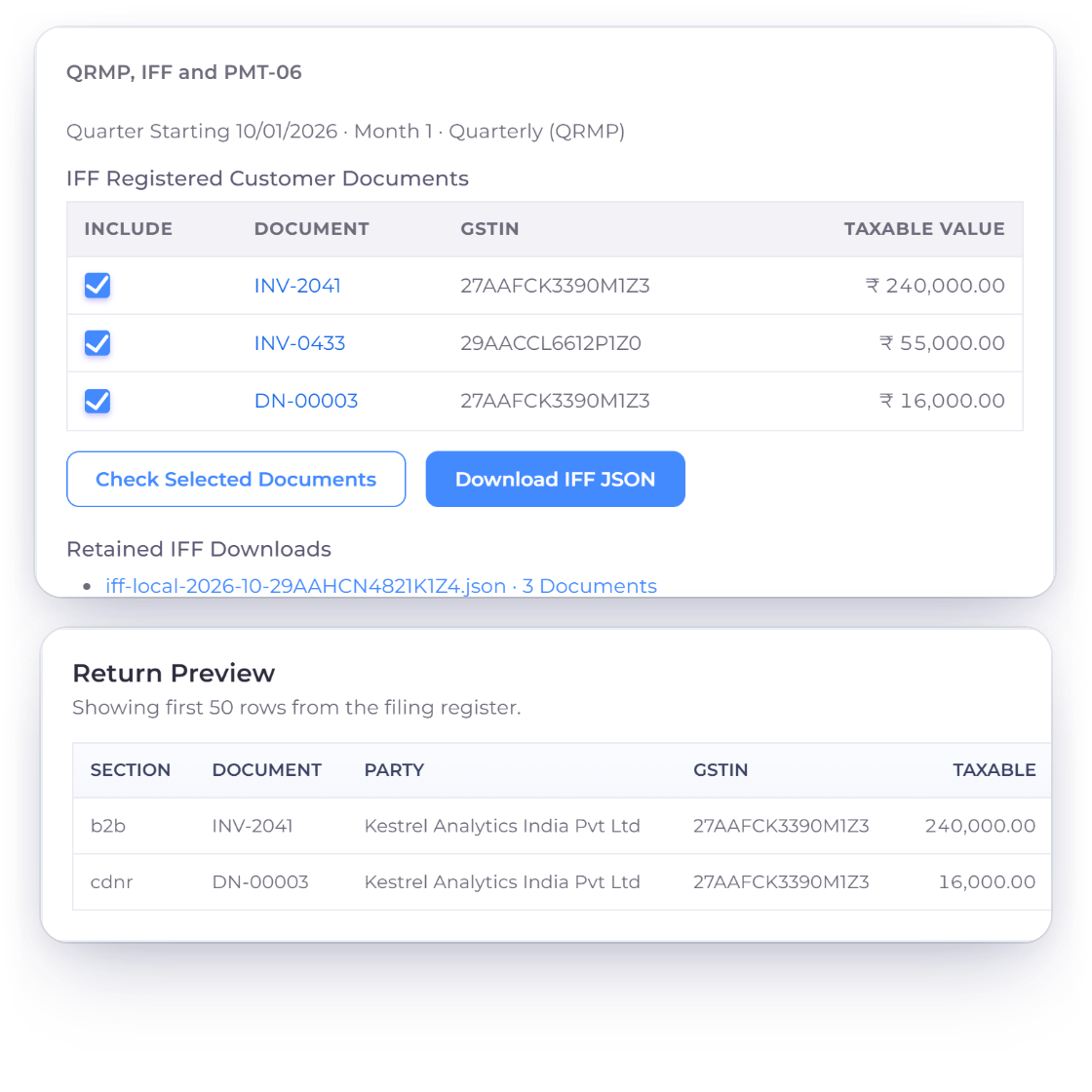
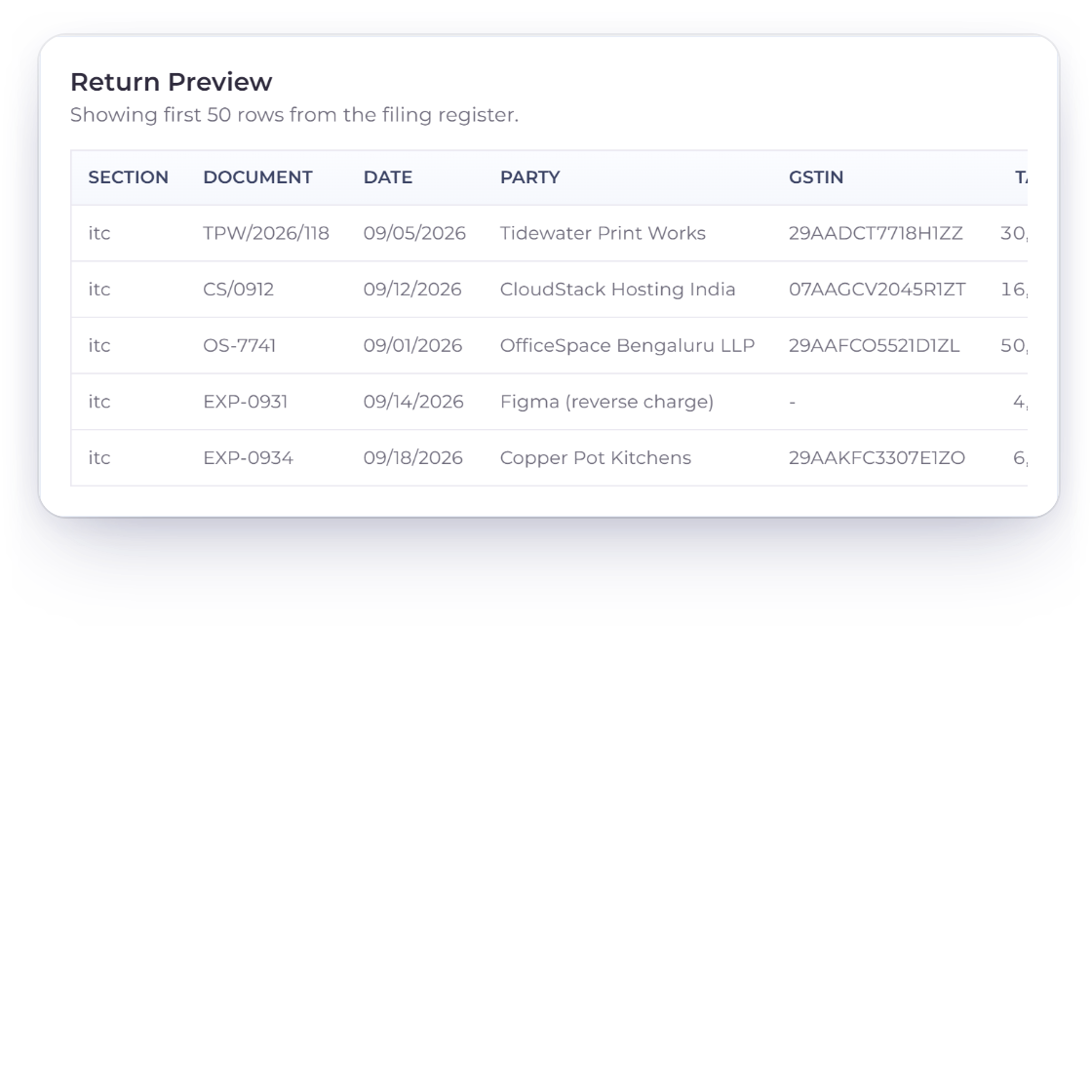
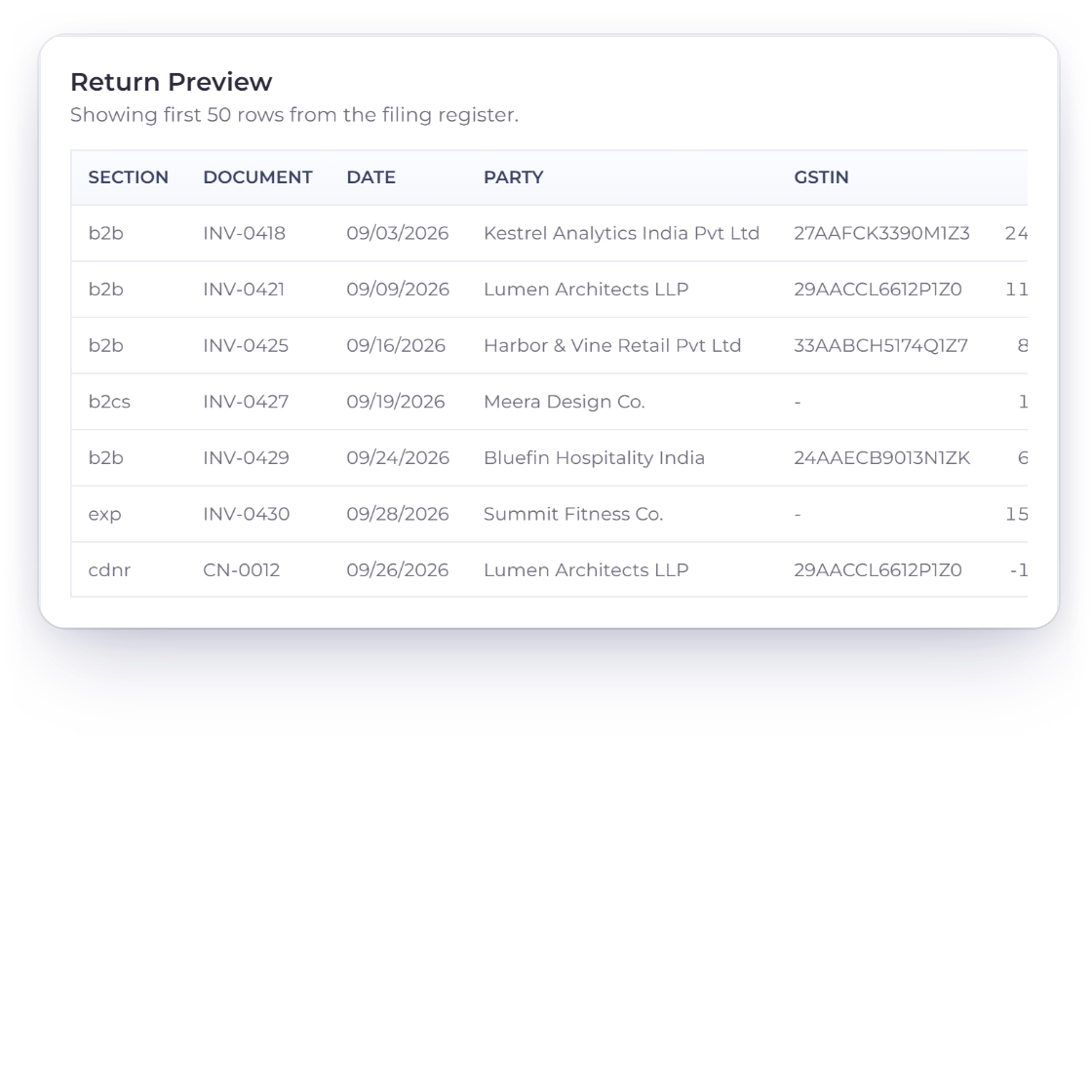
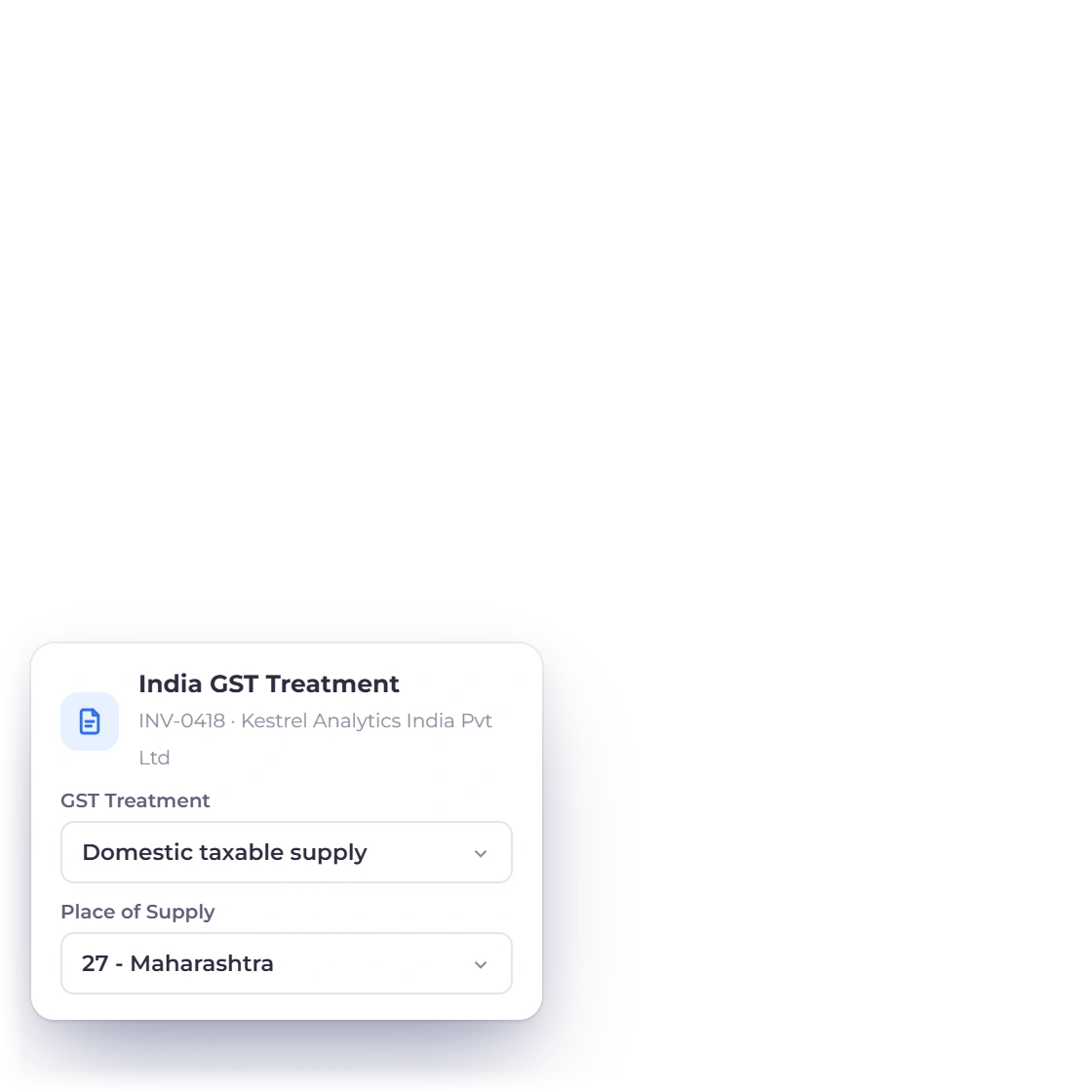
Invoice Crowd GST return preview listing B2B, B2C, export and credit note rows with each customer GSTIN, next to the GST treatment and place of supply set on an invoice

GST treatment and place of supply on every invoice

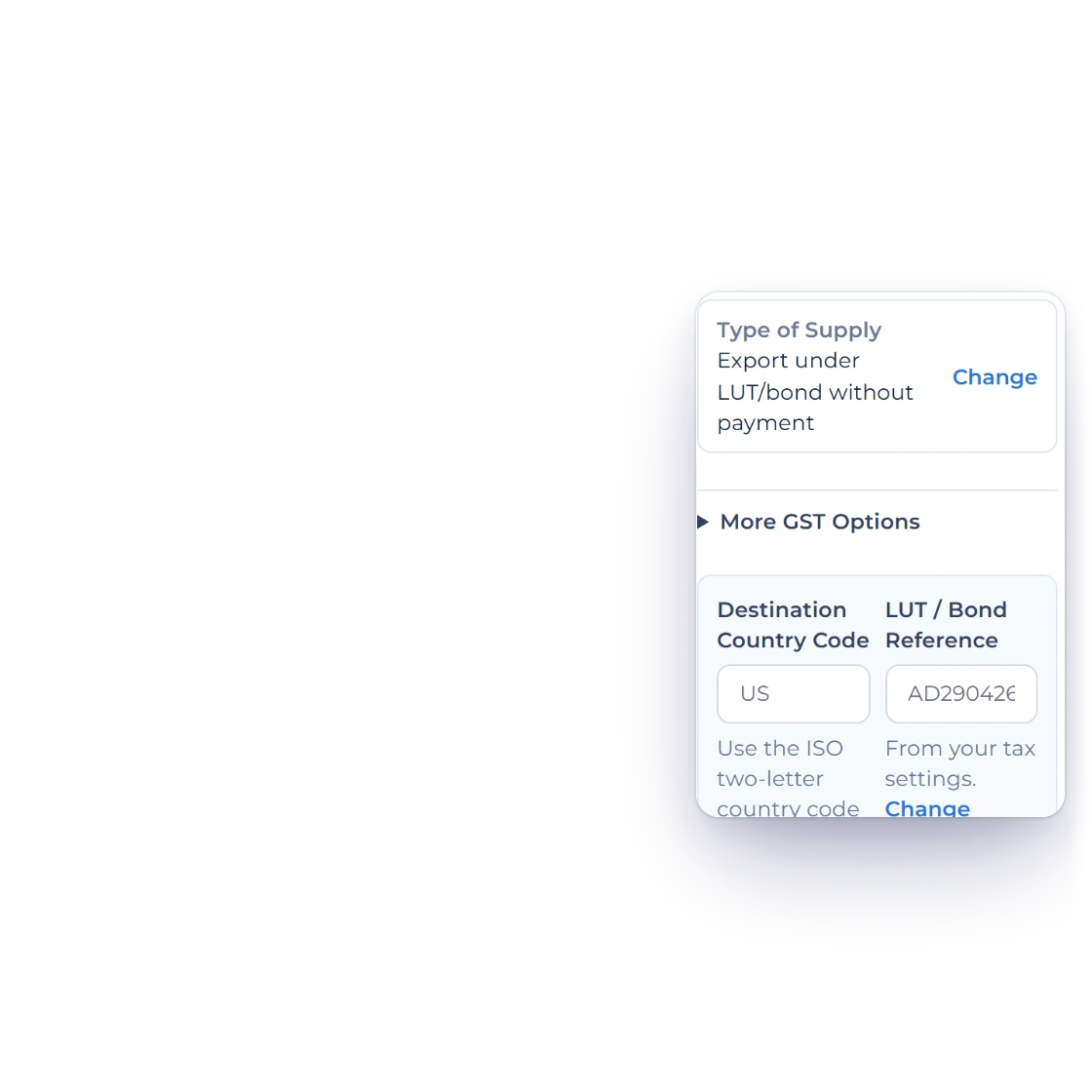
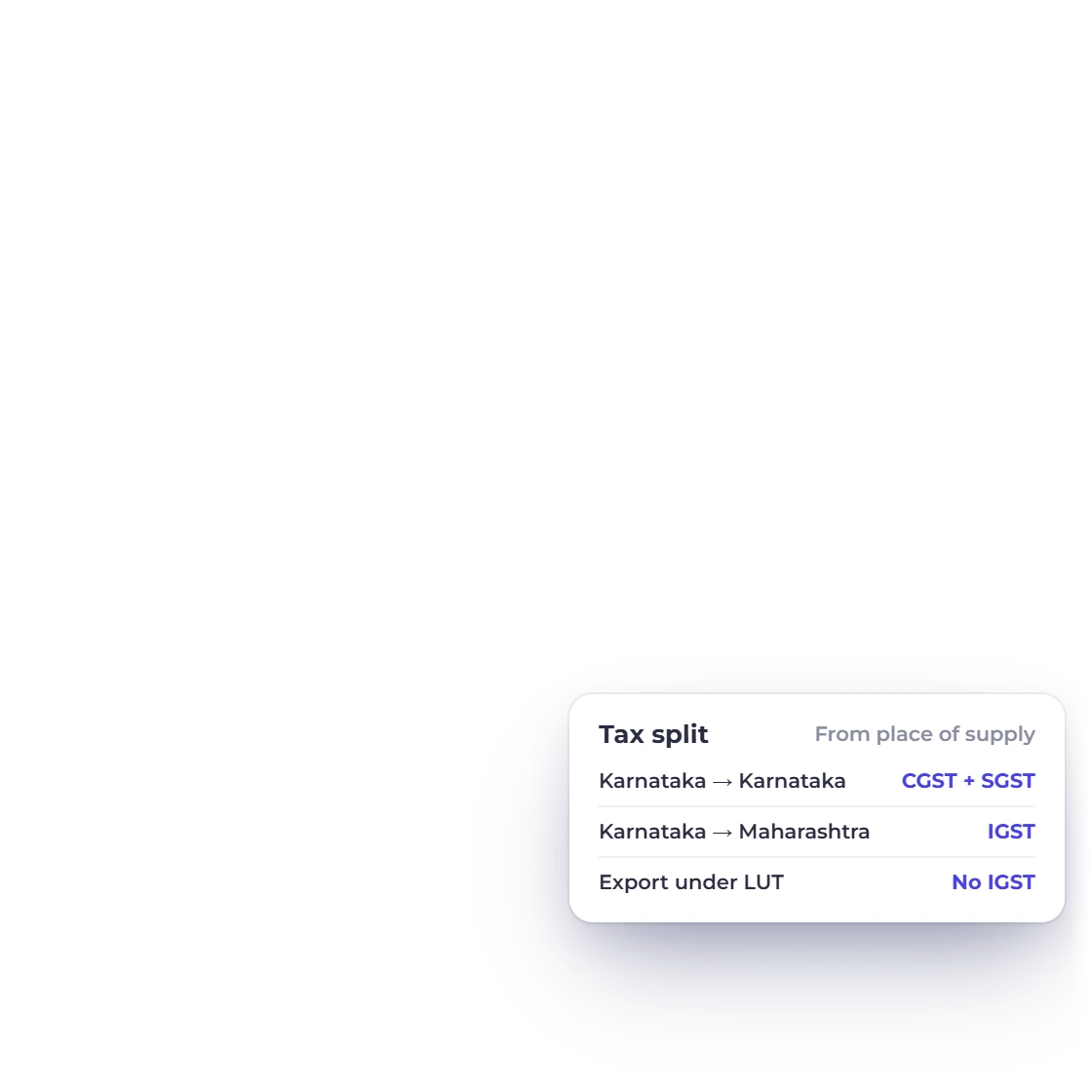
Each invoice has an India GST Treatment card with GST Treatment (Domestic taxable supply, exports with or without IGST, SEZ, deemed export, nil-rated, exempt, non-GST or reverse charge) and Place of Supply. You charge CGST and SGST for a supply inside your State or IGST for another State, and Invoice Crowd checks your choice against the place of supply (the customer's GSTIN State unless you set a different one) and warns you if they don't match.

  • Your GSTIN and the customer's GSTIN
  • Place of Supply by State code
  • HSN/SAC on each line
Invoicing
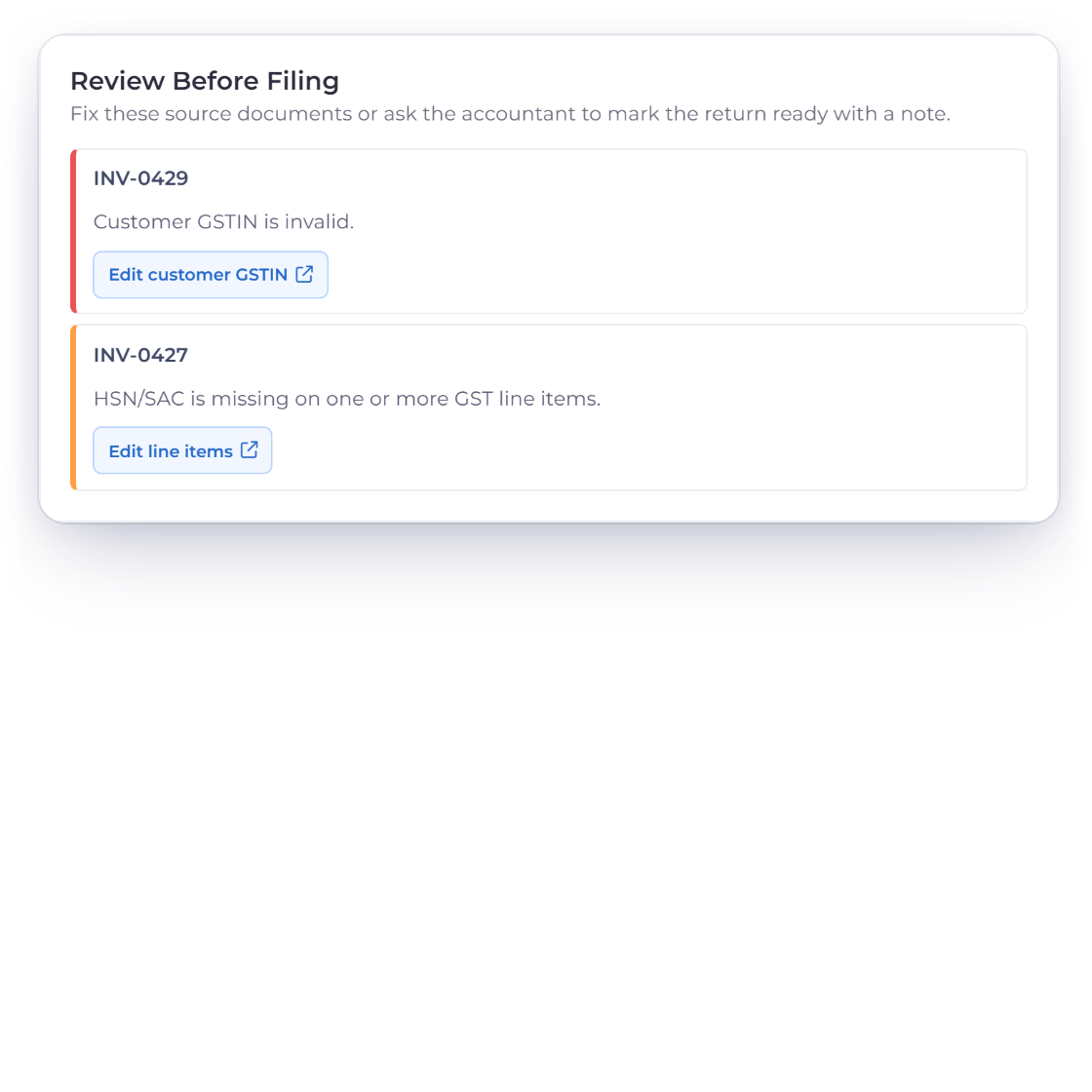
Invoice Crowd Review Before Filing list flagging an invoice whose customer GSTIN fails validation and an invoice missing its HSN/SAC code, with a link to fix each one

GSTINs checked before you file

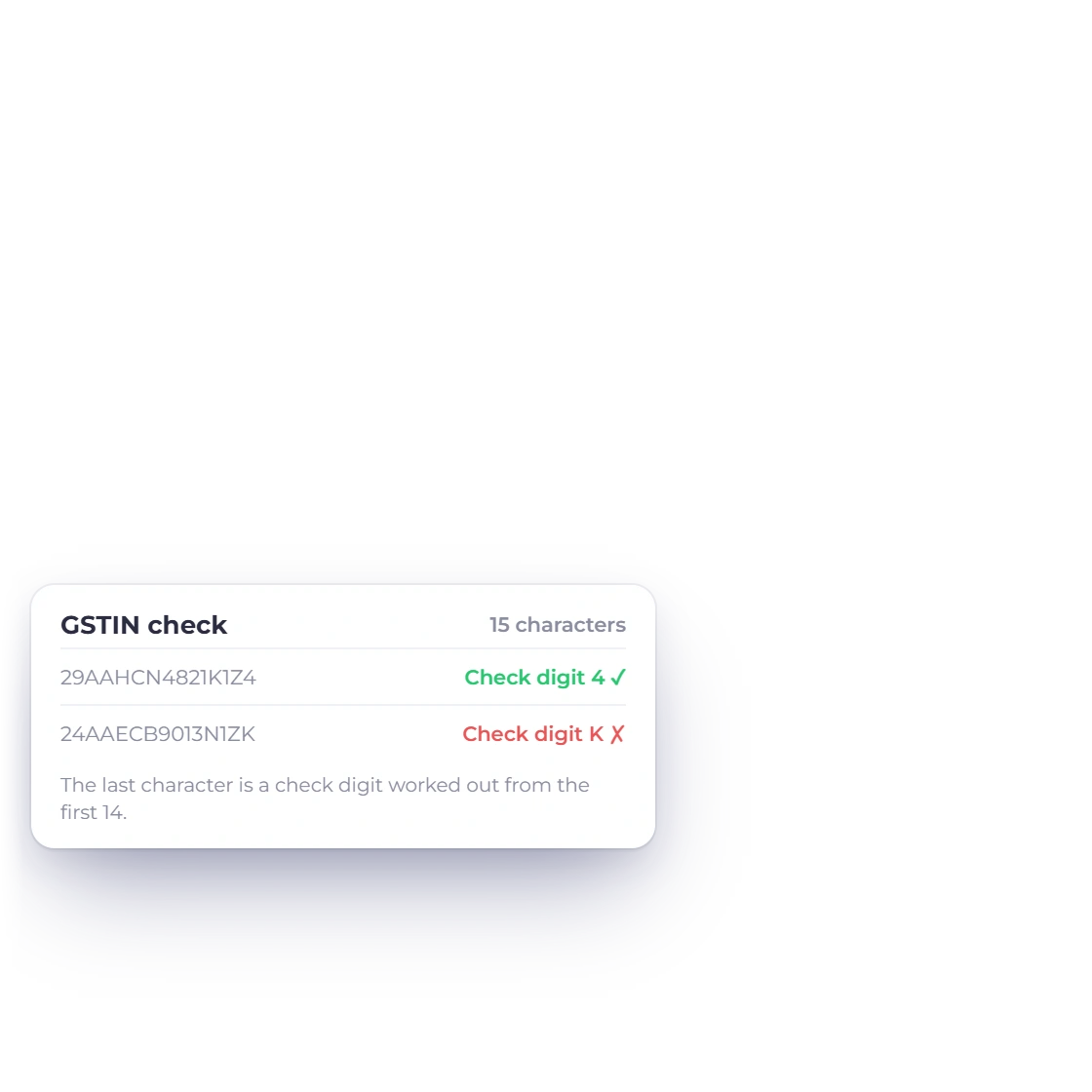
A GSTIN's last character is a check digit worked out from the first 14. Invoice Crowd checks it, and the GST Filing page lists anything that needs fixing under Review Before Filing, such as Customer GSTIN is invalid or HSN/SAC is missing on one or more GST line items, each with a link to the customer or document to correct.

  • Check digit validation
  • Review Before Filing list
  • One click to the record to fix

Prepare the return

Reports, GST Filing

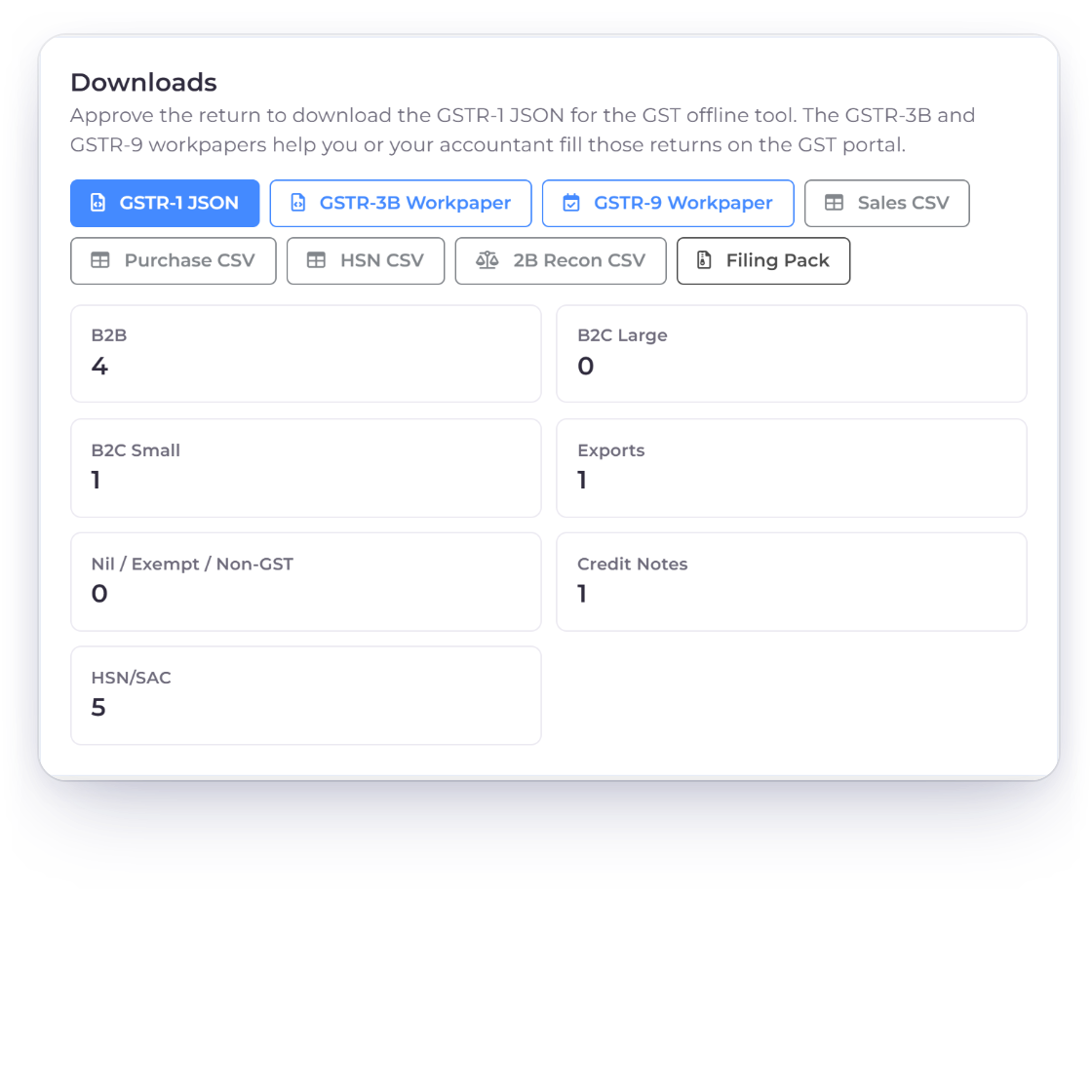
Invoice Crowd GST Filing downloads for the GSTR-1 JSON, GSTR-3B and GSTR-9 workpapers, sales, purchase, HSN and 2B reconciliation files and the filing pack, with the return counts by section and its review status

GSTR-1 JSON and GSTR-3B workpapers

Pick a period and a return: GSTR-1 Outward Supplies, GSTR-3B Summary or GSTR-9 Annual Summary. The page shows taxable sales, tax collected, input tax credit and net payable, counts by section (B2B, B2C Large, B2C Small, Exports, Nil / Exempt / Non-GST, Credit Notes, HSN/SAC) and a return preview. Sales, purchase, HSN and 2B reconciliation CSVs download any time; the GSTR-1 JSON for the GST offline tool, the GSTR-3B and GSTR-9 workpapers and the filing pack unlock once you approve the return.

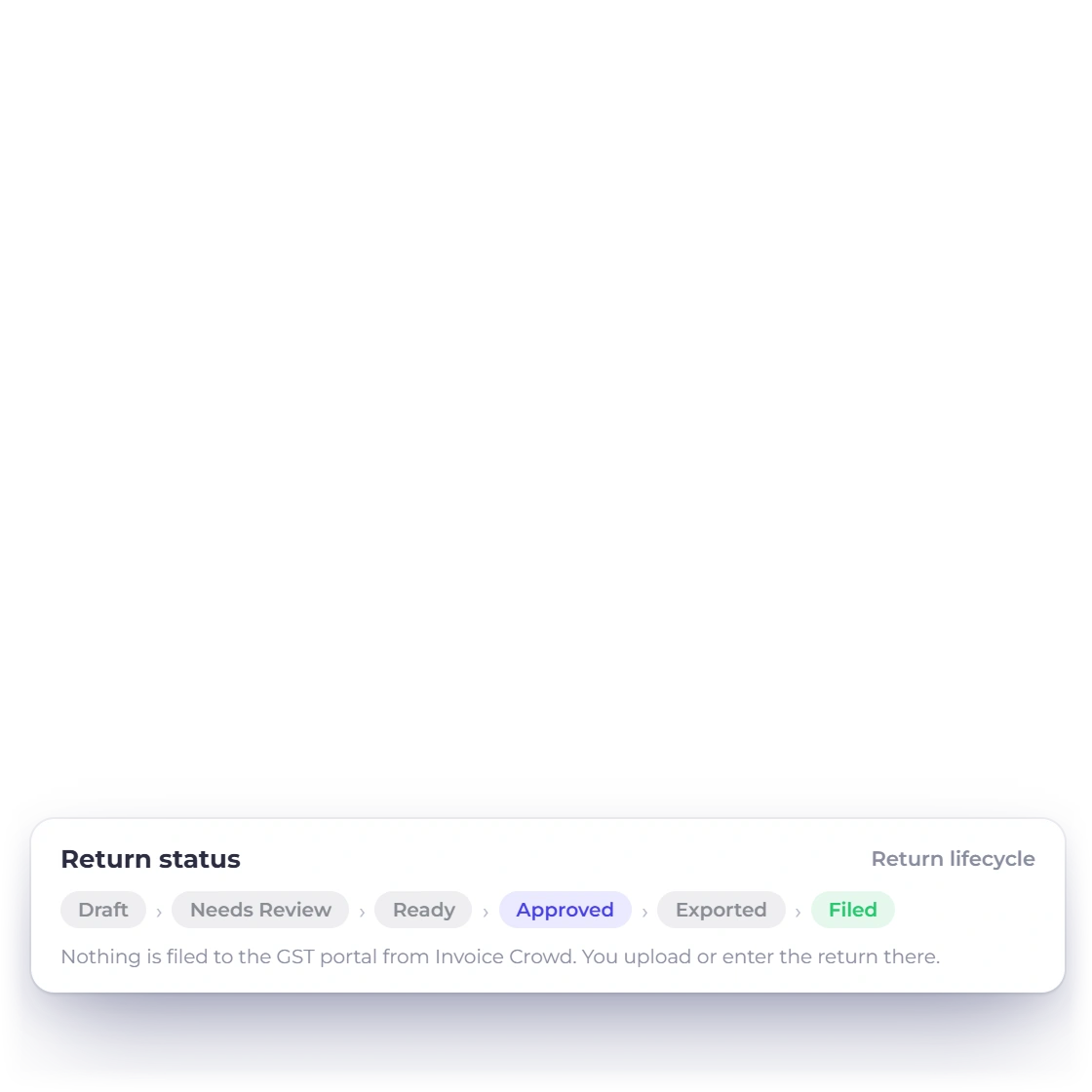
  • Needs Review, Ready, Approve, Mark Filed
  • JSON and workpapers after approval
  • Nothing sent to the GST portal
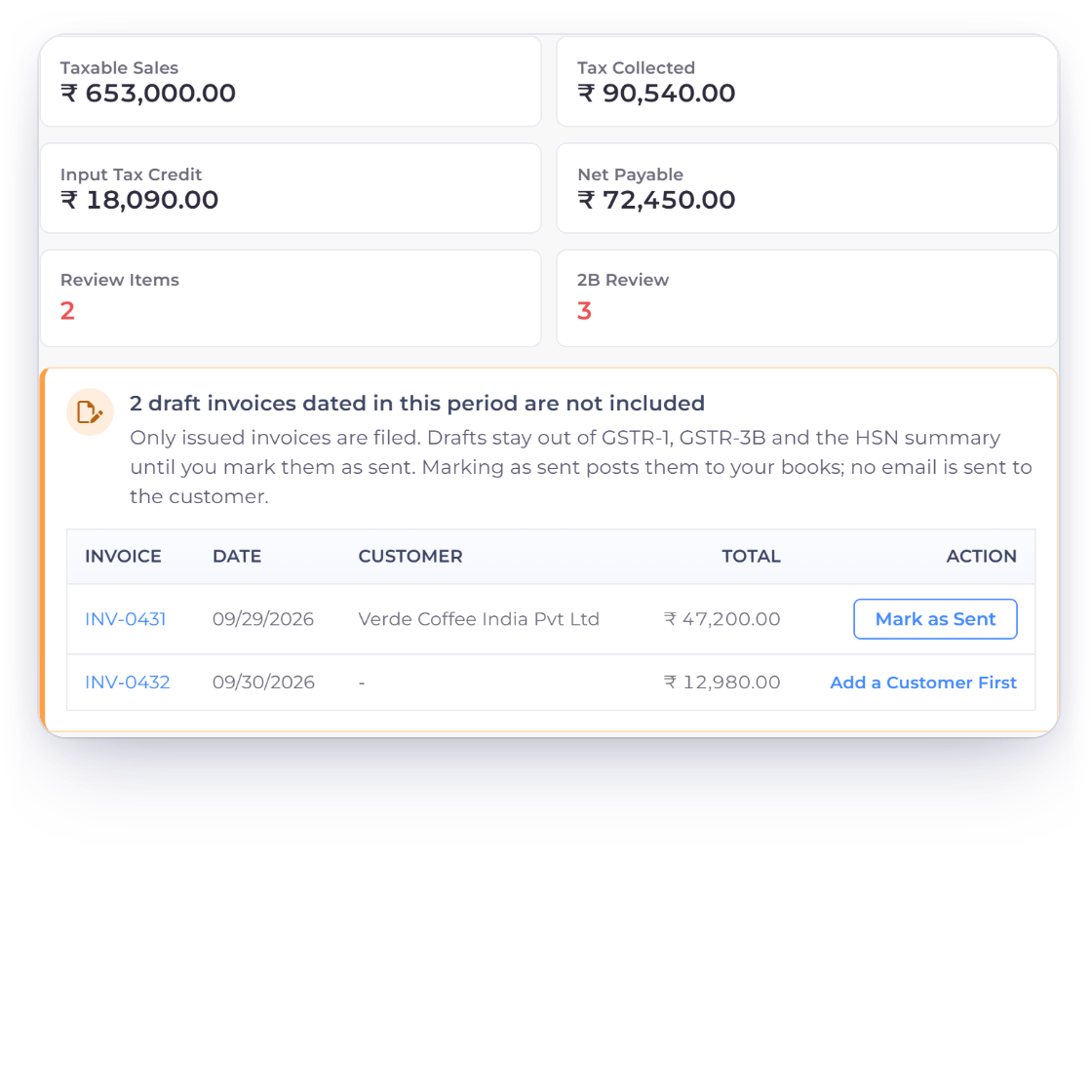
Invoice Crowd GST Filing warning that two draft invoices dated in the period are not included, with Mark as Sent for one and Add a Customer First for the other

Draft invoices are never filed by accident

Only issued invoices are filed. When drafts are dated in the period, the page says how many are not included and lists them, with Mark as Sent for each one, or Add a Customer First when a draft has no customer. Marking as sent posts the invoice to your books; no email is sent to the customer.

  • Drafts listed with date and total
  • Mark as Sent from the return
  • No email to the customer

Purchases and closing

Input tax credit and filed periods

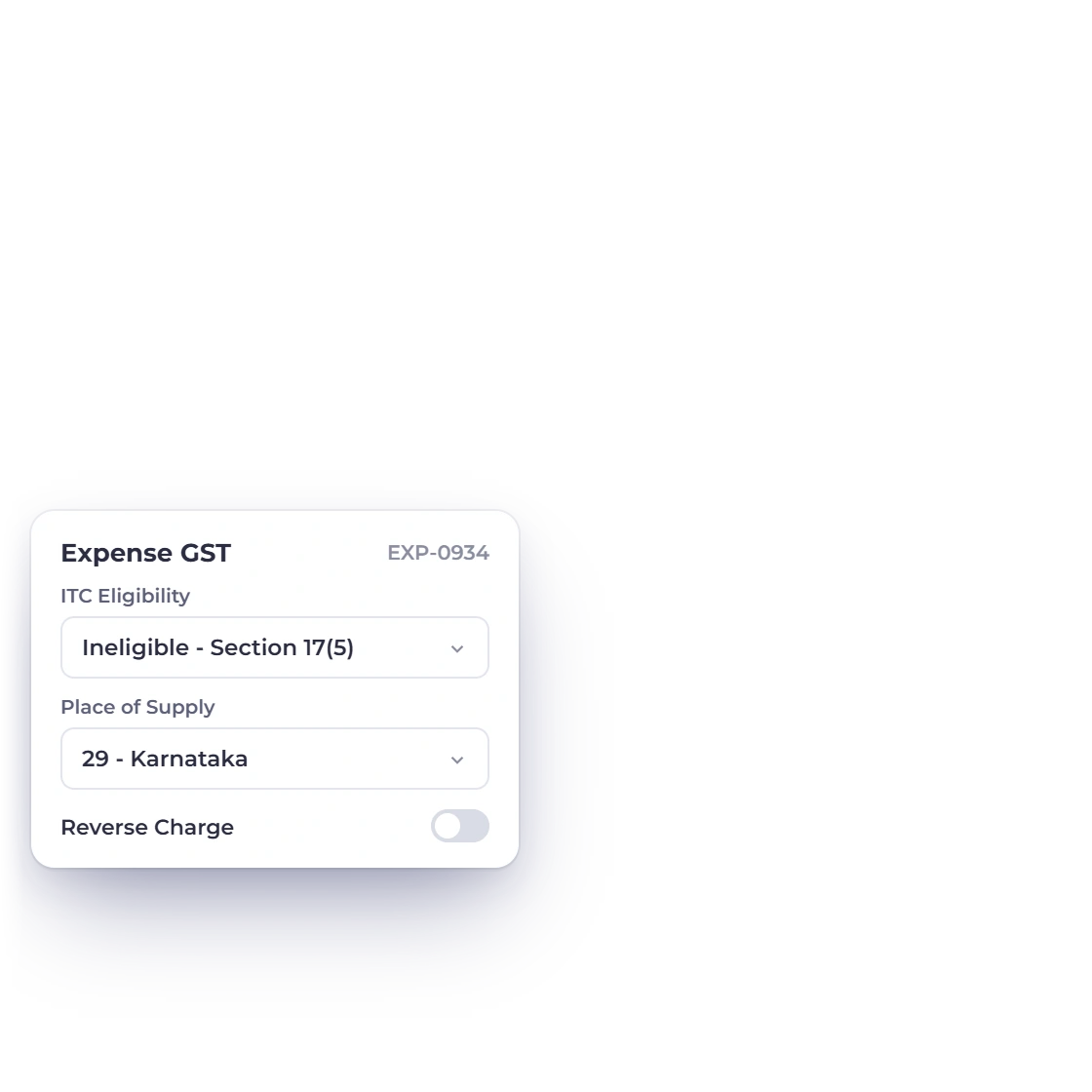
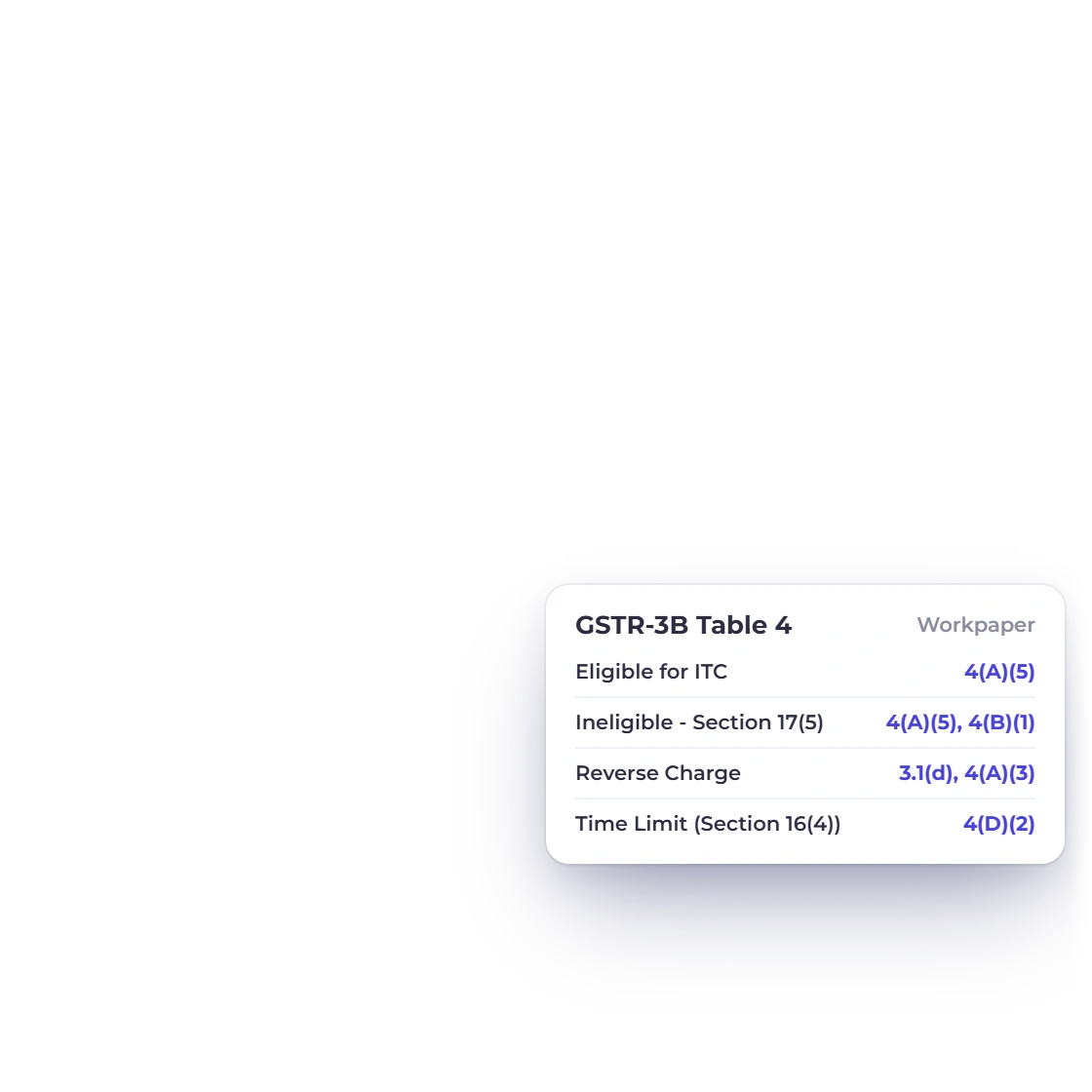
Invoice Crowd GSTR-3B purchase register with bills and expenses and their input tax, next to an expense set to ITC Eligibility Ineligible - Section 17(5) and how each case maps to GSTR-3B Table 4

Input tax credit from bills and expenses

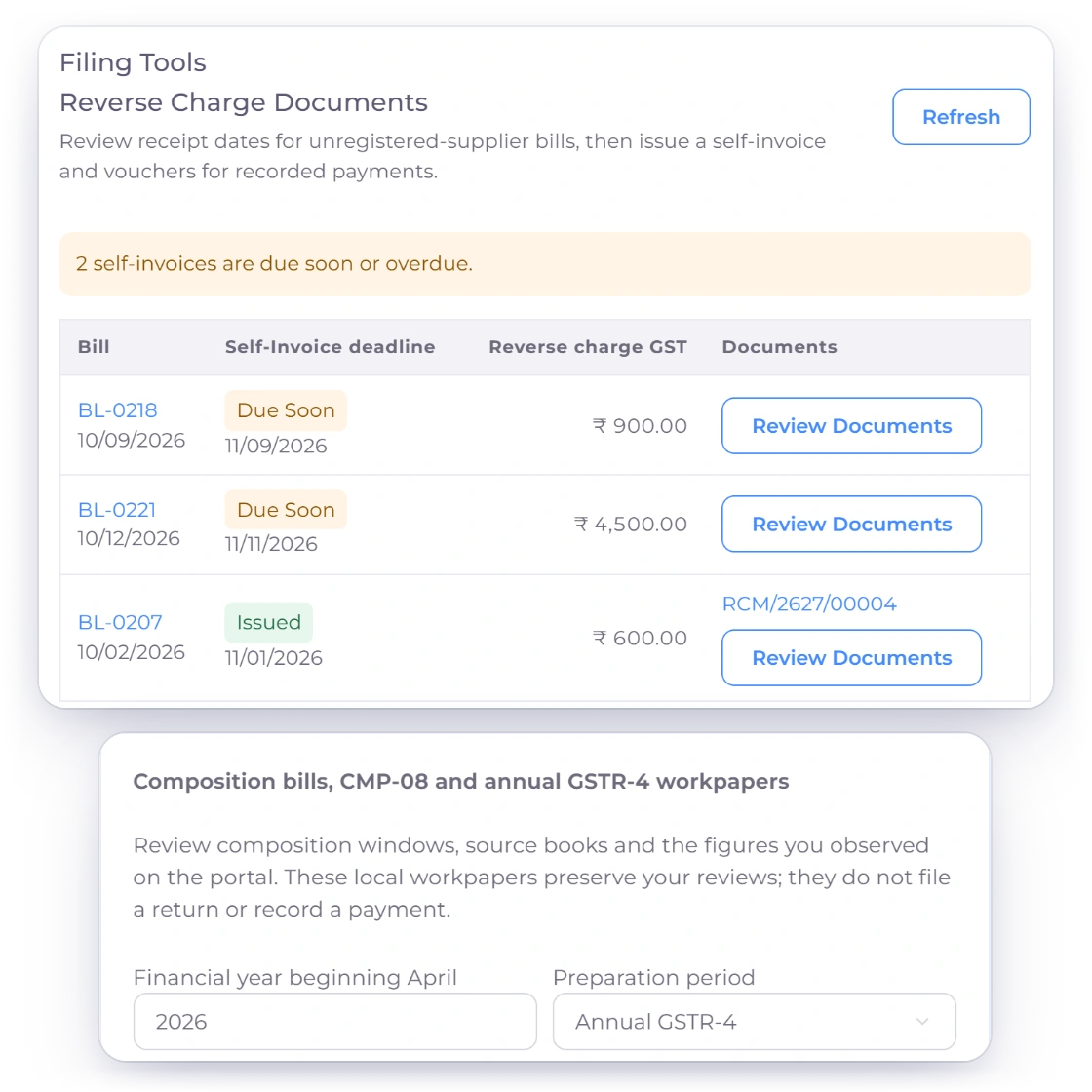
Bills and taxed expenses carry the vendor's GSTIN and place of supply, and either can be reverse charge. On an expense you also set ITC Eligibility. Eligible tax goes to Input Tax Credit; Ineligible - Section 17(5) and other ineligible tax stays in the cost and is reversed in GSTR-3B Table 4(B)(1); reverse charge is reported in 3.1(d) and 4(A)(3). Upload the GSTR-2B you download from the portal to match purchase ITC.

  • ITC Eligibility on each expense
  • Reverse charge self-assessed
  • GSTR-2B JSON, CSV or Excel upload
Expenses
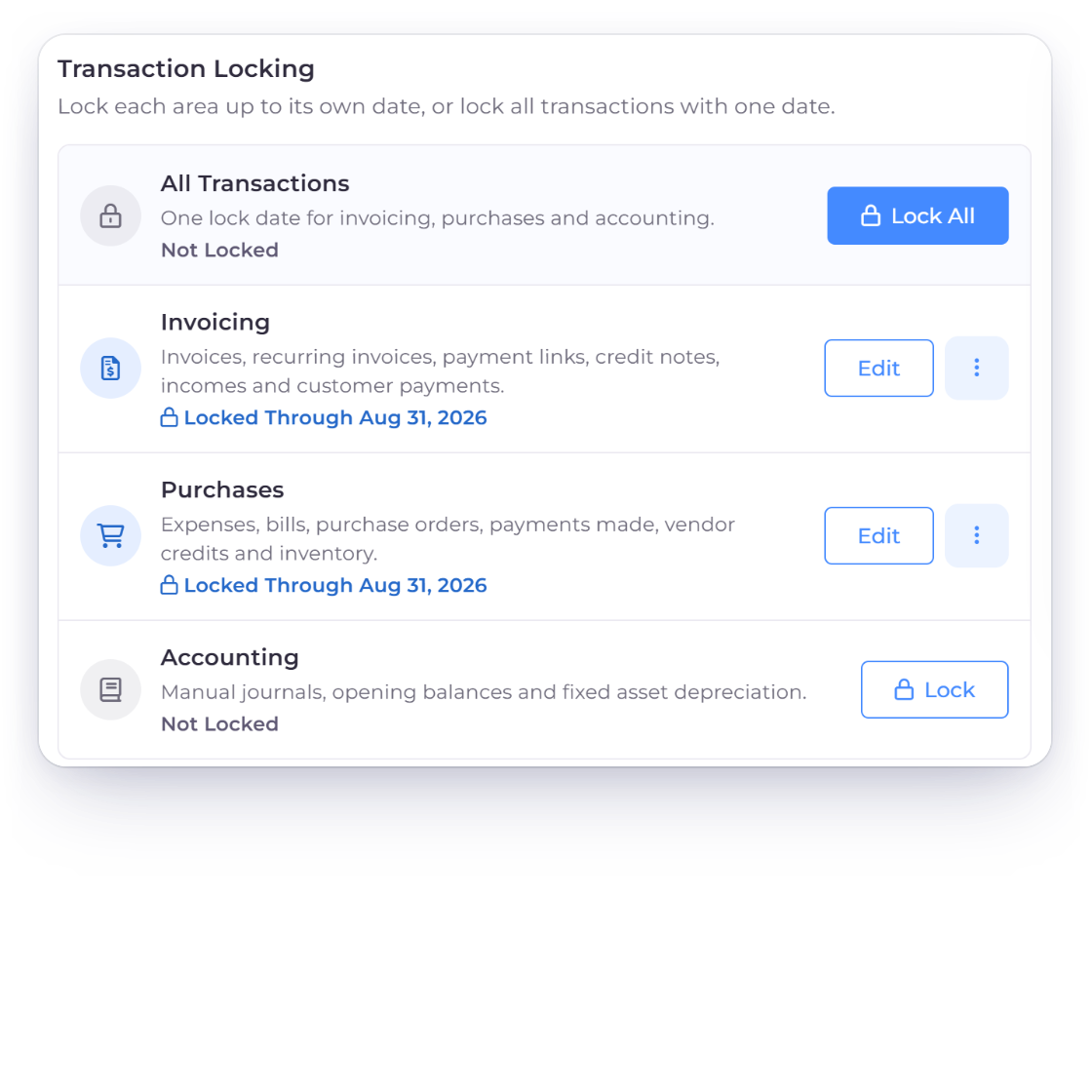
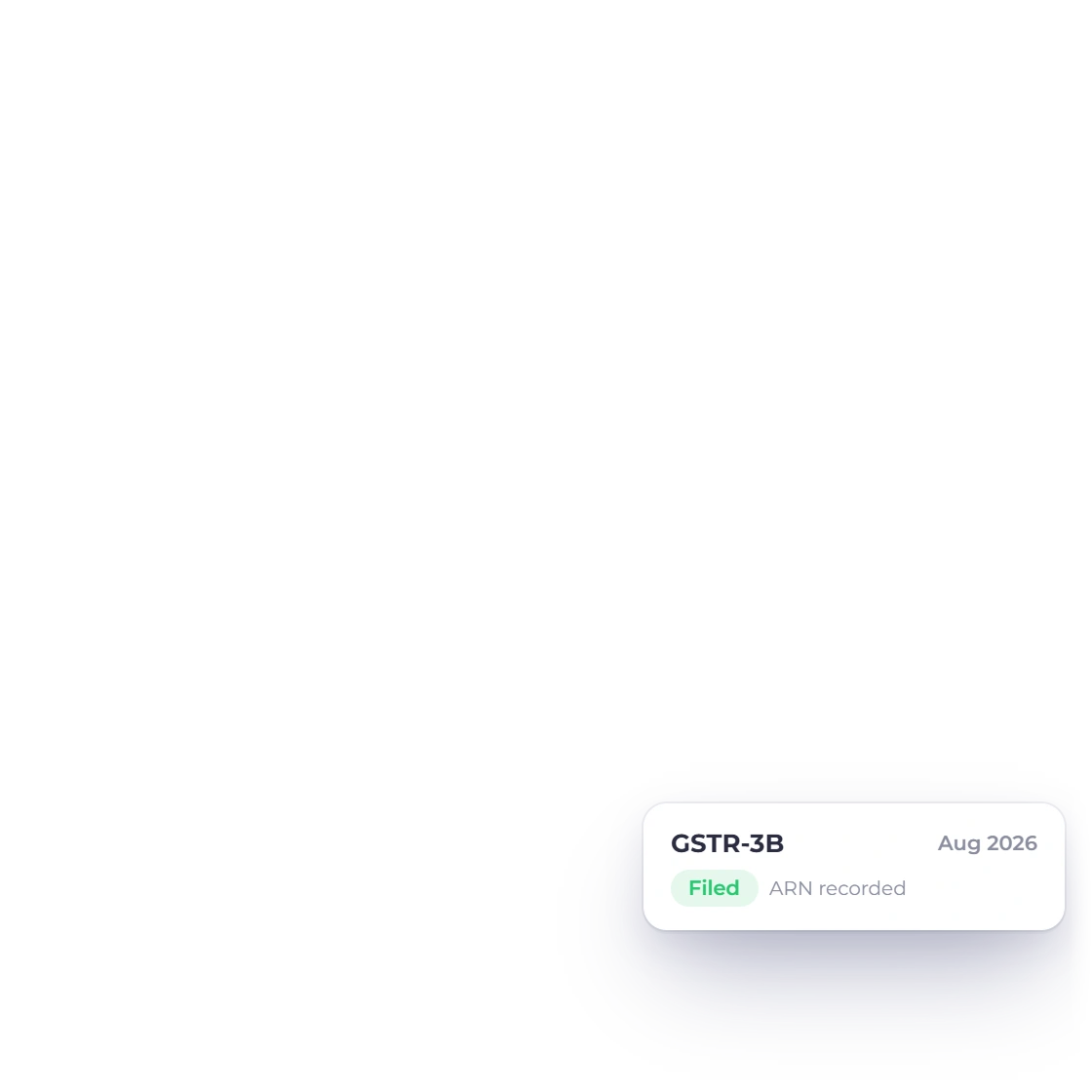
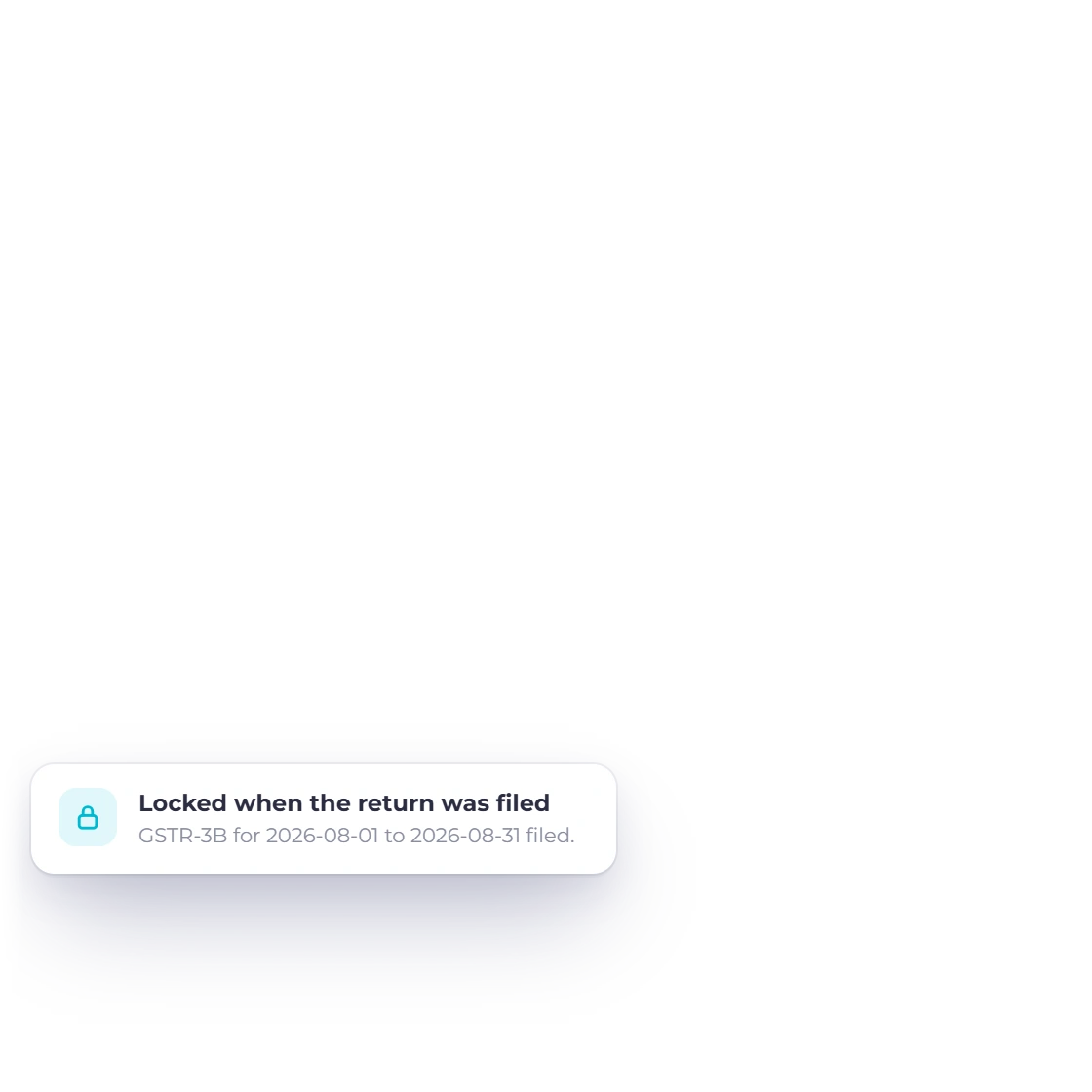
Invoice Crowd Lock Transactions for an Indian business where marking the August 2026 GSTR-3B as filed locked Invoicing and Purchases through Aug 31, 2026

Filed returns lock their period

When you mark a return Filed, Invoice Crowd locks its period: GSTR-1 locks Invoicing, and GSTR-3B and GSTR-9 lock Invoicing and Purchases, through the return's last day. A change dated in that period is refused with a link to the filed return. The account owner can still unlock on Lock Transactions with a reason, and corrections belong in a later return.

  • Optional ARN from the GST portal
  • Invoicing and Purchases locked
  • Unlock only with a reason
Lock Transactions

Built in

The GST details Indian invoices and returns need

What Invoice Crowd records on each document and prepares for the return, and what you still do on the GST portal.

  • GST treatments

    Domestic, export with or without IGST, SEZ, deemed export, nil-rated, exempt, non-GST and reverse charge.

  • CGST, SGST or IGST

    Checked against the place of supply, with a warning if the tax heads don't match.

  • HSN/SAC summary

    Line HSN/SAC codes roll up into the HSN/SAC section and HSN CSV.

  • GSTR-1 JSON

    B2B, B2C, exports and credit notes in a JSON file for the GST offline tool.

  • GSTR-3B workpaper

    Outward tax, input tax credit and net payable to fill GSTR-3B on the portal.

  • GSTR-9 workpaper

    An annual summary for you or your accountant to review.

  • GSTR-2B matching

    Matched, Suggested, Mismatched, Missing in 2B and Missing in Books.

  • ITC eligibility

    Eligible for ITC, Ineligible - Section 17(5), Ineligible - Others and two Not Available reasons.

  • Reverse charge

    Bills and expenses self-assess GST under reverse charge.

  • TDS on payments

    TDS Withheld (%) on Record Payment, prefilled from your Default TDS Rate (%).

  • GST on late fees

    An automatic late fee adds GST on Late Fees for India businesses.

  • You file on the portal

    No direct GST portal filing, GSTR-2B fetch, e-invoice or e-way bill from Invoice Crowd.

Questions

GST invoicing in India, answered

Does Invoice Crowd create GST invoices for India?

Yes. Invoice Crowd creates GST invoices for business profiles in India. Add your GSTIN under Business Profile, Taxes, and each invoice records the customer's GSTIN, the GST treatment and the place of supply, and checks that you charged CGST and SGST for a supply inside your State or IGST for another State.

Does Invoice Crowd file my GST returns?

No. Nothing is filed to the GST portal from Invoice Crowd. The GST Filing page prepares the return: approve it to download the GSTR-1 JSON for the GST offline tool and the GSTR-3B and GSTR-9 workpapers, then you or your accountant upload or enter the return on the portal. You can then mark it Filed and add the ARN.

How does it check a GSTIN?

A GSTIN has 15 characters, and the last one is a check digit worked out from the first 14. Invoice Crowd checks the format and the check digit; a customer or vendor GSTIN that fails appears under Review Before Filing on the GST Filing page, with a link to fix it.

Can I claim input tax credit on expenses, not just bills?

Yes. An expense with tax records the vendor's GSTIN, the place of supply, ITC Eligibility and Reverse Charge. Eligible tax goes to Input Tax Credit and appears in GSTR-3B Table 4(A); ineligible tax stays in the expense cost and is reversed in Table 4(B), so net ITC matches your books.

What happens to draft invoices in a return period?

They are left out. Only issued invoices are filed, so the GST Filing page tells you how many drafts are dated in the period and lists them. Mark as Sent includes one in the return and posts it to your books without emailing the customer.

Does it handle TDS and GST on late fees?

Yes, for India business profiles. Record Payment has TDS Withheld (%), prefilled from the Default TDS Rate (%) in Business Profile settings and booked to TDS Receivable. When automatic late fees are switched on, the fee line gets GST on Late Fees, and the invoice shows that a late fee plus GST applies after the due date. TDS is not offered outside India.

Does Invoice Crowd generate e-invoices (IRN) or e-way bills?

No. The India e-invoice and e-way bill switches are marked coming soon, and GSTR-2B is not fetched from the portal: you download it there and upload the JSON, CSV or Excel file to match purchase ITC.

What happens after I mark a return Filed?

Invoice Crowd locks the period: GSTR-1 locks Invoicing, and GSTR-3B and GSTR-9 lock Invoicing and Purchases, through the return's last day. A change dated in that period is refused with a link to the filed return. The account owner can unlock on Lock Transactions with a reason, and corrections belong in a later return.

Bill with GST and get your return ready to review

Set your GSTIN once, invoice with tax heads checked against the place of supply, and take a checked GSTR-1 JSON and GSTR-3B workpaper to the GST portal each month.

  • No card required to start
  • Your data stays yours
  • Cancel anytime