


Skip to content

Accounting

Import, review and close only when your books equal the bank

Upload a supported structured statement, inspect the server-generated mapping and normalized rows, match them to authorized recorded activity, and close only when the server-calculated difference is exactly zero. The source evidence, matches and any authorized reopen remain auditable.

  • Structured statement import
  • Server-authoritative zero-difference close
  • Audited reopen

Last updated:

Closing a bank reconciliation only after the server-calculated difference reaches zero.

What is actually available

One evidence chain from source file to close

Analysis, import, matching, close and reopen are separate guarded stages. A statement line never becomes a ledger fact merely because it was uploaded.

Analyze and preview

Before durable import

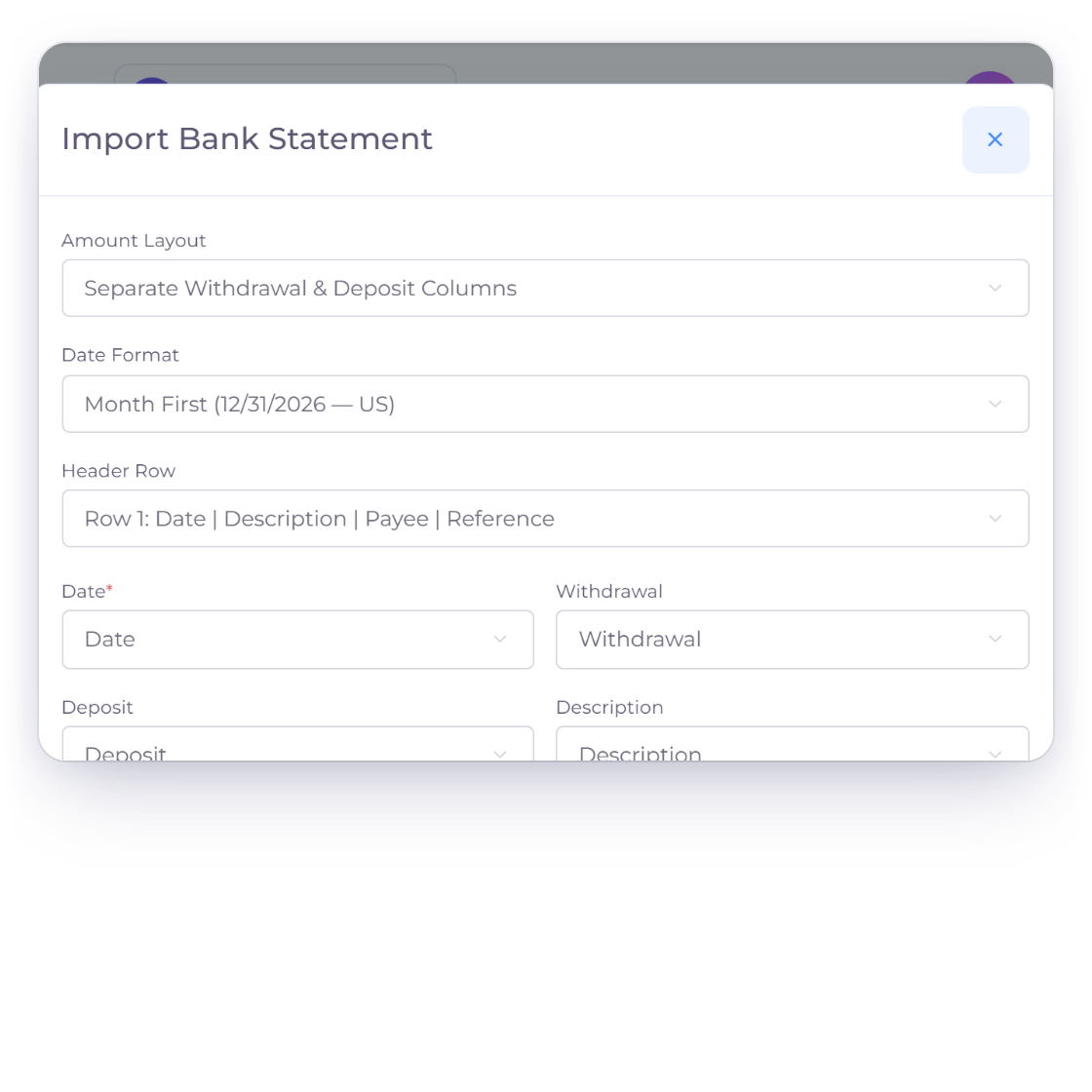
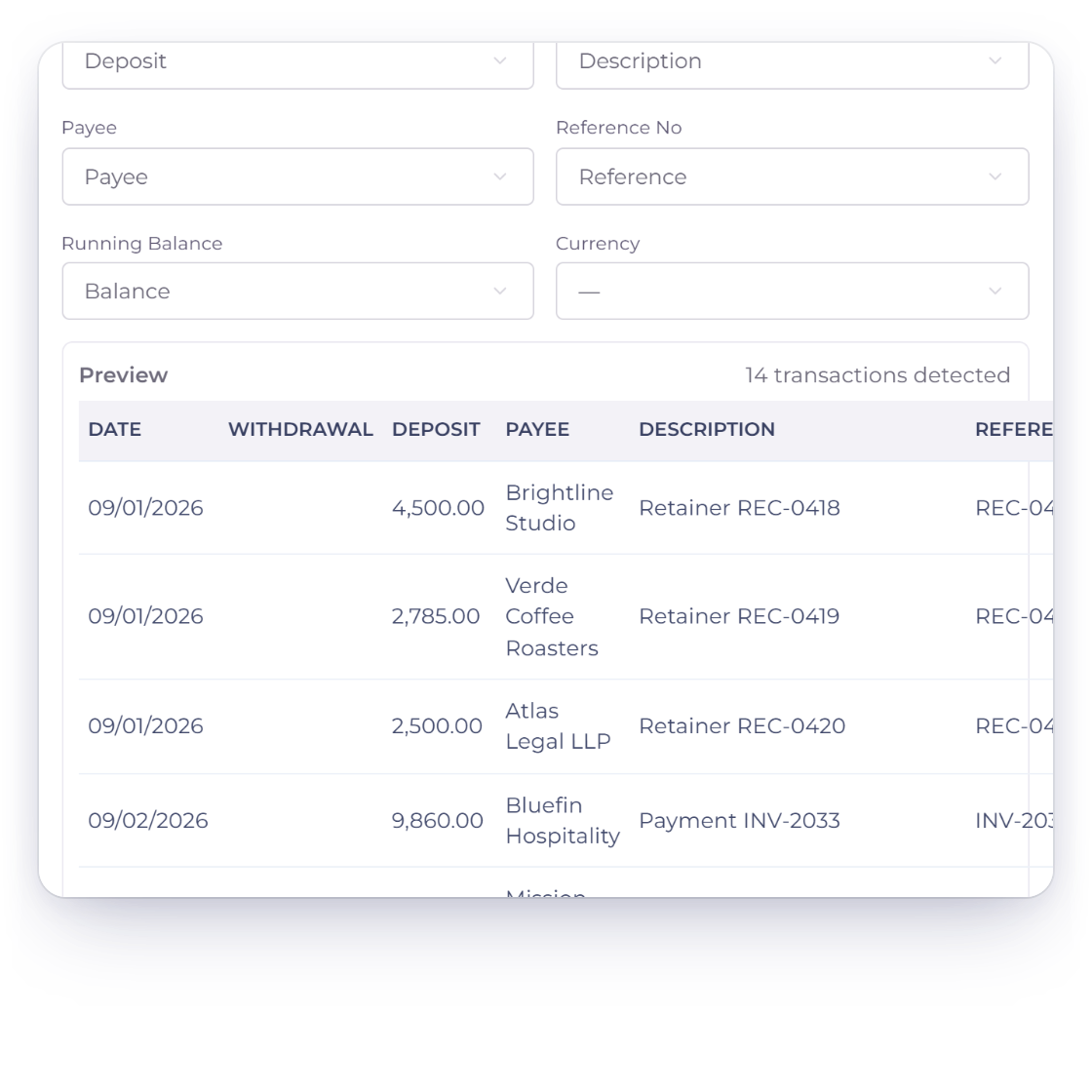
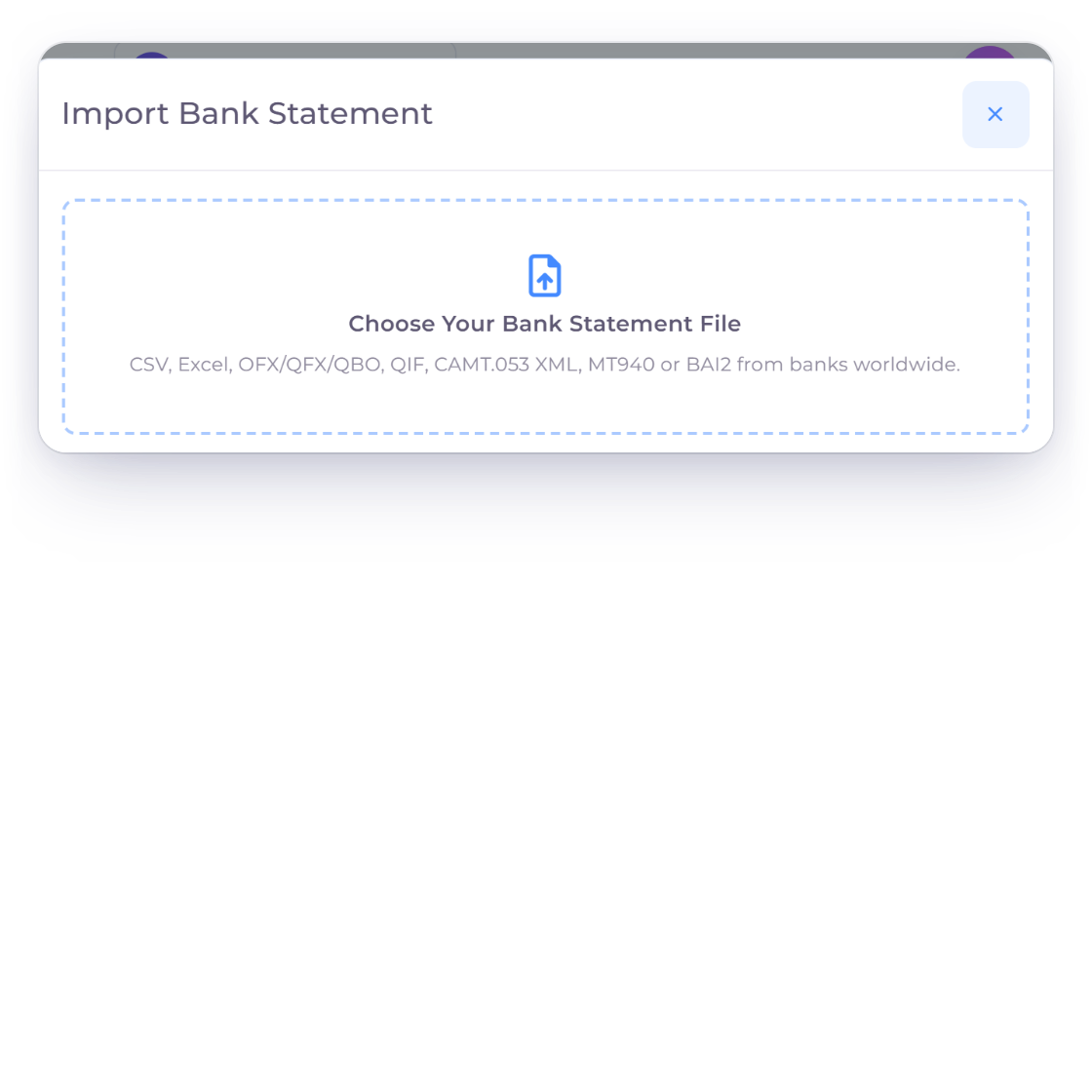
Mapping a bank statement with the normalized server preview updating before import.

Read common structured bank formats

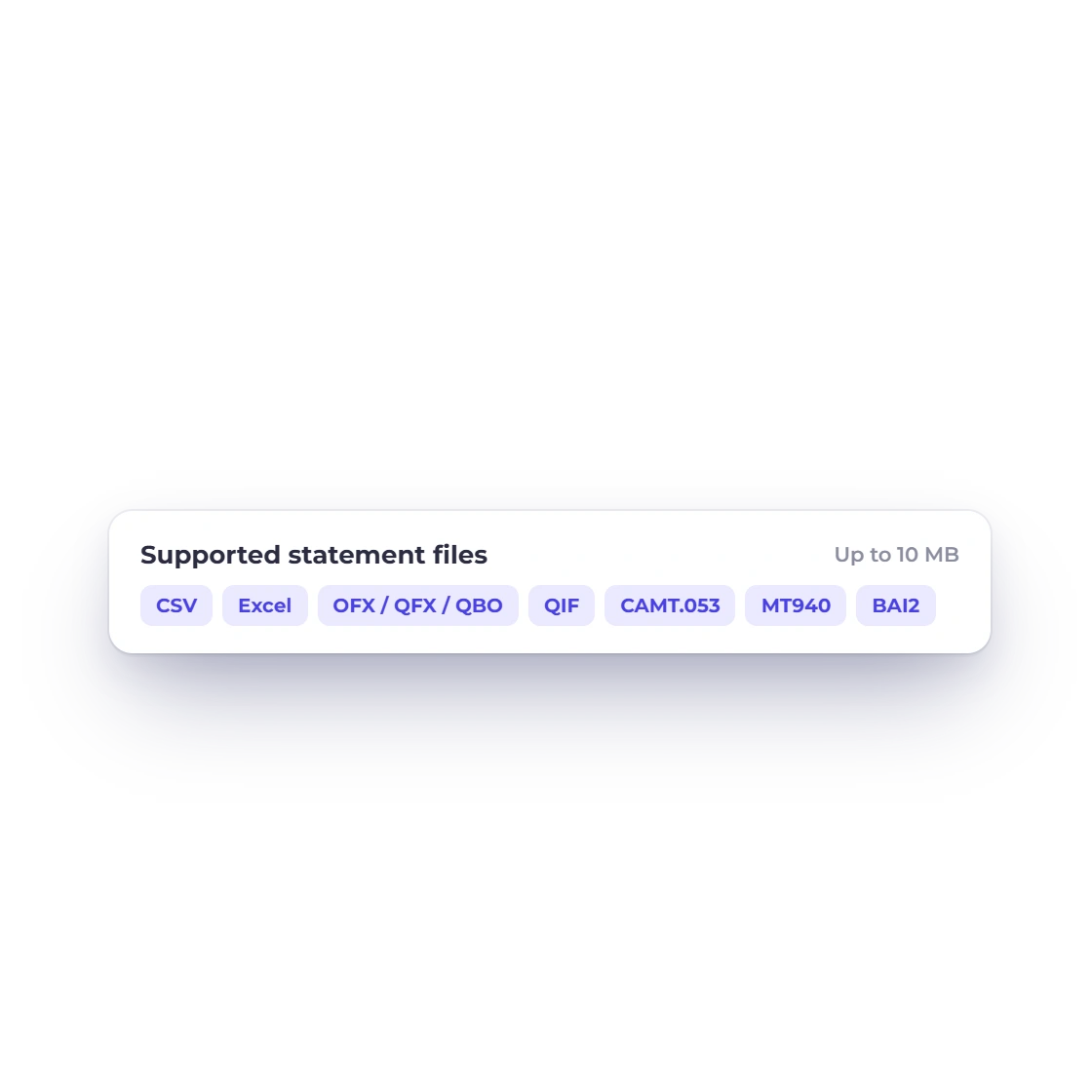
Invoice Crowd accepts CSV/TXT, XLS/XLSX, OFX-family files, QIF, CAMT-style XML, MT940 and BAI2 up to 10 MB. It scans at most 30 rows for a header and rejects unsafe or unsupported shapes.

  • 100,000-row maximum
  • 100-column maximum
  • No scanned PDF or image parsing

Keep the server authoritative

The server stores a private temporary copy, fingerprints the exact file and recomputes the preview. Changed account, period or closing-balance settings require a new analysis.

  • Exact file deduplication
  • Immutable import settings
  • Client preview never authorizes close

Stage and match

No automatic accounting writes

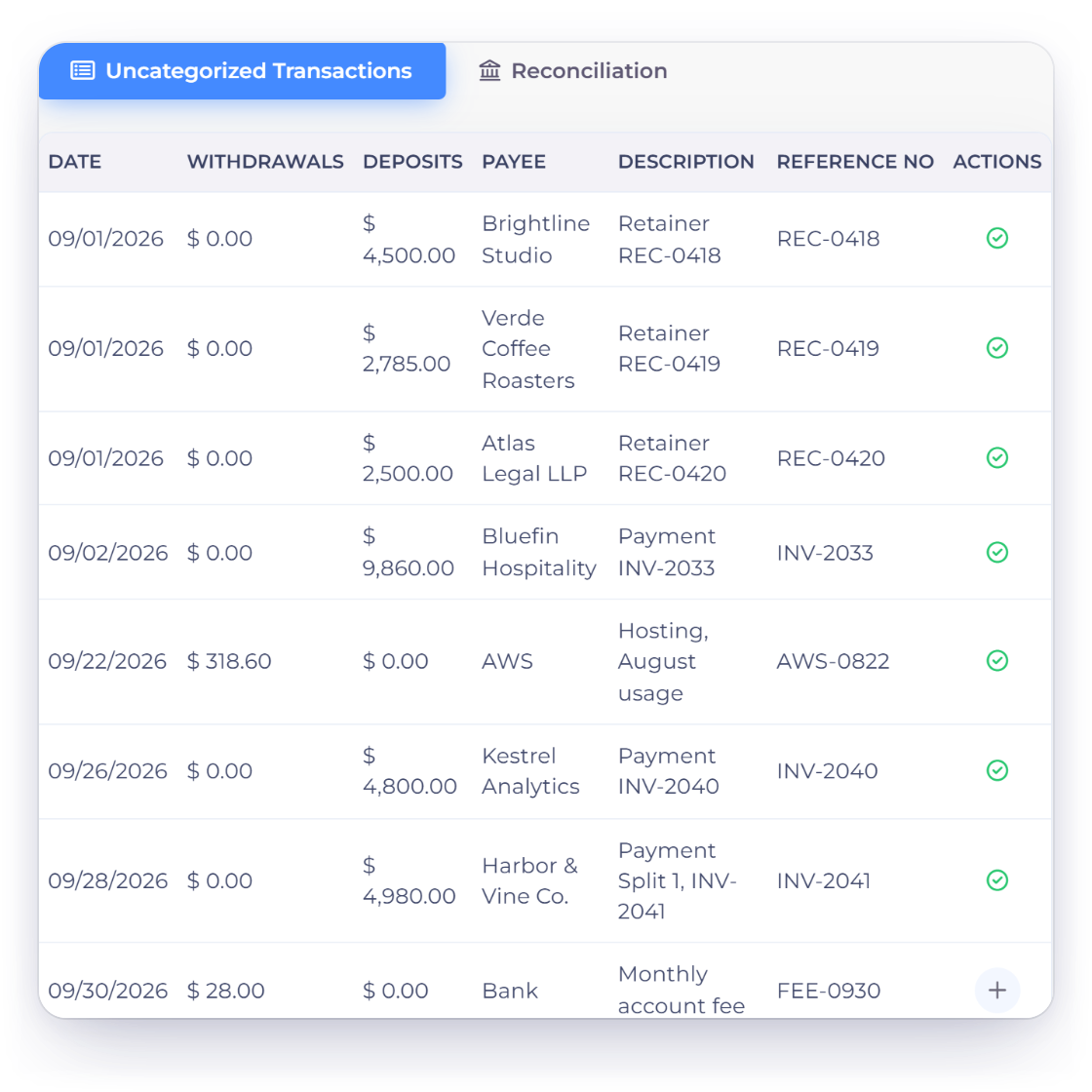
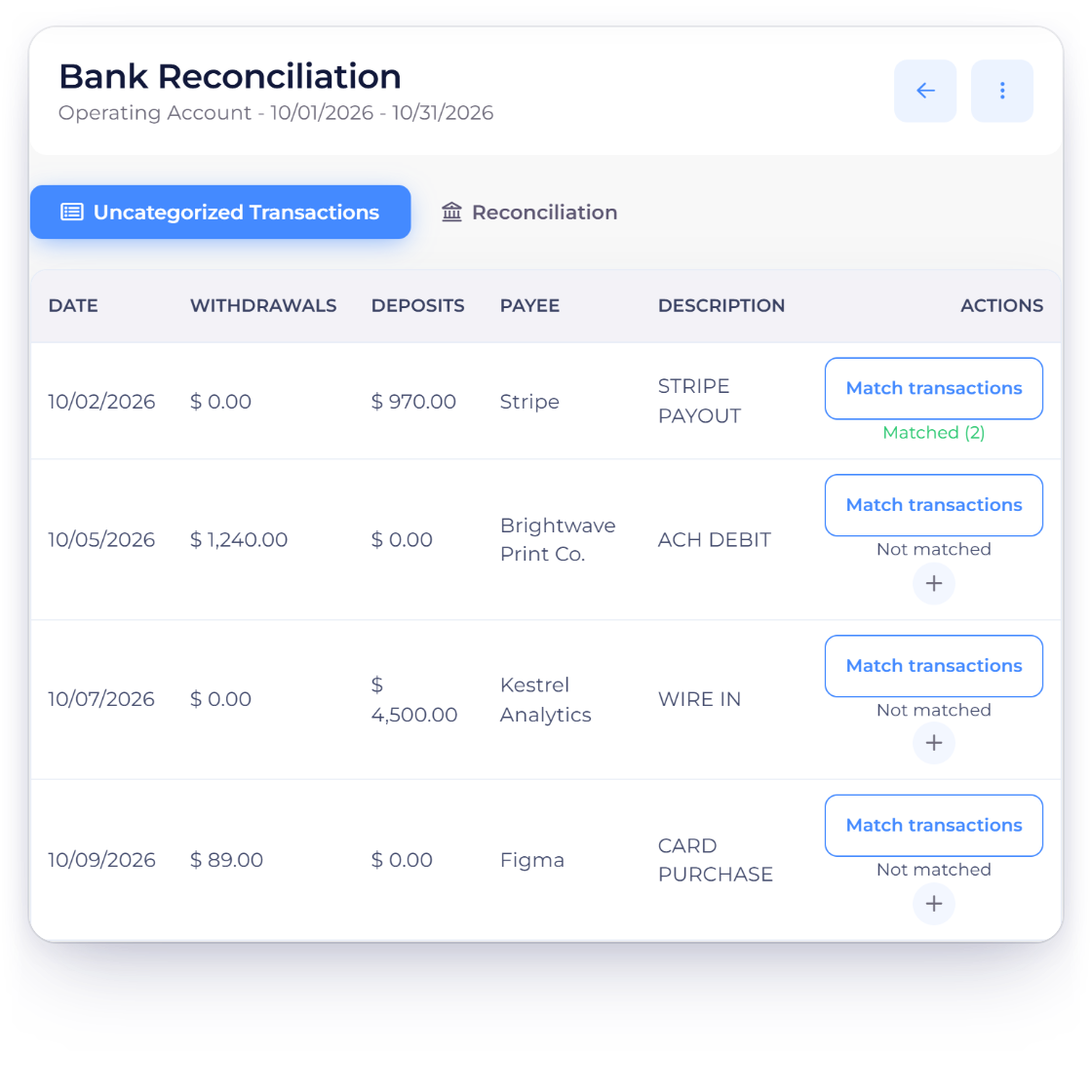
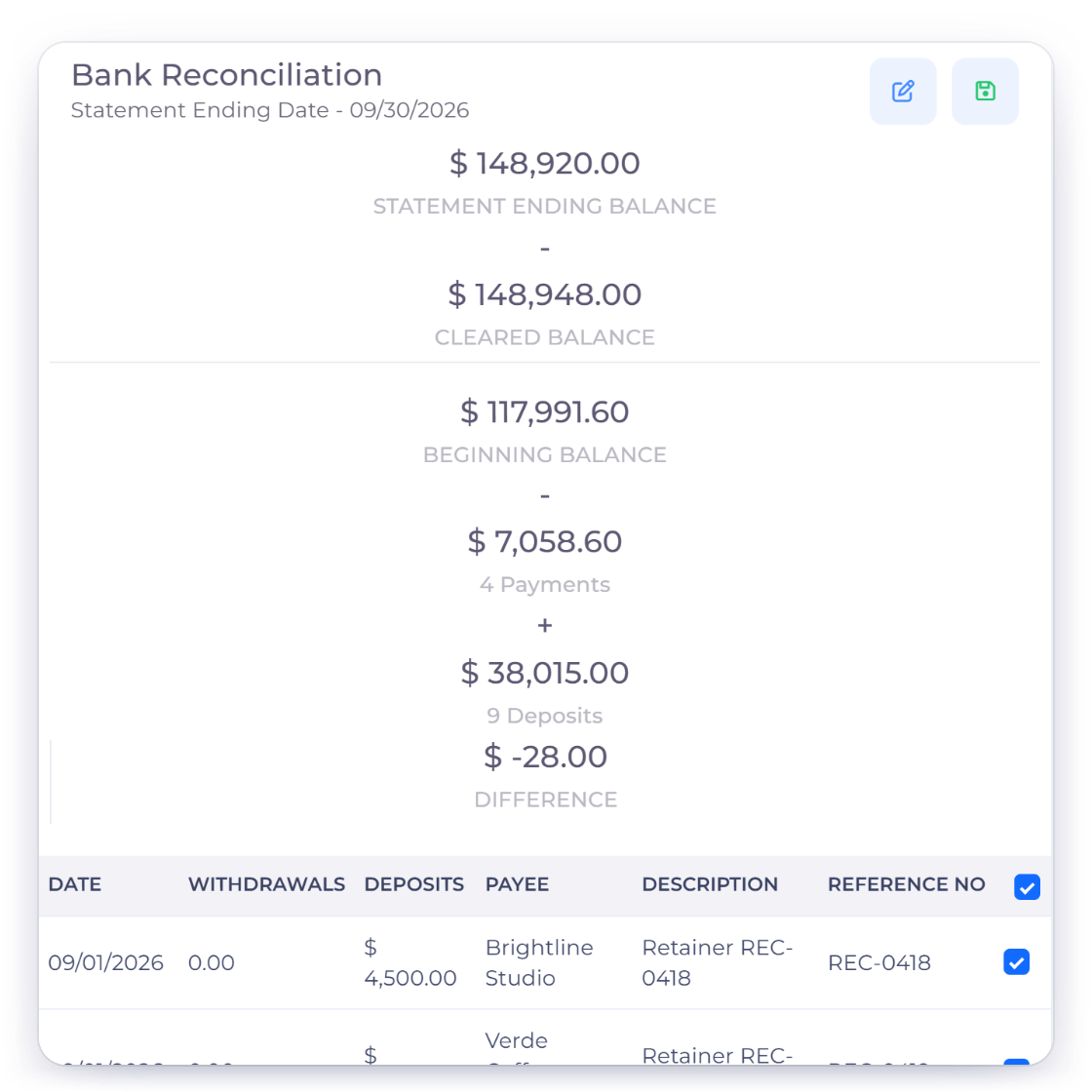
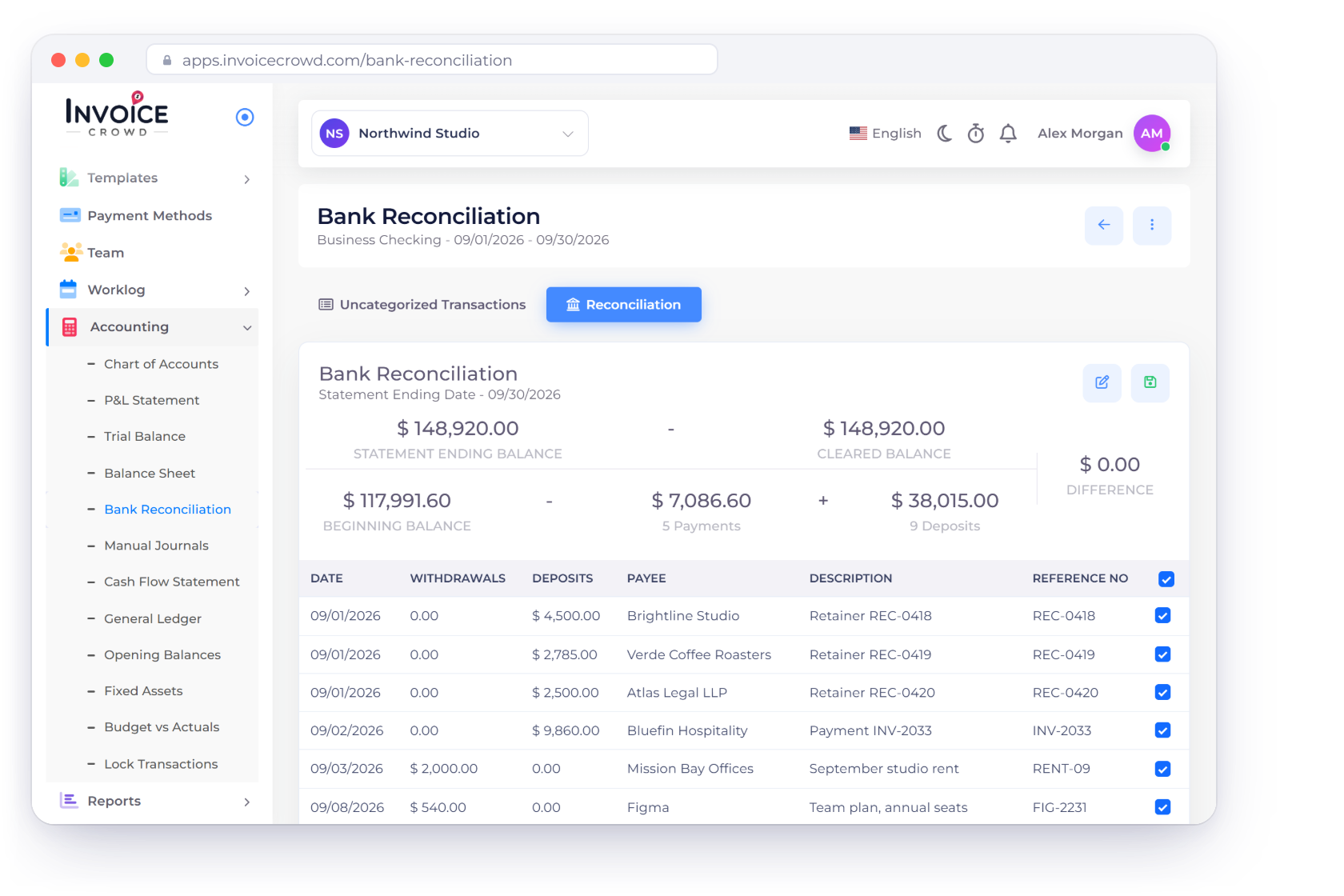
Reviewing imported bank statement lines and the recorded entries available for matching.

Review normalized statement rows

Every row must fall inside the period, use one positive economic direction and match the accounting currency. Running balances are checked forward or reverse when present.

  • Period bounded
  • Single matching currency
  • Running-balance integrity

Create missing records deliberately

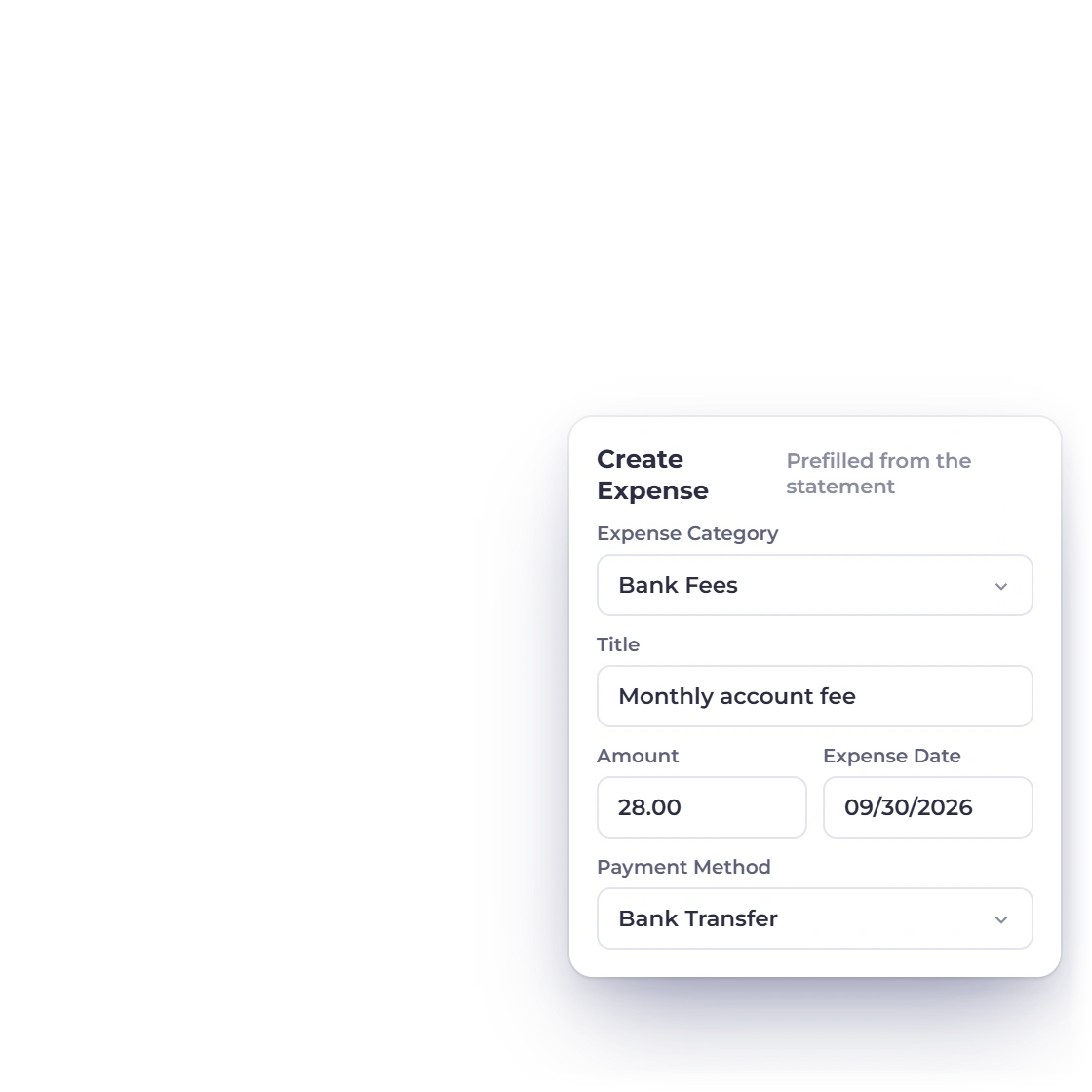
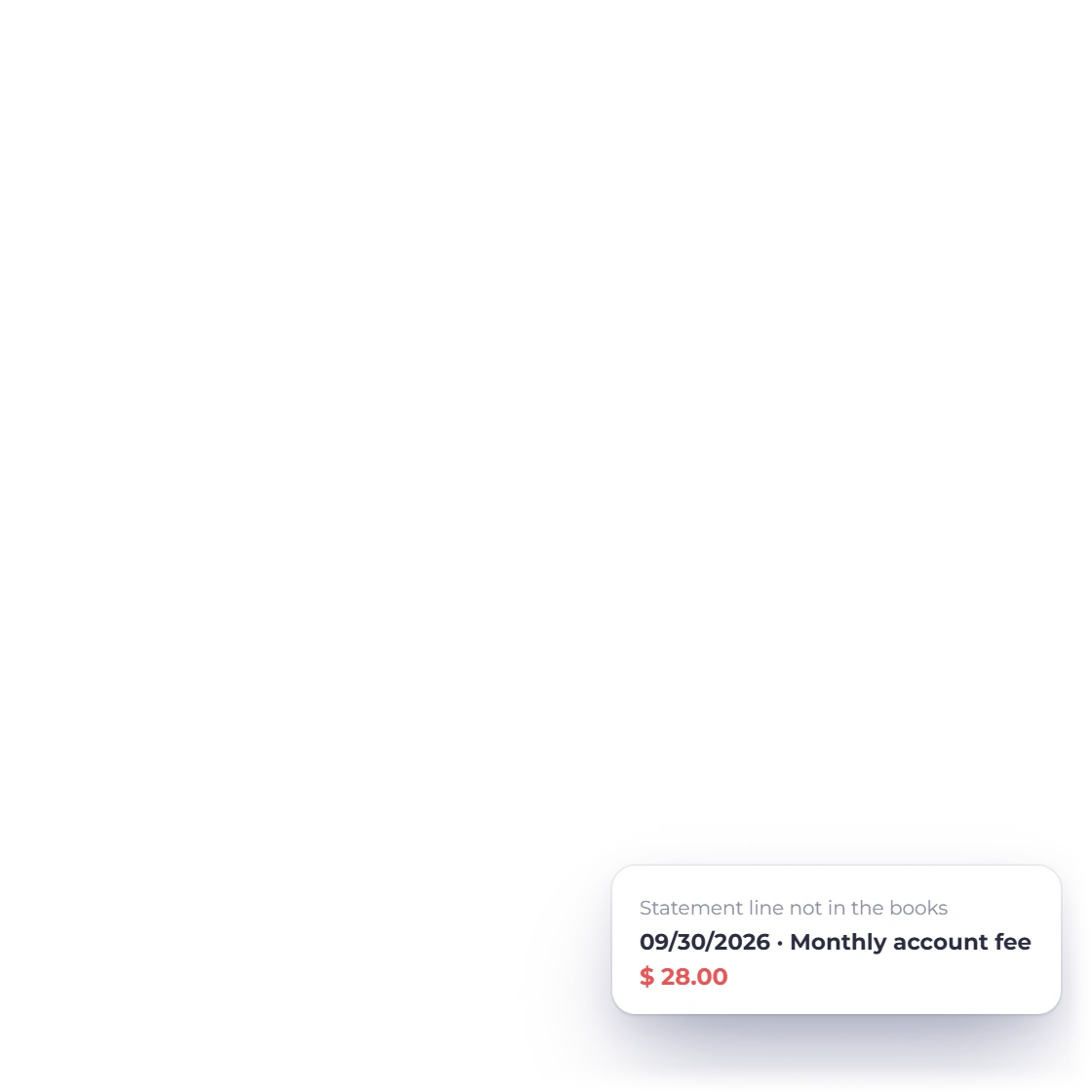
An unmatched line can open a prefilled Income or Expense form. The user reviews and saves it through the normal accounting path; import never auto-posts Income, Expense, Bill or Journal entries.

  • Prefill is not a posting
  • Normal permissions still apply
  • Source record remains reviewable

Close and reopen

Durable audit trail

Close only at an exact zero difference

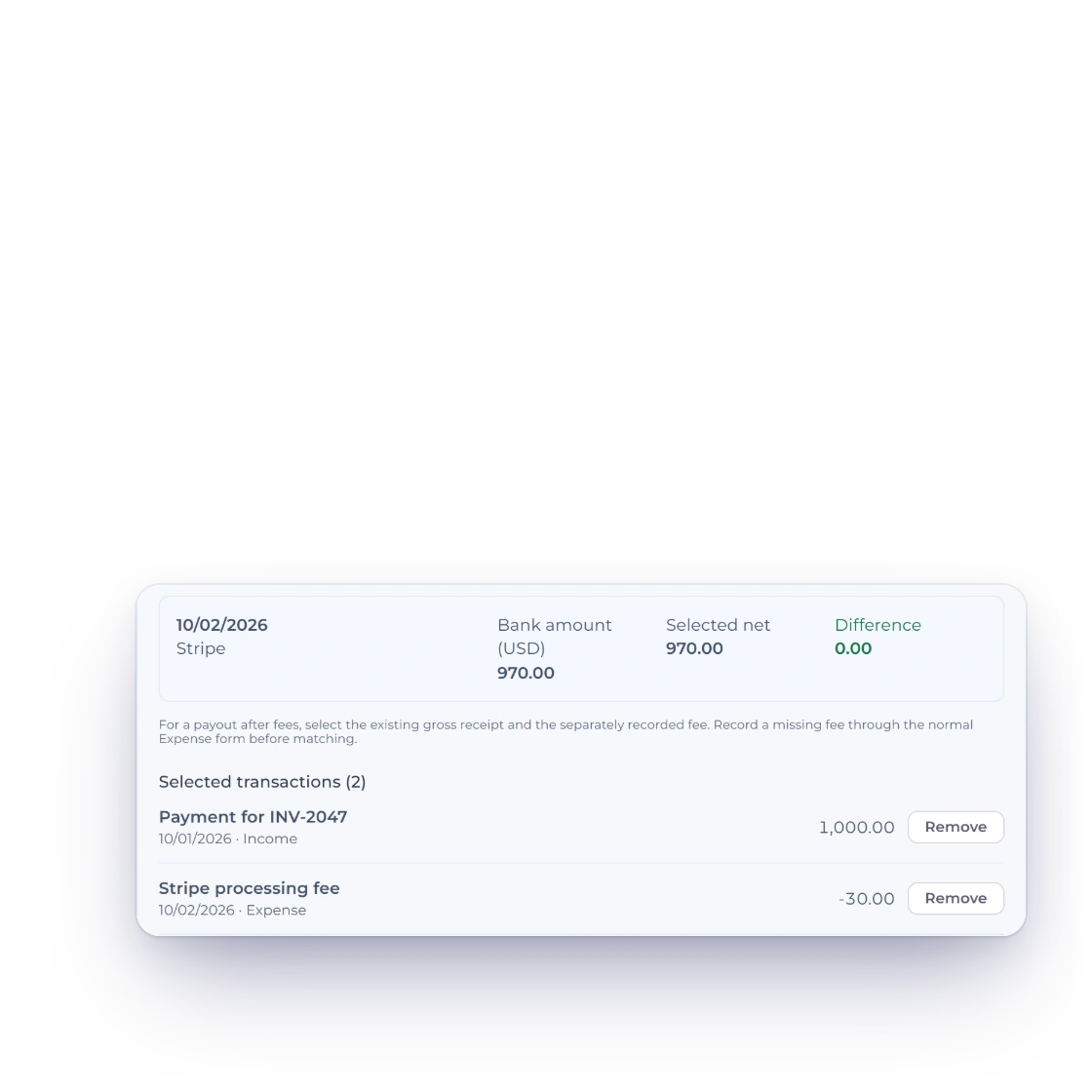
The server row-locks the statement and selected ledger facts, rejects stale or out-of-scope IDs, recomputes every amount and closes only when withdrawals and deposits exactly cover the statement.

  • Client difference ignored
  • Exact selected coverage
  • One transactional close
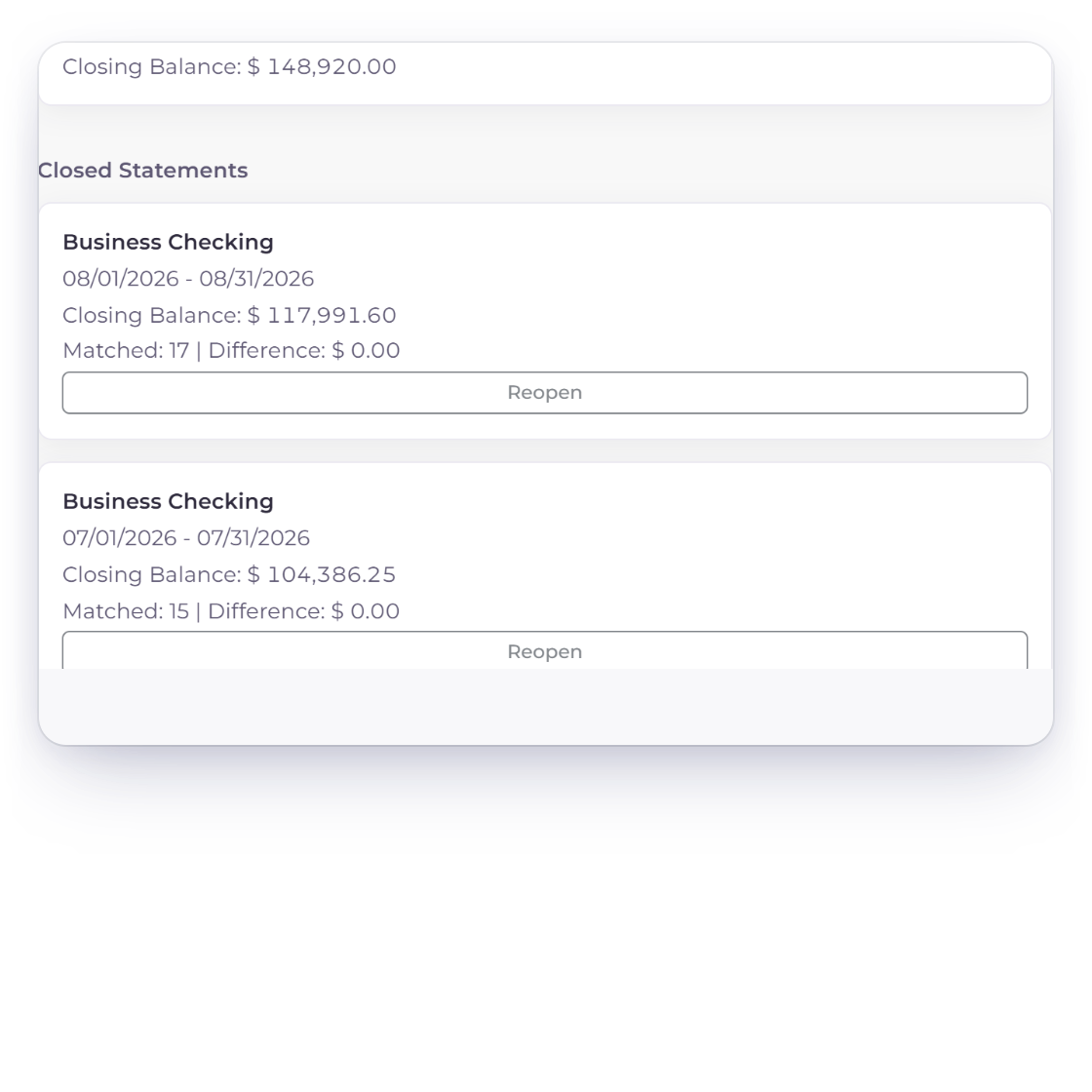
Open and closed reconciliation records retained with account, period and audit state.

Reopen with permission and a reason

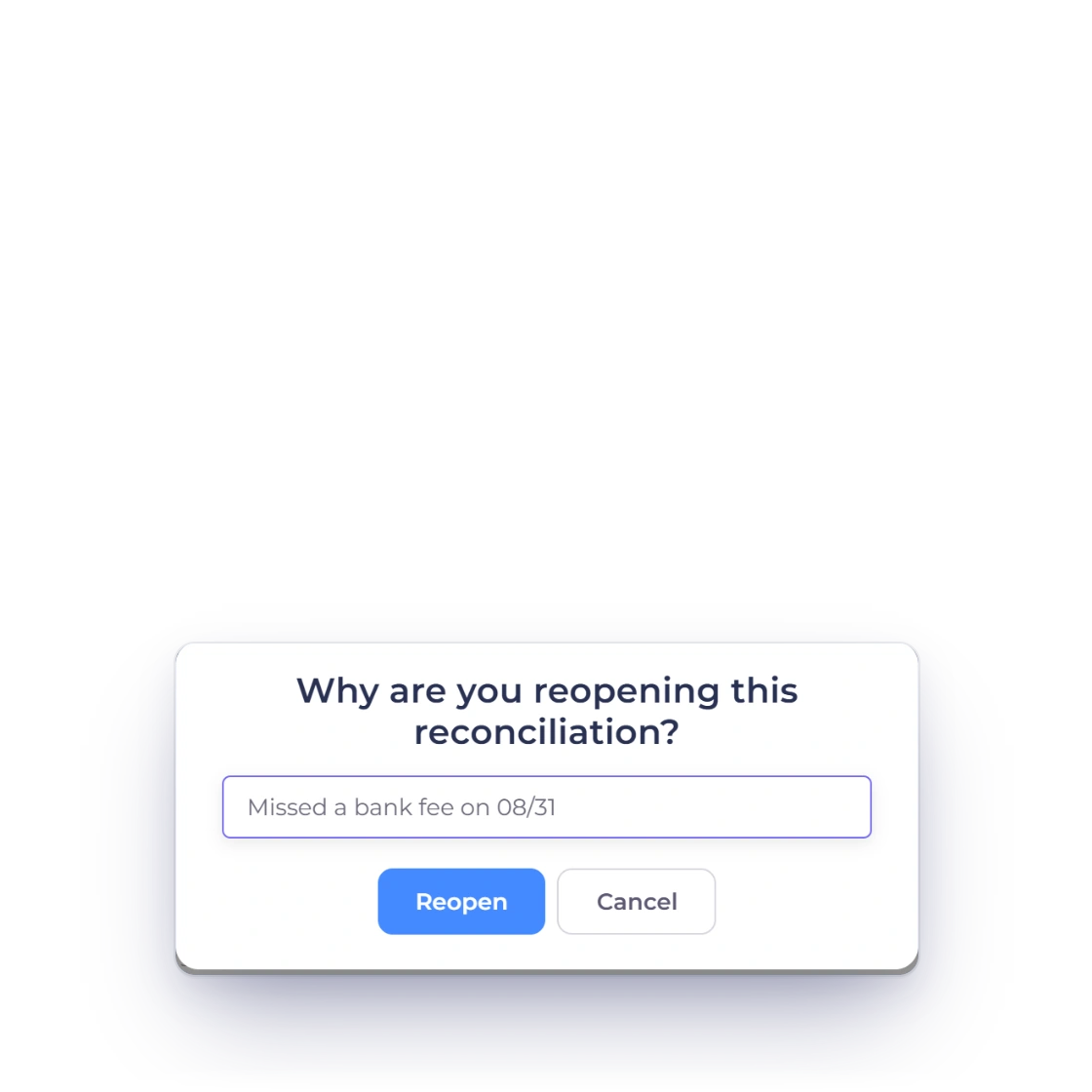
A user with accounting.reverse may reopen a closed statement with a reason between 5 and 500 characters. Original statements and matches remain; reversal actor, time and reason are recorded.

  • Original evidence retained
  • Active matches reversed
  • Ledger state cleared only when safe

Current boundary

Bank reconciliation controls that remain visible

The workflow protects tenant scope, source integrity, currency meaning, concurrency and reversal evidence rather than treating a spreadsheet preview as authority.

  • Private temporary source

    The uploaded file is staged privately and deleted after a successful durable import.

  • Exact-file fingerprint

    The same file cannot be analyzed twice in the same owner, business and account scope.

  • Overlap protection

    Normalized row fingerprints prevent repeat imports while occurrence ordinals retain legitimate duplicates.

  • Mapping profiles

    Successful mappings are reused only for the same business and account header fingerprint.

  • Parser safety

    Formula calculation and XML network/entity expansion are disabled.

  • Single currency

    Declared currency must match the business accounting currency; no conversion is inferred.

  • Server-owned close math

    The browser cannot supply an accepted difference or forge selected totals.

  • Scoped ledger candidates

    Owner, business, account, period and unreconciled state are independently queried.

  • Durable match rows

    Each selected ledger fact receives source-aware match evidence.

  • Transactional concurrency

    Close and reopen use row locks so stale competing requests fail closed.

  • Permission separation

    Import and close require accounting.post; reopen requires accounting.reverse.

  • Evidence survives reopen

    Original statement, matches, actor, time and reason are retained.

Questions

Bank Reconciliation, answered

What files can I import?

Supported extensions are CSV, TXT, XLS, XLSX, OFX, QFX, QBO, QIF, XML/CAMT, STA/MT940 and BAI/BAI2, up to 10 MB and within the row, column and parser limits.

Can I import a scanned PDF statement?

No. Obtain a supported structured export from the bank. The current workflow does not claim OCR or image parsing.

Does upload create ledger entries?

No. It creates normalized statement evidence. A user may open a prefilled Income or Expense form for an unmatched line, but must review and save it normally.

Can I close when the difference is not zero?

No. Server-authorized selected entries must exactly cover the bank withdrawals and deposits and the server-calculated difference must be zero.

Can a closed reconciliation be reopened?

Yes, by a user with accounting.reverse who supplies a 5–500 character reason. Reopen preserves the original evidence and records reversal actor and time.

Does Invoice Crowd offer a live bank feed?

No. Invoice Crowd does not currently run a connected bank feed. Manual structured statement upload is the supported workflow.

Close the period from evidence, not assumptions

Import the statement, review the normalized rows, create any missing source records deliberately and close only when the server proves exact coverage and zero difference.

  • No automatic ledger creation
  • Exact-zero server close
  • Audit-preserving reopen