


Skip to content

For virtual assistant businesses

Invoicing software for virtual assistants with retainers and billable time

Set the recurring part of a retainer, record project time and invoice clients in the currency agreed. Invoice Crowd organizes the financial evidence without becoming your task manager, shared inbox or password vault.

  • Billable project time
  • Recurring invoices
  • Multi-currency client records

Last updated:

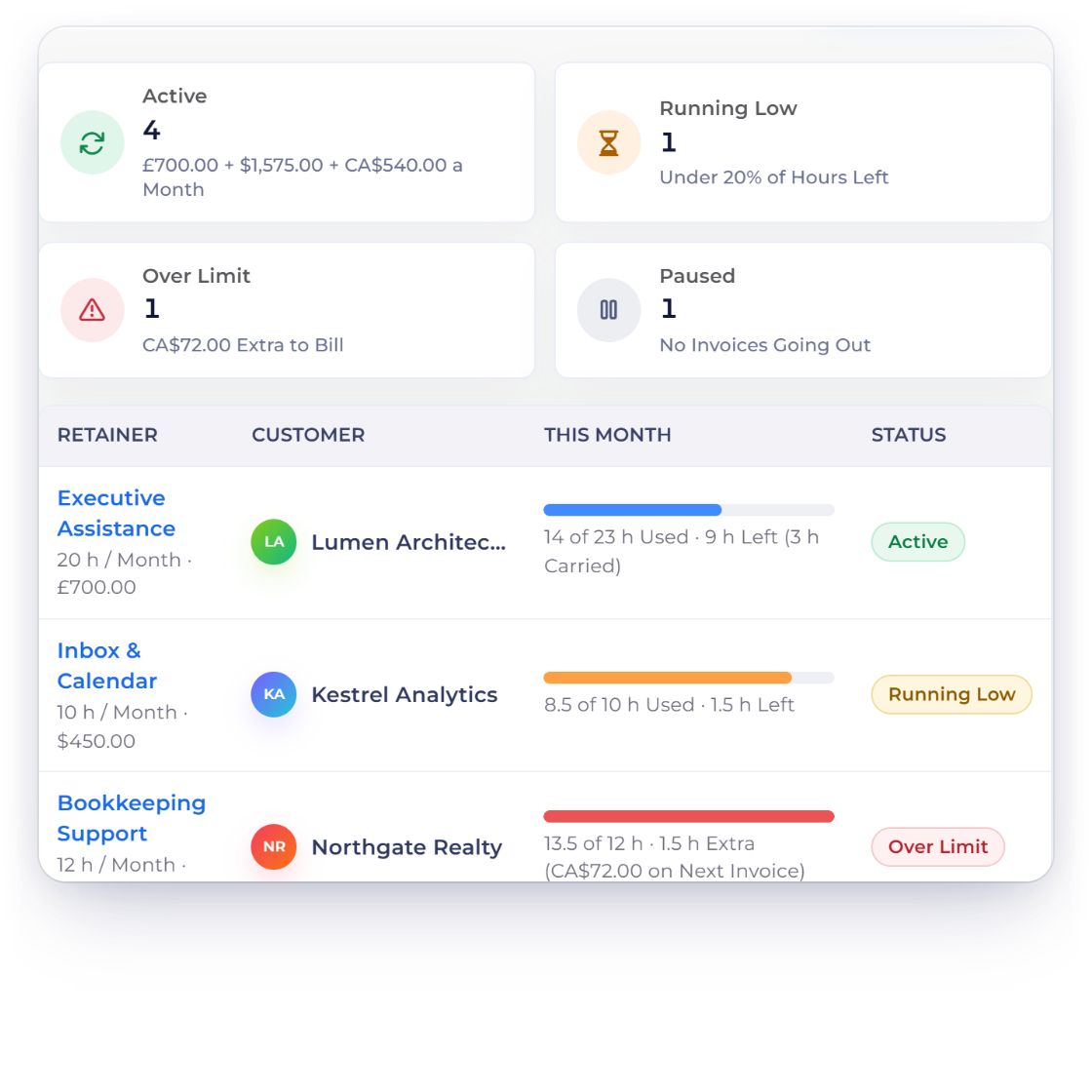
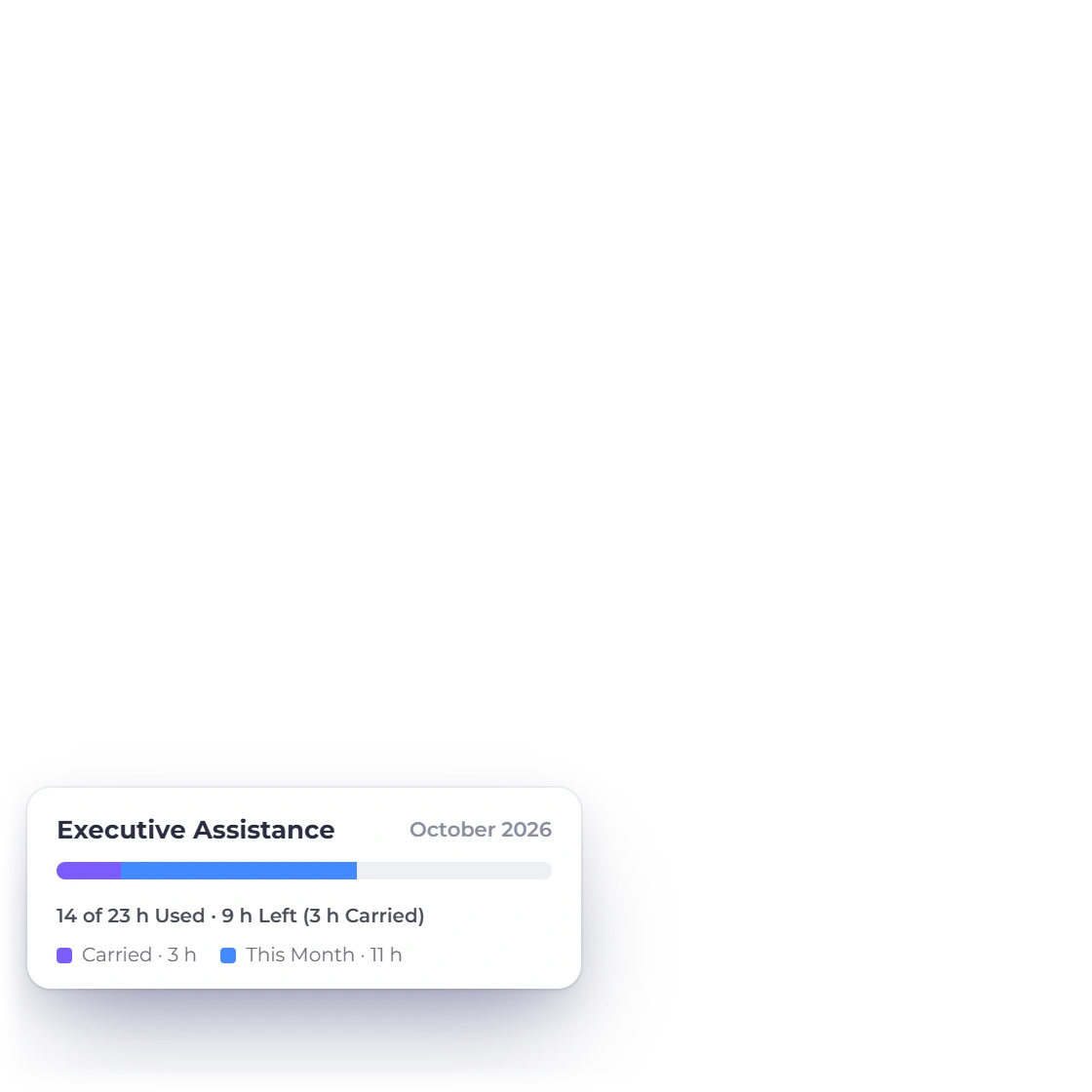
Invoice Crowd timesheet and recurring invoice screens with fictional virtual assistant client records.

The workflow

Retainer billing without losing the work behind it

A virtual assistant may combine a stable monthly fee with overage hours, one-off projects and client expenses. These screens keep each part visible and reviewable.

Record the variable work

Attach time to a client project instead of a loose sheet

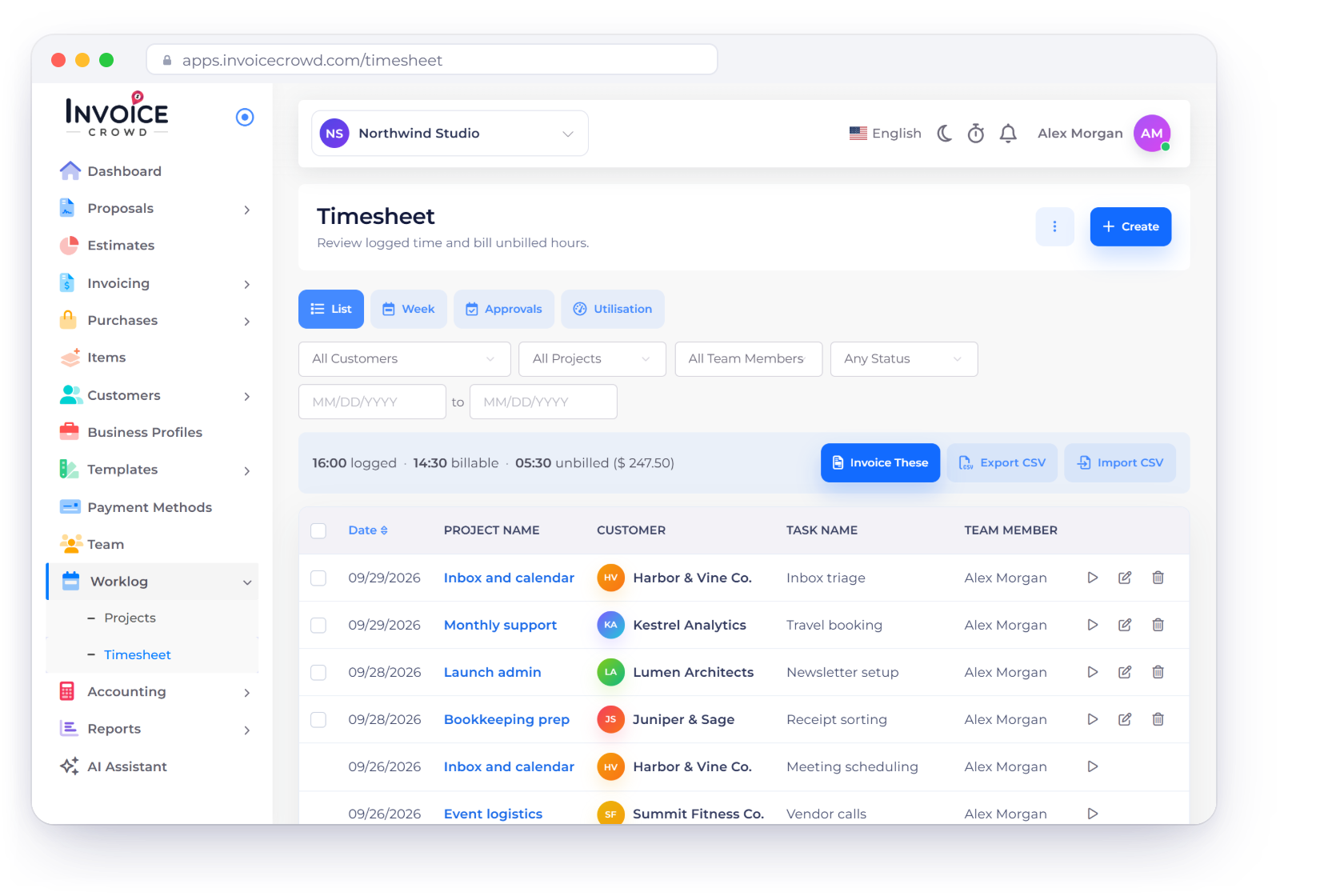
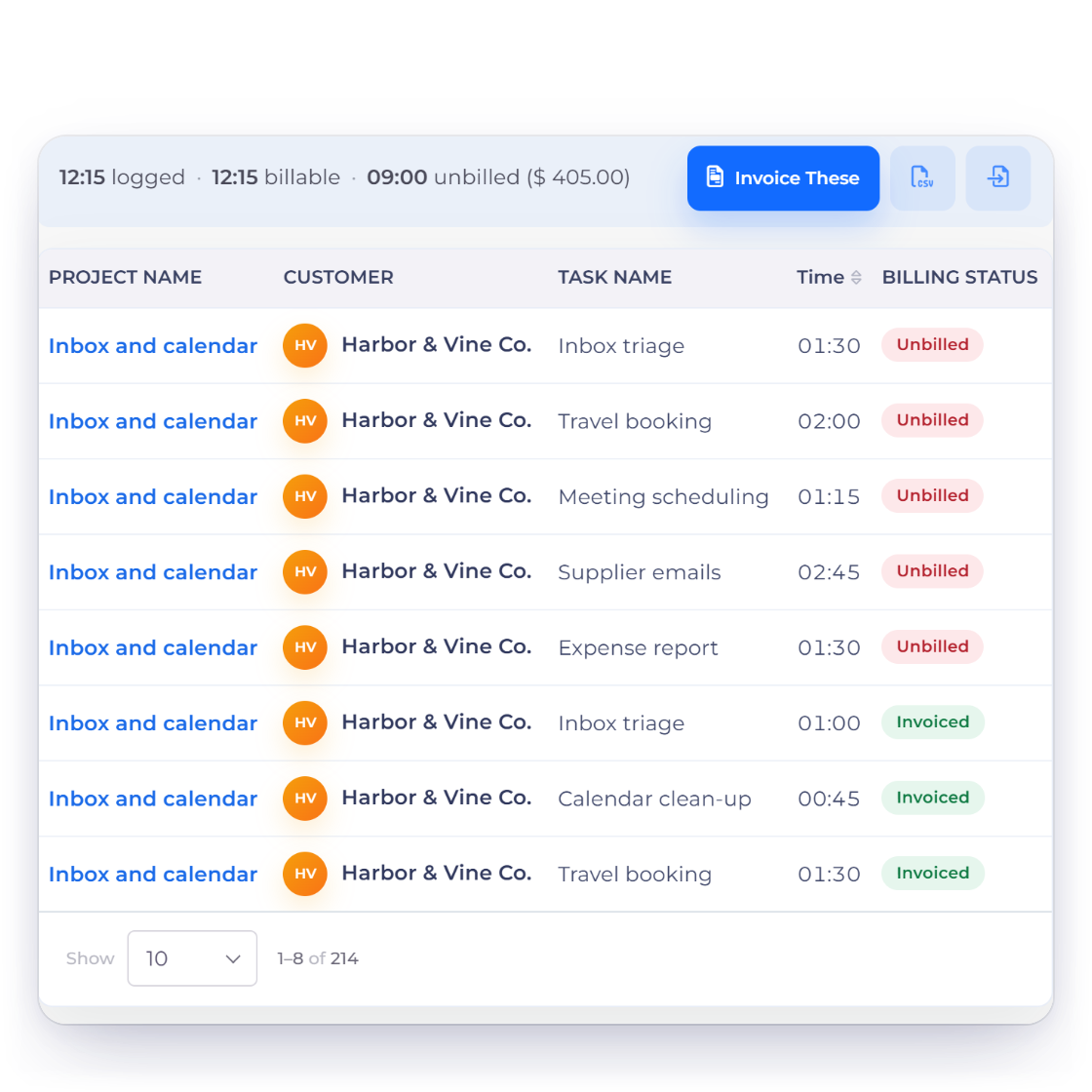
Invoice Crowd timesheet with fictional virtual assistant projects, tasks and billable hours.

Keep billable time tied to the right project

Use projects, tasks and timesheet entries to record work that sits outside the fixed retainer. The time record supports an hourly line or overage review without turning invoice notes into a task conversation.

  • Time attached to a project and task
  • Unbilled work stays visible
  • A reviewable record behind hourly charges
See time tracking

Schedule the stable fee

Raise the recurring part on the agreed cycle

Invoice Crowd recurring invoices screen with fictional virtual assistant retainers.

Put the monthly retainer on a recurring schedule

Create a recurring invoice profile for the predictable portion of an engagement and keep its next-send date visible. Review variable hours or expenses separately before adding them to a client bill.

  • A visible recurring schedule
  • Customer, currency and amount stay explicit
  • Variable work remains reviewable
Recurring invoices

Keep client billing context

The right customer and currency on every record

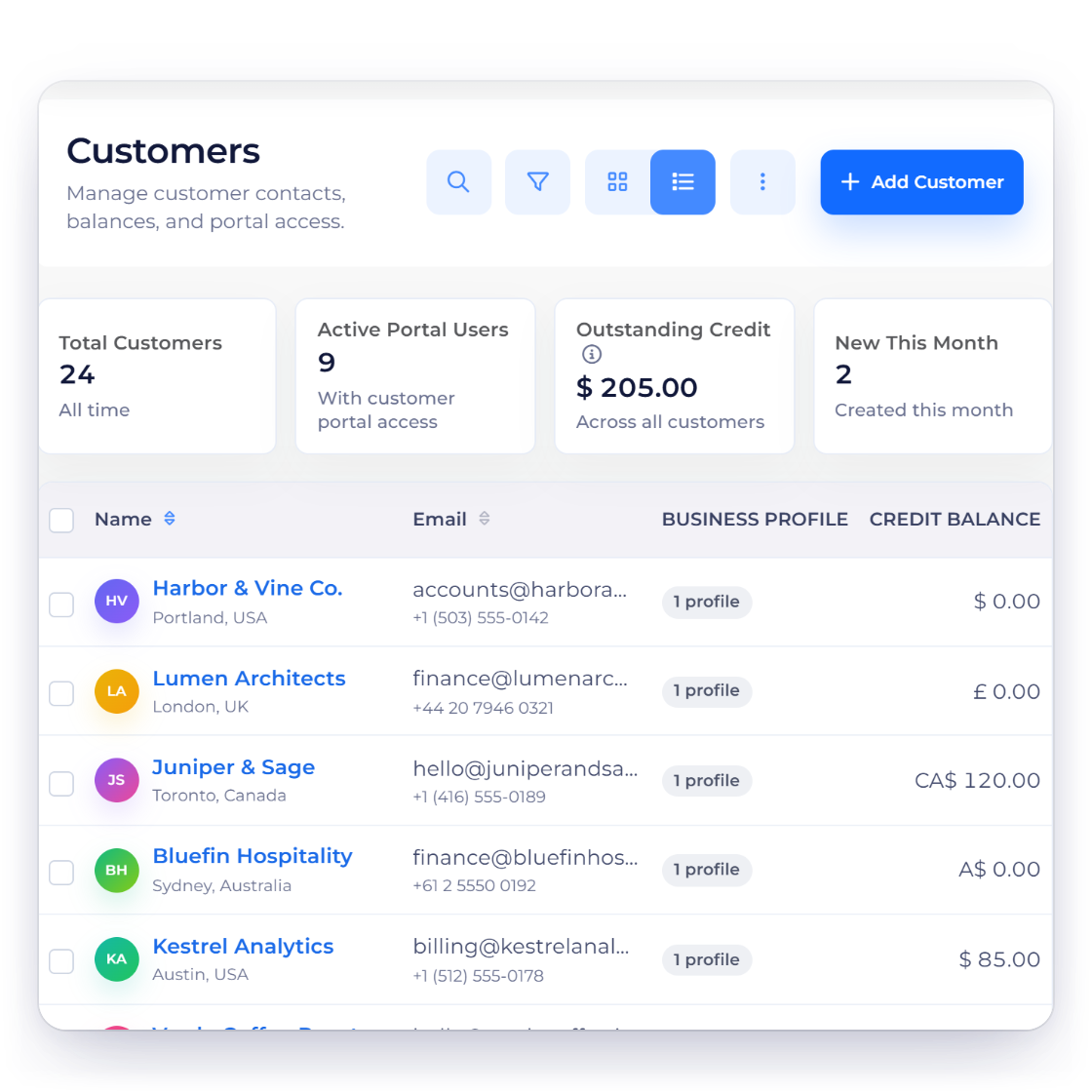
Invoice Crowd customer list with fictional international virtual assistant clients.

Organize international client records

Store the customer details used by proposals, invoices and balances, and create supported documents in the currency agreed with the client. Operational credentials and inbox access stay outside the finance system.

  • Customer details reused across documents
  • Multi-currency document support
  • Financial history kept apart from passwords
Manage customers

The financial layer

Connected records, clear product boundaries

Invoice Crowd keeps the commercial and financial trail together while leaving specialist delivery work in the system designed for it.

  • Commercial records stay connected

    The proposal or estimate, invoice, payment and financial history describe the same client relationship instead of becoming separate retyped files.

  • Customer context follows the document

    Supported customer records provide the billing identity, document history and balance context without becoming a specialist delivery CRM.

  • Payment choices stay explicit

    Eligible payment methods depend on the provider accounts you configure and the settings enabled for the record; provider terms, fees and settlement still apply.

  • Cross-border documents keep rate context

    Supported records can use the agreed currency while retaining relevant exchange-rate context for the financial workflow.

A quick fit decision

Use it for finance; pair it for operations

The strongest setup is the one that keeps each kind of record in the right system and still gives the client a coherent money path.

  • Use Invoice Crowd for

    A virtual assistant may combine a stable monthly fee with overage hours, one-off projects and client expenses. These screens keep each part visible and reviewable.

  • Pair it with the right specialist tool

    Invoice Crowd is not a task manager, shared inbox, password manager or client support desk. Use it for commercial scope, billable evidence, invoices, payments and financial records.

  • Keep sensitive delivery data separate

    Never put client passwords, inbox credentials or confidential operating instructions into invoice notes. Those belong in an approved password or operations system.

  • Test the actual payment path

    Connect only the provider you intend to use, preview an eligible invoice and confirm fees, settlement, geography and client experience with that provider.

  • Run a representative sample first

    Test one monthly retainer with included hours, two overage entries and a foreign-currency invoice before migrating your client list.

  • Compare like with like

    This page explains the Invoice Crowd workflow. The broader vendor comparison has separate listicle intent and is scheduled to publish in the blog without creating a broken pre-publication link.

Questions

Virtual Assistants invoicing, answered

Can virtual assistants track billable time in Invoice Crowd?

Yes. Timesheet entries can be associated with supported projects and tasks so billable work has a record behind it.

Can I create recurring invoices for VA retainers?

Yes. A recurring invoice profile can hold the stable amount, customer, currency and schedule. Review any changing overage or expense lines before billing them.

Does Invoice Crowd replace a task manager or shared inbox?

No. Task communication, shared inboxes, passwords and client operations stay in specialist tools. Invoice Crowd focuses on commercial scope and finance records.

Can I invoice virtual assistant clients in different currencies?

Invoice Crowd supports multi-currency documents and stores relevant rate context for supported records. Payment methods and settlement are governed by the provider accounts you configure.

Can subcontractors use the same account?

Supported team roles can provide controlled access depending on the current plan and permissions. Test the exact access needed before inviting anyone who handles client records.

Where should I keep client credentials?

Use a dedicated password manager approved for that purpose. Do not store passwords or access secrets in invoices, customer notes or time entries.

Test your real client workflow

Create one representative client, document the scope and follow it through to an invoice before deciding whether the workflow fits.

  • No card required to start
  • Use fictional data while testing
  • Keep specialist workflows separate