

Skip to content

Features

Retainers that count the hours your clients pay for each month

A retainer in Invoice Crowd is a monthly recurring invoice with a set number of hours included. Billable time your team logs on the client's chosen projects counts against those hours: unused hours carry over or expire, extra hours go on the next invoice, and the same hour is never billed twice.

  • Hours included each month
  • Carry over or expire unused hours
  • Extra hours on the next invoice
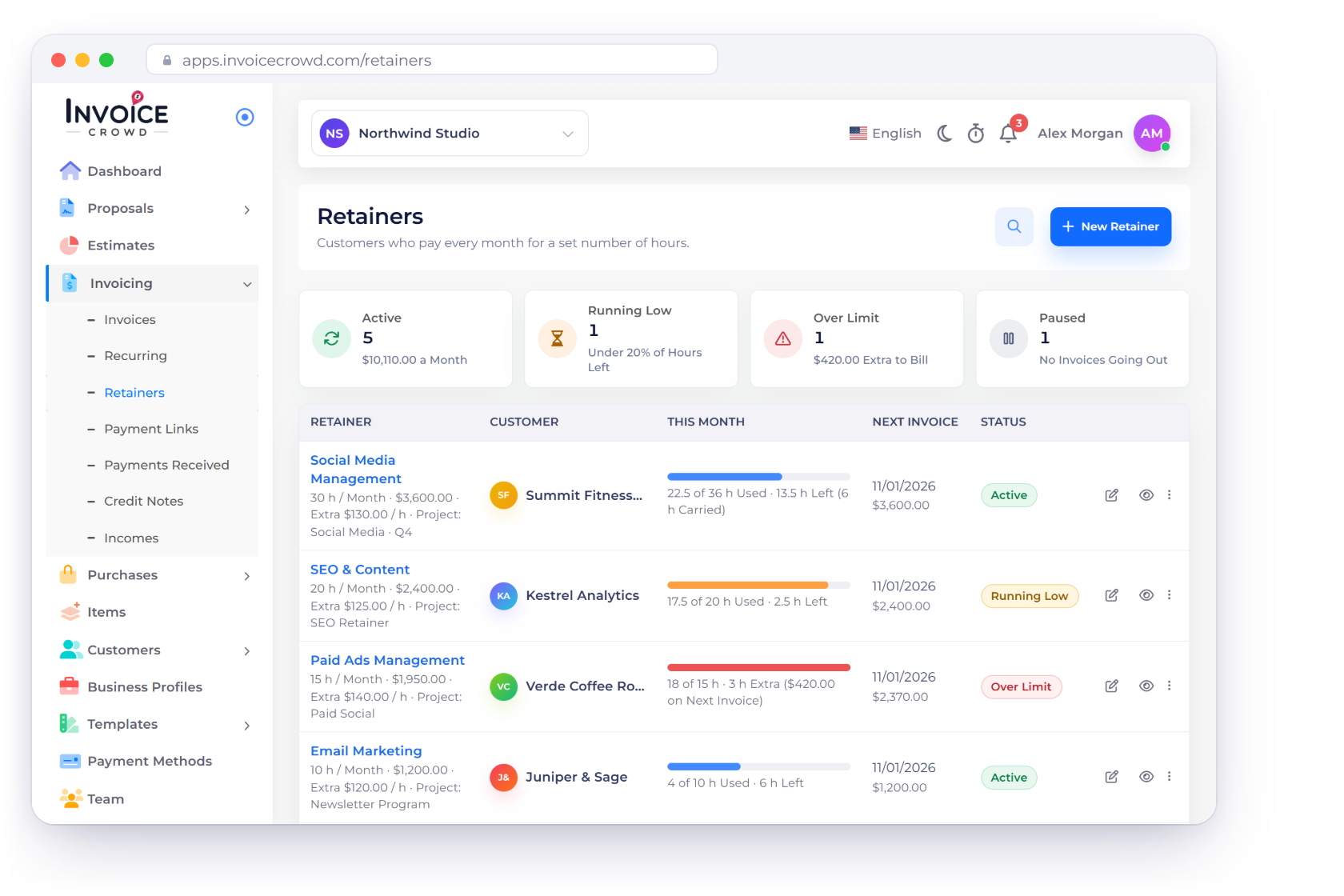
Invoice Crowd Retainers screen with Active, Running Low, Over Limit and Paused tiles, each customer's hours this month and next invoice, the hour bank of one retainer and an invoice that bills last month's extra hours

What is inside

One recurring invoice, plus an hour bank

A retainer uses the recurring invoice you already know for the schedule and the sending. The Retainer option adds the hours: how many are included, what happens to unused and extra hours, and which projects' time counts.

Setting it up

Monthly, in its own editor

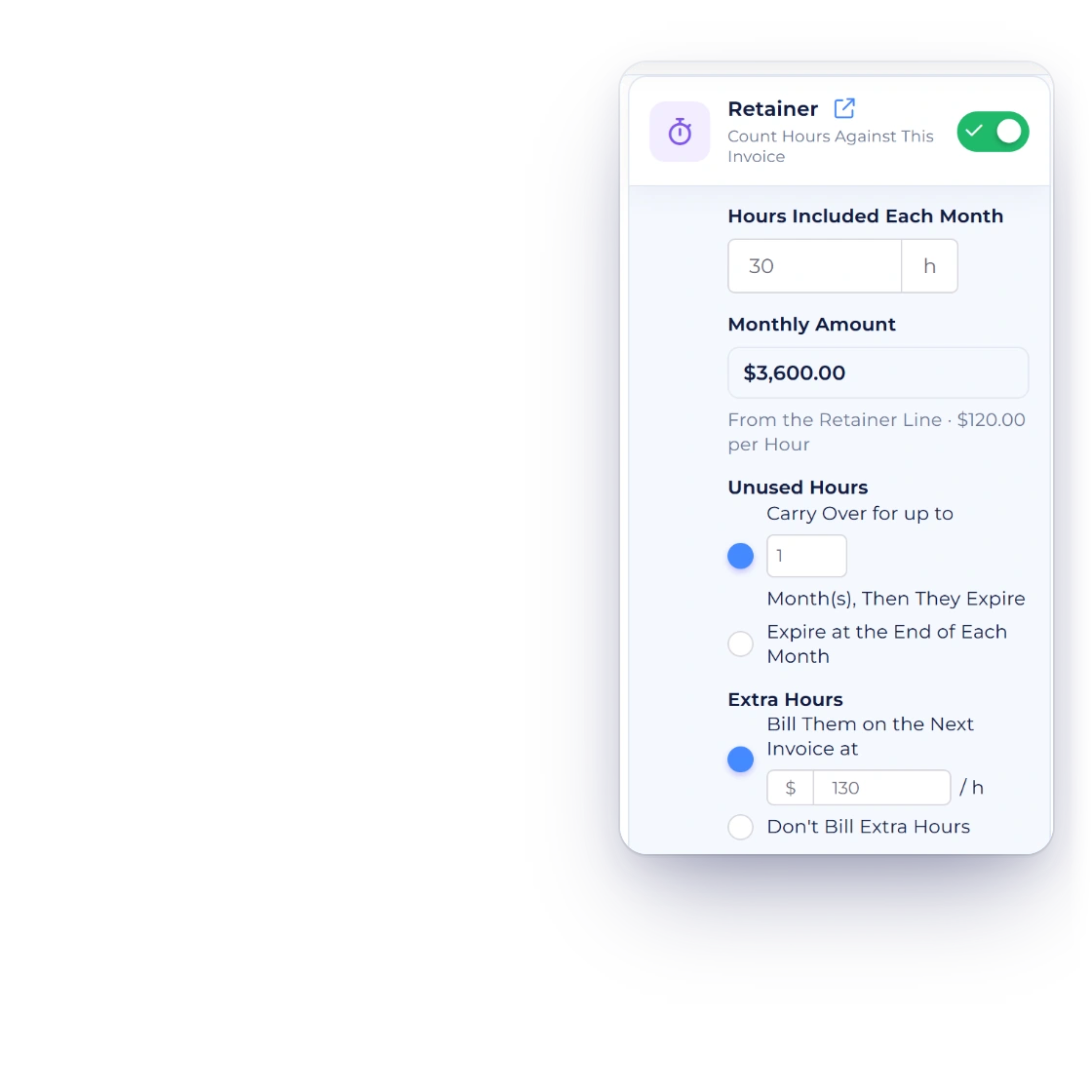
Invoice Crowd recurring invoice editor with the Retainer option on: 30 hours included each month, a monthly amount of $3,600.00, unused hours carried over for one month and extra hours billed at $130.00 an hour

Start a retainer in its own editor

New Retainer starts a monthly recurring invoice, first created on the 1st of next month, and opens it in the Retainer editor with the Retainer option on. Set Hours Included Each Month; the Monthly Amount comes from the retainer line, with its price per hour beside it. Then choose whether unused hours carry over for a set number of months or expire, and whether extra hours are billed on the next invoice at an hourly rate or simply recorded.

  • Runs on a monthly schedule
  • Sent automatically, or created as a draft to review
  • Paid like any other invoice
Recurring invoices
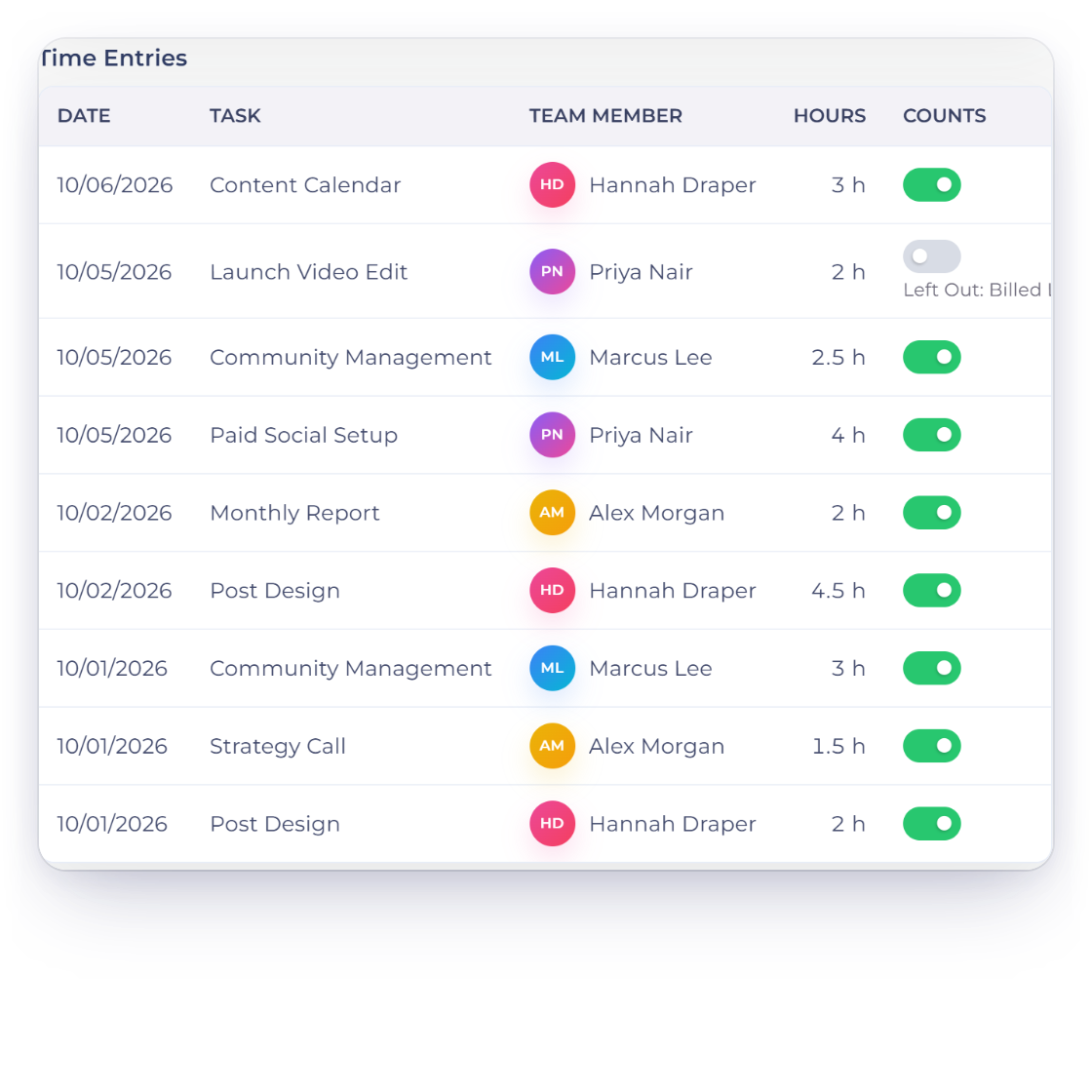
Invoice Crowd retainer page with the month's time entries and a Counts switch on each, one entry left out of the retainer, and the projects whose billable time counts

Choose whose time counts, then check each entry

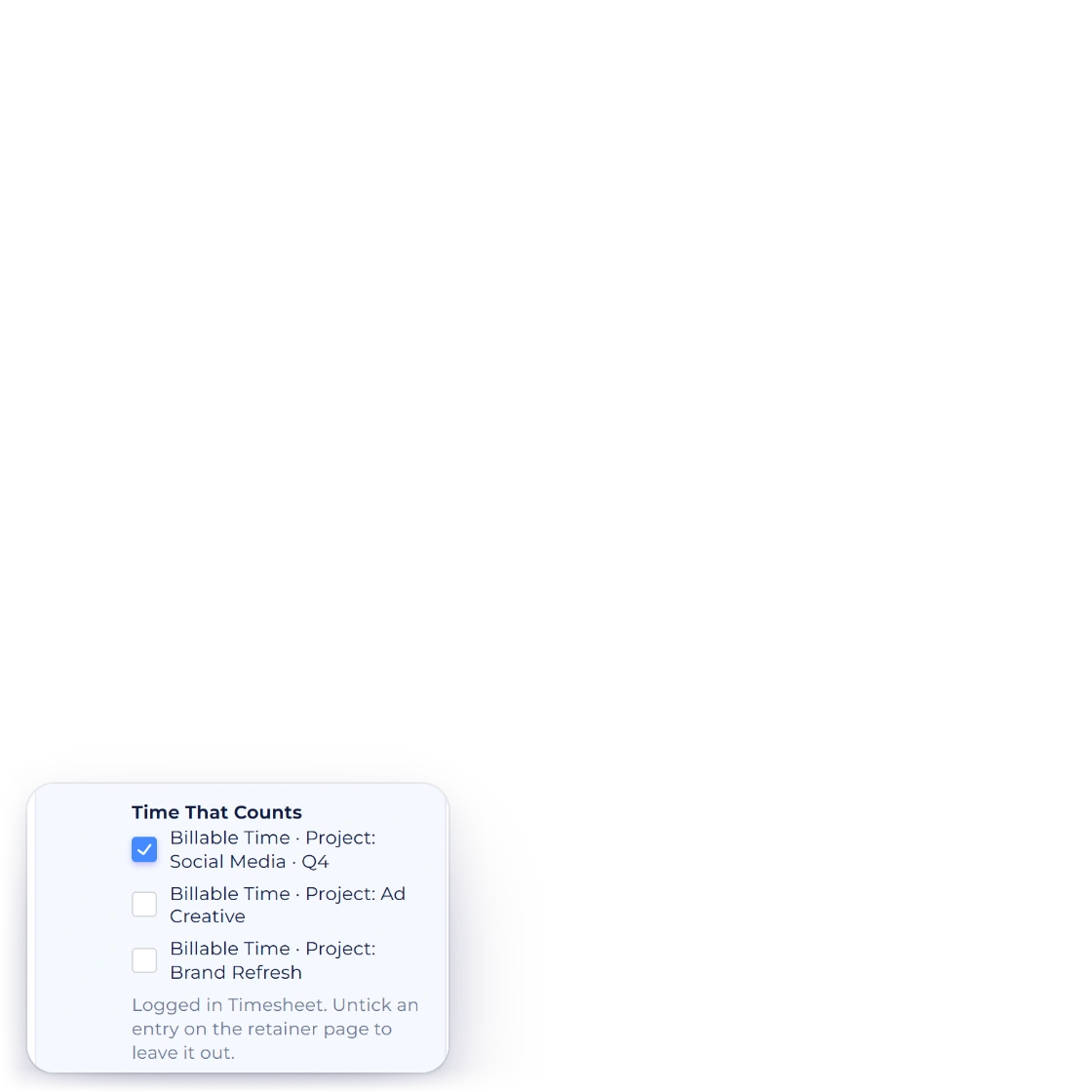
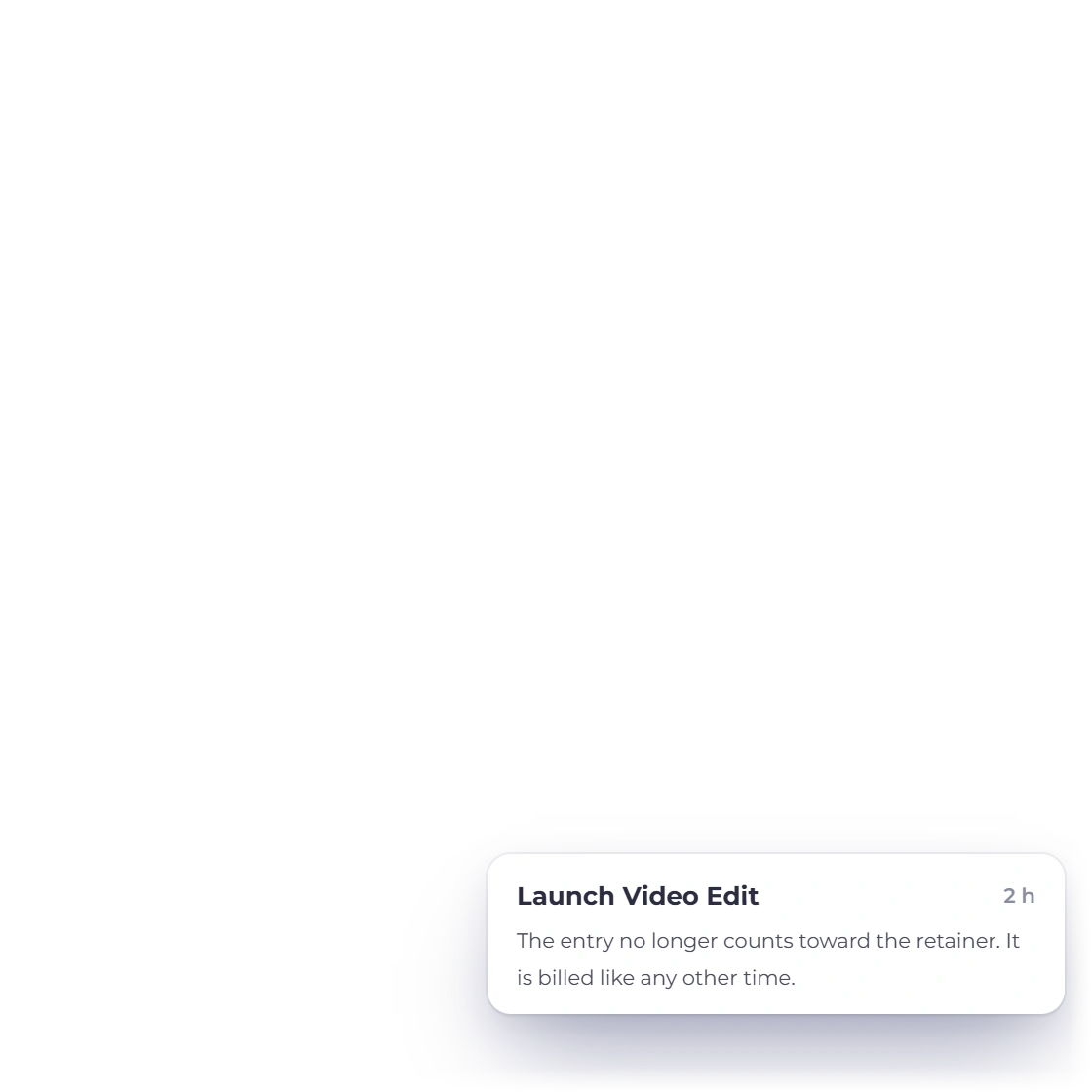
Under Time That Counts, tick the customer's projects whose billable time draws on the retainer. Time logged on those projects counts from the day the month's invoice is created. The retainer page lists the month's entries with a Counts switch, so you can leave one out and bill it like any other time.

  • Billable time on the projects you choose
  • Adjust what counts this month
  • An entry left out is billed from the Timesheet as usual
Timesheets

The hour bank

Used, left, carried and extra

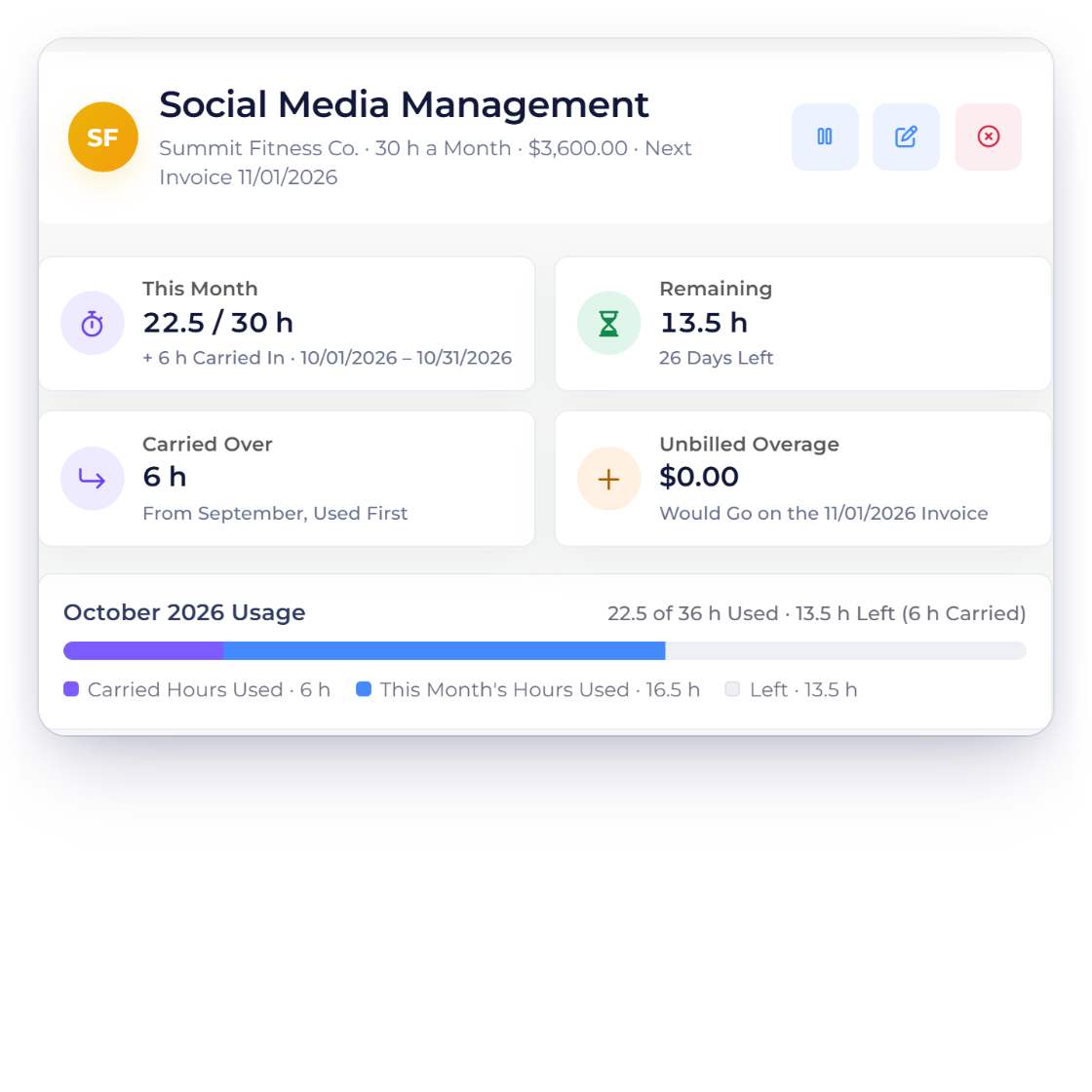
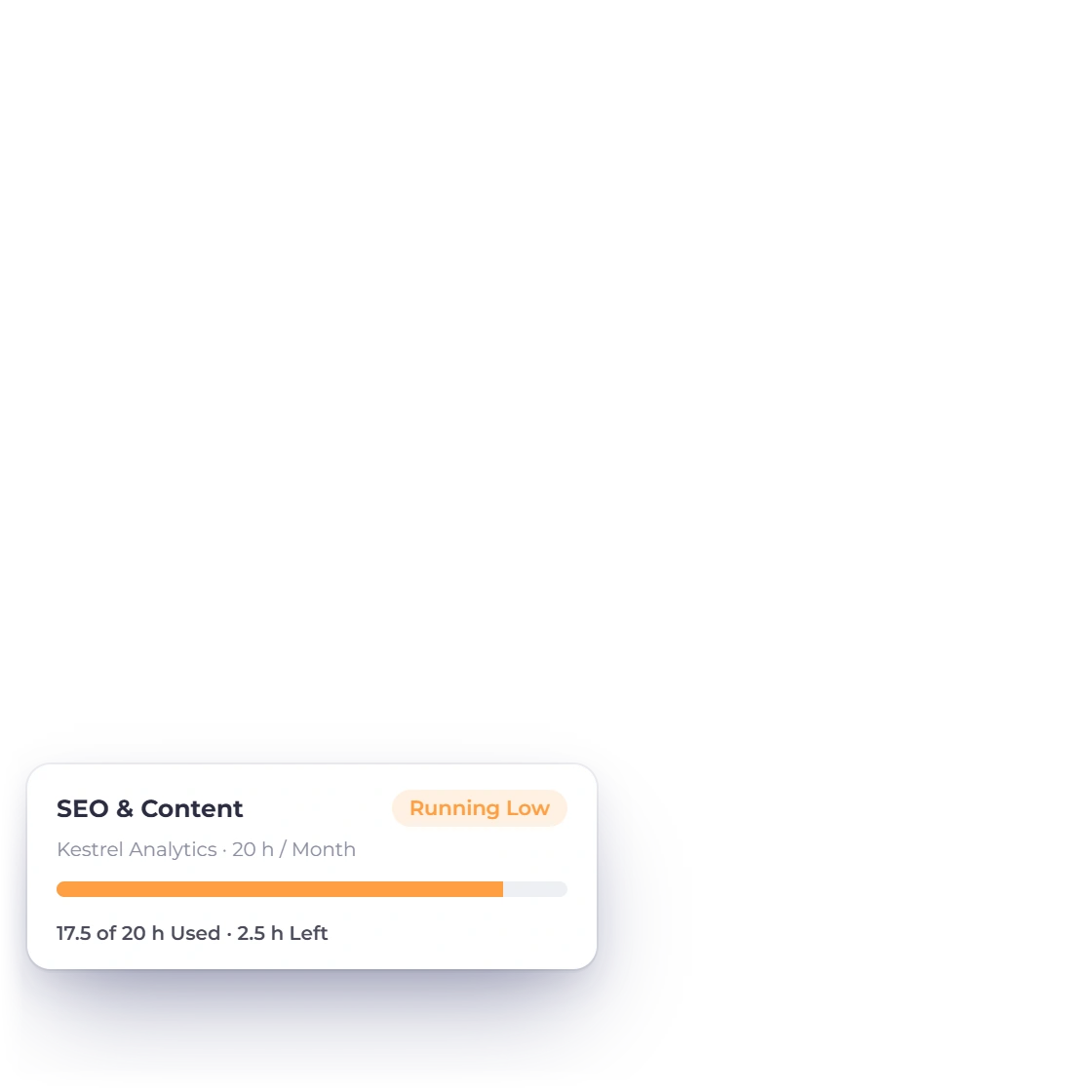
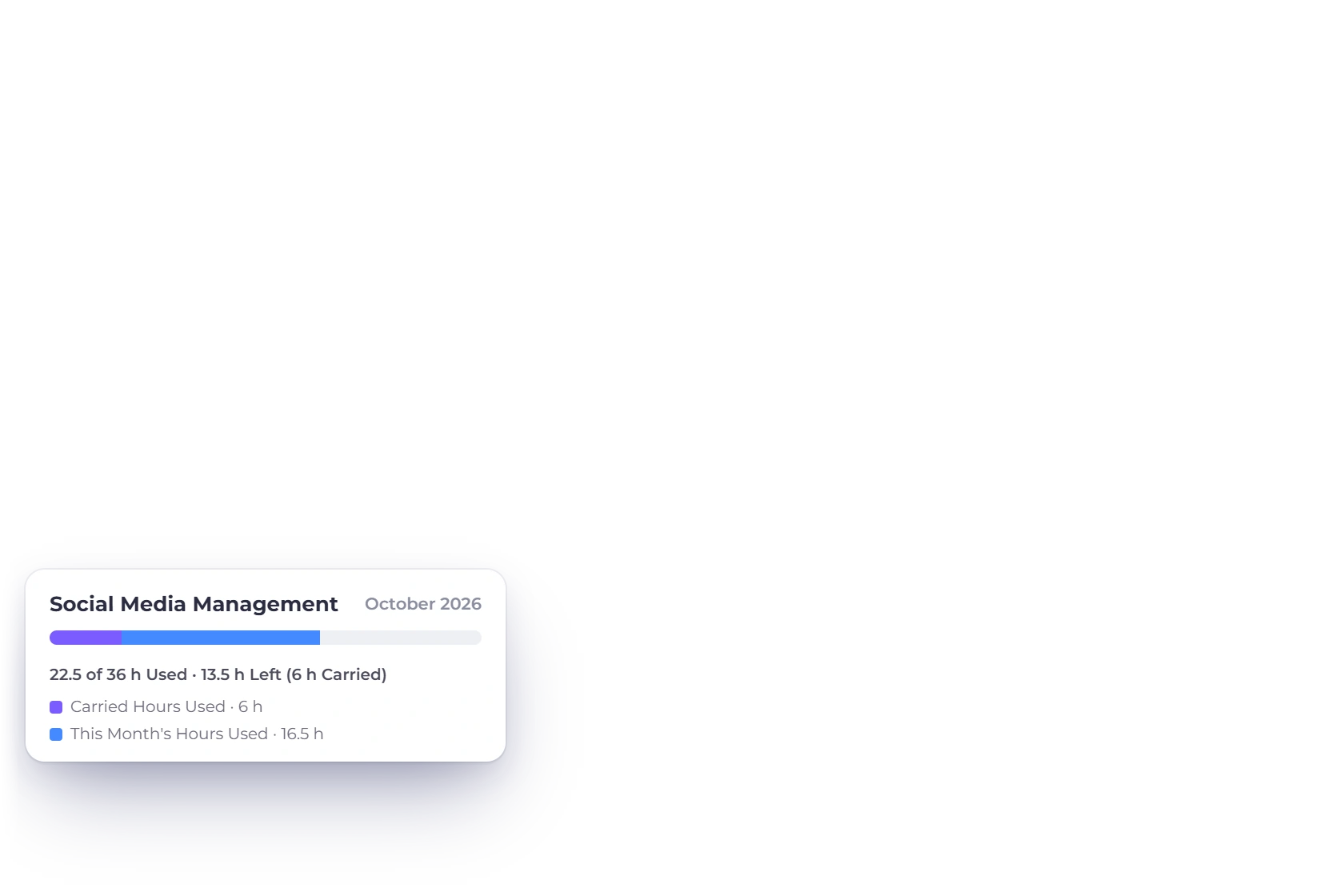
Invoice Crowd retainer page with This Month, Remaining, Carried Over and Unbilled Overage tiles and the month's hour bank bar, plus a second retainer that is running low

See every client's hours at a glance

The Retainers list shows each retainer's hours this month as a bar, with its next invoice and status. Tiles count Active, Running Low (under 20% of hours left), Over Limit and Paused retainers, and filter the list when you click them. Open a retainer for This Month, Remaining, Carried Over and Unbilled Overage, with the month's usage bar.

  • Active shows what retainers bill each month
  • Over Limit shows the extra waiting to bill
  • Paused retainers wait for you
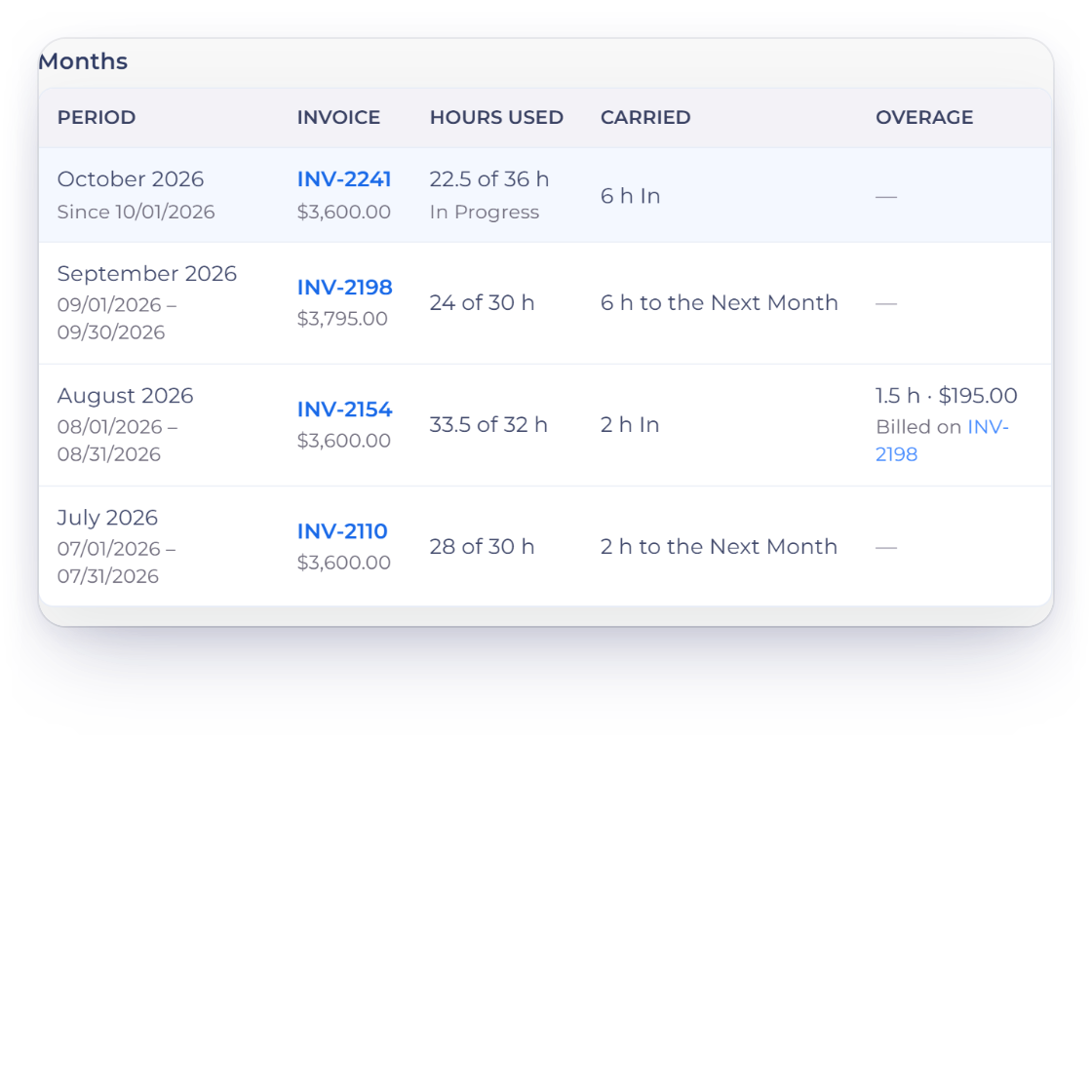
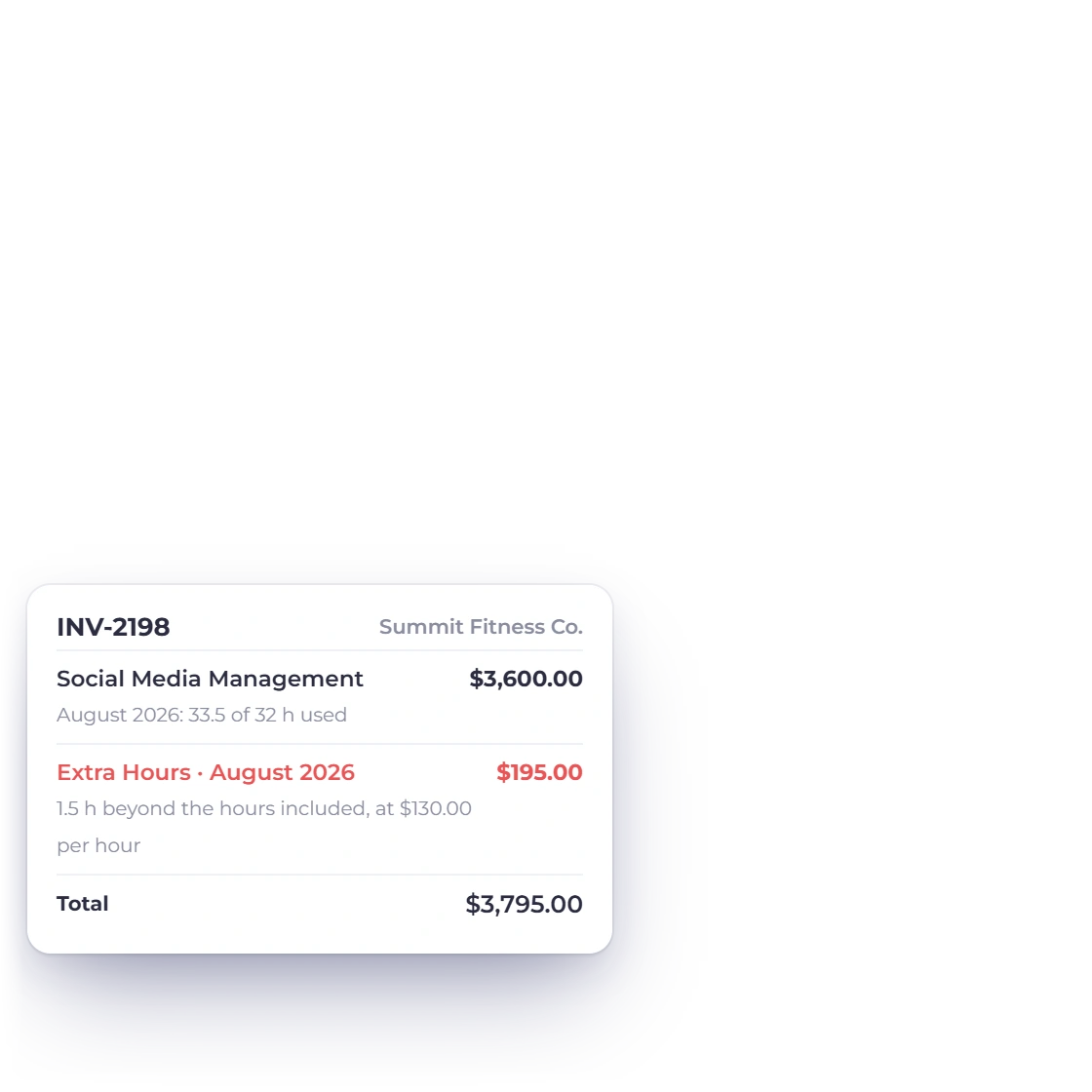
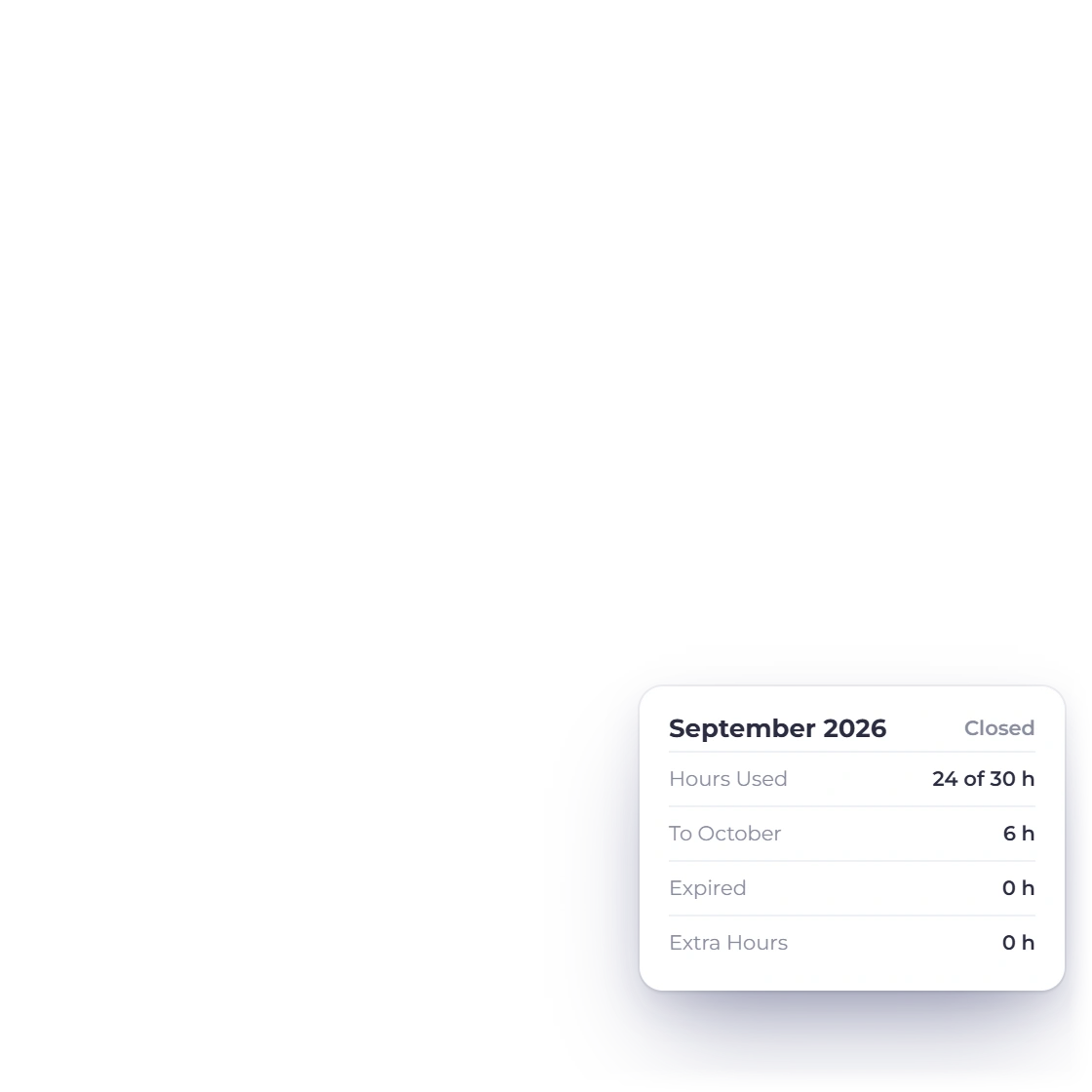
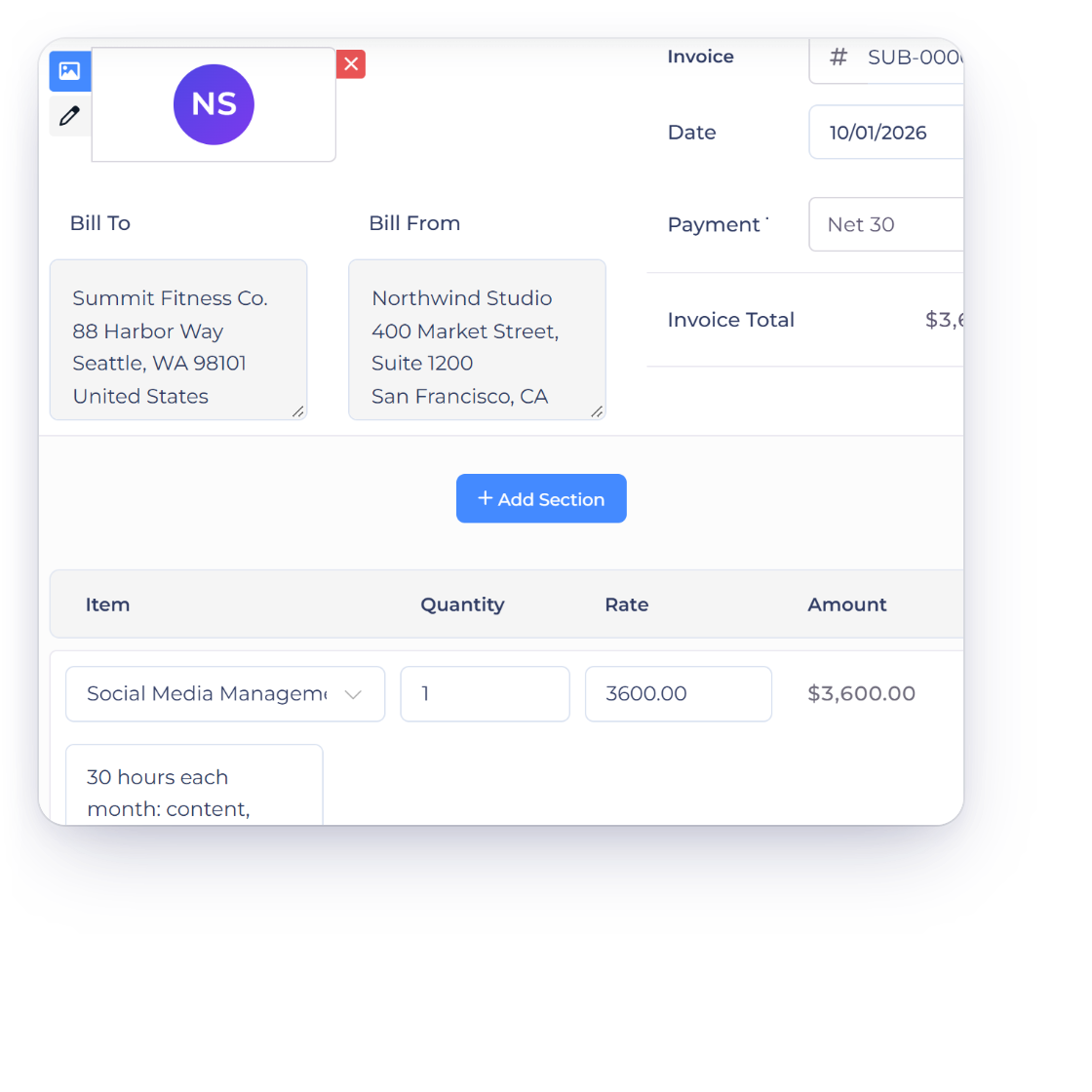
Invoice Crowd retainer months table with hours used, hours carried to the next month and 1.5 extra hours in August billed on the next invoice, beside the invoice that carries them

Carry unused hours over, bill extra hours next month

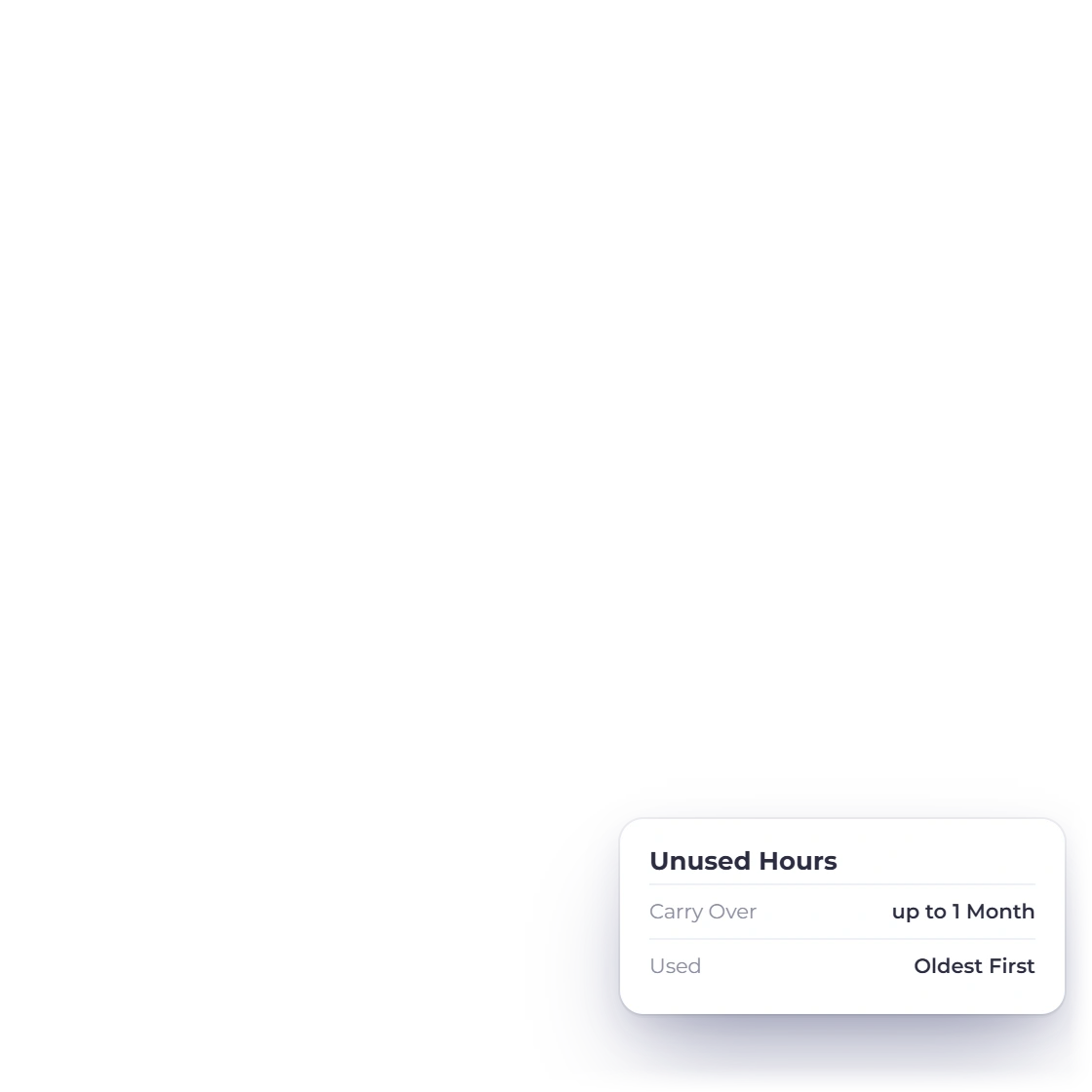
When the next invoice is created, the month closes. Carried hours are used first, oldest first, then the month's own hours. Unused hours carry into the next month or expire, as you chose. Hours over what was available become an Extra Hours line on that invoice, at your rate and with the retainer line's taxes, and the retainer line notes the hours used.

  • The Months table shows hours used, carried and expired
  • Extra hours link to the invoice that billed them
  • Retainer time is never billed again elsewhere
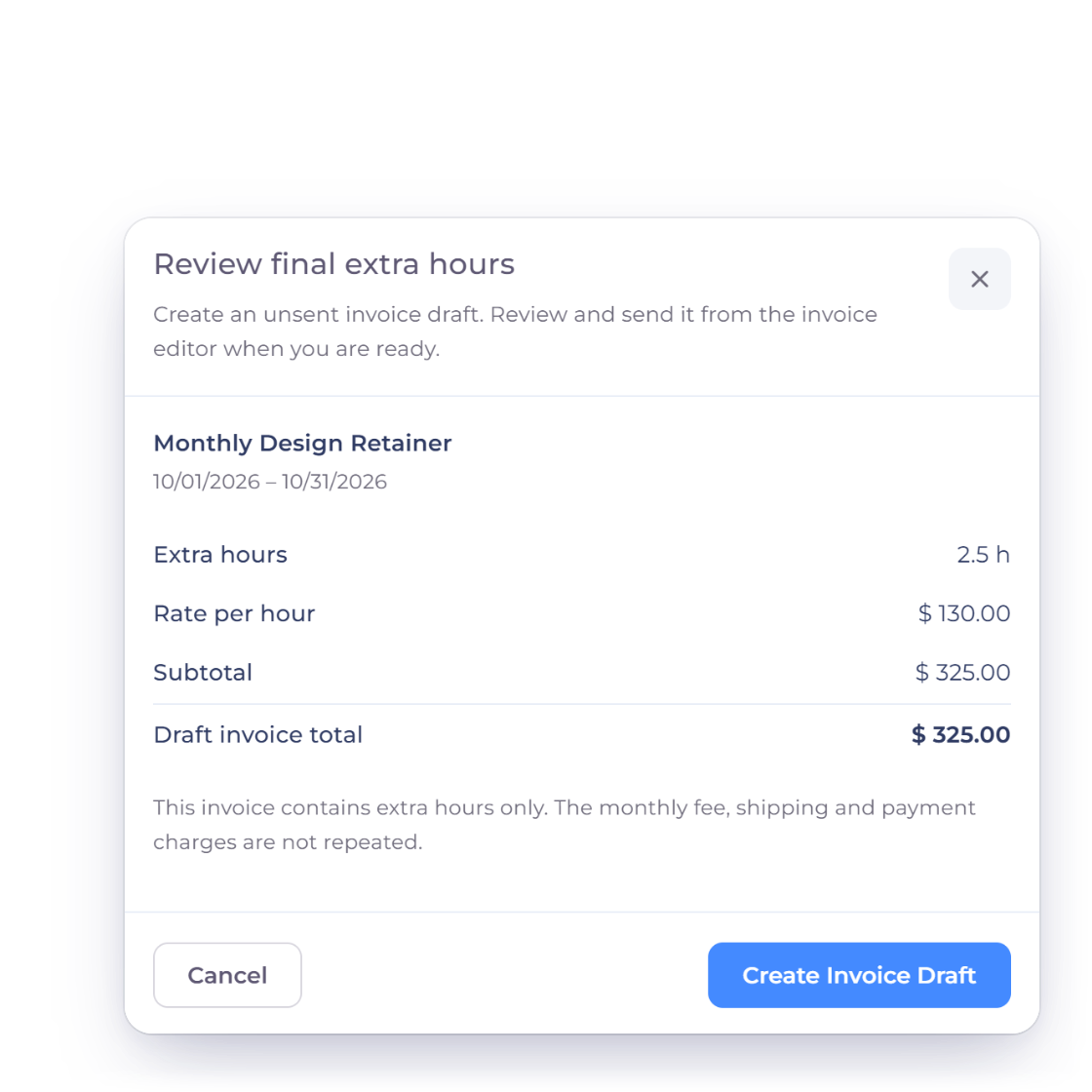
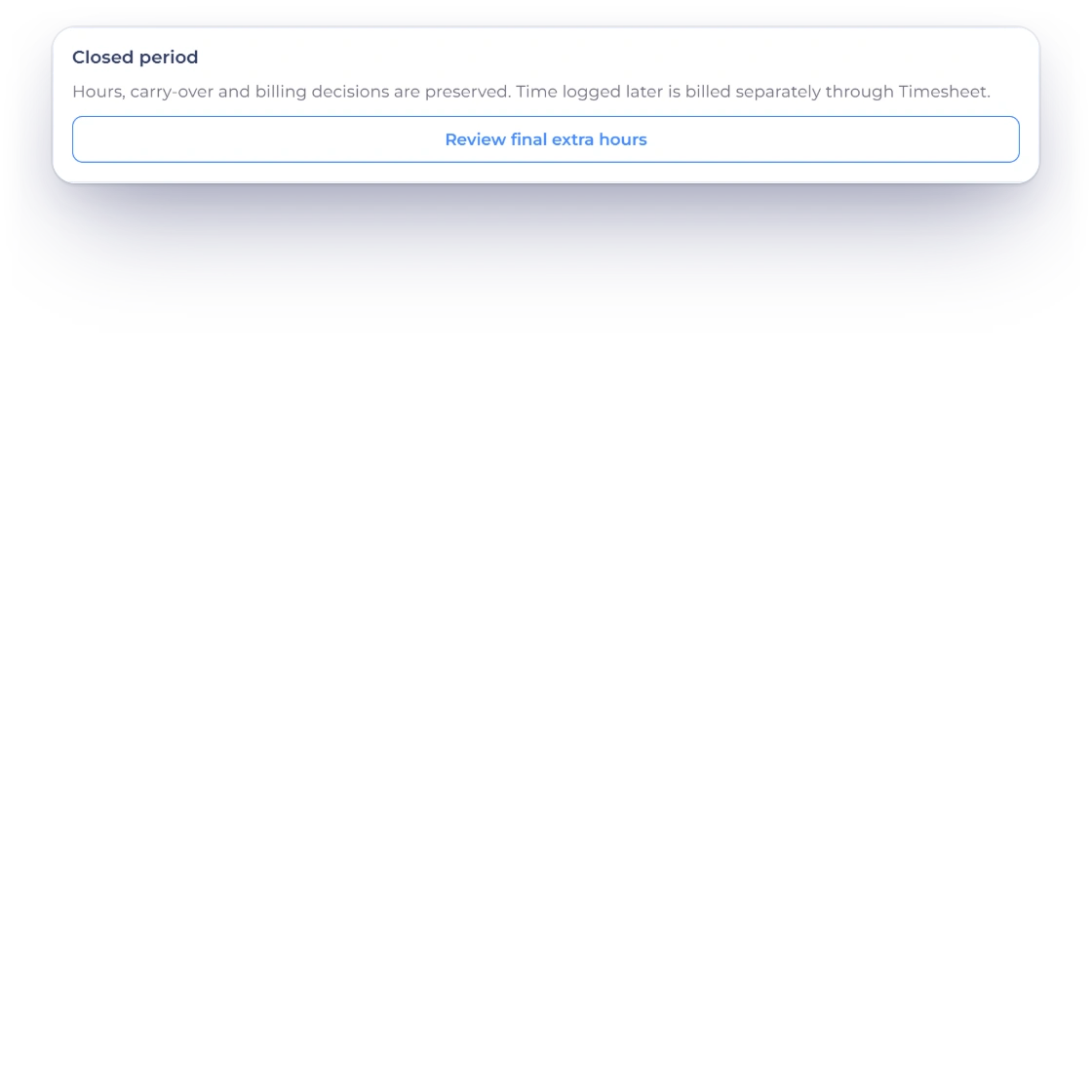
Invoice Crowd retainer page for the ended Monthly Design Retainer with the Closed period box and Review final extra hours, and the Review final extra hours dialog with 2.5 extra hours at $130.00 per hour, a $325.00 draft invoice total and Create Invoice Draft

Billed to the minute, closed with care

Extra time is priced from the exact minutes logged, so one minute at $100.00 an hour bills $1.67, rounded once in the retainer's currency. A closed month keeps its hours, carry-over and billing as they were, and when you end a retainer with extra hours still to bill, Review final extra hours prepares an invoice draft for just those hours.

  • Priced from the exact minutes
  • Create Invoice Draft for final extra hours
  • Export time CSV for any month

Your client, your control

Hours shared, rates private

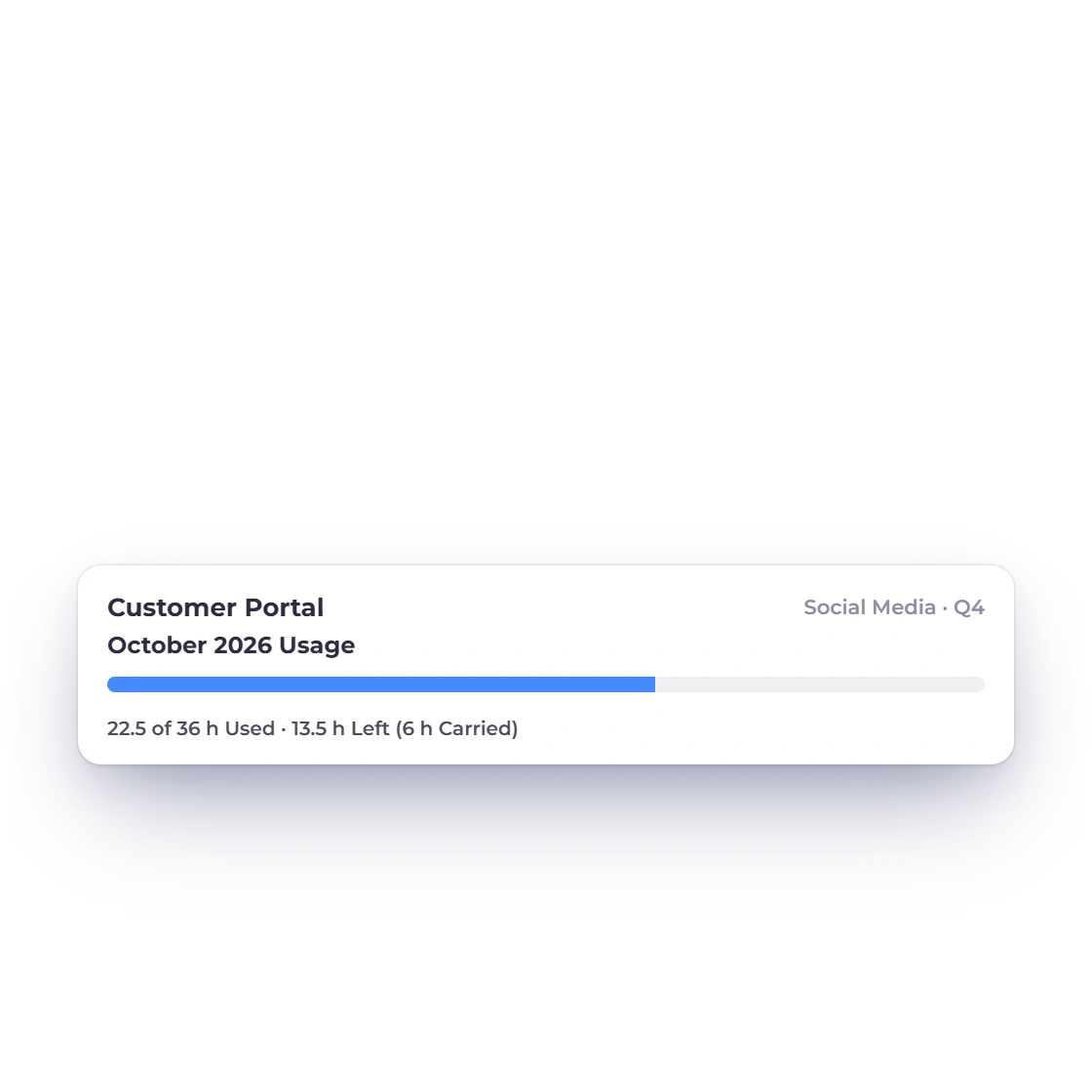
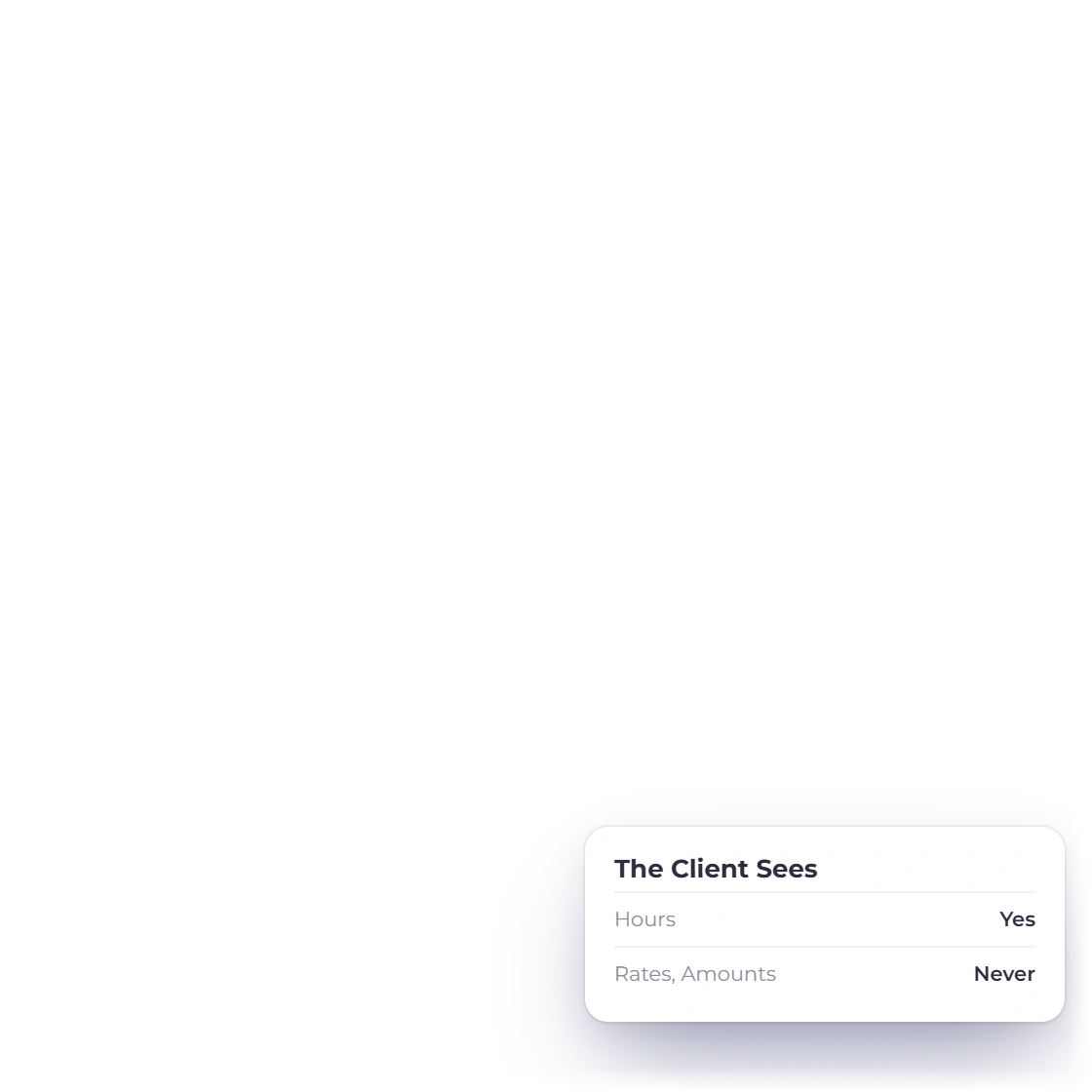
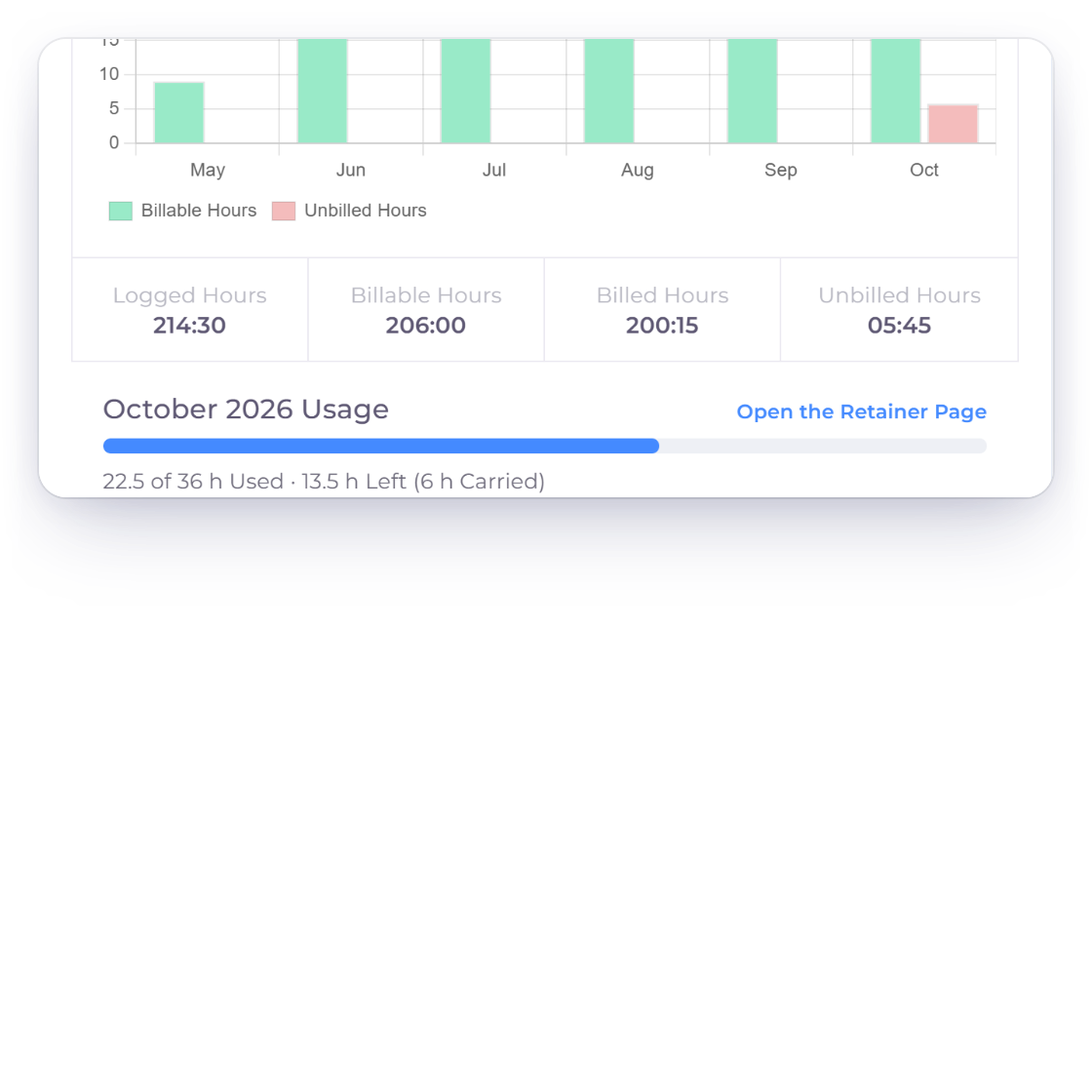
Invoice Crowd project overview with the retainer's October hours bar, and the same bar in the customer portal showing hours only, with no rates or amounts

Clients see their hours, never your rates

The project page shows the retainer's hours bar for the open month, and so does the same project in the customer portal. The client sees hours used, hours left and hours carried. Your rates and amounts stay private.

  • Your view links to the retainer page
  • The portal view is hours only
  • The bar moves as your team logs time
Customer portal
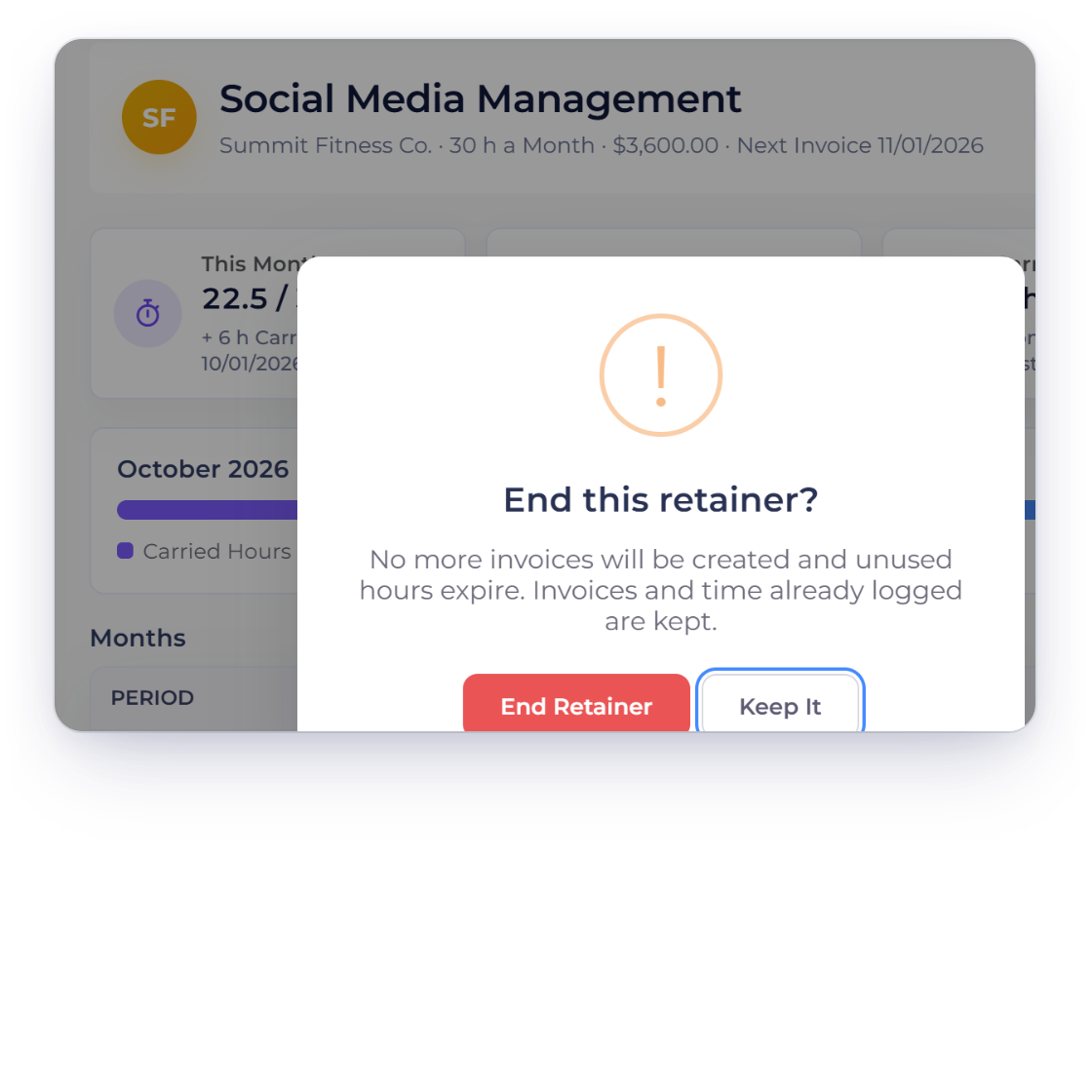
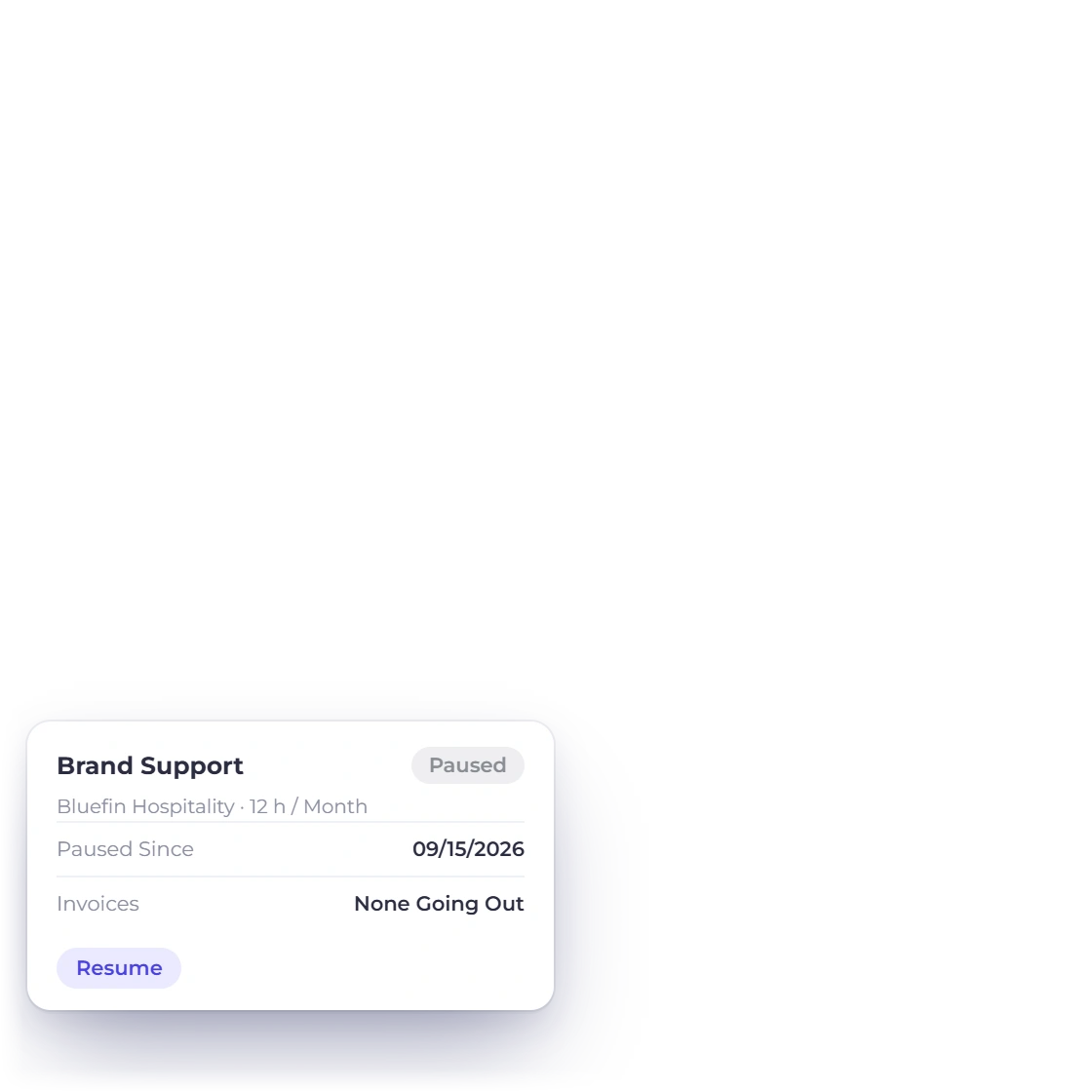
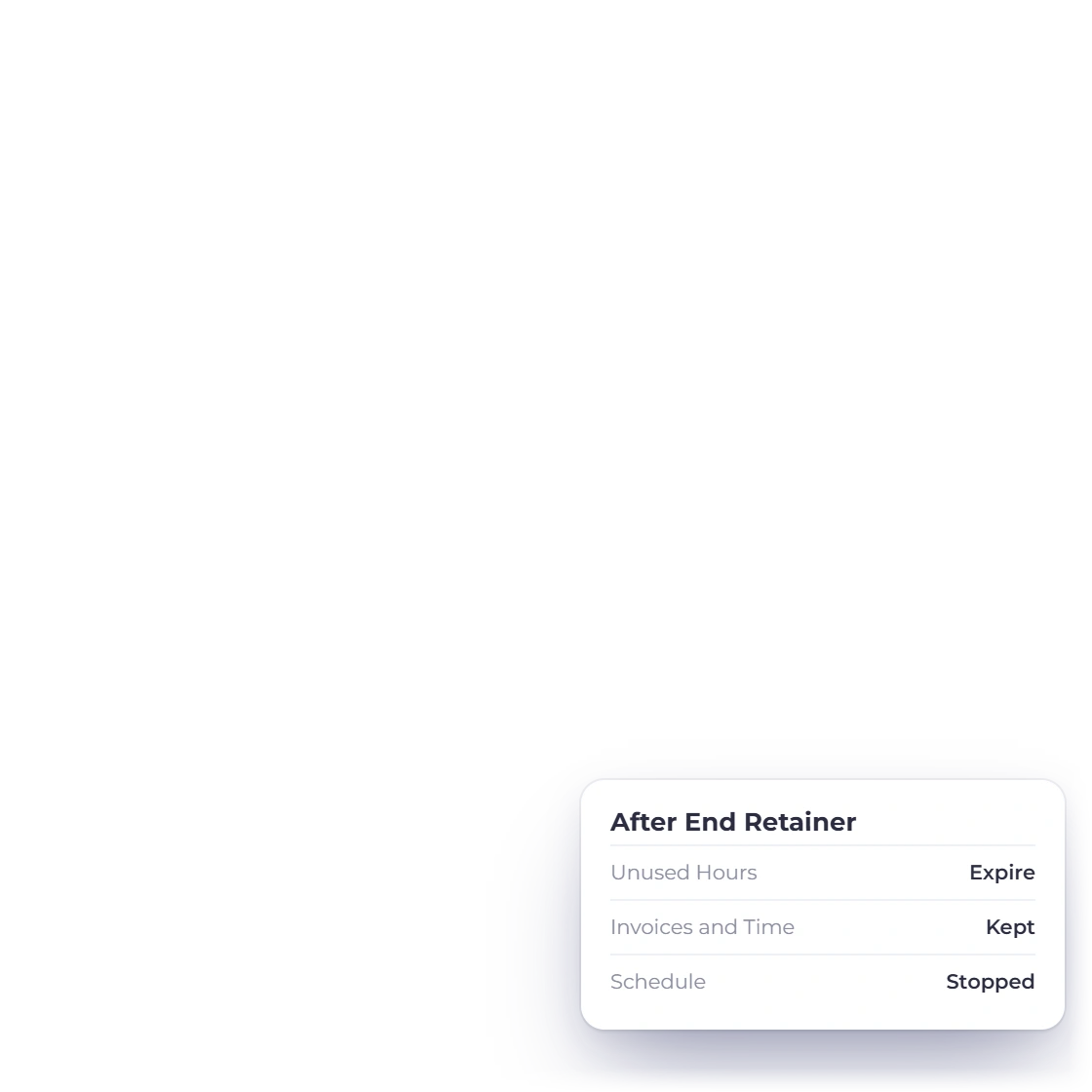
Invoice Crowd End Retainer confirmation saying no more invoices will be created, unused hours expire and invoices and time already logged are kept, beside a paused retainer

Pause or end a retainer and keep its history

Pause holds the invoices until you resume. End Retainer stops the schedule and closes the month on the day you end it, and every invoice, month and time entry stays on the retainer page.

  • End Retainer asks you to confirm first
  • Full history kept
  • Start a new retainer to begin again
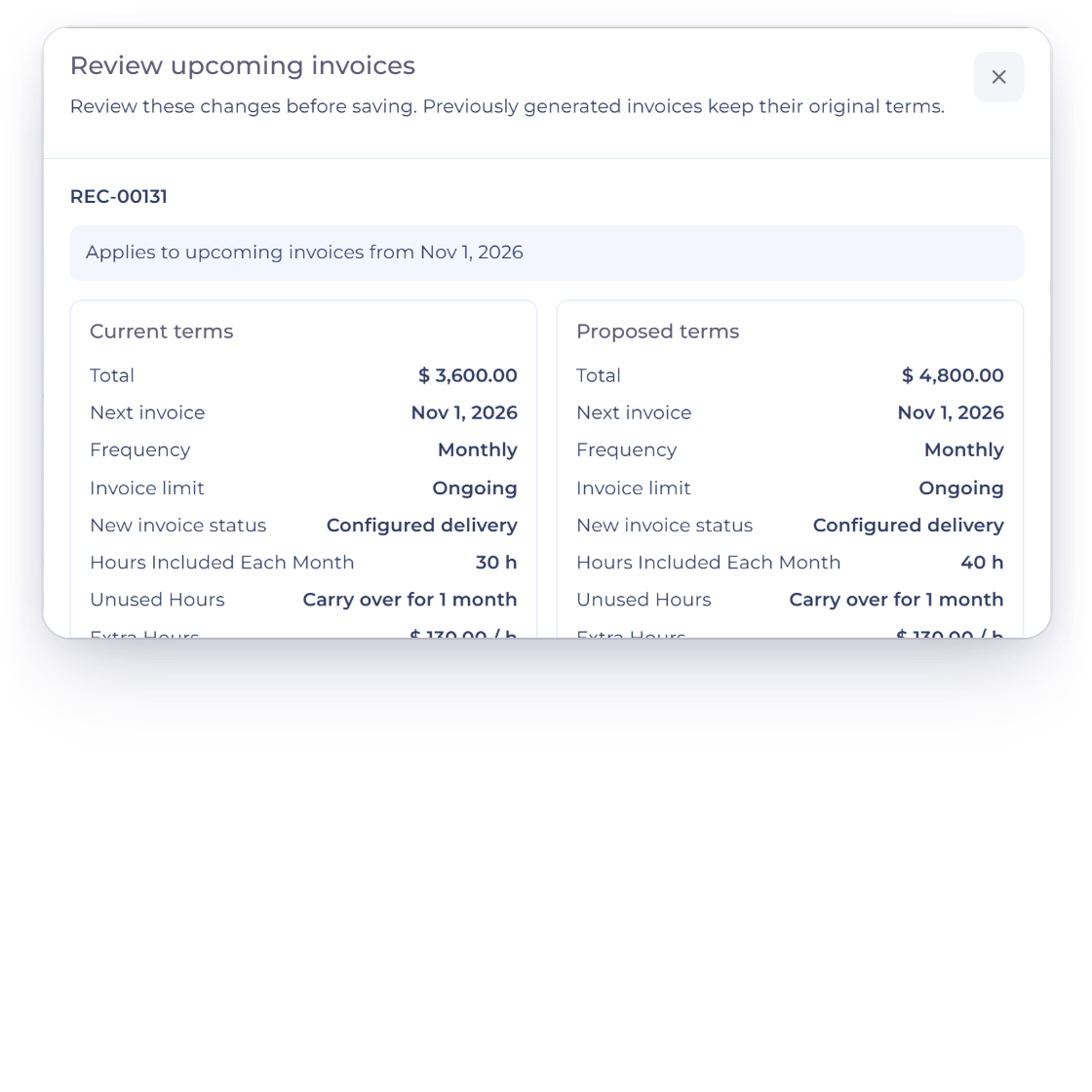
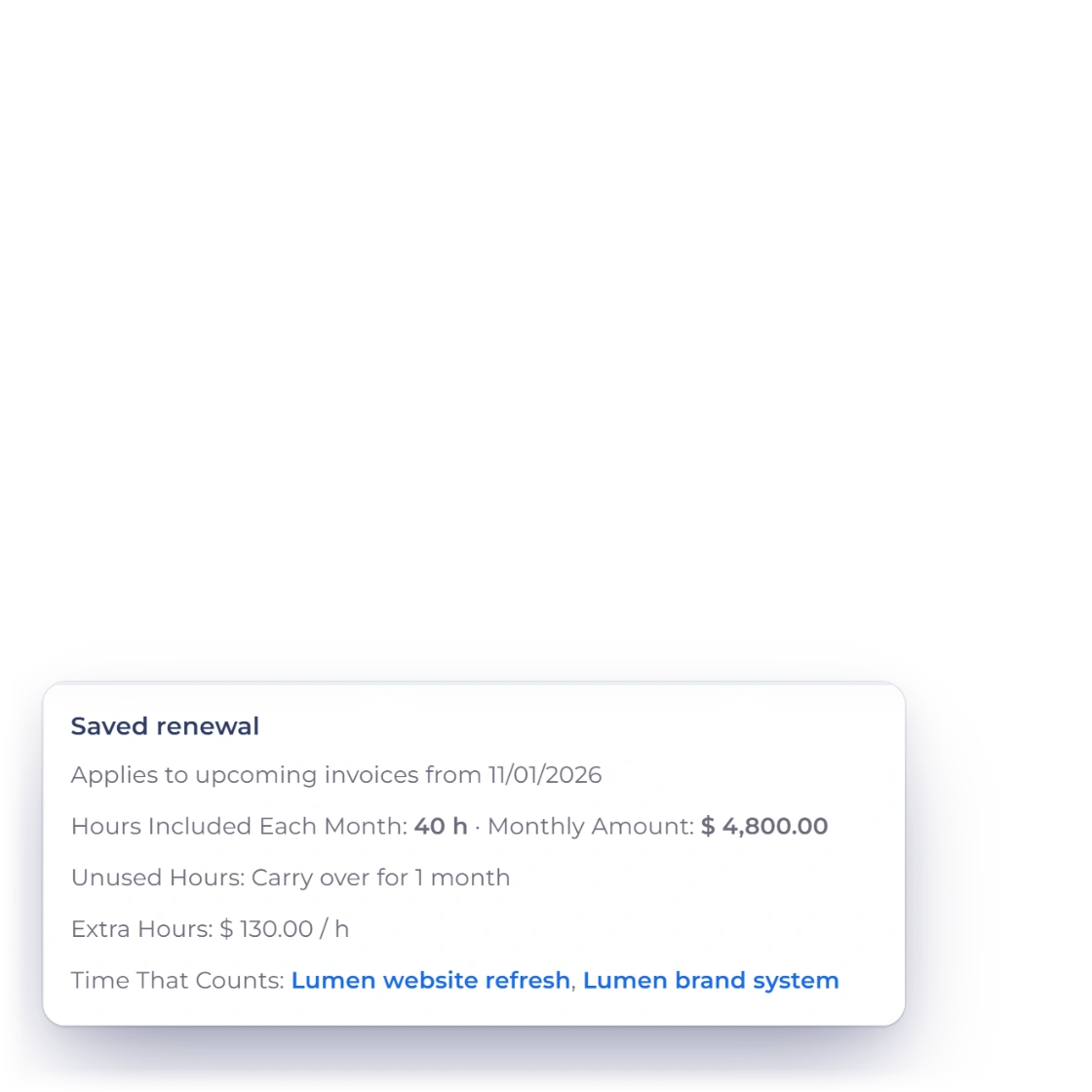
Invoice Crowd Review upcoming invoices dialog for the Monthly Design Retainer, applying from Nov 1, 2026, with Current terms of 30 hours a month at $3,600.00 beside Proposed terms of 40 hours at $4,800.00, and the retainer page Saved renewal box with 40 h from 11/01/2026

Renew the terms from the next invoice

Change the hours, carry-over, extra-hour rate or projects, and Invoice Crowd shows the current and proposed terms before you save: the change starts with the next invoice and the current month keeps its terms. The retainer page shows the Saved renewal with its date, and Copy Renewal Summary gives you the new terms to paste into an estimate or proposal for your client to approve.

  • The current month keeps its terms
  • Saved renewal with its start date
  • Copy Renewal Summary for client approval

Built in

The details of a retainer

How the hours are set, counted, carried and billed, and who can change them.

  • Hours included each month

    Set the hours in quarter-hour steps. The monthly amount and the price per hour come from the retainer line on the invoice.

  • Carry over or expire

    Unused hours carry into the following months for as long as you set, then expire. Or let them expire at the end of each month.

  • Extra hours, next invoice

    Hours beyond what was available become one Extra Hours line on the next invoice, at the rate you set.

  • Or absorb extra hours

    Choose Don't Bill Extra Hours and the extra time is recorded on the month, off the invoice.

  • Never billed twice

    Time a retainer counts is kept out of Ready to Invoice and the Timesheet's unbilled totals, so every hour is billed once.

  • Running Low and Over Limit

    Tiles count retainers under 20% of their hours and those over the limit, with the extra waiting to bill.

  • Pause and resume

    Pause stops the invoices until you resume, with Undo right in the notice, and the list shows the date the retainer was paused.

  • End Retainer

    Ending stops the schedule, expires unused hours and keeps every invoice and time entry on the retainer page.

  • Month by month

    The Months table lists each month's invoice and status, hours used, hours carried in and out, and any extra hours.

  • Hours bar in the portal

    Clients see the month's hours used, left and carried on their project page, while your rates stay private.

  • Team permissions

    Team permissions decide who can view, pause, end or adjust a retainer.

  • Paid plans

    Retainers are included on paid plans, with Worklog for time tracking.

Questions

Retainers, answered

Does Invoice Crowd support client retainers?

Yes. Invoice Crowd has Retainers: a monthly recurring invoice with a set number of hours included each month. Billable time your team logs on the client's chosen projects counts against those hours, unused hours carry over or expire, and extra hours are billed on the next invoice. Retainers are on paid plans and sit under Invoicing, next to Recurring.

What happens to unused retainer hours?

You choose for each retainer: Carry Over for up to a number of months, after which they expire, or Expire at the End of Each Month. Carried hours are used before the month's own hours, oldest first, and the retainer page shows how many hours were carried in, carried to the next month and expired each month.

How are hours over the retainer billed?

When a month closes, hours over what was available go on the next invoice as one Extra Hours line for that month, at the rate you set (by default the retainer's own price per hour) and with the same taxes as the retainer line. You can also choose Don't Bill Extra Hours to record the time without billing it.

Can I change a retainer's hours for next month?

Yes. Edit the retainer and change the hours, carry-over, extra-hour rate or projects. Invoice Crowd shows the current and proposed terms before you save, applies them from the next invoice and keeps the current month as it is. The retainer page then shows the Saved renewal, and Copy Renewal Summary gives you text to paste into an estimate or proposal when you want the client's approval.

Is retainer time billed to the minute?

Yes. Extra hours are priced from the exact time logged, so one minute at $100.00 an hour bills $1.67, rounded once in the retainer's currency, while hours on screen stay rounded for easy reading. When you end a retainer with extra hours still to bill, Review final extra hours creates an invoice draft for just those hours, without repeating the monthly fee.

Which time counts toward a retainer?

Billable time on the projects you tick under Time That Counts, all belonging to the retainer's customer, logged from the day the month's invoice is created. Time is logged in the Timesheet or with the header timer, which are part of Worklog on paid plans. On the retainer page, the Counts switch leaves an entry out for the current month, and that entry is then billed like any other time.

How does Invoice Crowd keep hours from being billed twice?

Time a retainer counts, or that a closed month has already billed, is kept out of the dashboard's Ready to Invoice rows, the Timesheet's unbilled totals, Invoice These and the invoice wizard, so every hour is billed exactly once.

Can my client see how many retainer hours are left?

Yes, in hours only. The project page in the customer portal shows the open month's hours bar: hours used, hours left and hours carried over. Your rates, the amounts and the retainer page stay private.

How do retainers post to my accounting?

Like any other invoice. Each monthly retainer invoice is an ordinary sales invoice, recorded when it is issued, and an Extra Hours line posts like any other invoice line.
Put your monthly retainers on an hour bank

Start a retainer from Invoicing, set the hours included each month, tick the projects whose time counts, and let the next invoice carry any extra hours.

  • No card required to start
  • Your data stays yours
  • Cancel anytime