Split outstanding balances into five age buckets
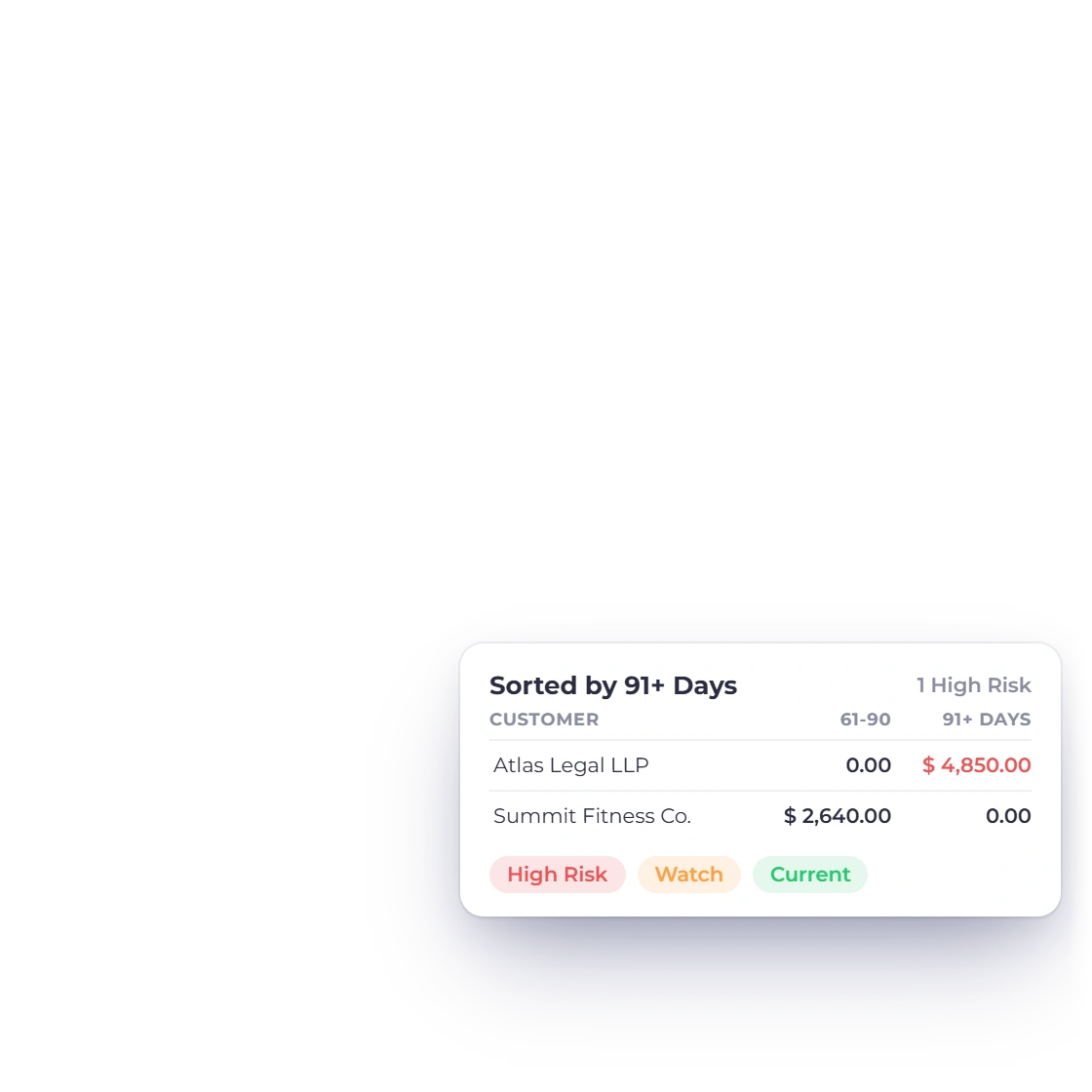
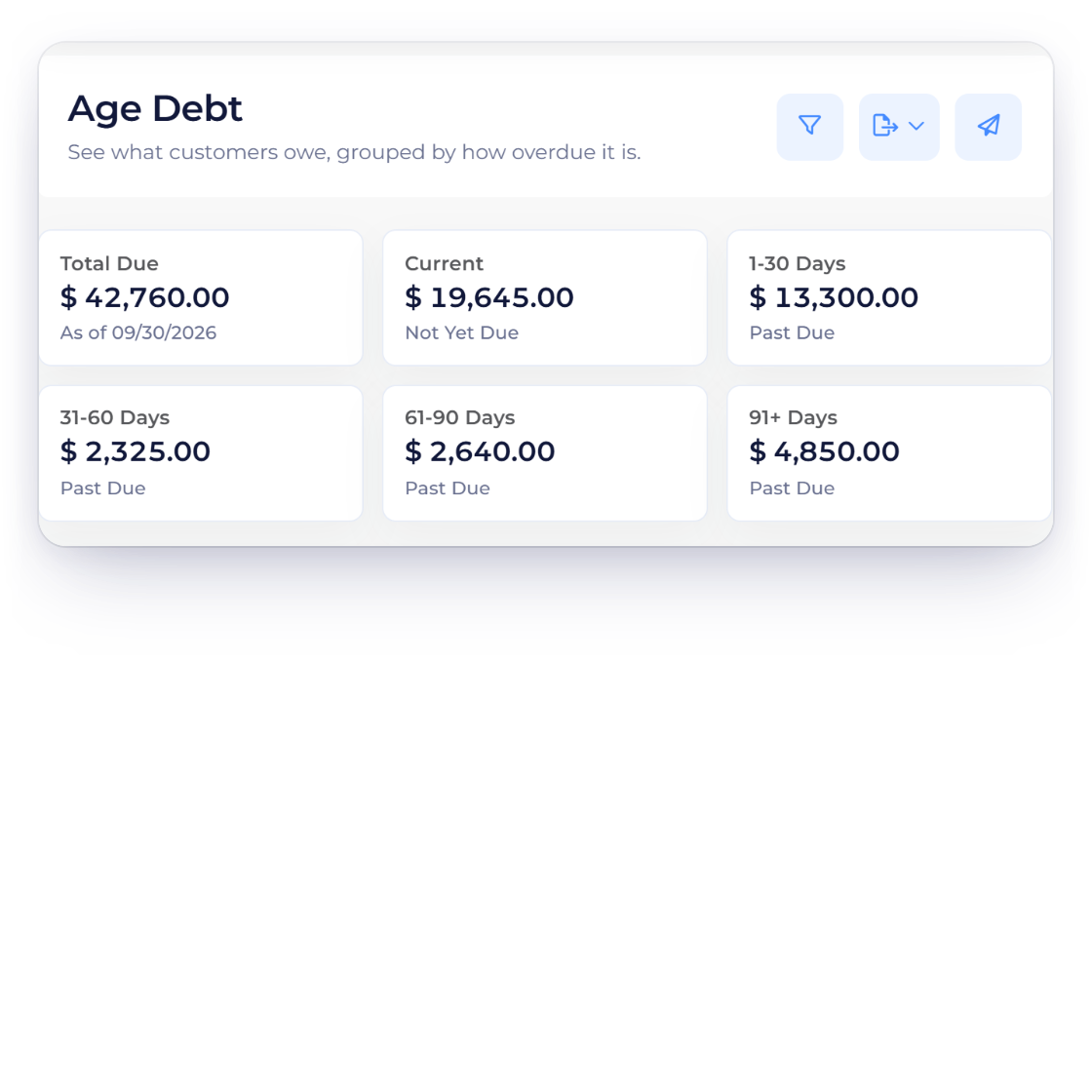
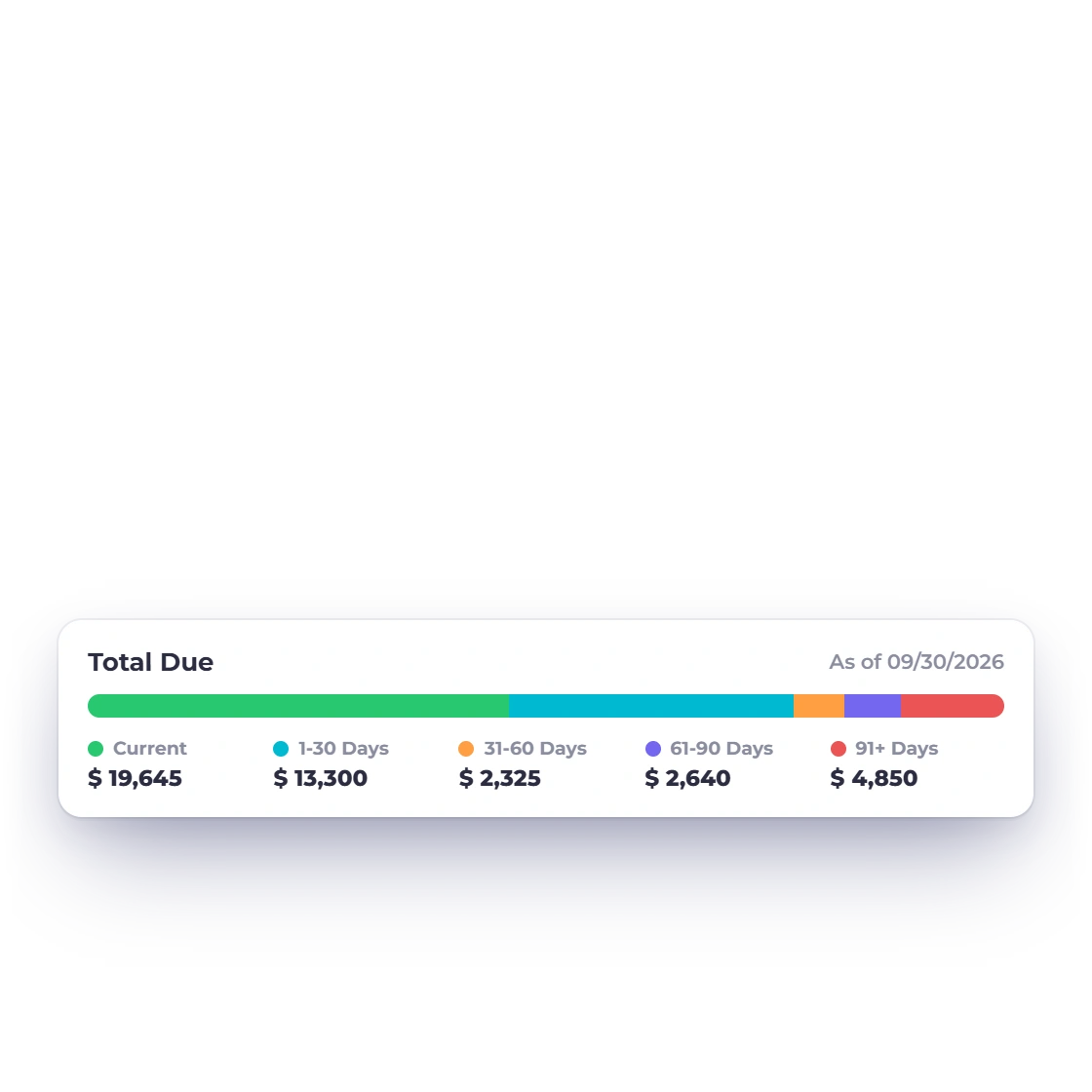
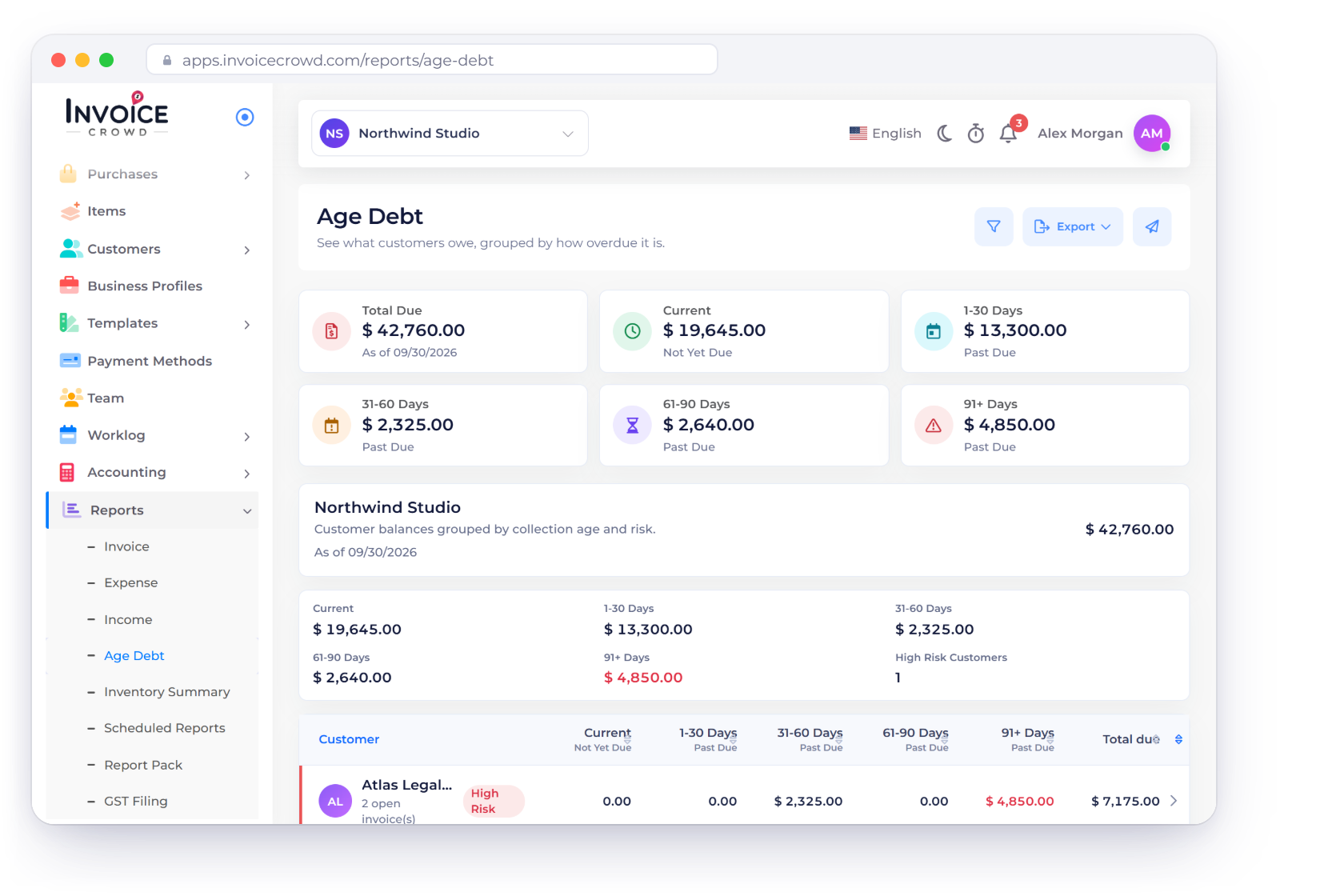
The report groups due amounts by days past the due date into Current (not yet due), 1-30, 31-60, 61-90 and 91+ days, with a Total Due figure as of the date you choose.
Reports
The Age Debt report groups every unpaid balance by customer into Current, 1-30, 31-60, 61-90 and 91+ days past due, as of any date you choose. Expand a customer to see the invoices behind the balance.
How it works
Age totals, a customer table and invoice detail in one view, so you know exactly where to focus your follow-up.
Totals and high-risk counts at a glance.
The report groups due amounts by days past the due date into Current (not yet due), 1-30, 31-60, 61-90 and 91+ days, with a Total Due figure as of the date you choose.
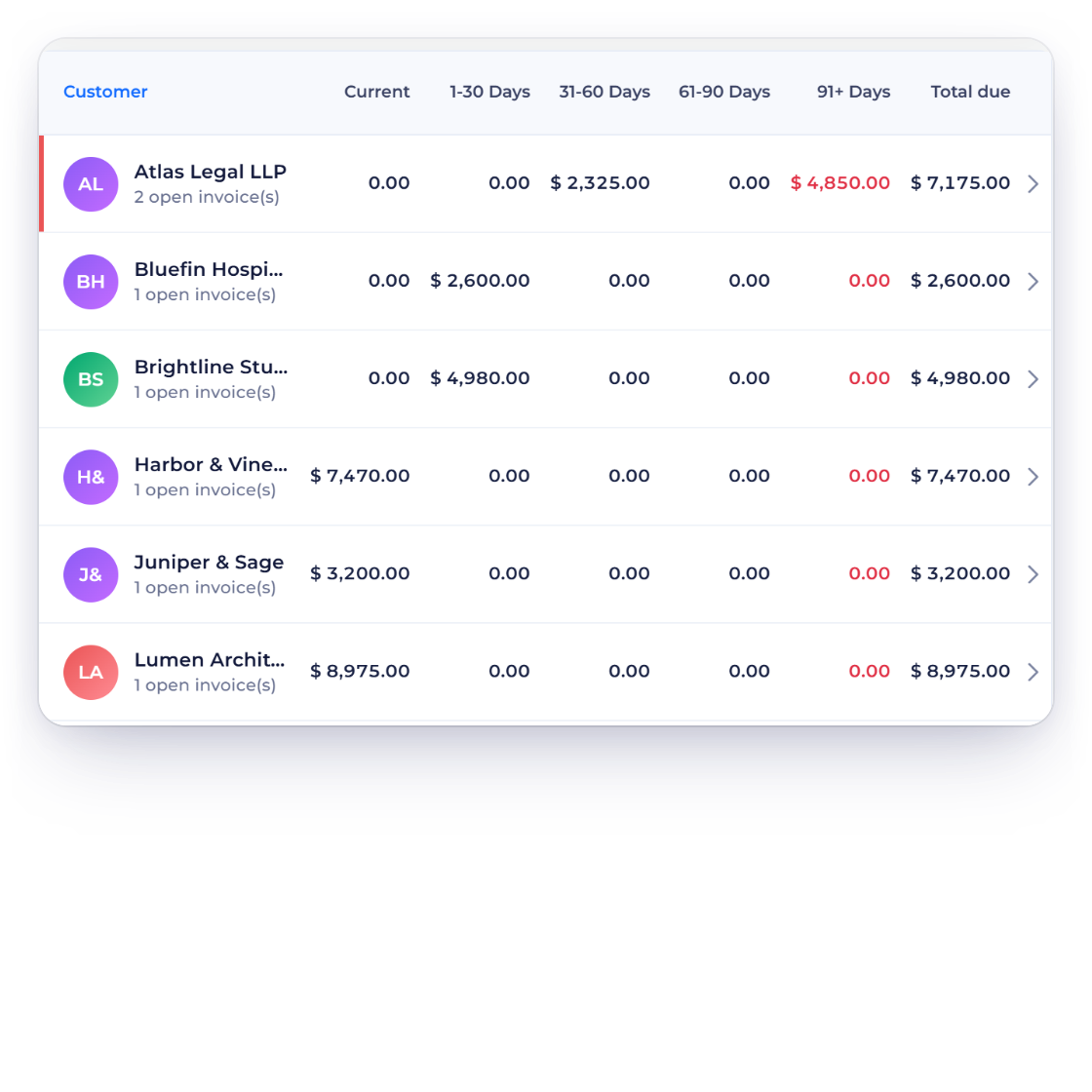
Each customer row shows the invoice count, bucket amounts, total due and a risk label, so the oldest balances stand out.
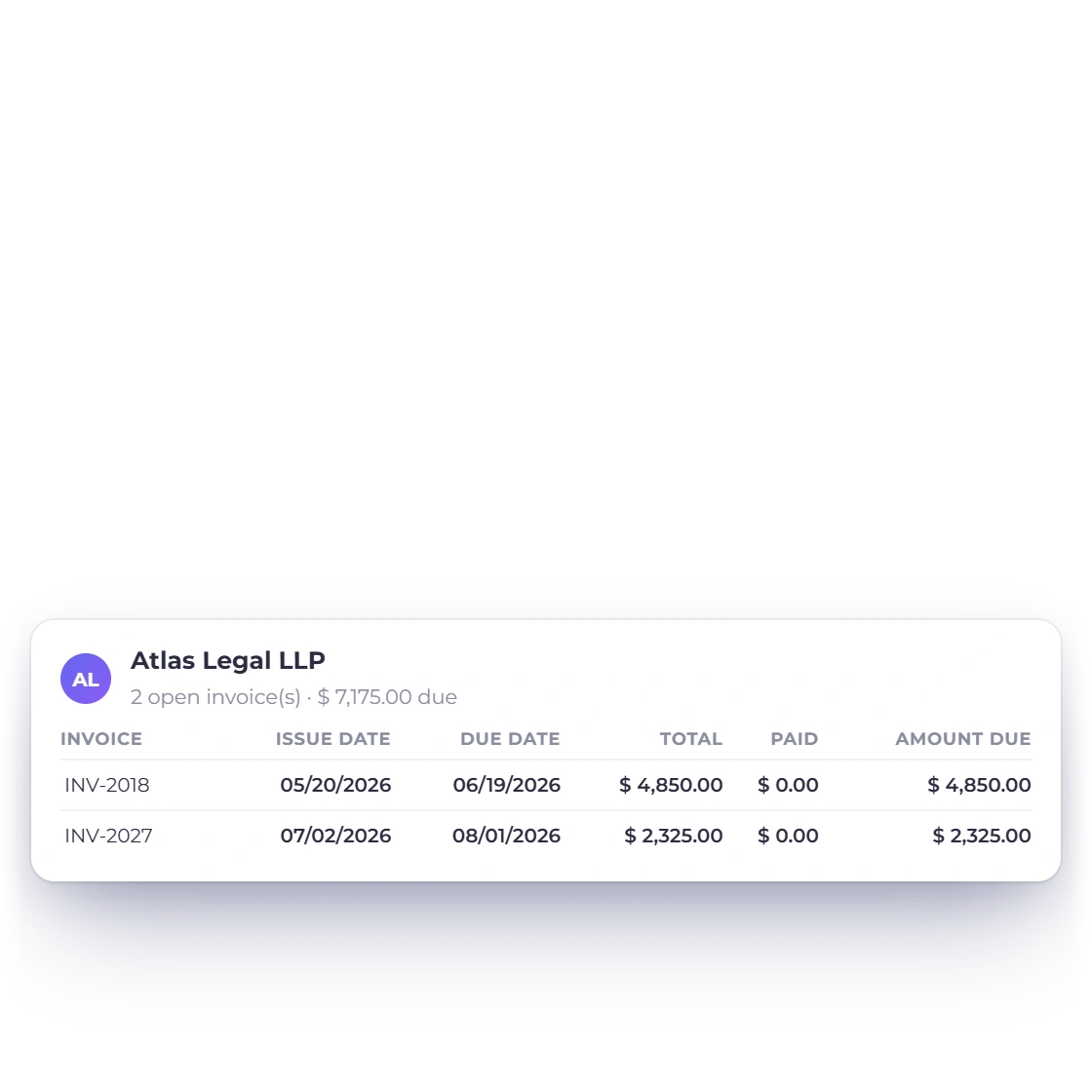
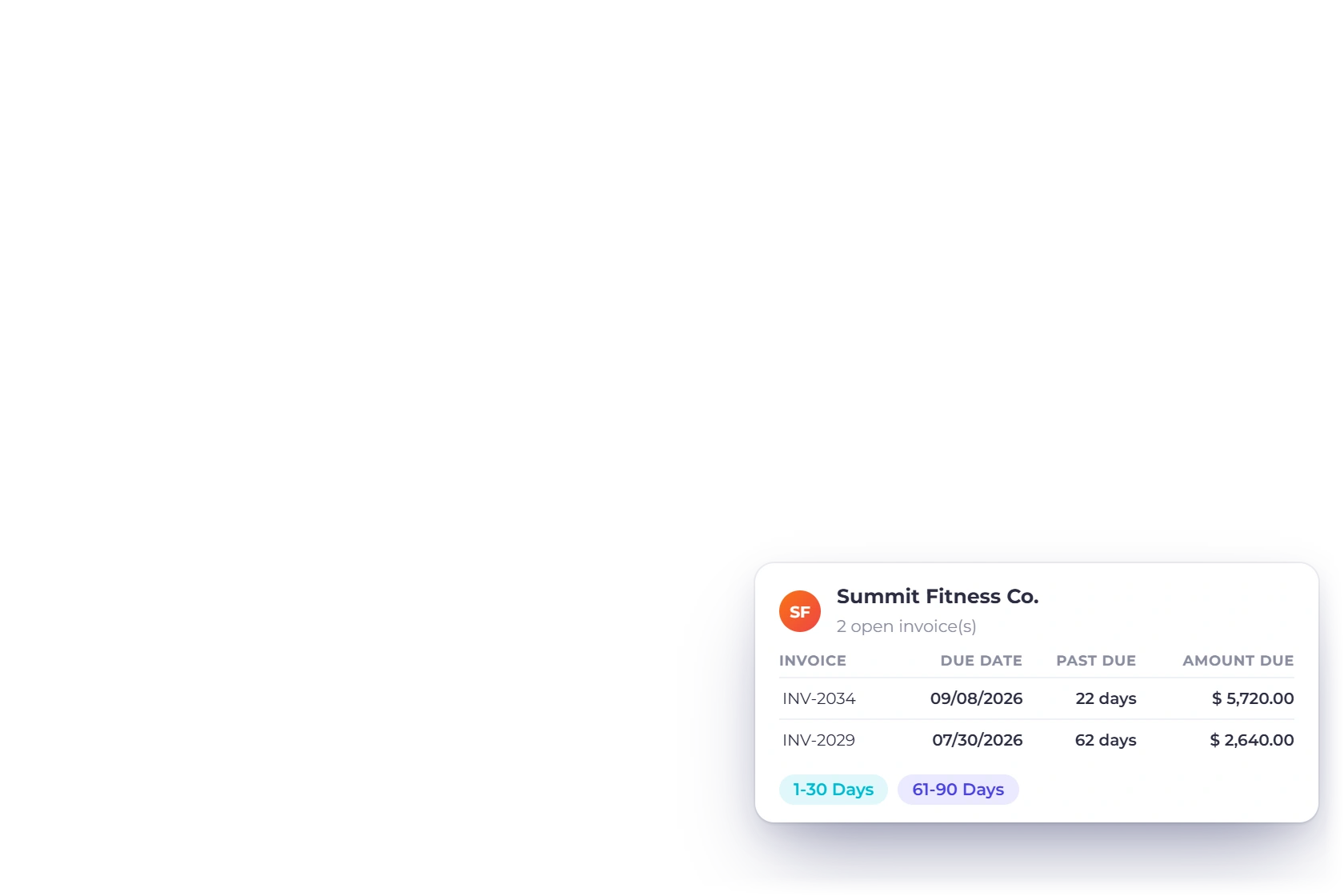
Expand a customer into the invoices that make up the balance.
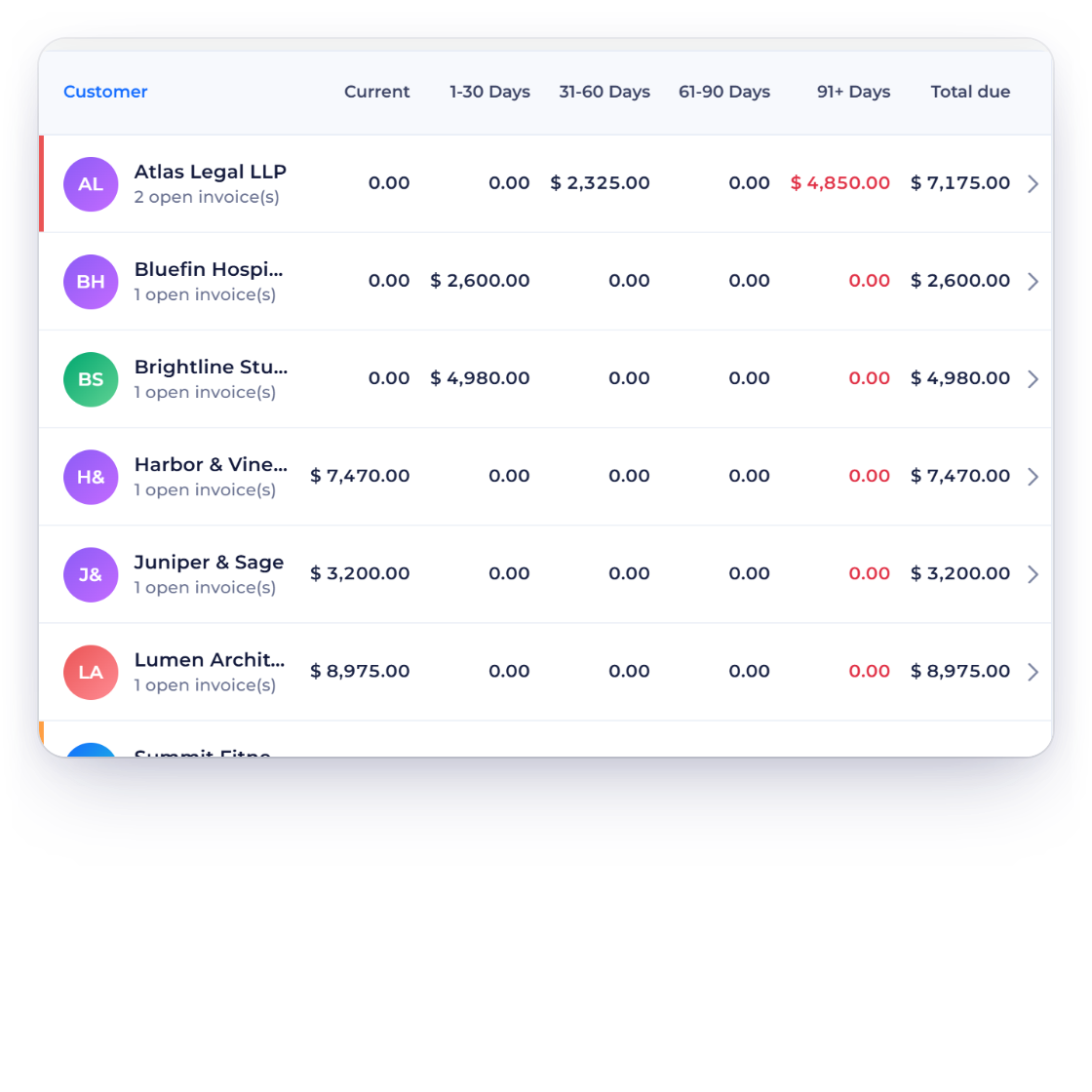
Expand a customer to list each invoice number, issue date, due date, total, paid amount and amount still due, with a preview link to open the invoice.
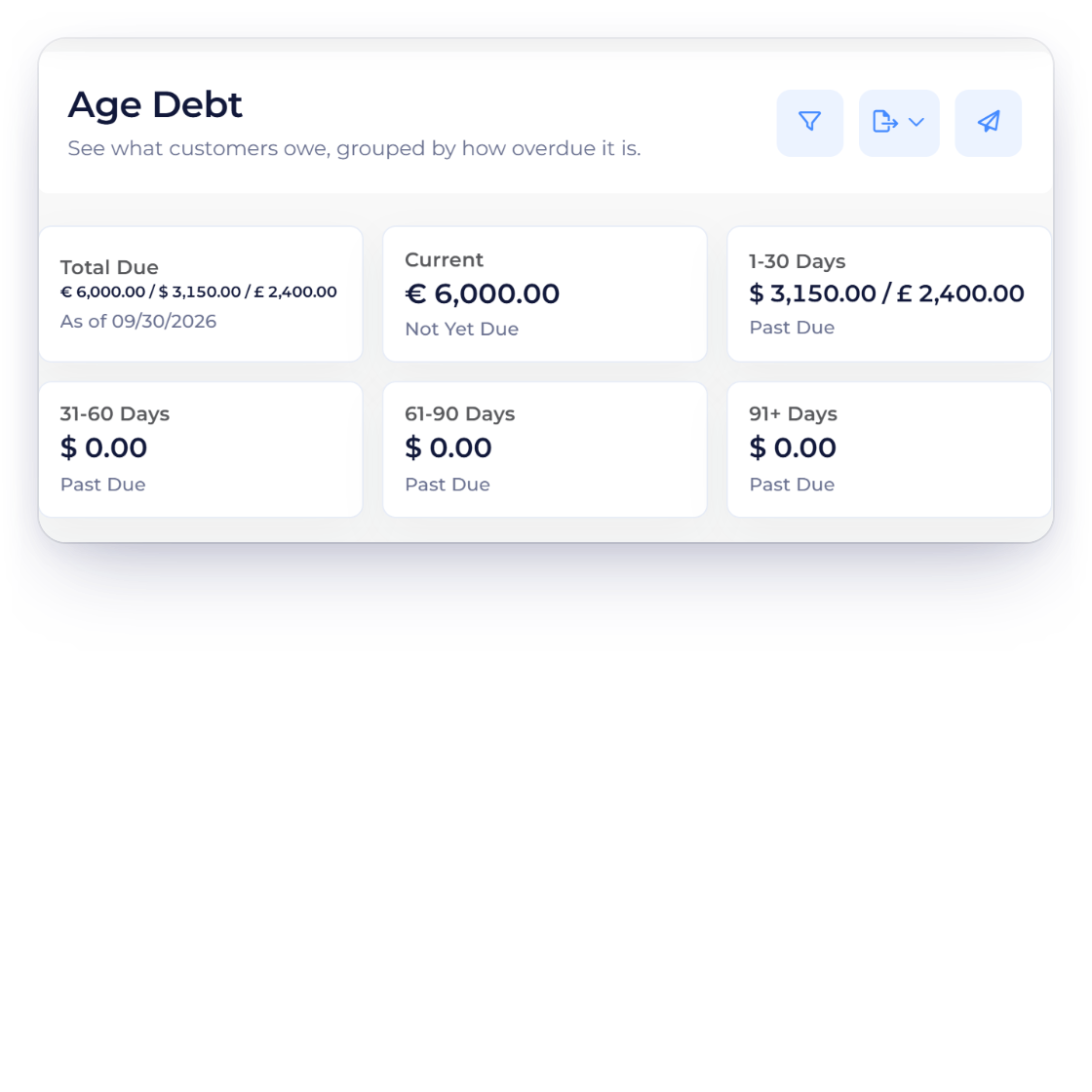
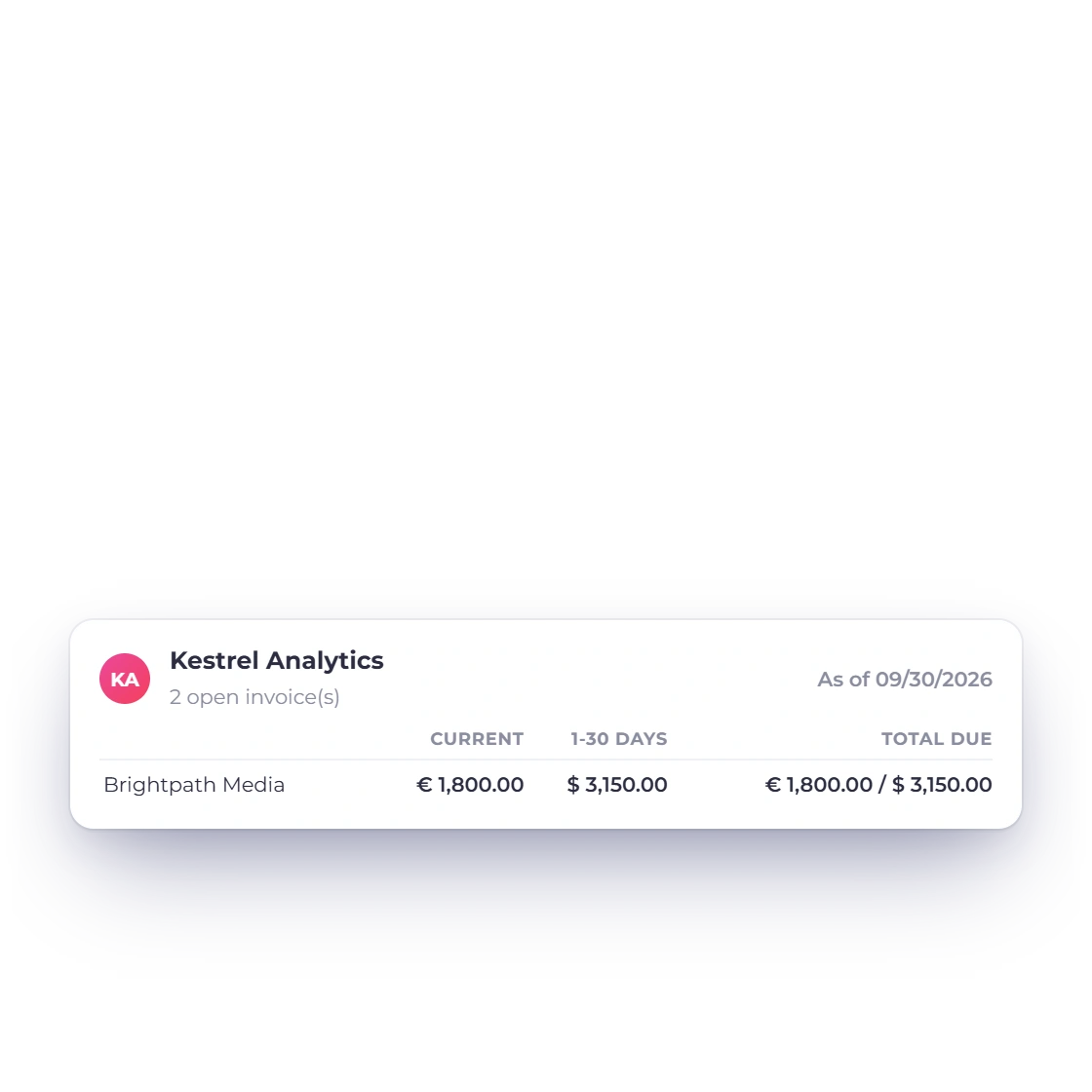
Billing in euros, dollars and pounds? Each currency keeps its own line in every bucket, so every total is exact.
Send it, schedule it, act on it.
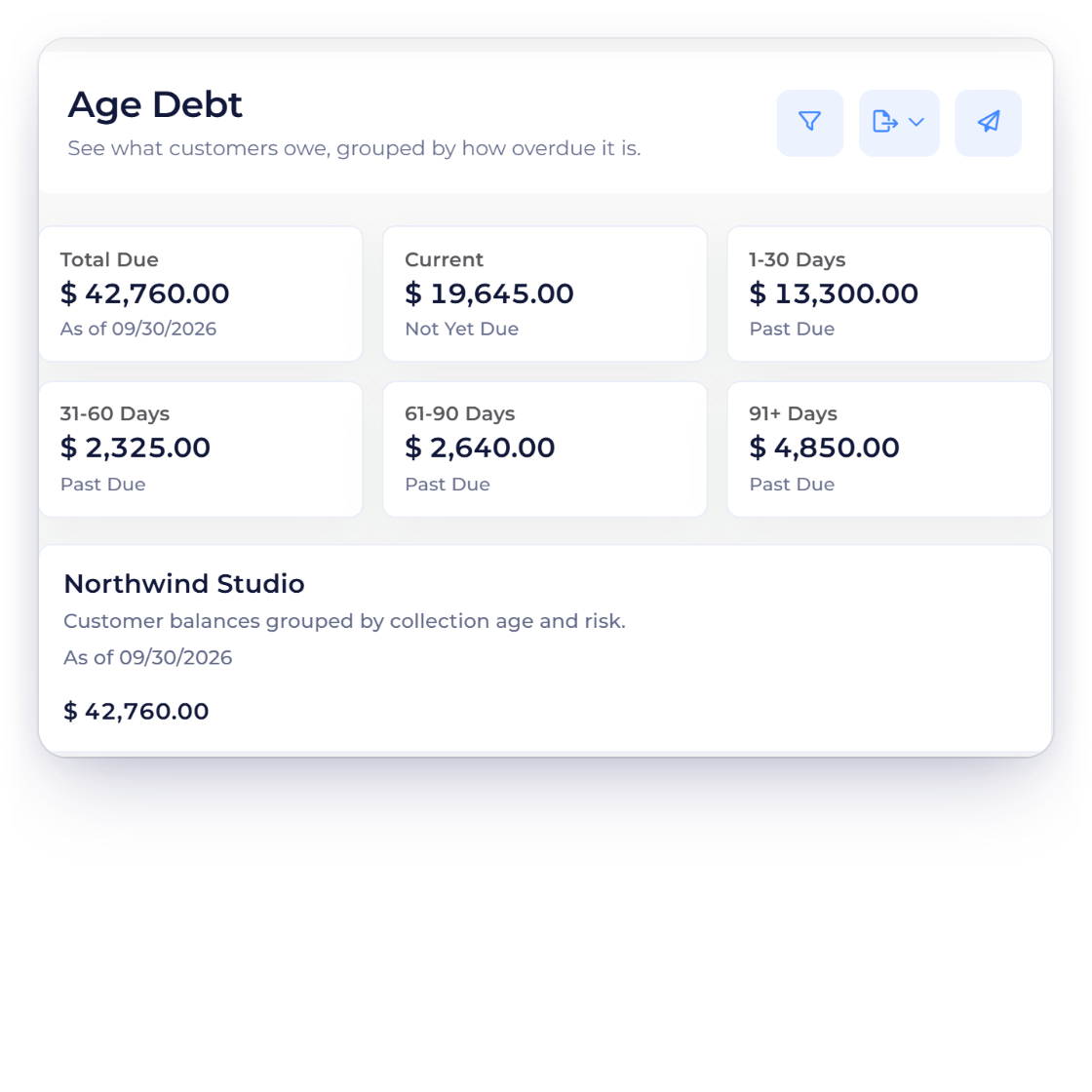
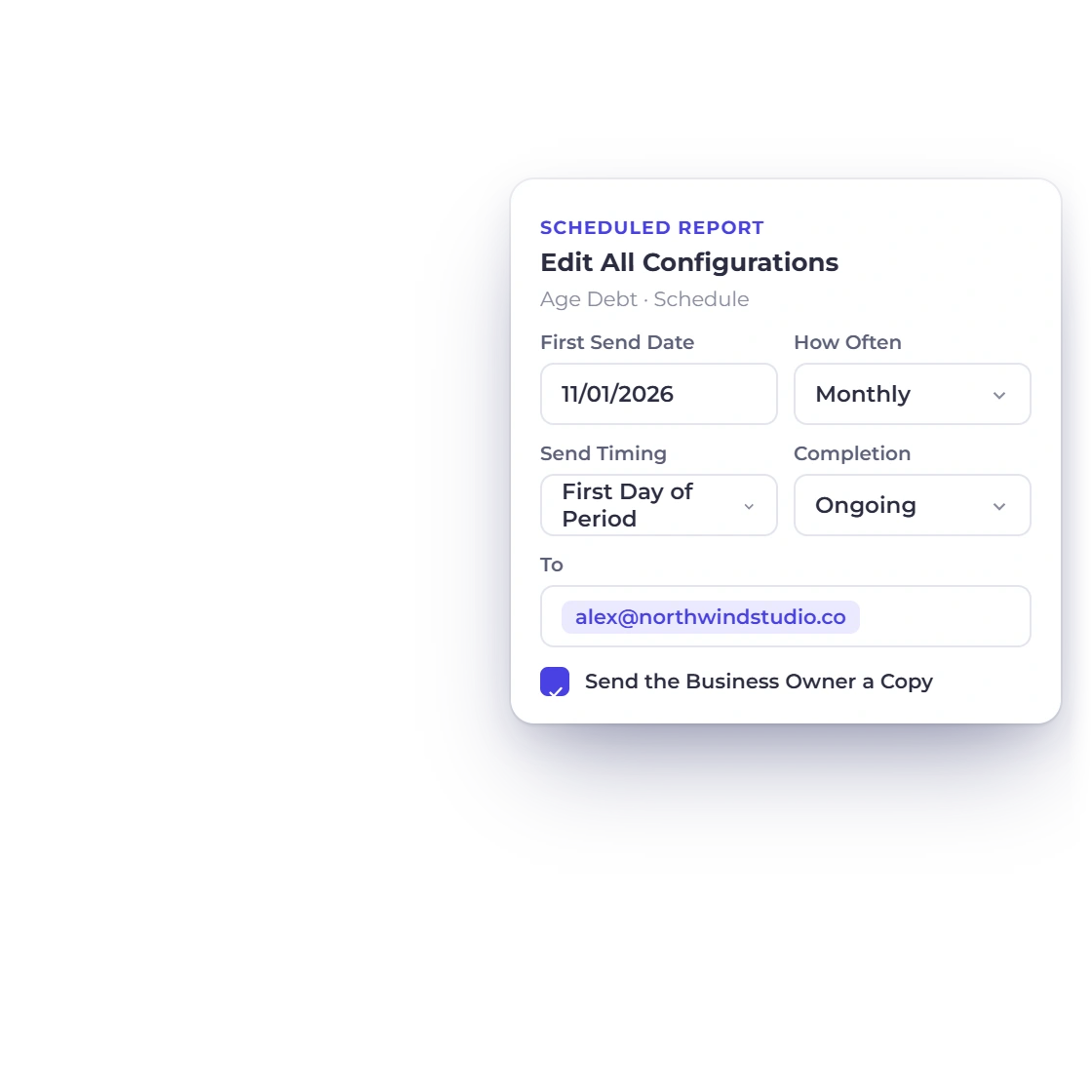
Download the Age Debt report as a PDF, email it, or schedule it to arrive weekly, monthly or on a cadence you set.
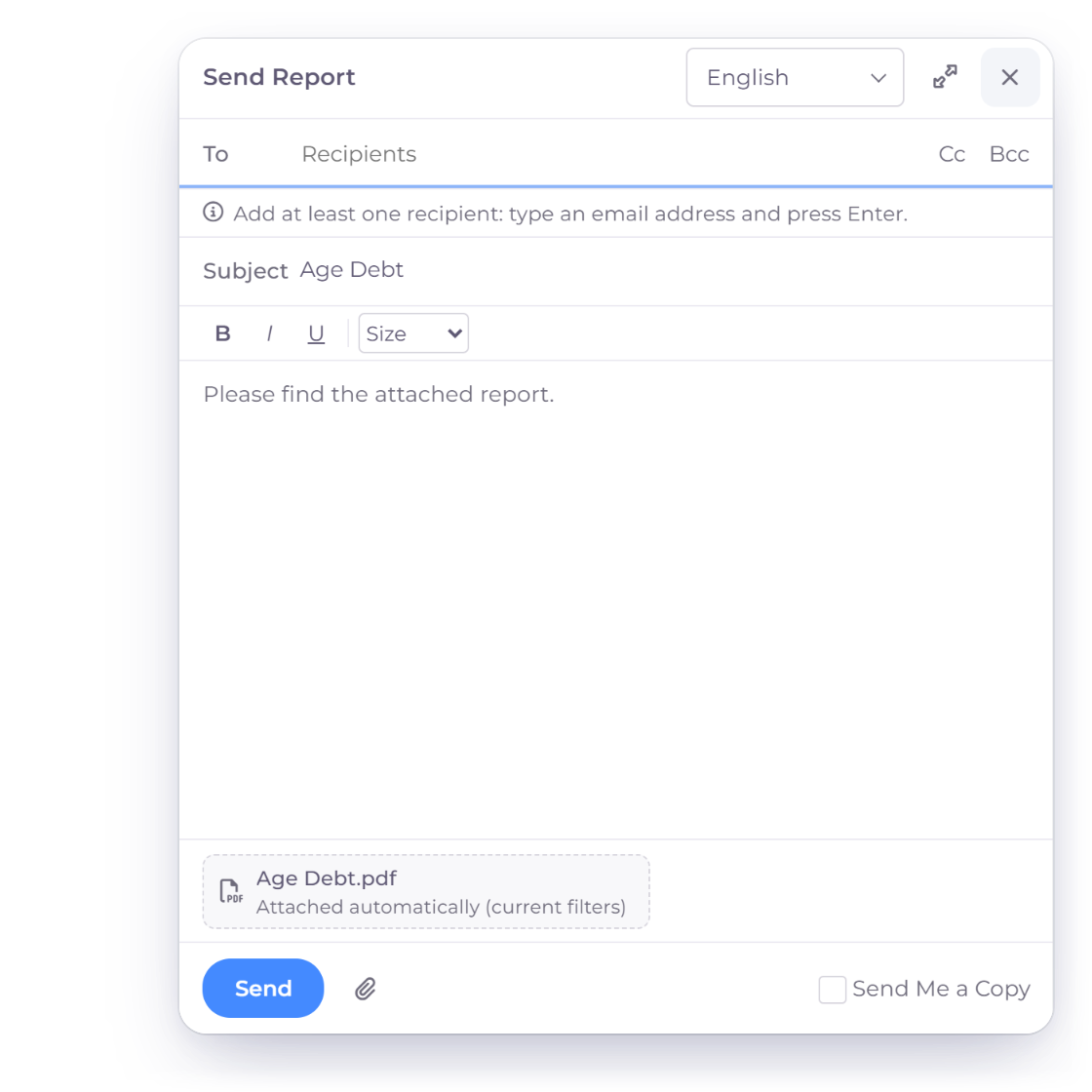
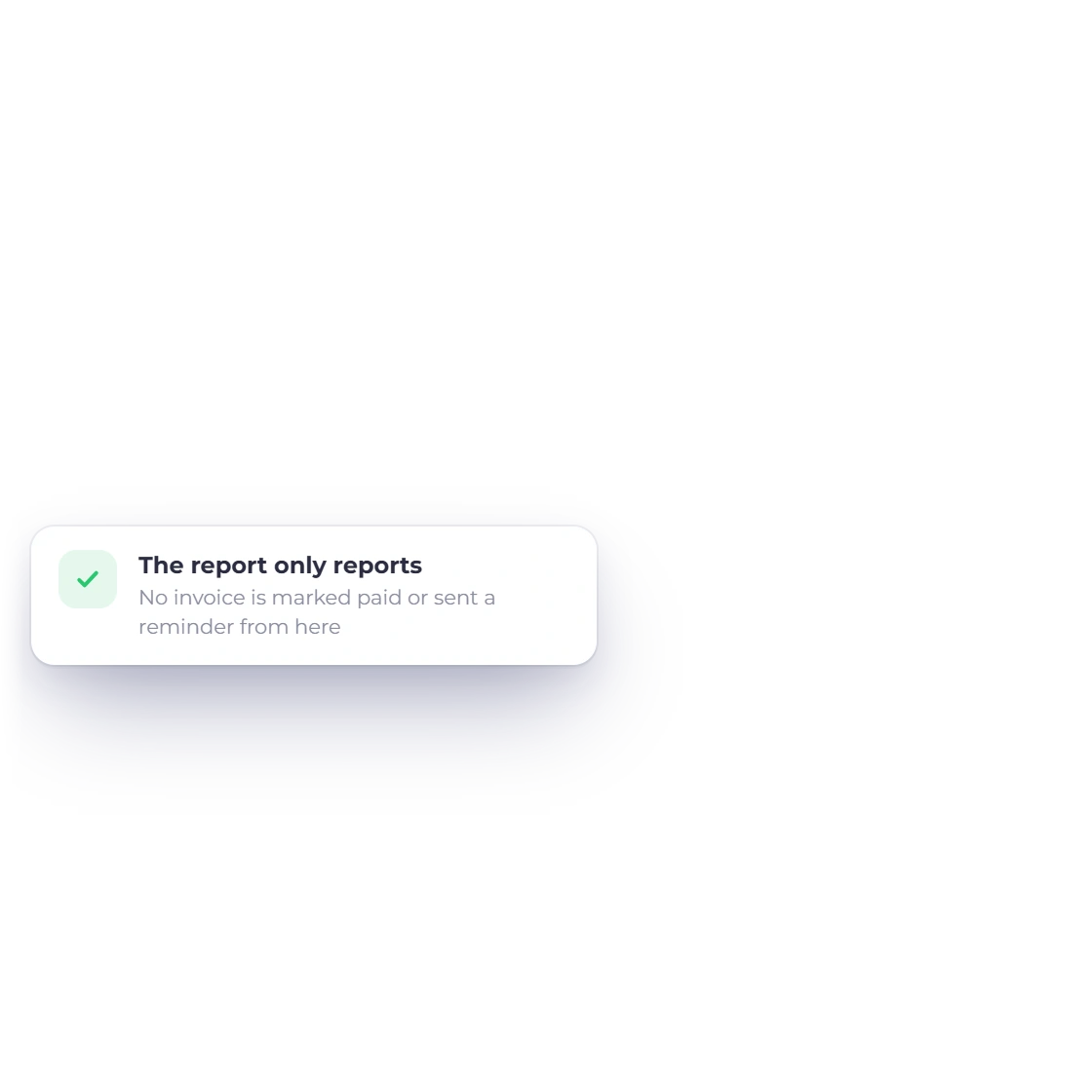
The report is read-only, so you can sort and export with confidence. When you're ready to chase a balance, send a reminder or record a payment from the invoice itself.
Built in
Everything you need to run collections, in one report.
Run the report for today, month end or any date you need.
Customers are labelled High Risk, Watch or Current, with a count of who needs attention.
Issue date, due date, total, paid and amount due for every open invoice.
Each currency keeps its own exact line in every bucket.
Download it, email it or schedule it to arrive automatically.
Explore freely; invoices change only when you act on them.
Current, 1-30, 31-60, 61-90 and 91+ days past due.
The vendor side sits on the same Reports page: what you owe, from Current to 91+ days.
Expand the balance into the invoices behind it.
Each currency totalled on its own line.
Create and send invoices that flow straight into the report.
Give customers access to their own documents.
Questions
Invoice Crowd's Age Debt report uses five standard buckets based on days past the due date: Current (not yet due), 1-30, 31-60, 61-90 and 91+ Days, plus a Total Due, all as of the date you choose.
Yes. Expand a customer row to see the invoice number, issue date, due date, total, paid amount and amount still due, with a preview link to each invoice.
Each currency is shown on its own line, in every bucket and for every customer, so the amounts are always exact.
Use Send Reminder from the invoice's row menu, or set up automatic payment reminders on the invoice. The aging report is read-only, so it shows you who to contact while every invoice stays exactly as it is.
Yes. Download the Age Debt report as a PDF or email it straight from the report, and set it up as a scheduled report to send weekly, monthly, quarterly, half-yearly, yearly or on a custom schedule.
The account owner, and team members whose role includes report access, for the businesses they work in.
Yes. When a customer has advance payments that have not been applied to an invoice yet, their row shows the unapplied advances and the net position beside the amount due. The advances themselves are recorded and applied in Payments Received.
A write-off closes the invoice's remaining balance, so it leaves the aging buckets and the customer's total due. Write Off Balance in Manage Payments records the adjustment against an expense account such as Bad Debts, the invoice reads Written Off, and Reverse Write-Off brings the balance back into the report if the customer pays later.
Yes. Payables Aging, on the Reports page, groups what you owe vendors into Current, 1-30, 31-60, 61-90 and 91+ days as of any date, with vendor credits applied. It downloads as PDF or CSV and can be scheduled by email, and it is included on paid plans.
Yes. Statement of Account on the customer's row in Customers downloads a PDF statement. Outstanding lists the unpaid invoices as of a date, with what is overdue; Activity shows the opening balance, every invoice, payment and credit in a period, and the balance due. Each currency is stated separately, with its own amount due. Download the PDF and share it with your customer however you prefer.
Start with the age buckets, open the customer, and trace the oldest amount to the invoice that explains it.