

Skip to content

Features

A statement of account for any customer, in two clicks

Invoice Crowd builds a customer's Statement of Account straight from your invoices, payments and credits. Choose Activity for everything that happened in a period, or Outstanding for what is still unpaid on a date, and download a PDF with the amount due in each currency the customer is billed in.

  • Activity and Outstanding statements
  • Amount due per currency
  • Included on every plan
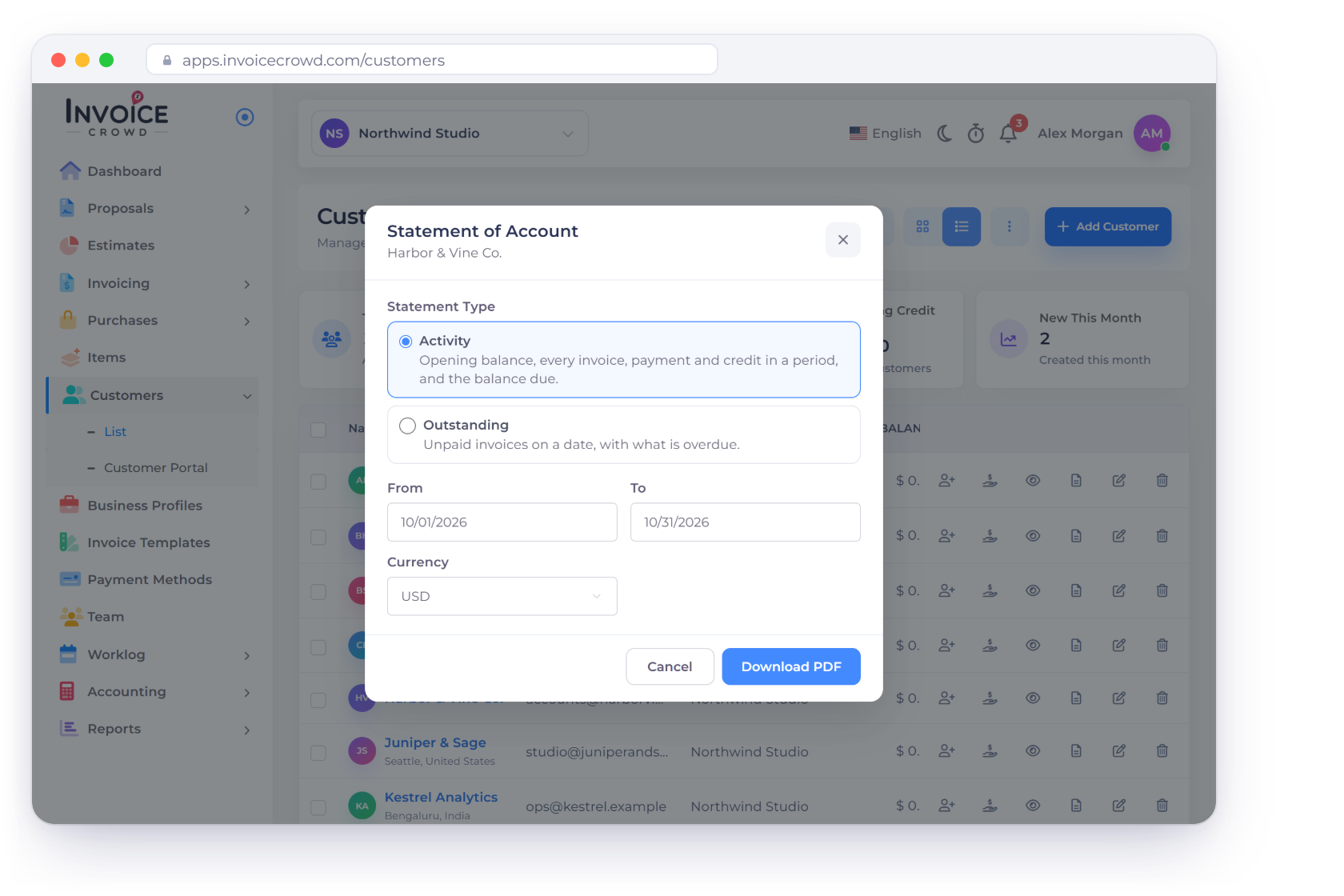
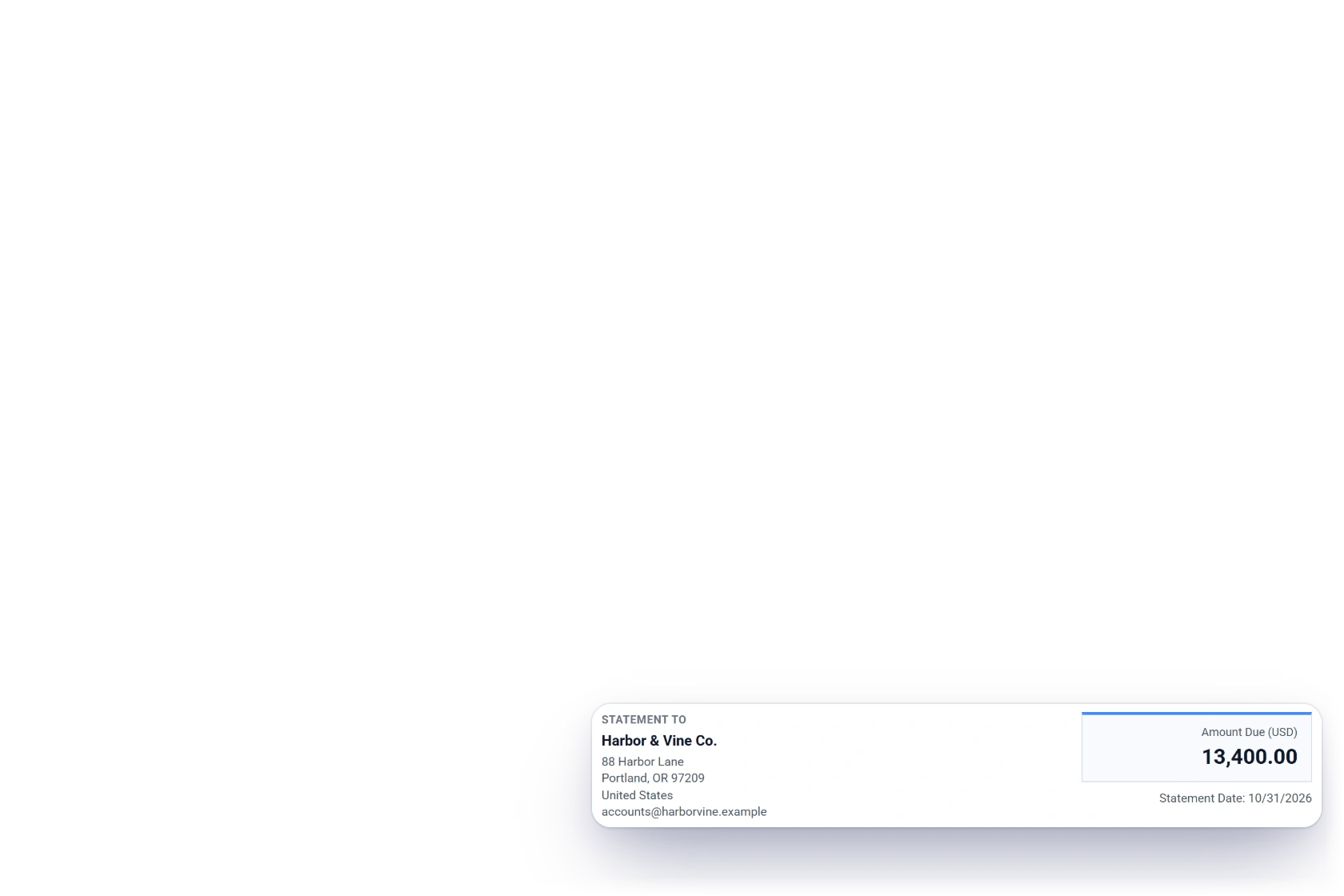
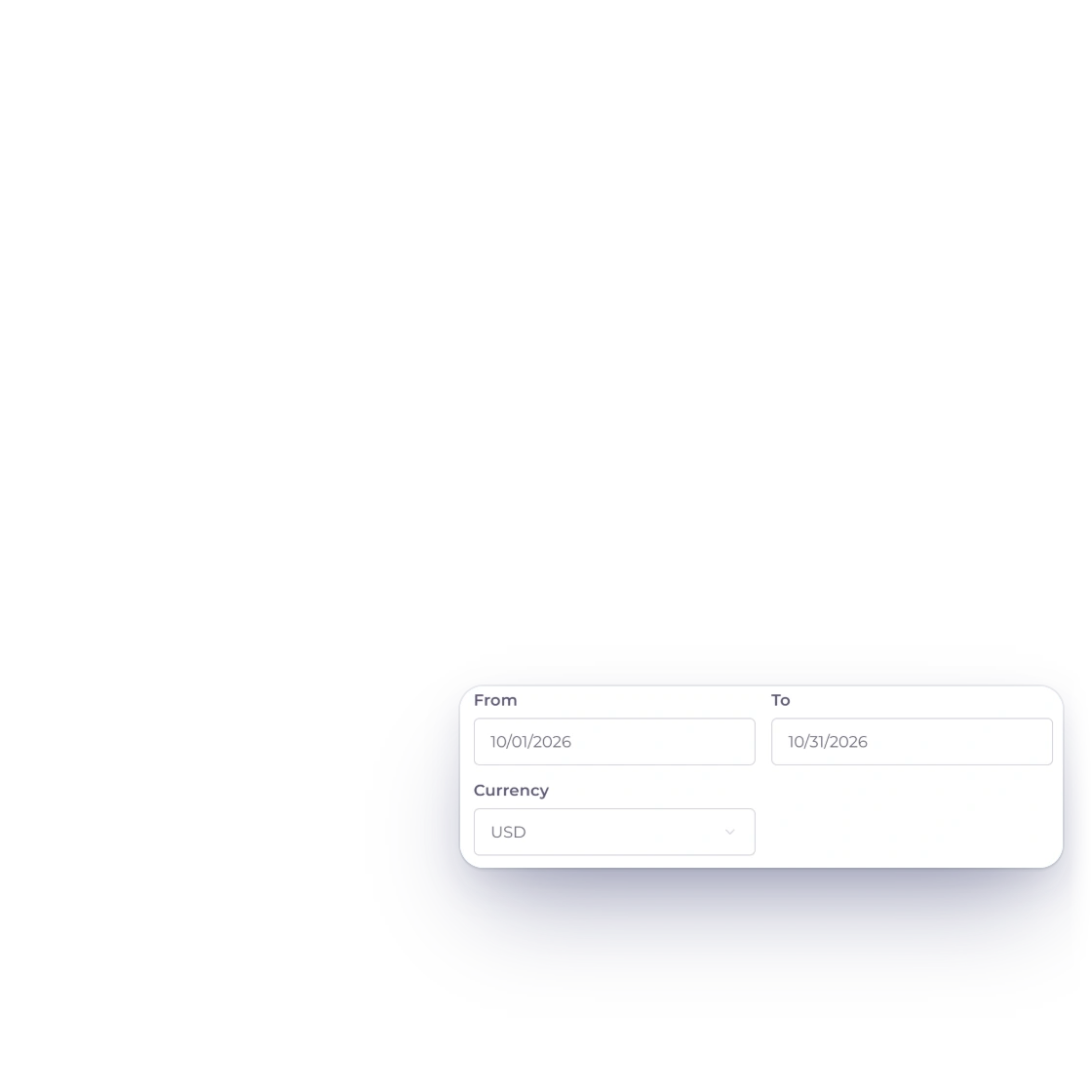
The Invoice Crowd Customers list with the Statement of Account dialog open for Harbor & Vine Co.: Activity selected, From 10/01/2026 To 10/31/2026, Currency USD and Download PDF, next to the statement PDF with its 13,400.00 USD amount due

What is inside

From the customer list to a statement they can check

A statement reads from the same invoices, payments and credit notes you already record, so there is nothing to compile by hand and nothing to keep in step.

Choosing the statement

From the customer list

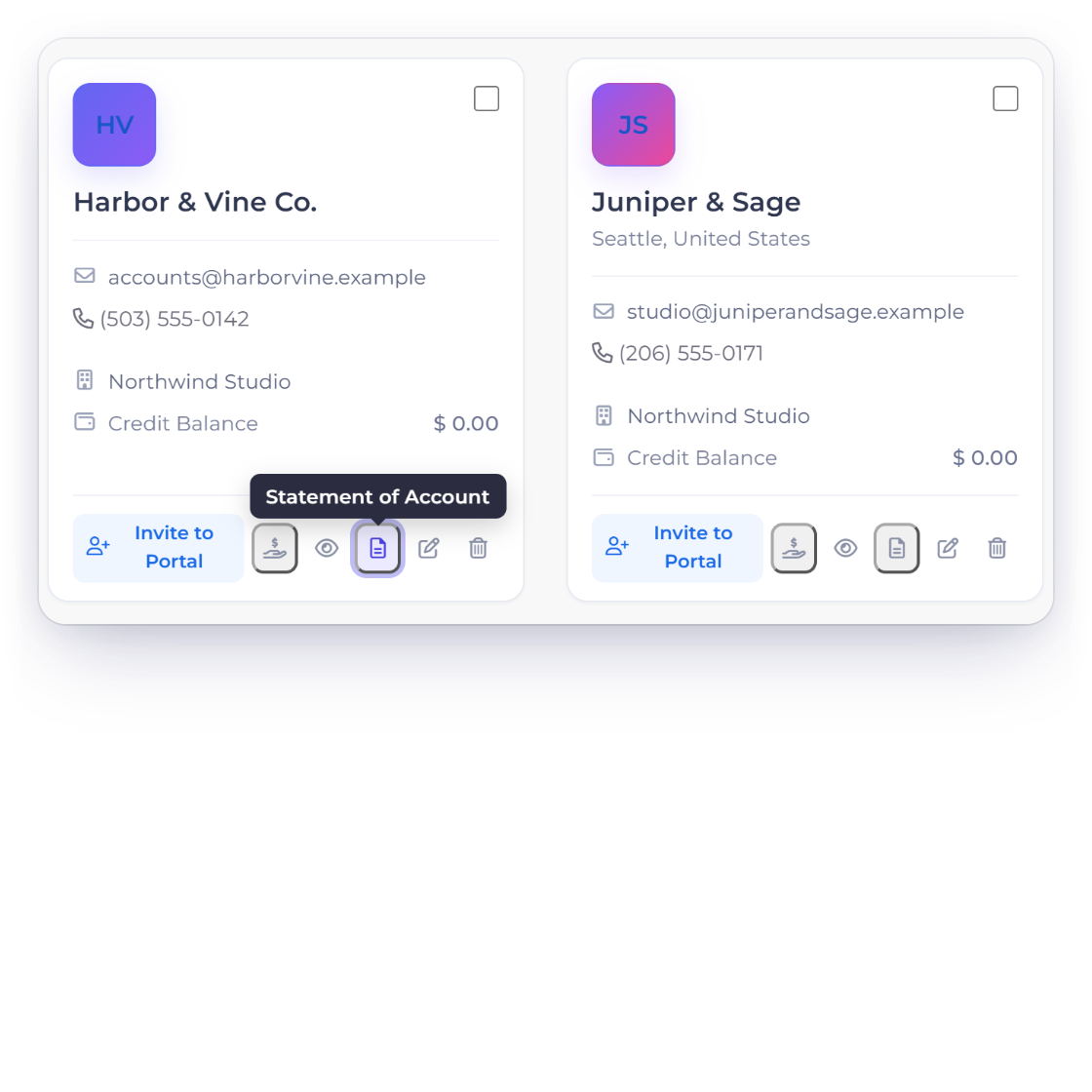
Invoice Crowd Customers in grid view with the Statement of Account icon on the Harbor & Vine Co. card, and the dialog dates filled in for this month with the currency choice

Start from the customer

Every customer card and row in the Customers list has a Statement of Account action. It opens a short dialog with the customer's name, the statement type, the dates and the currency, and the dates start on this month, or today for an Outstanding statement, so most statements need one click to confirm.

  • Statement of Account on every customer
  • Dates filled in for you
  • One currency or All Currencies
Customer records
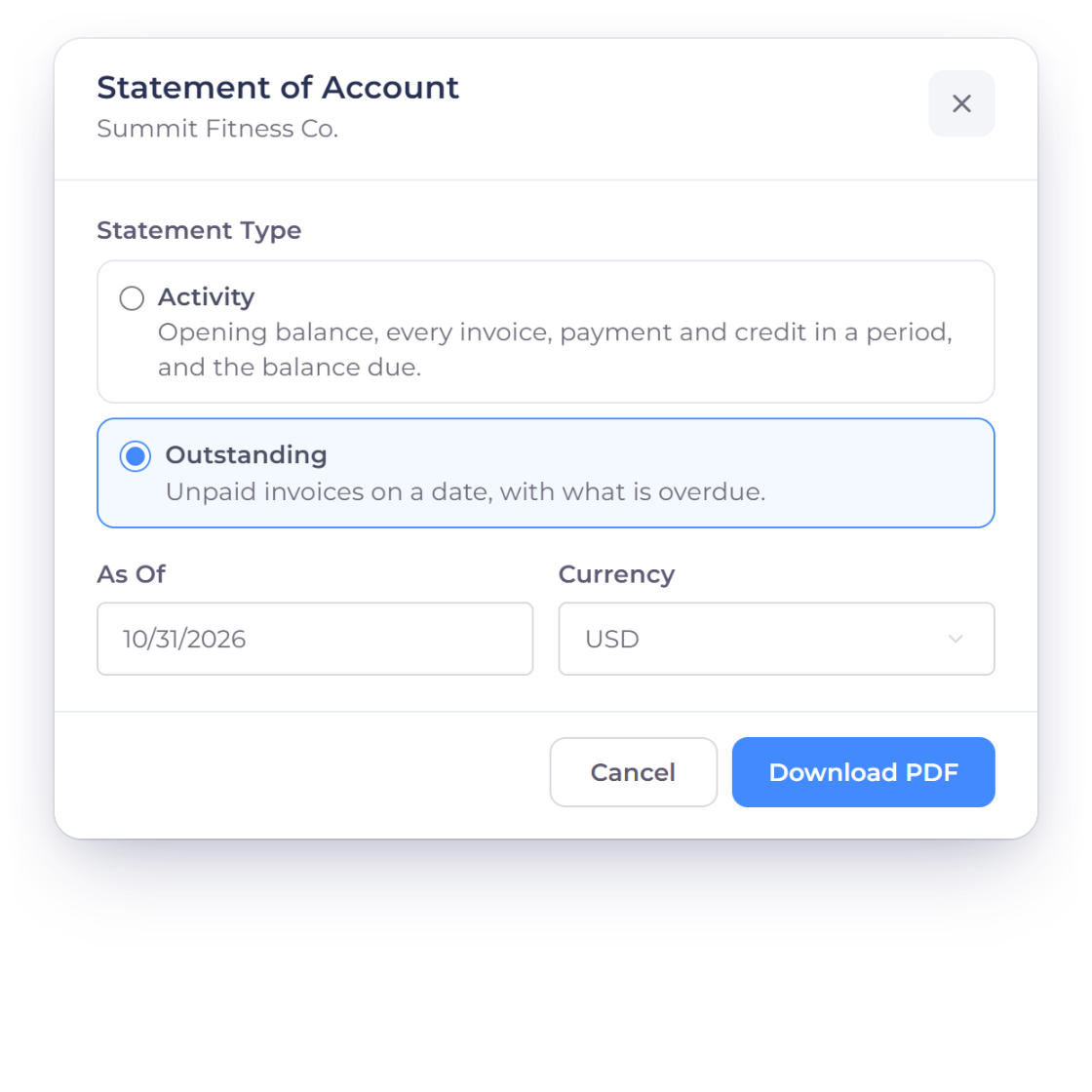
The Invoice Crowd Statement of Account dialog for Summit Fitness Co. with the Outstanding statement type selected, the As Of date 10/31/2026 and Currency USD, next to what the Activity type covers instead

Activity or Outstanding

Activity covers a period, From and To: the opening balance, every invoice, payment and credit in between, and the balance due at the end. Outstanding is a snapshot As Of one date: the invoices still unpaid, any unused credit and how far overdue each invoice is.

  • Activity: a period, start to finish
  • Outstanding: unpaid invoices on a date
  • Choose the one the conversation needs

What the PDF shows

Line by line

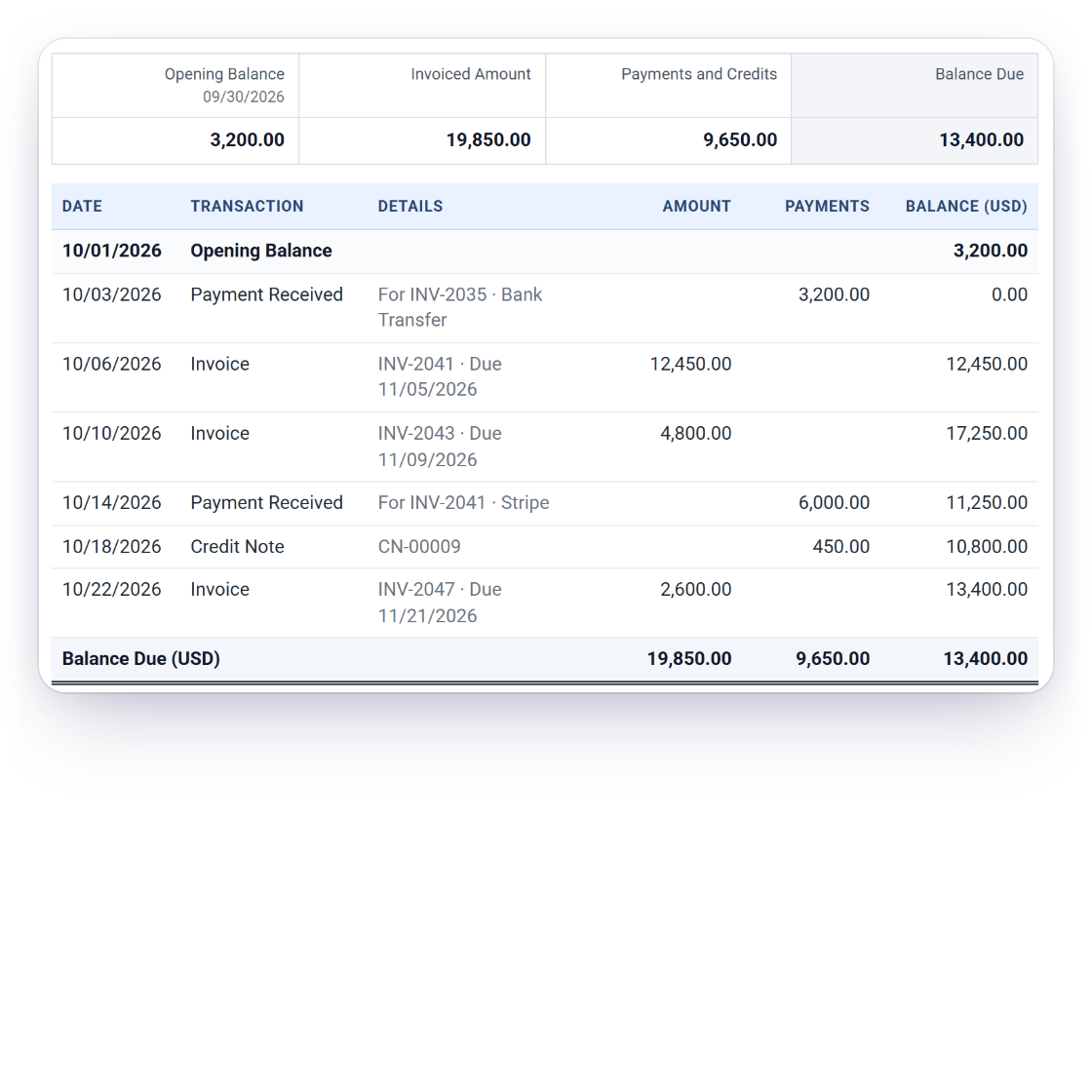
An Invoice Crowd Activity statement PDF for Harbor & Vine Co. from 10/01/2026 to 10/31/2026: Opening Balance 3,200.00, each invoice, payment received and credit note with a running balance, and Balance Due 13,400.00 USD

Every movement, opening to closing

An Activity statement starts from the Opening Balance and lists each Invoice, Payment Received, Credit Note, Credit Applied, Advance Applied and Refund in date order, with a running balance, so the customer can follow how the amount due was reached.

  • Opening Balance on the start date
  • Running balance on every line
  • Amount Due at the close
Payments Received
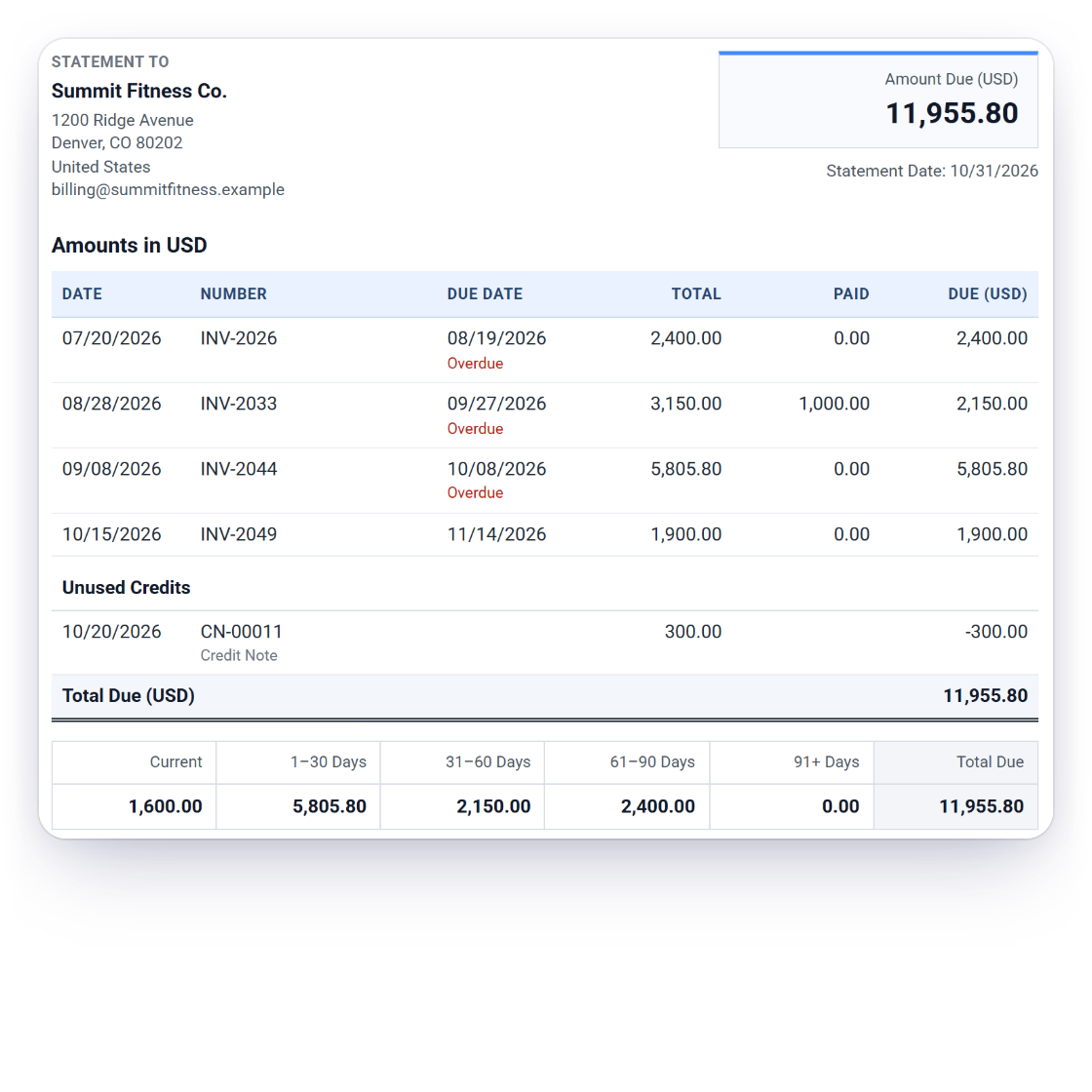
An Invoice Crowd Outstanding statement PDF for Summit Fitness Co. as of 10/31/2026 with three overdue invoices, the unused credit note CN-00011 and the ageing strip Current, 1-30, 31-60, 61-90 and 91+ Days with Total Due 11,955.80 USD

Unpaid invoices and how old they are

An Outstanding statement lists each open invoice with its due date and balance, shows Unused Credits separately, and adds an ageing strip in the same buckets as the Age Debt report: Current, 1-30, 31-60, 61-90 and 91+ days, with the Total Due.

  • Open invoices with due dates
  • Unused credits shown, not hidden
  • Ageing from Current to 91+ days
Age Debt report

Numbers you can send

Checked before you send

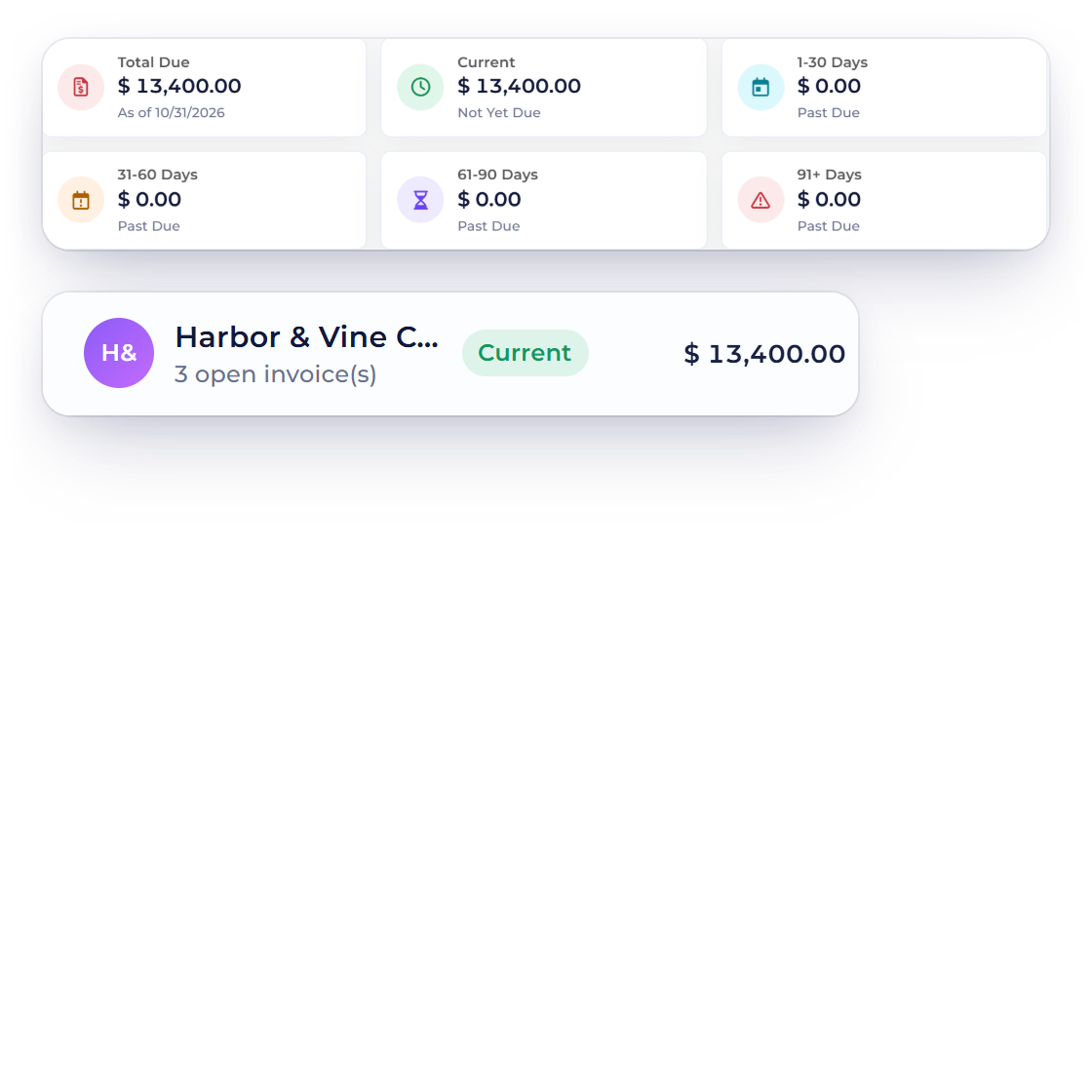
Invoice Crowd Age Debt as of 10/31/2026 showing Harbor & Vine Co. owing 13,400.00 dollars across INV-2041, INV-2043 and INV-2047, the same amount due as on its Activity statement

Agrees with your Age Debt report

Opening and closing balances are checked against the Age Debt figures for the same customer. Balances that changed without a dated record still appear, as Settled at Issue or Balance Adjustment, rather than being left out, and if a statement ever disagrees with Age Debt, the PDF says so before you send it.

  • Reconciled to Age Debt
  • Every balance change explained
  • A clear warning if something disagrees
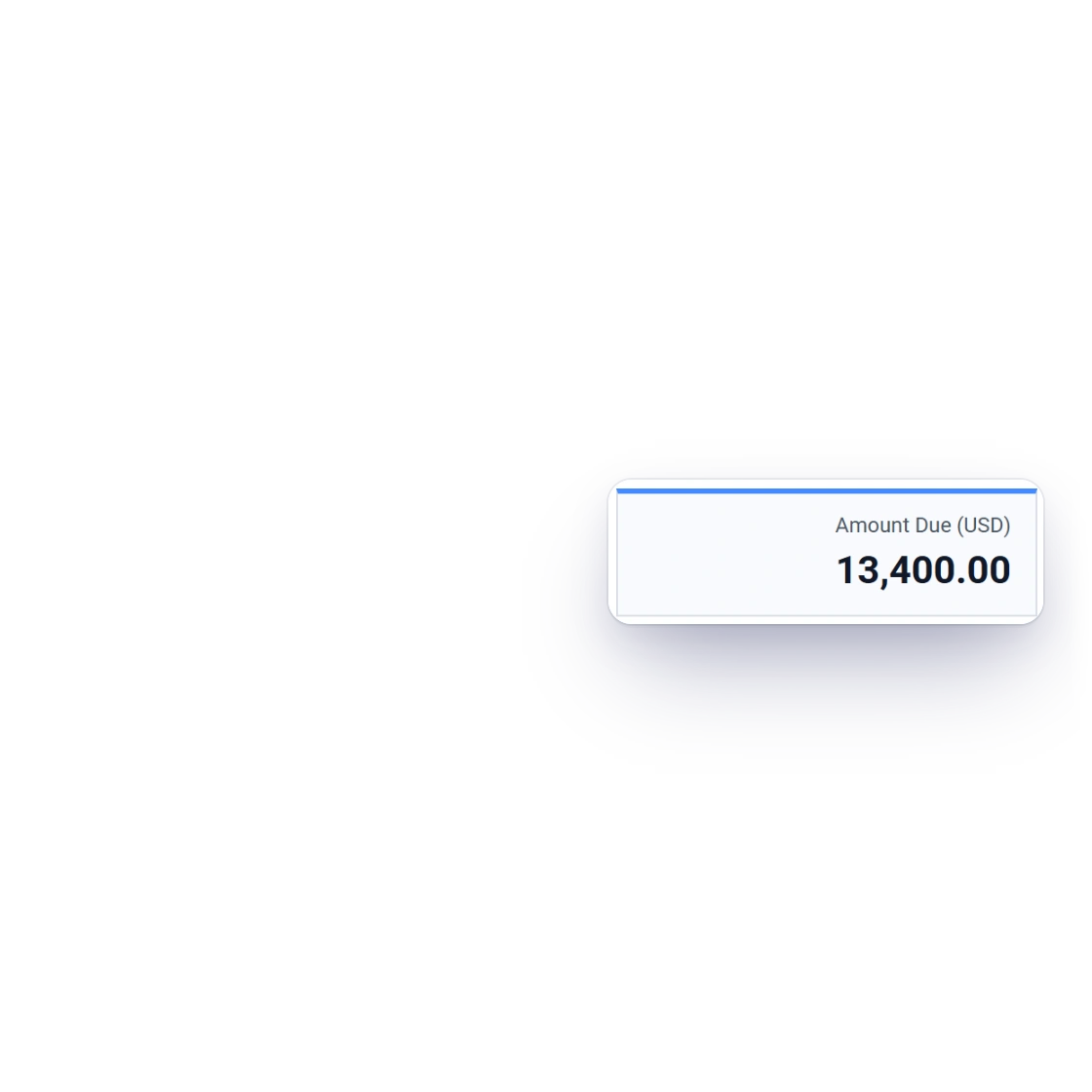
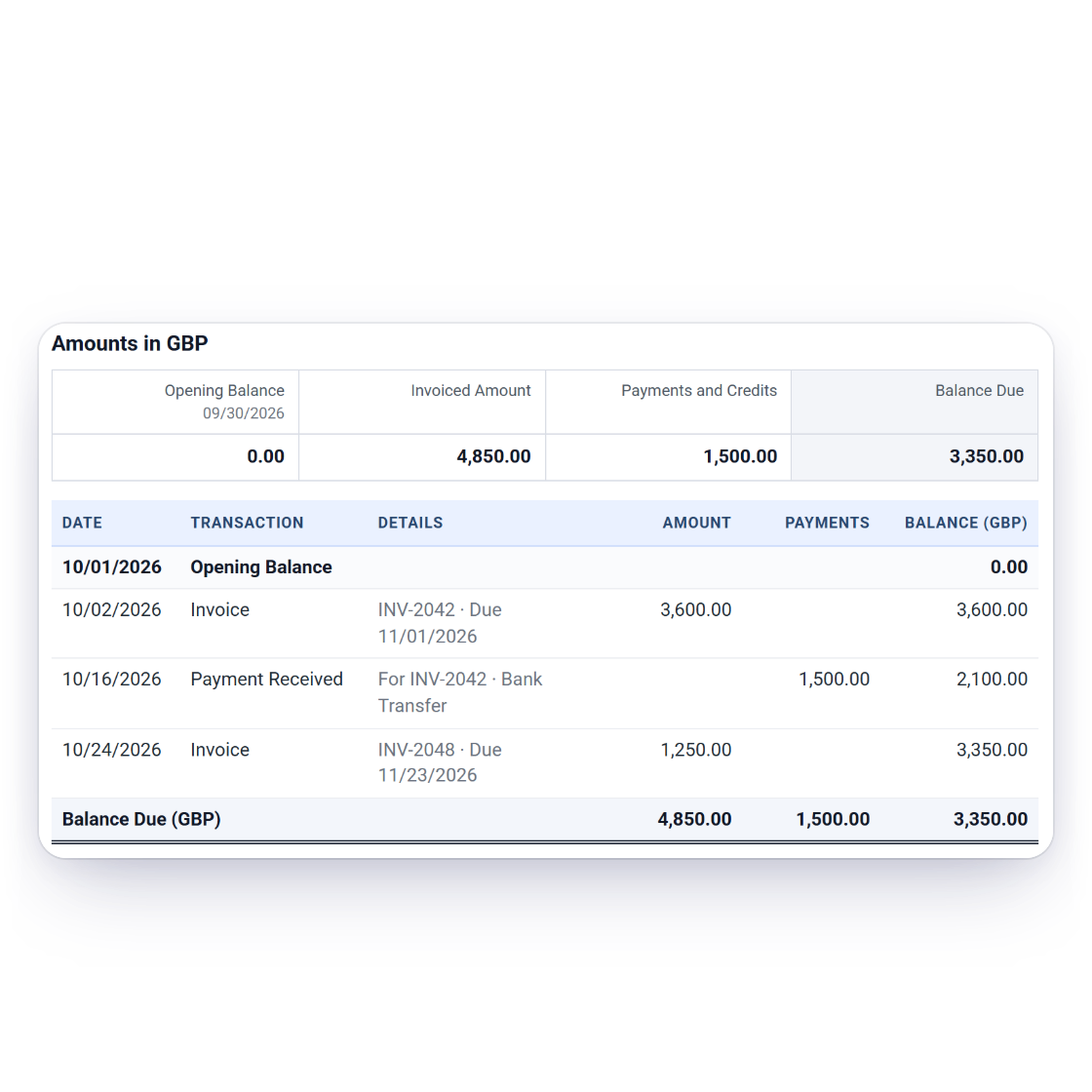
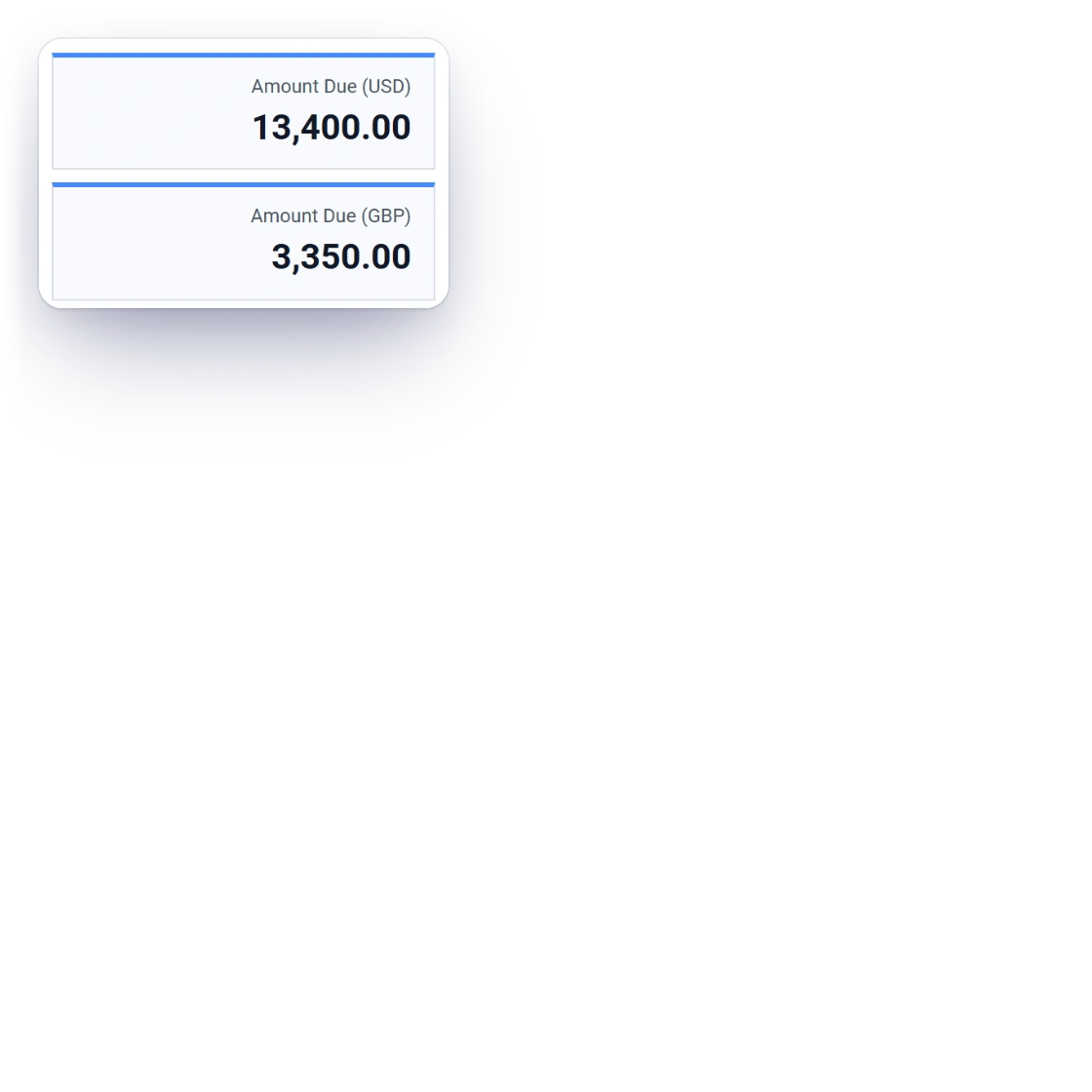
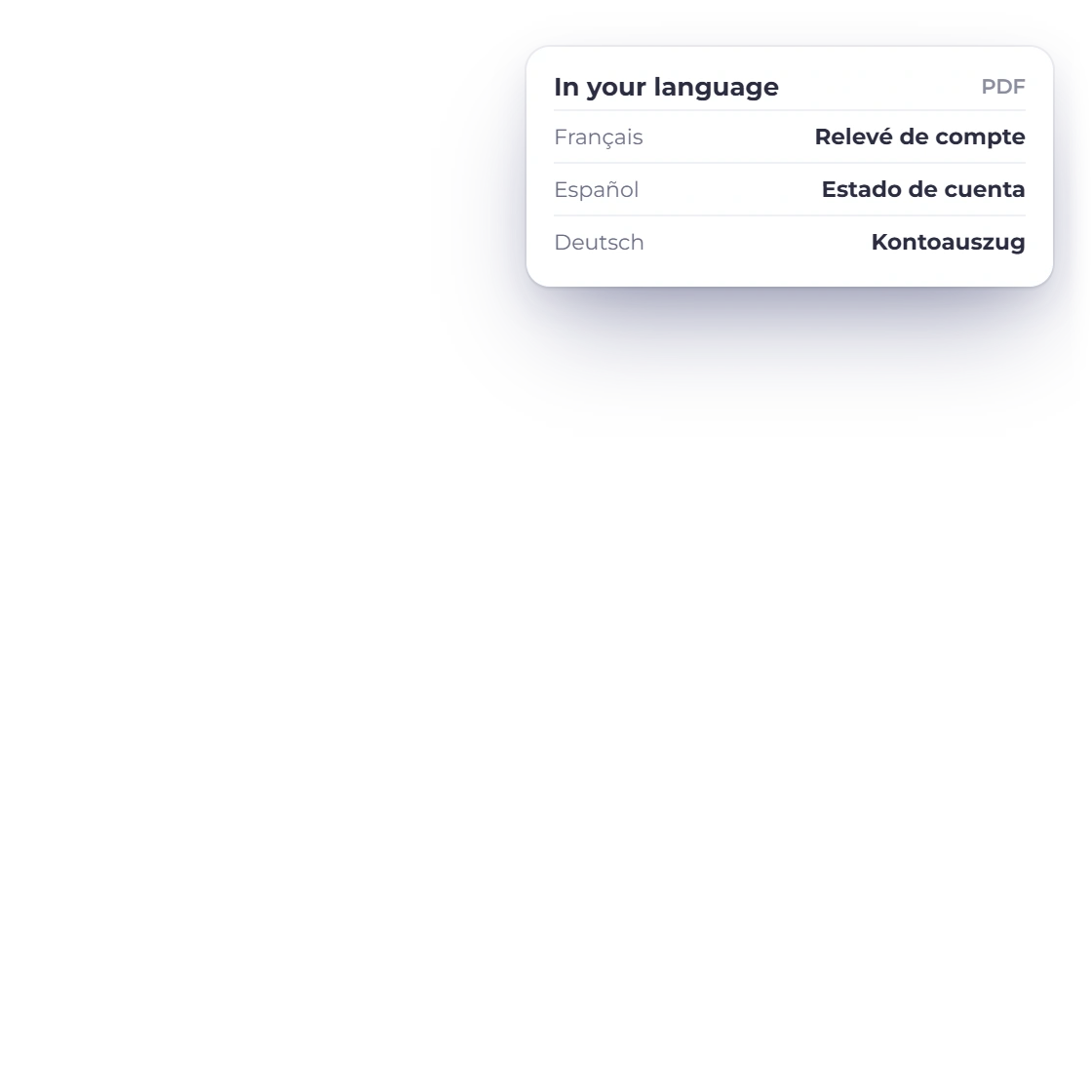
An Invoice Crowd Activity statement for Harbor & Vine Co. with two Amount Due boxes, 13,400.00 USD and 3,350.00 GBP, and the GBP section with its own lines, next to the statement headings in French, Spanish and German

Per currency, in your language

A customer billed in more than one currency gets one section and one Amount Due box per currency, so every figure matches what they were billed. The PDF uses the shared report layout with your letterhead and a Statement To block, is produced in the language of the person downloading it, and is named after the business, the customer and the period.

  • One Amount Due per currency
  • Your letterhead and the customer's details
  • Available in all eight interface languages
Multi-currency

Built in

The details behind every statement

Statements follow the same records, permissions and currencies as the rest of the account.

  • Statement To

    The customer's name and address sit under your letterhead, with the Statement Date and the period or date covered.

  • Credits and advances

    Credit notes and overpayments applied to invoices appear as lines; advance payments held are noted separately from the amount due.

  • Credit Balance when they are ahead

    If the customer has paid more than they owe, the box reads Credit Balance instead of Amount Due.

  • Team access

    The owner and team members with the Customers or Reports module can download statements; members limited to selected customers see only theirs.

  • On every plan

    Statements are part of every Invoice Crowd plan, the free plan included, with no limit on how many you download.

  • Download, then send

    Download a polished PDF and attach it to your own message, ready to send.

  • Per business profile

    A statement covers the customer's documents in the business profile you are working in, under that business's letterhead.

  • Customer portal alongside

    Customers with a portal login can open and download each invoice and payment receipt between statements.

  • Built from your documents

    Invoices, payments, credit notes and refunds you already record are the statement's only source, so it never needs rekeying.

Questions

Customer statements, answered

What is the difference between an Activity and an Outstanding statement?

An Activity statement covers a period you choose, From and To: it starts at the opening balance, lists every invoice, payment and credit in date order with a running balance, and ends with the amount due. An Outstanding statement is a snapshot As Of one date: it lists only the invoices still unpaid, with their due dates, any unused credit and an ageing summary from Current to 91+ days.

How do I create a statement of account?

Open Customers, choose Statement of Account on the customer, pick Activity or Outstanding, check the dates and the currency, then select Download PDF. The statement is prepared in the background and downloads when it is ready.

What if a customer is billed in more than one currency?

Each currency gets its own section and its own Amount Due, so nothing is converted into a single figure. Choose one currency in the dialog, or All Currencies to include every currency the customer has documents in.
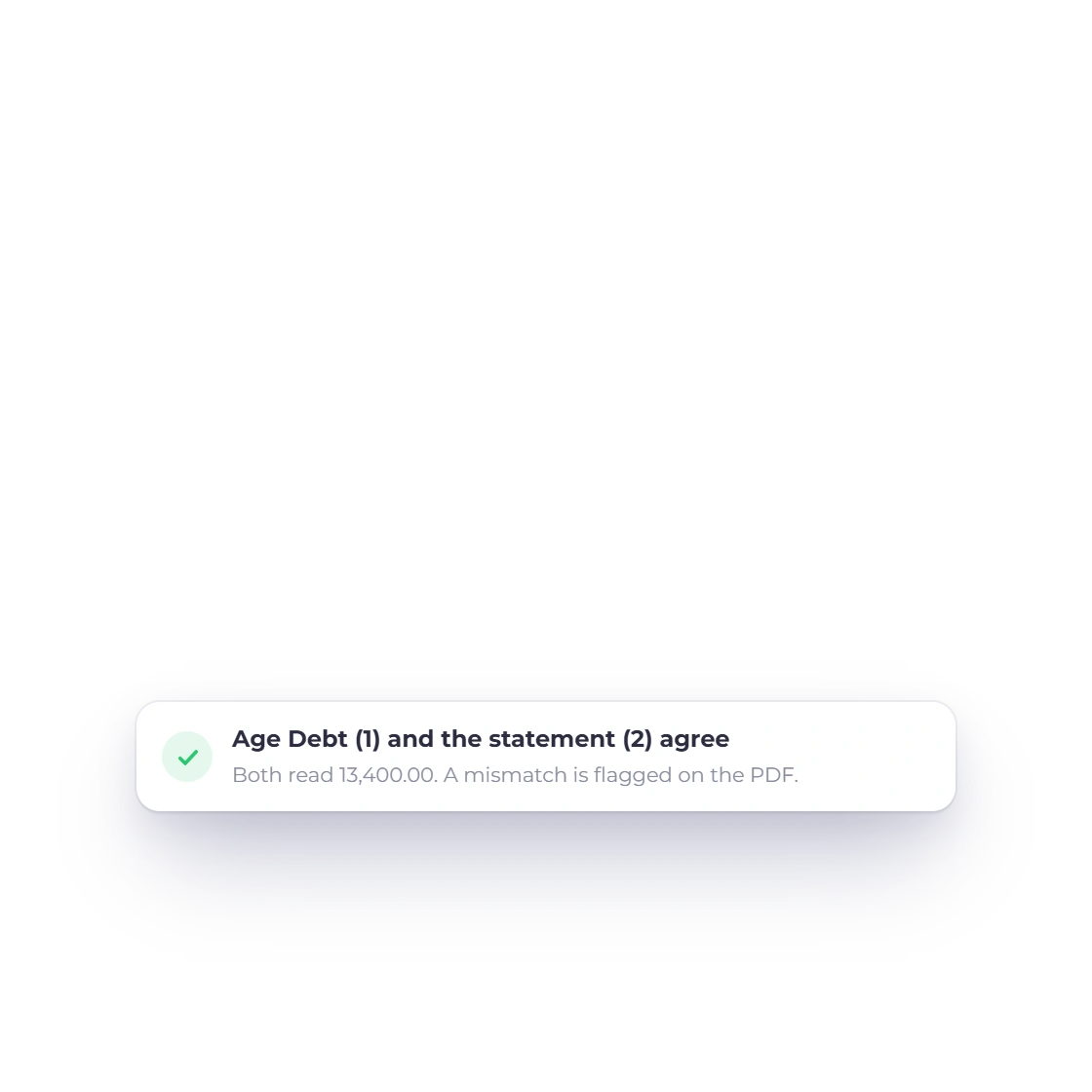
Does the statement match my Age Debt report?

Yes. Opening and closing balances are checked against the Age Debt figures for the same customer, and the ageing buckets are the same: Current, 1-30, 31-60, 61-90 and 91+ days. If a statement ever disagrees with Age Debt, the PDF shows a notice asking you to check the customer's documents before sending it.

Which plans include customer statements?

Every plan, including the free plan. Team members can download statements when their role includes the Customers or Reports module, and members limited to selected customers can only download statements for those customers.

Answer "what do we owe you?" with one PDF

Record invoices and payments as you already do, and the statement of account for any customer is ready whenever they ask.

  • Statements on every plan
  • No card required to start
  • 30-day free trial