





Skip to content

Features

A Developer API that reads your business and creates only what you allow

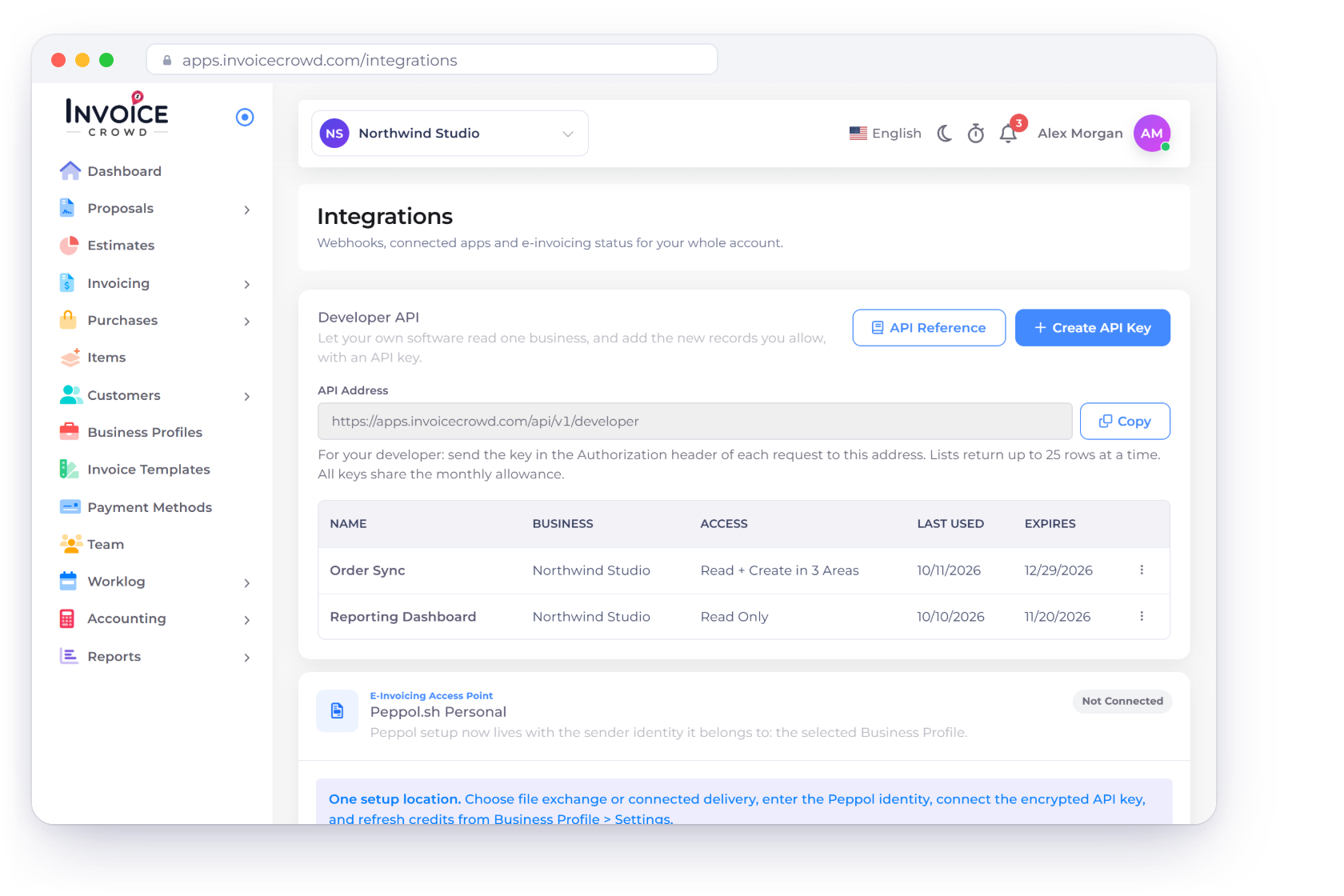
Give your own software an API key for one business. It can read customers, items, vendors, projects, taxes and documents, and, if you allow it, create customers, items, draft invoices, estimates, bills and purchase orders, expenses and time entries. It never sends, records payments, deletes or changes anything that already exists.

  • Read Only or Read and Create Records
  • One business per key
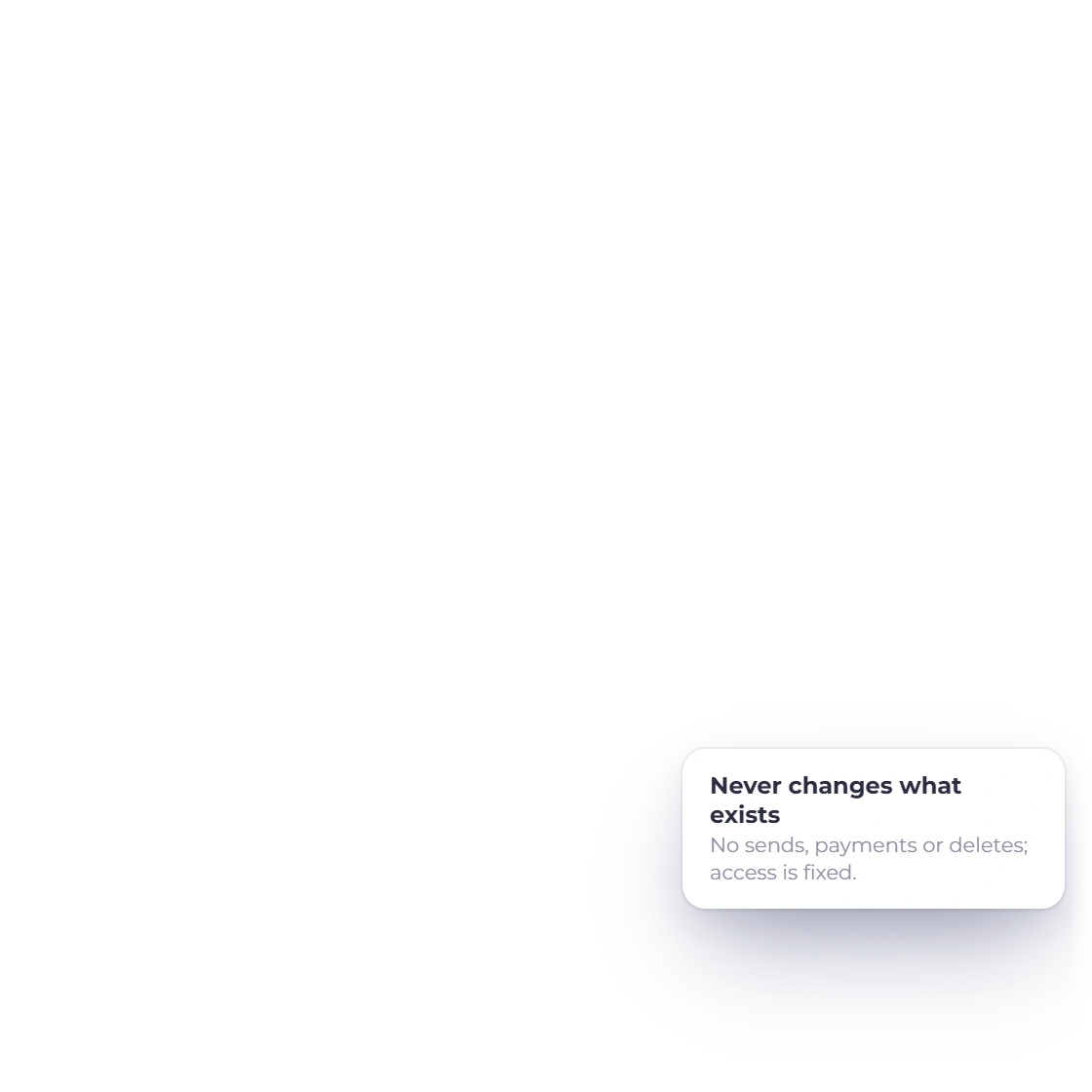
  • Never sends, pays or deletes
Invoice Crowd Integrations page with the Developer API card, its API Address and two keys for Northwind Studio, one Read Only and one that reads and creates in three areas

How it works

Keys you control, a scope you choose

Create a key on the Integrations page, choose its business and what it may do, and hand it to your developer. The key works until it expires, you revoke it or you change your password.

Creating a key

Owner only, confirmed with your password

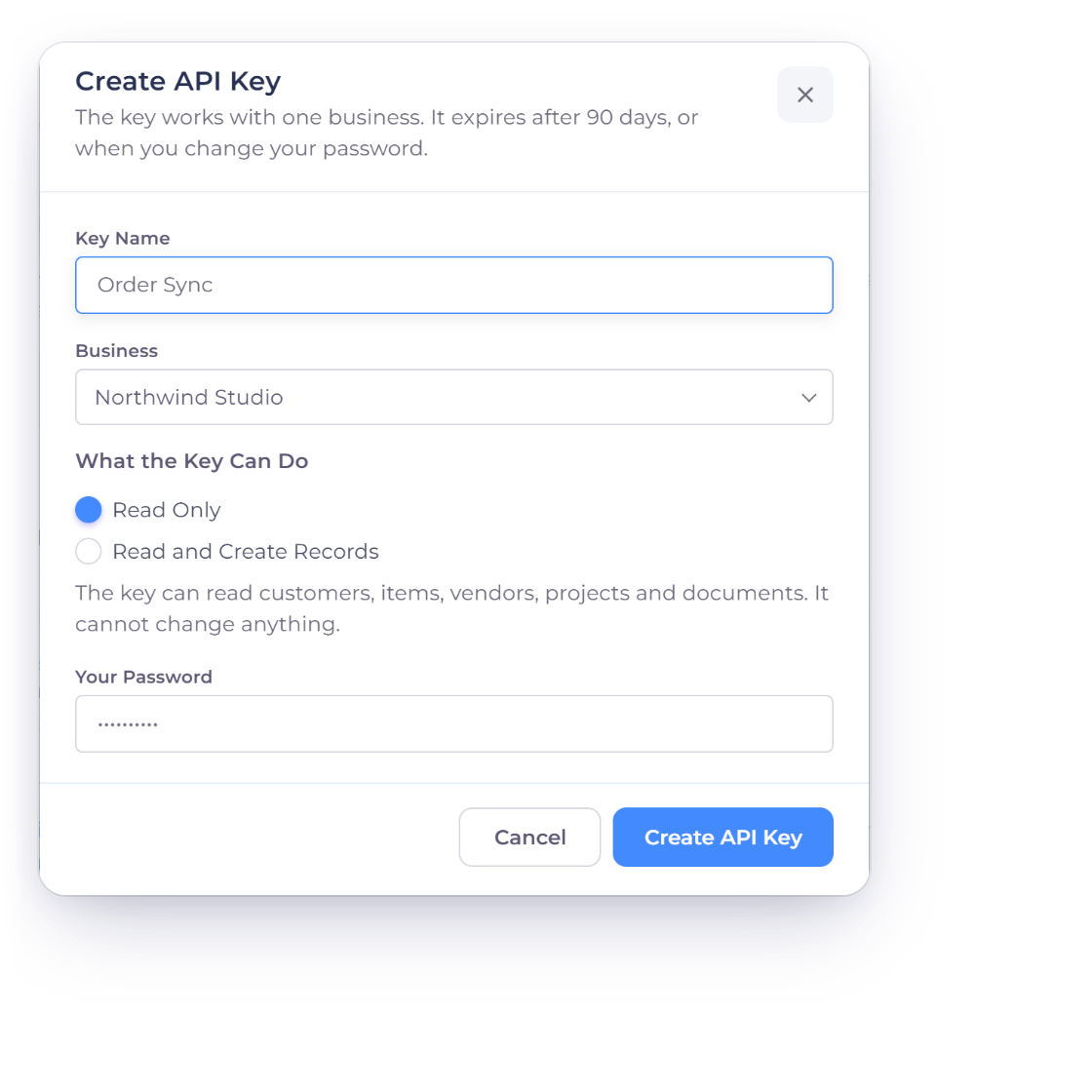
Invoice Crowd Create API Key window with the key name, one business, Read Only access and the password confirmation

Create an API key for one business

Create API Key asks for a Key Name, one Business and What the Key Can Do, then your password, plus your authenticator code when two-factor sign-in is on. The key is shown once, so save it somewhere safe such as a password manager. Copy Setup Prompt gives your AI coding tool the address and key in one paste.

  • Up to five keys
  • Expires after 90 days, with Renew
  • Stops when you change your password
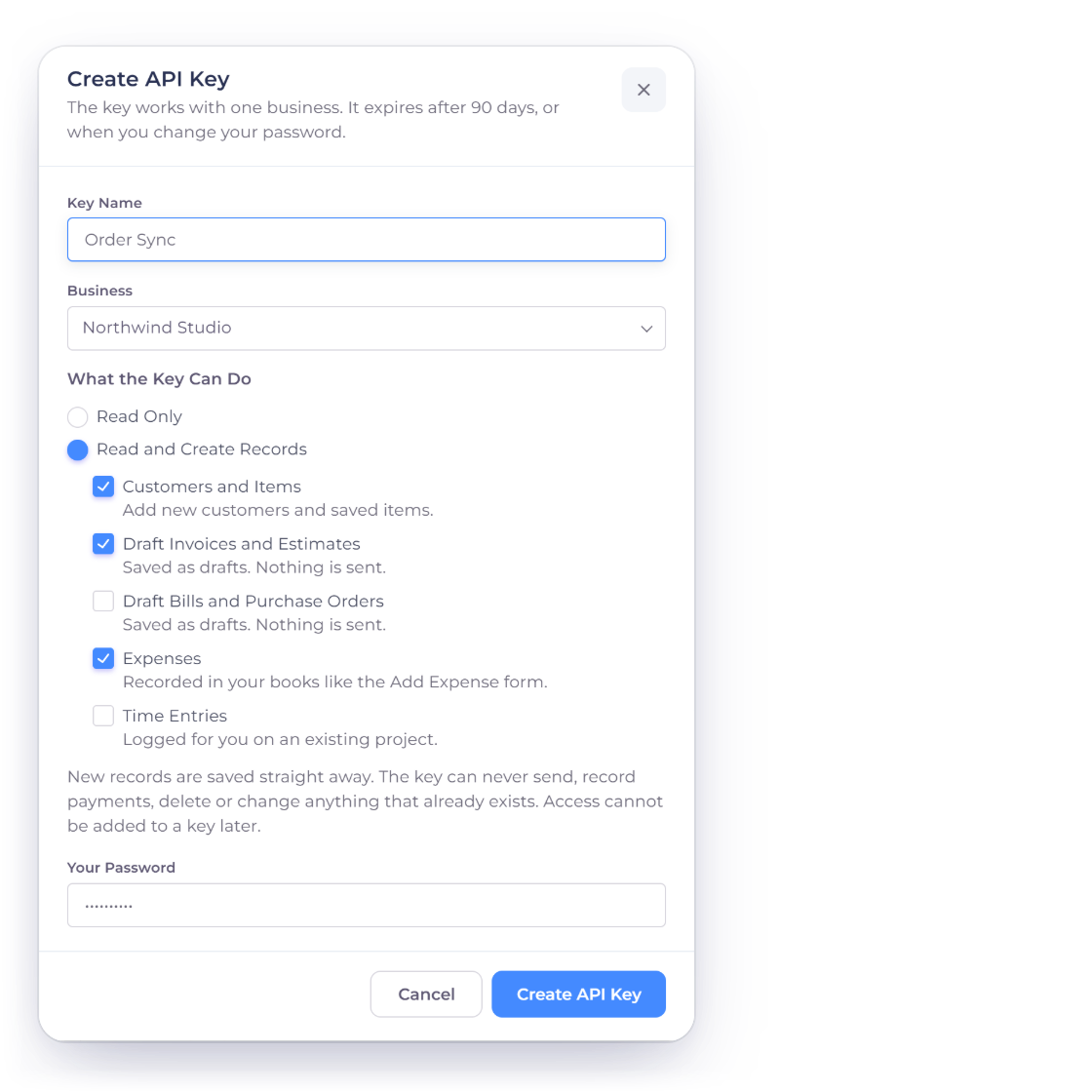
Invoice Crowd Create API Key window with Read and Create Records chosen and Customers and Items, Draft Invoices and Estimates and Expenses ticked

Read Only or Read and Create Records

A Read Only key can read customers, items, vendors, projects and documents and cannot change anything. Read and Create Records adds the records you tick: Customers and Items, Draft Invoices and Estimates, Draft Bills and Purchase Orders, Expenses, and Time Entries. Access cannot be added to a key later, so create a new key when you need more.

  • Choose each kind of record
  • The Access column shows what each key can do
  • Revoke stops a key at once

Reading and creating

Same rules as the app

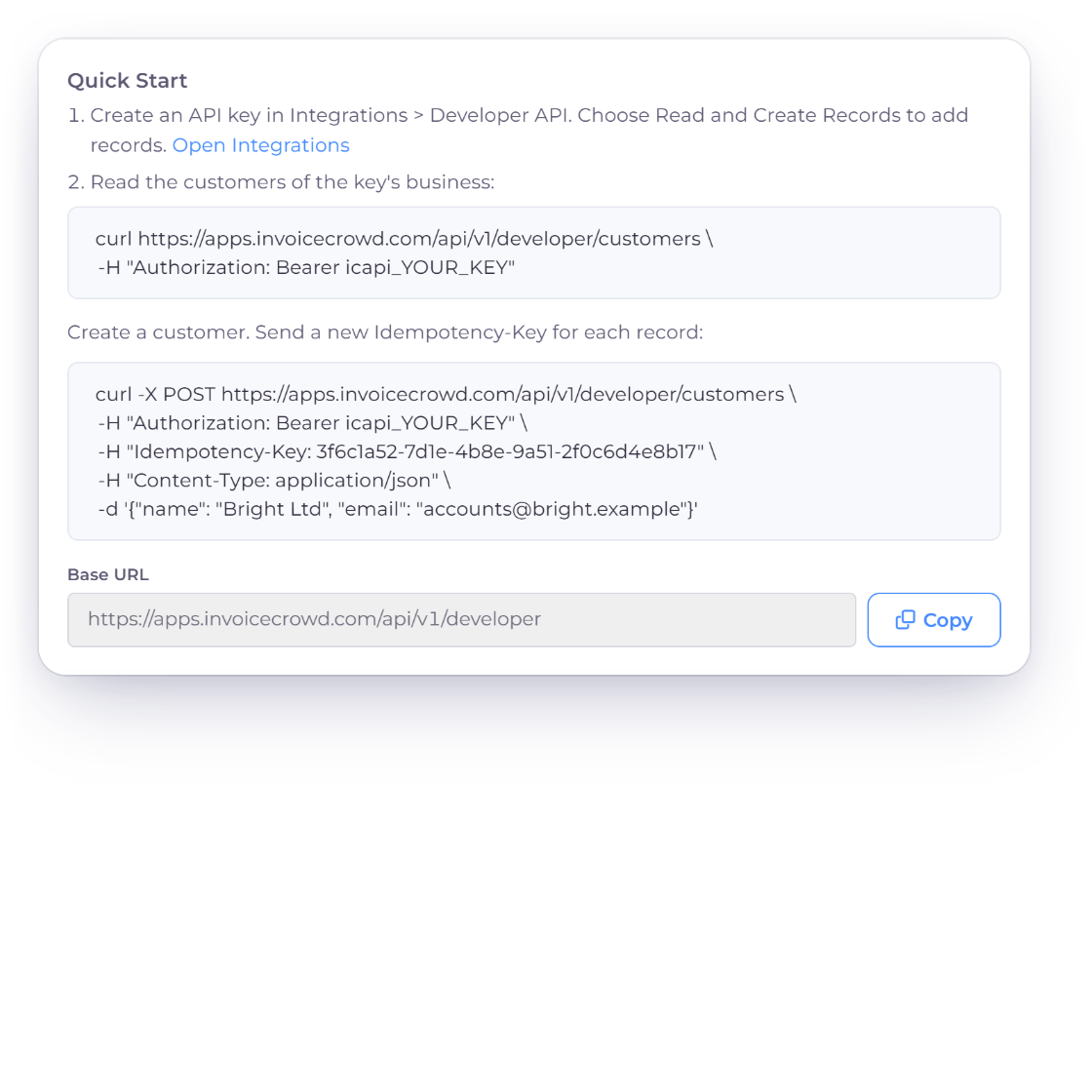
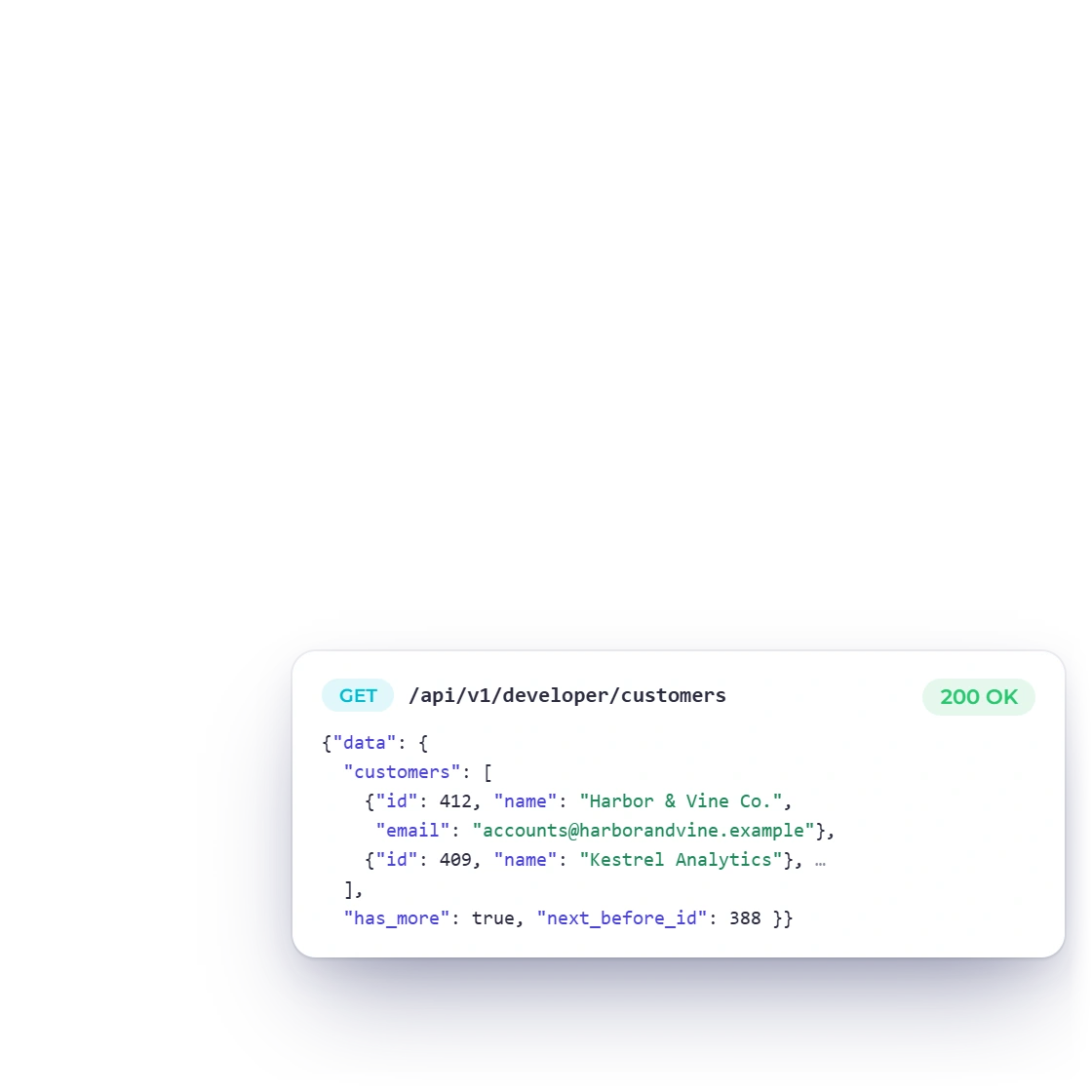
Invoice Crowd API Reference Quick Start with the curl examples and Base URL, and a sample customers response for the key's business

Read the business your key works with

Your software can read the business's details, customers, items, vendors, projects, taxes and expense categories, and list or open invoices, estimates, bills and purchase orders. Lists return up to 25 rows at a time, and a key never sees another business.

  • JSON over HTTPS
  • Paged lists of up to 25 rows
  • Scoped to one business
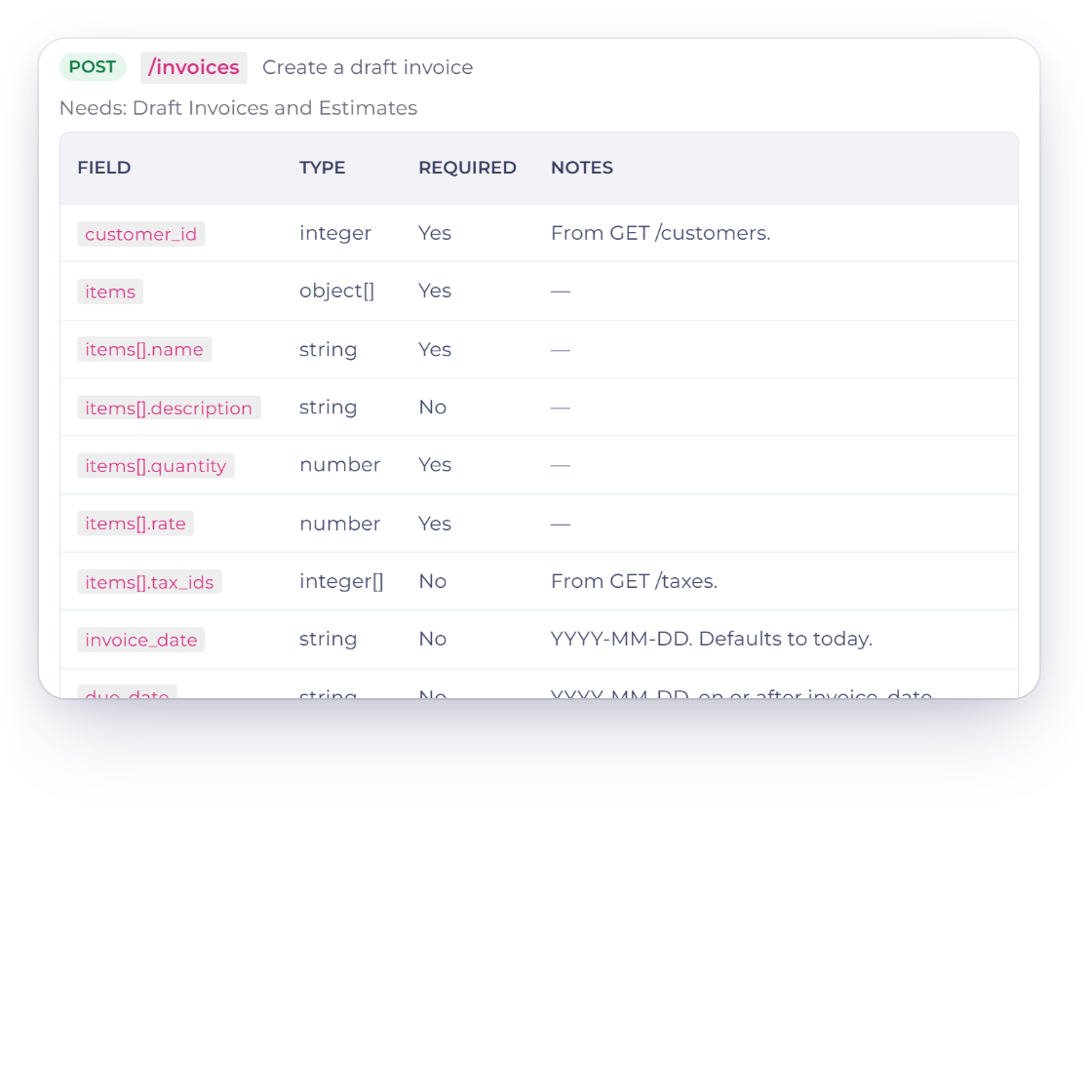
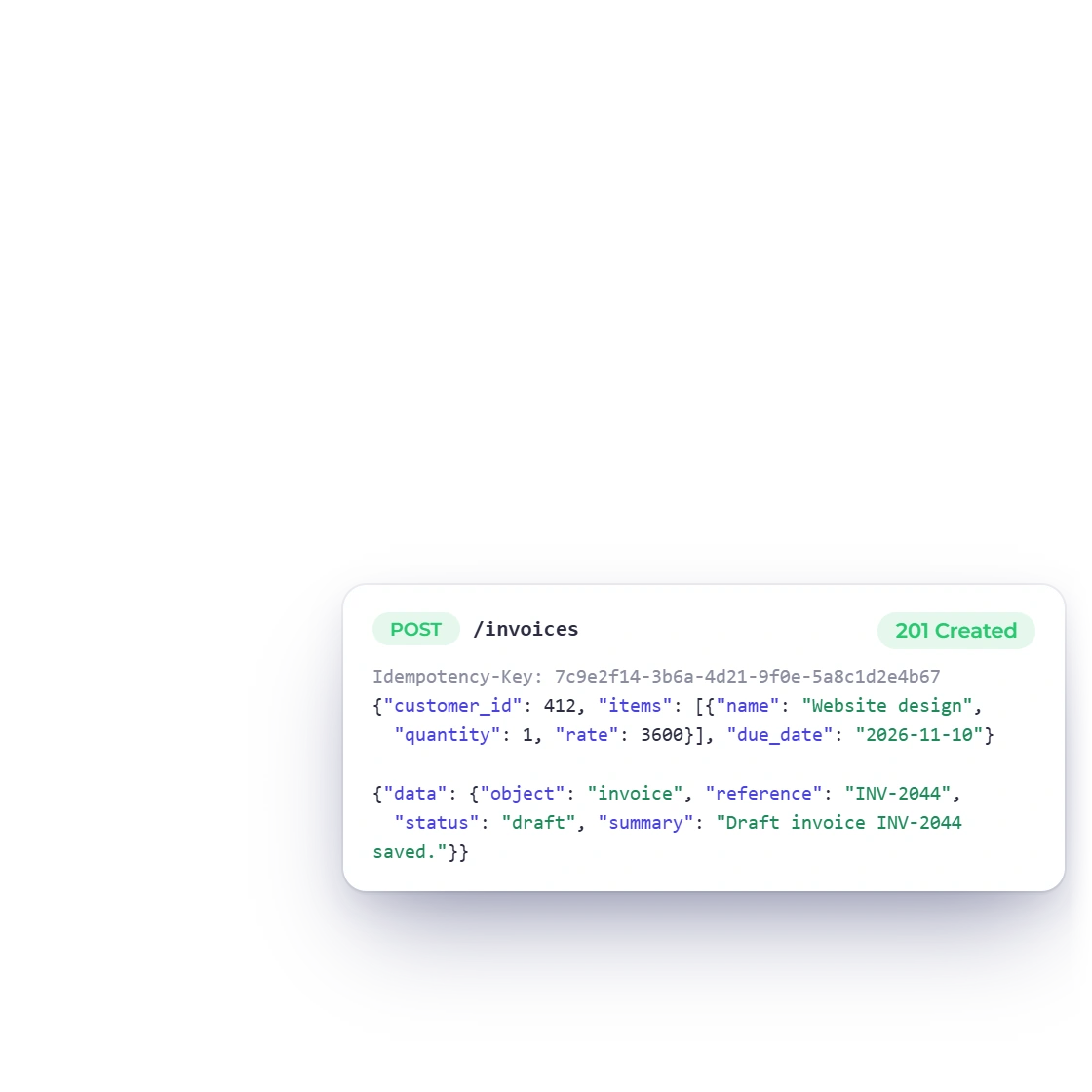
Invoice Crowd API Reference entry for POST /invoices with its fields, and a request that creates draft invoice INV-2044 with an Idempotency-Key

Create records the way the app does

New records go through the same checks as Invoice Crowd's own forms. Invoices, estimates, bills and purchase orders are saved as drafts and nothing is sent. Expenses are recorded in your books like the Add Expense form, and time entries are logged on an existing project. New records are saved straight away, without a review.

  • Drafts, never sent
  • A refused create saves nothing
  • Plan limits still apply
Expense tracking

Building on it

Reference, retries and usage

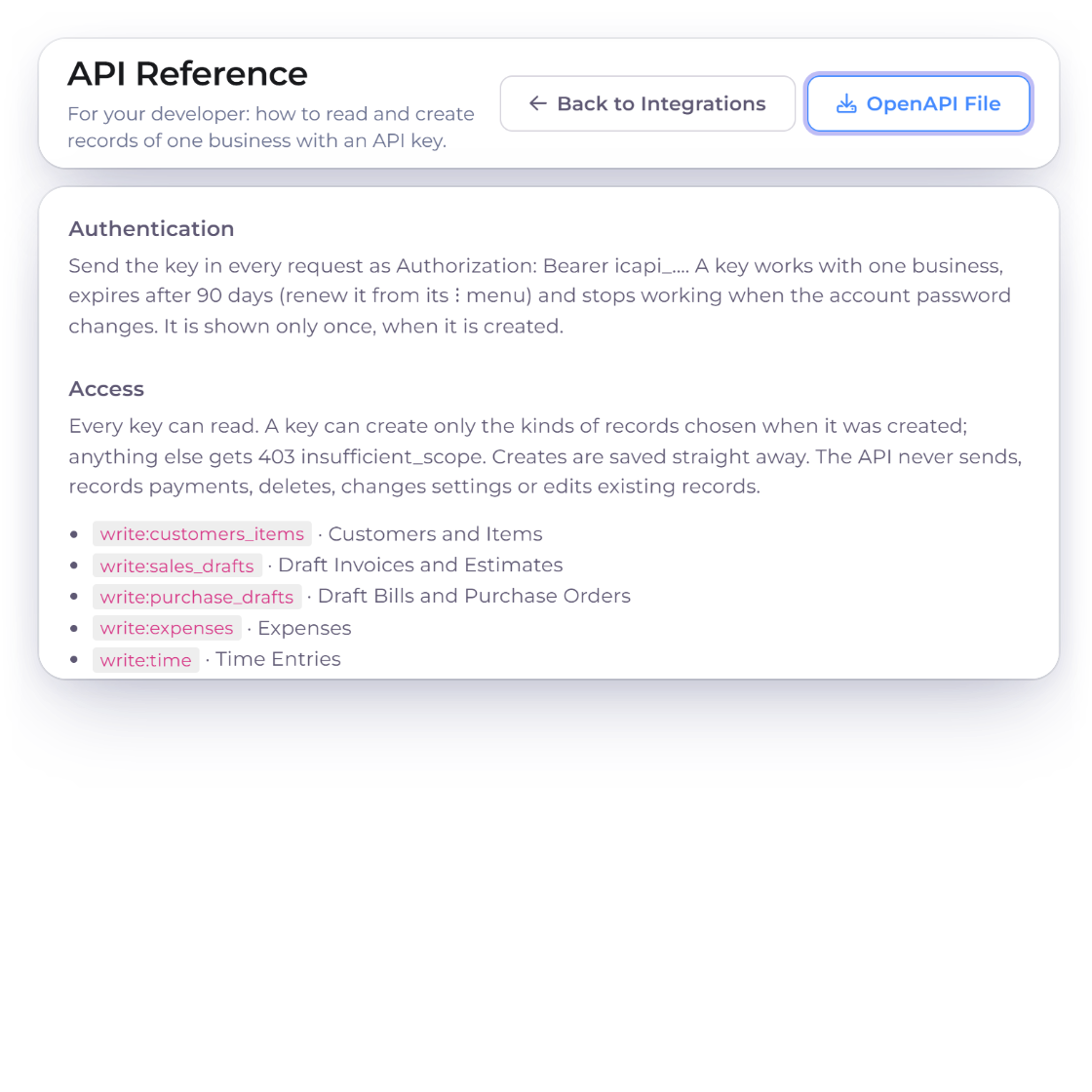
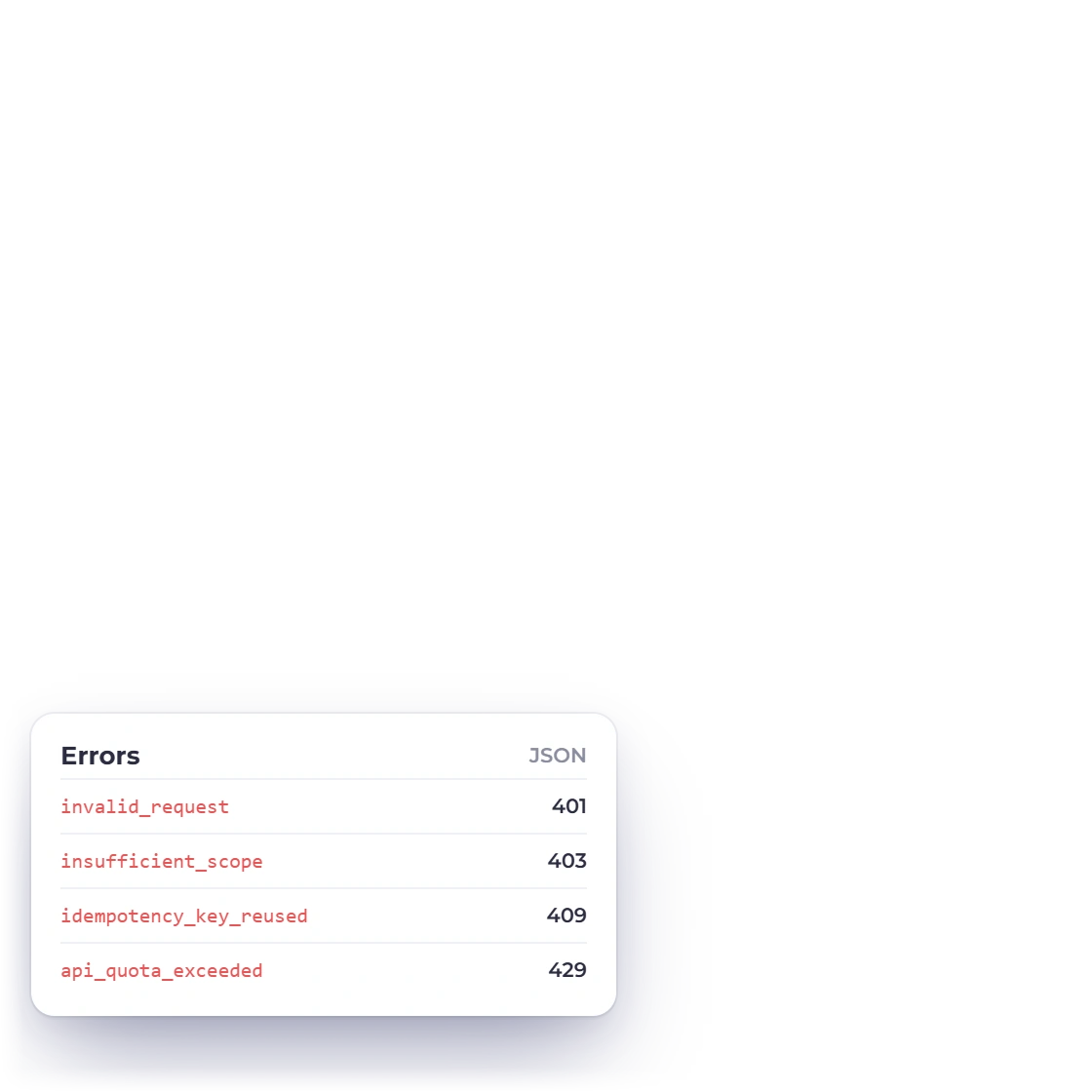
Invoice Crowd API Reference page with the OpenAPI File button, the Authentication and Access rules, and its stable error codes

An API Reference in the app

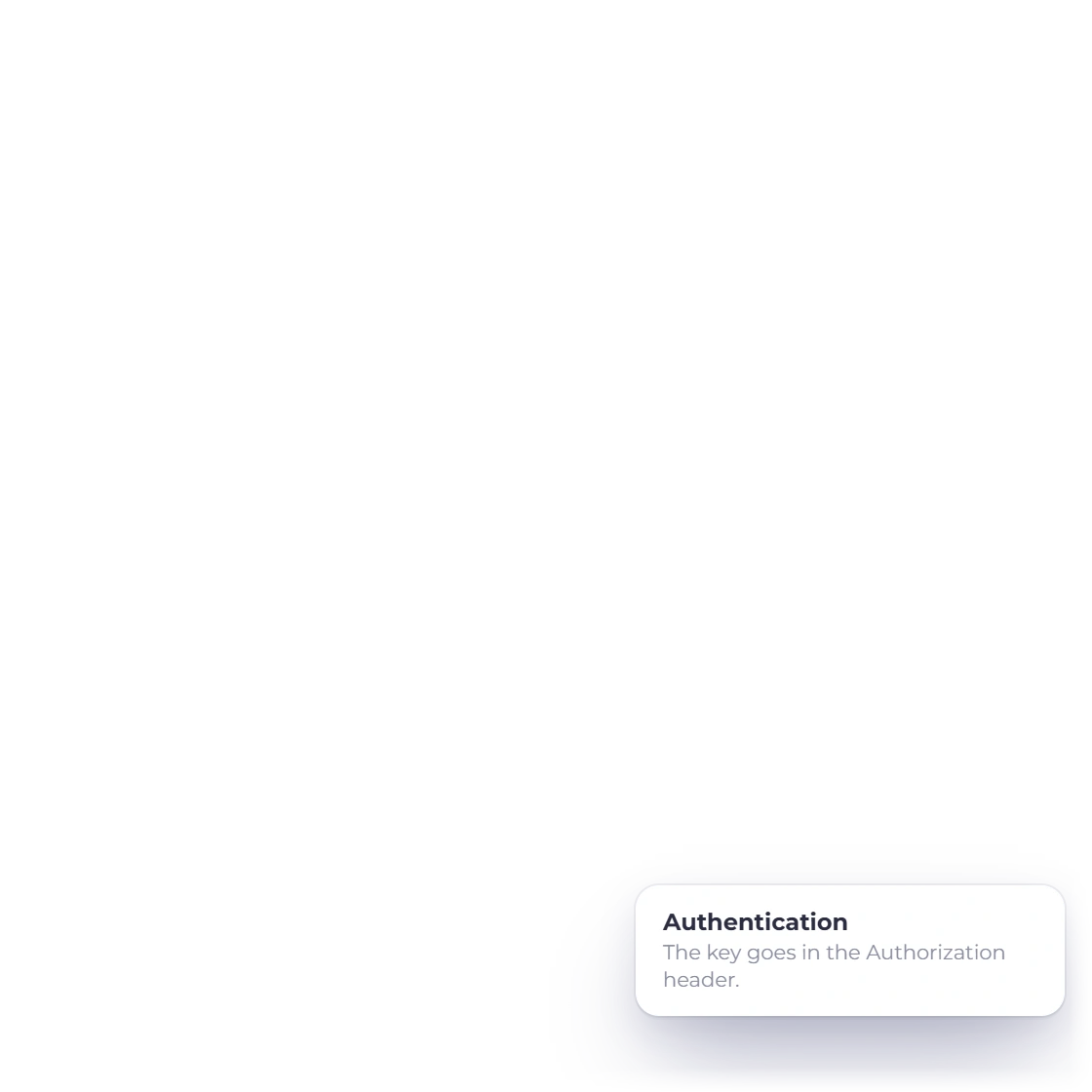
The API Reference page, opened from the Integrations page, gives your developer the base URL, authentication and a quick start, with an OpenAPI File for their tools. Errors come back as JSON with a stable code and a plain message that says what to do next.

  • OpenAPI description
  • Stable error codes
  • Key sent in the Authorization header
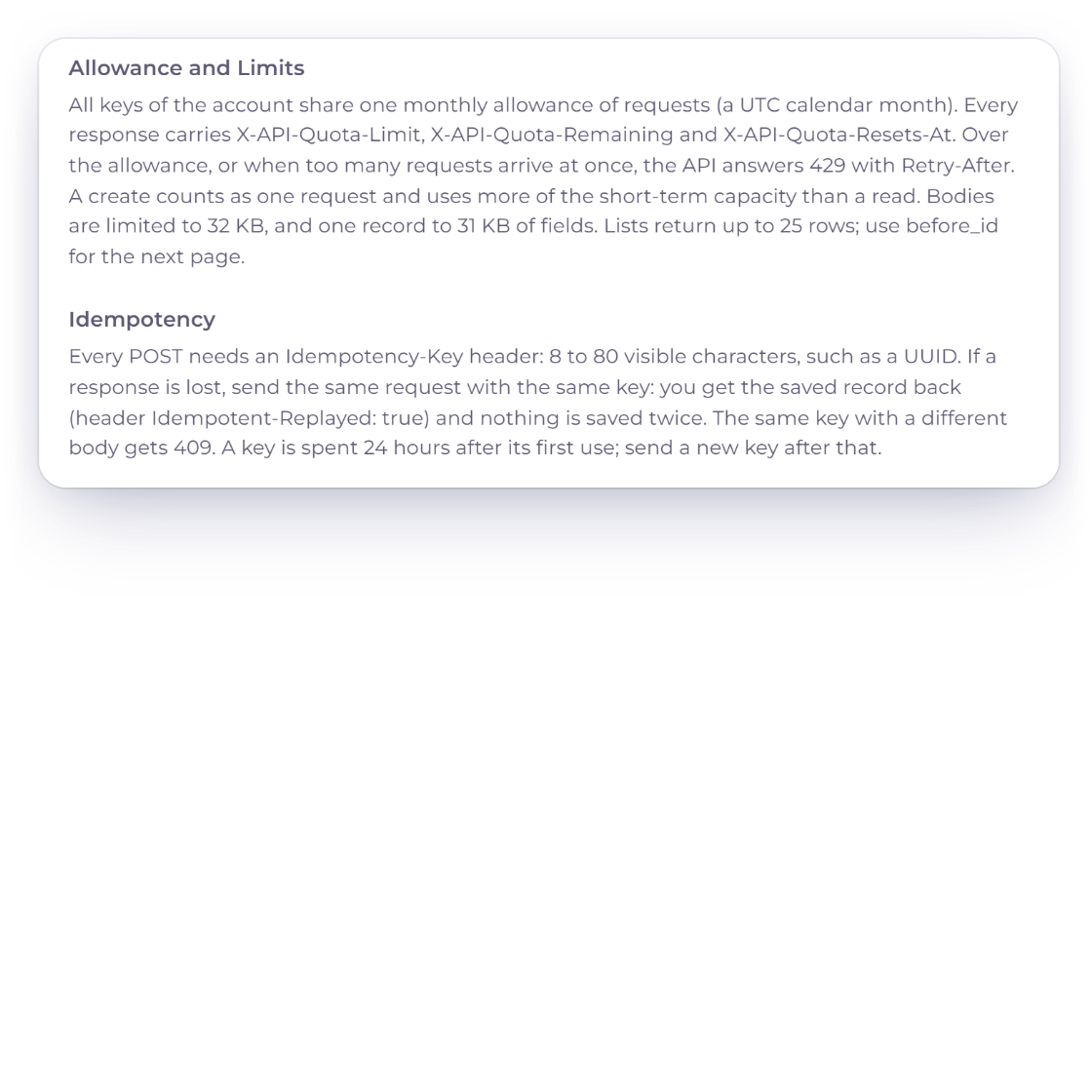
Invoice Crowd API Reference allowance and idempotency rules, with a create sent twice under the same Idempotency-Key returning the same draft invoice instead of a duplicate

Safe retries and a monthly allowance

Every create carries an Idempotency-Key, so a retried request returns the first result instead of creating a second record. All your keys share one monthly request allowance, shown as Requests This Month on the Integrations page, and API responses carry the requests remaining and the date the count resets.

  • Retries never create duplicates
  • One allowance for all keys
  • Resets each calendar month

Built in

What the API can and cannot do

The API is built for syncing and creating records from your own software. Everything that reaches your customer or moves money stays in Invoice Crowd.

  • Customers and items

    Read your customers and items, and create new ones from a CRM, a form or a product catalog.

  • Draft invoices and estimates

    Create drafts with lines priced by Invoice Crowd, ready for you to review and send from the app.

  • Draft bills and purchase orders

    Create vendor bills and purchase orders as drafts from your purchasing or inventory software.

  • Expenses

    Record expenses with their category and payment account, posted to your books like the Add Expense form.

  • Time entries

    Log time on an existing project from your own time tracker.

  • Never sends or pays

    The API cannot send documents, record payments, delete records or change anything that already exists.

  • Owner only

    Only the account owner can create, renew and revoke keys. Team members cannot.

  • Paid plans that include the API

    The Developer API is available on paid monthly and yearly plans that include it, not on the Free plan, during a trial or on lifetime plans.

Questions

Developer API, answered

Does Invoice Crowd have an API?

Yes. The Developer API lets your own software read one business with an API key, and create the records you allow: customers, items, draft invoices and estimates, draft bills and purchase orders, expenses and time entries. Keys are created on the Integrations page.

Can the API send invoices or record payments?

No. The API never sends, records payments, deletes or changes anything that already exists. Invoices and estimates are created as drafts that you review and send from Invoice Crowd.

Which plans include the Developer API?

Paid plans billed monthly or yearly that include the API. It is not available on the Free plan, during the free trial or on lifetime plans. Your monthly request allowance is shown on the Integrations page as Requests This Month.

How long does an API key last?

90 days, and you can renew it from its menu for another 90 days with the same access. A key also stops working when you revoke it or change your Invoice Crowd password. You can have up to five keys.

What happens if my software retries a request?

Every create needs an Idempotency-Key header. Sending the same key and body again returns the stored result instead of creating a second record, and the same key with a different body is refused.

How is the Developer API different from Zapier, Pabbly Connect or AI Connections?

Zapier and Pabbly Connect connect Invoice Crowd to other apps without code. AI Connections let Claude or ChatGPT prepare changes that you approve. The Developer API is for your own software, with a key you control and records saved straight away within the access you chose.

Connect your own software to Invoice Crowd

Create an API key on the Integrations page, choose its business and what it may create, and share the API Reference with your developer.

  • No card required to start
  • Your data stays yours
  • Cancel anytime