
Skip to content

Features

A bank payment QR code on every invoice

Bank QR puts a payment QR code on your invoices and their PDFs. Your customer scans it with their banking app, and the amount due and the invoice number are filled in. It works with UPI, Pix, EPC QR (GiroCode), Swiss QR-bill, PayNow and PromptPay, with no gateway and no fees.

  • Six bank QR standards
  • No gateway, no fees
  • On paid plans
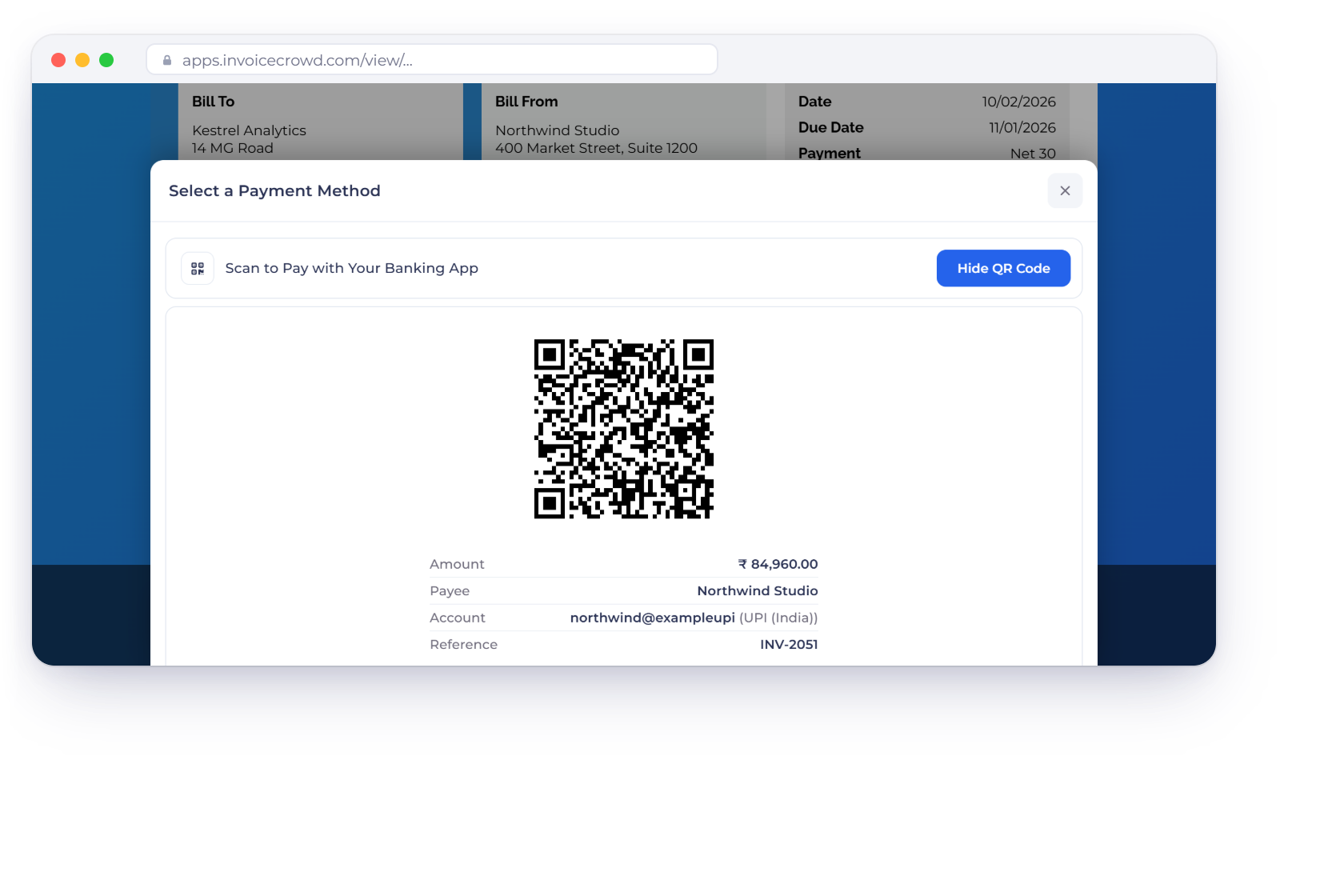
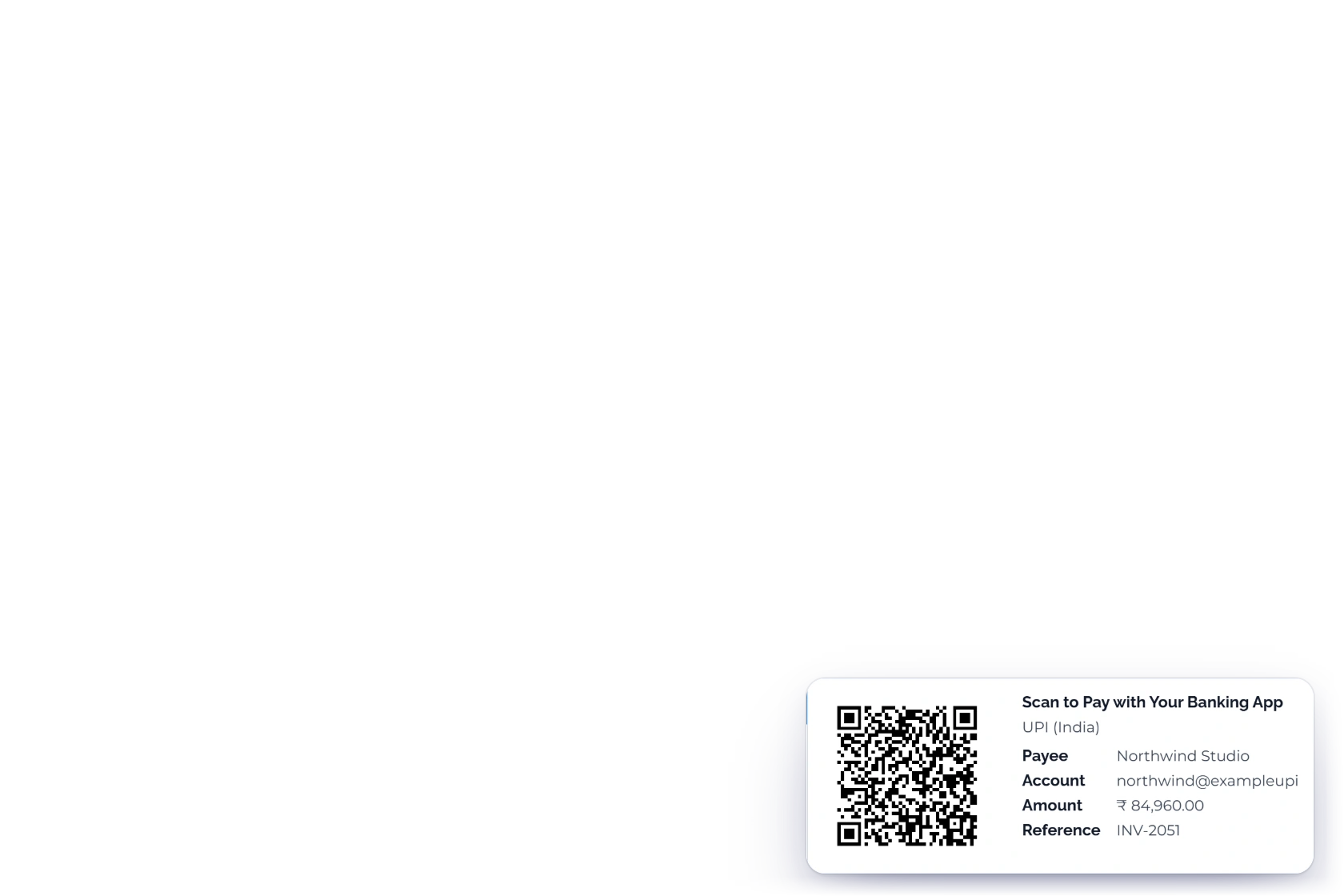
An Invoice Crowd invoice INV-2051 for Kestrel Analytics with the Select a Payment Method sheet open on Scan to Pay with Your Banking App: a UPI QR code for 84,960.00 rupees with the payee, account and the invoice number as reference, next to the same code printed on the invoice PDF

What is inside

From your bank details to a paid invoice

Bank QR is a payment method, not a gateway. Invoice Crowd draws the code from your own account details, so the money goes straight from your customer's bank to yours.

Setting it up

Once, under Payment Methods

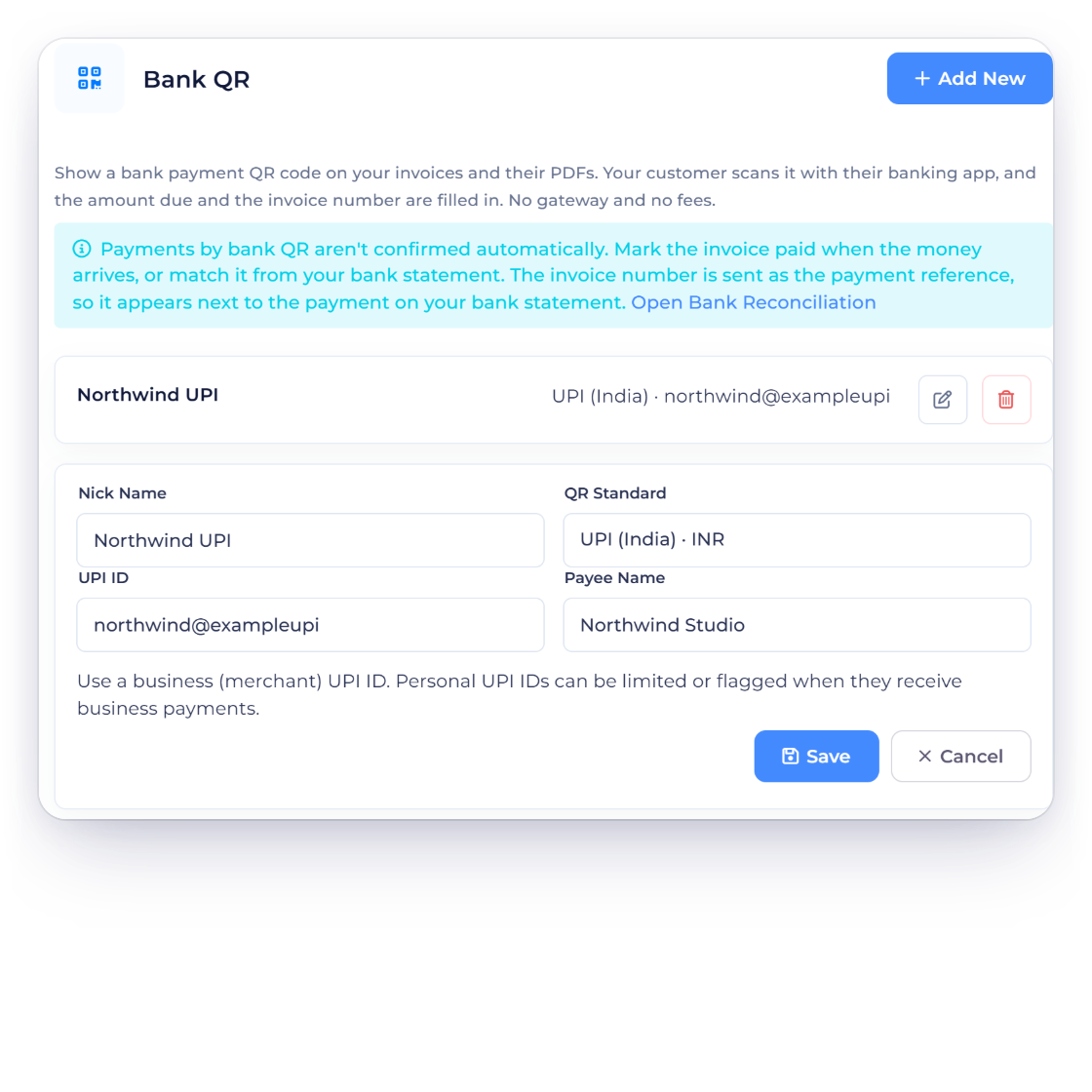
Invoice Crowd Payment Methods on Bank QR with the account Northwind UPI open: QR Standard UPI (India) · INR, the UPI ID and Payee Name, and the note that bank QR payments are confirmed by you

Pick the QR standard your customers' banks read

In Payment Methods, open Bank QR, choose a QR Standard and enter your details. Each standard takes what its banks need: a UPI ID and Payee Name for UPI, a Pix Key with Merchant Name and Merchant City for Pix, an IBAN and Beneficiary Name for EPC QR, an IBAN or QR-IBAN and your address for the Swiss QR-bill, a Mobile Number or UEN for PayNow, and a mobile number or national or tax ID for PromptPay. The details are checked as you save.

  • UPI (India), INR
  • Pix (Brazil), BRL
  • EPC QR / GiroCode (SEPA), EUR
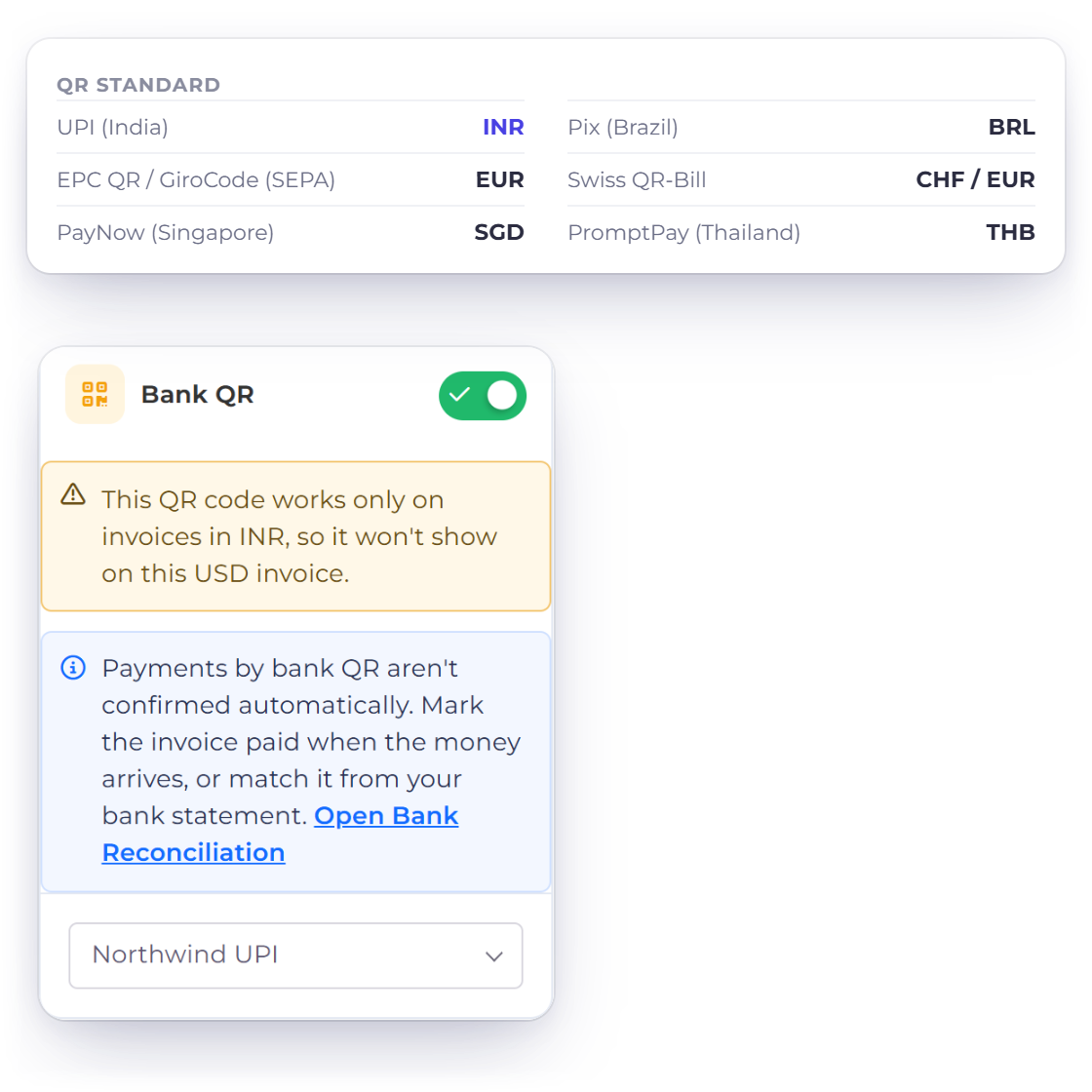
The six Invoice Crowd Bank QR standards with the currency each one serves, and the invoice editor warning that a UPI code works only on INR invoices so it will not show on a USD invoice

One code per currency

Each standard belongs to a currency, and the code appears only on invoices in that currency. Swiss QR-bill works with CHF and EUR, PayNow with SGD and PromptPay with THB. If you switch Bank QR on for an invoice in another currency, the editor tells you the code won't show.

  • Swiss QR-bill, CHF or EUR
  • PayNow (Singapore), SGD
  • PromptPay (Thailand), THB

What your customer sees

On screen and on paper

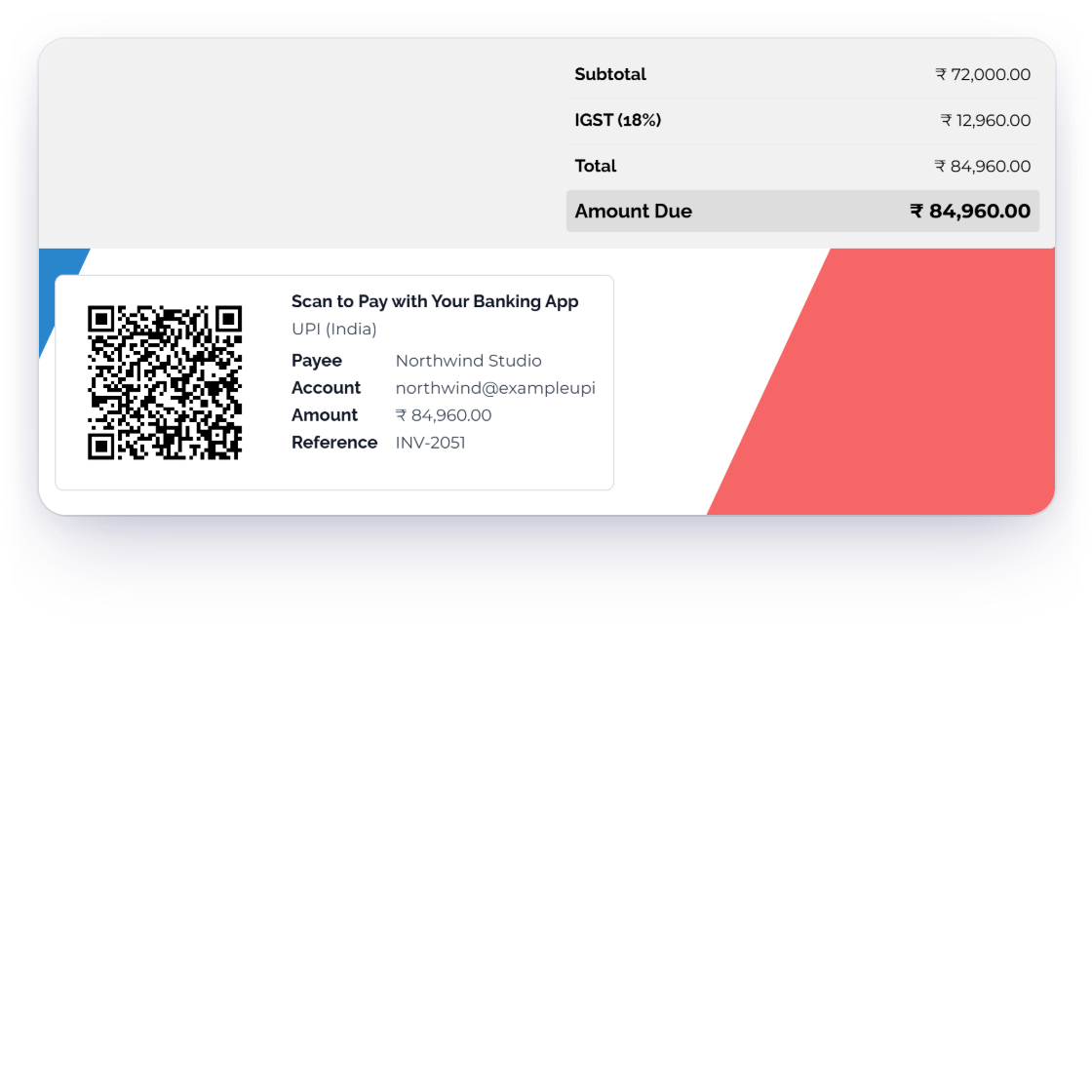
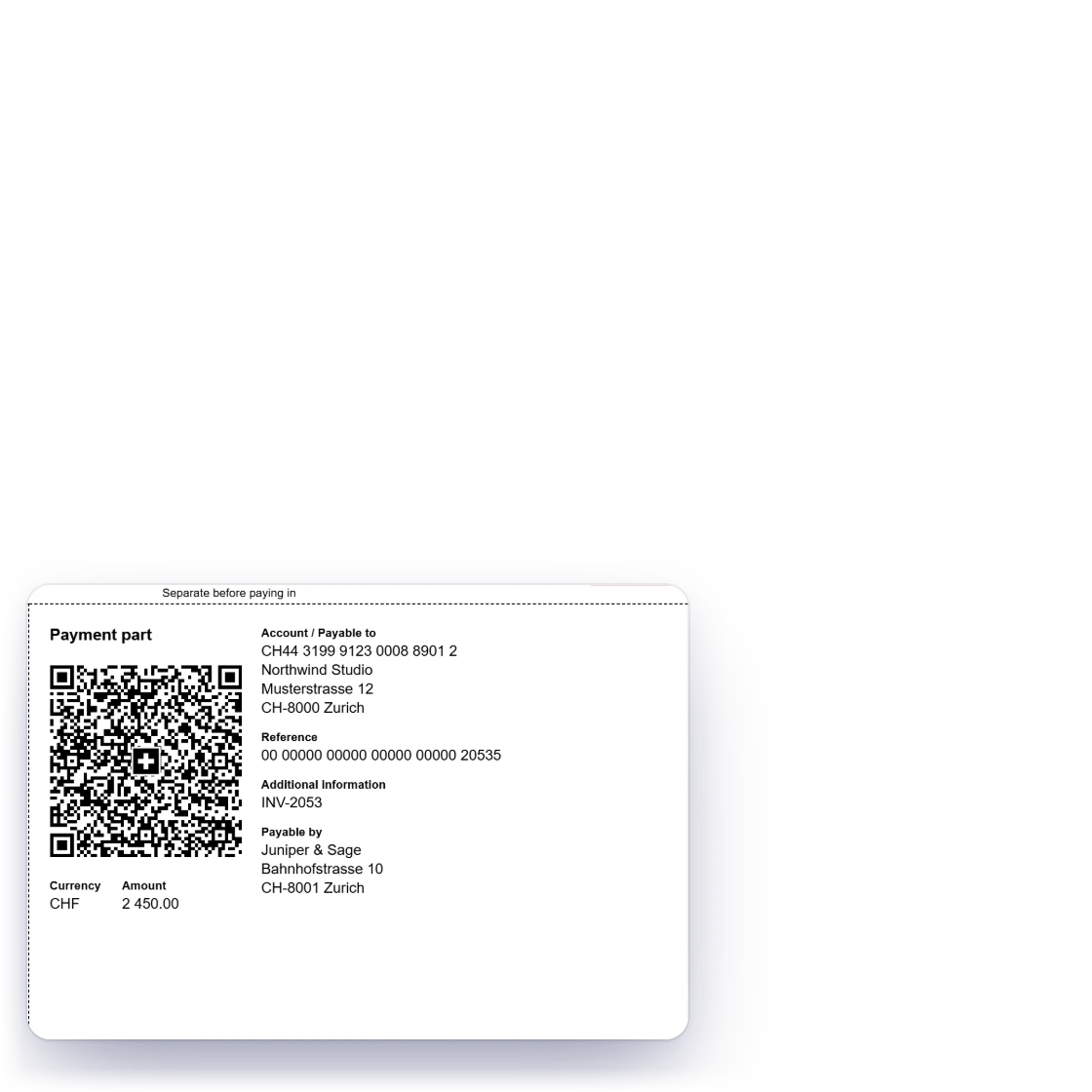
An Invoice Crowd invoice with the Scan to Pay with Your Banking App panel under the totals: the UPI code, payee, account, amount and reference INV-2051, and a Swiss QR-bill payment part for a CHF invoice

On the invoice page and the PDF

Once the invoice is sent, the code shows on the invoice page under Scan to Pay with Your Banking App, in the phone layout's payment information, and on the PDF of every invoice template. UPI codes add Open in UPI App on a phone, and Pix codes add Copy Pix Code. The Swiss QR-bill prints its payment part on the PDF.

  • Invoice page, phone layout and PDF
  • Open in UPI App and Copy Pix Code
  • Swiss QR-bill payment part
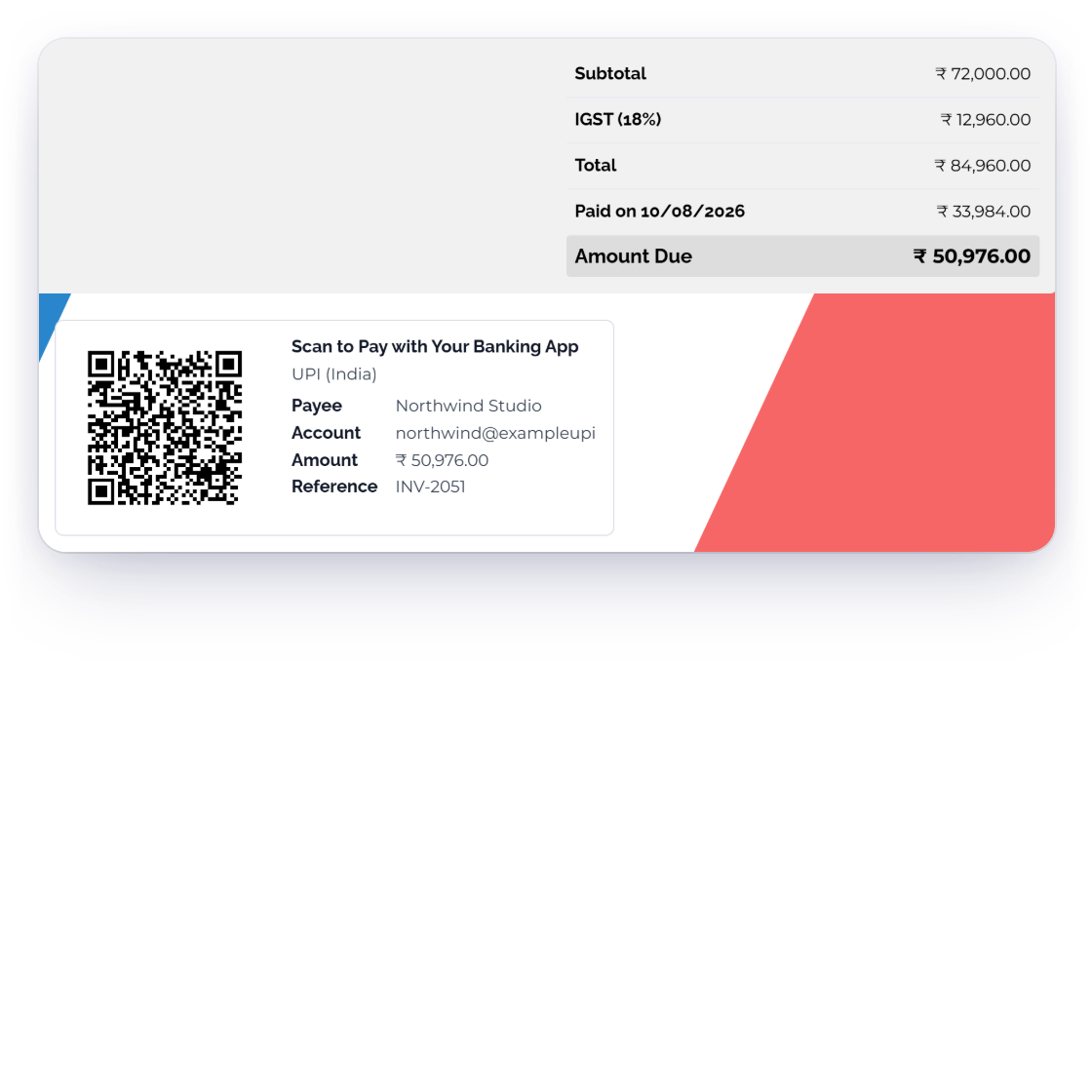
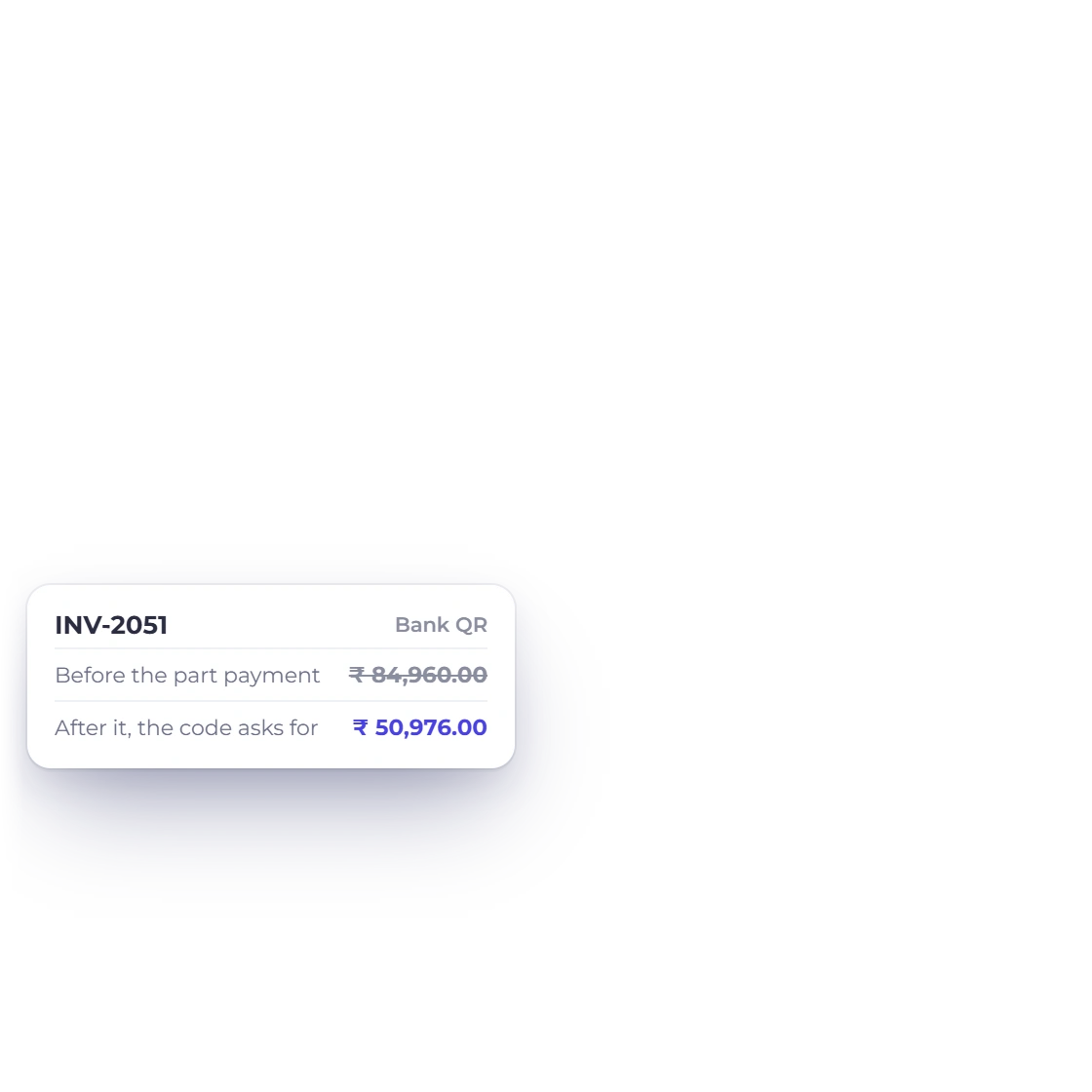
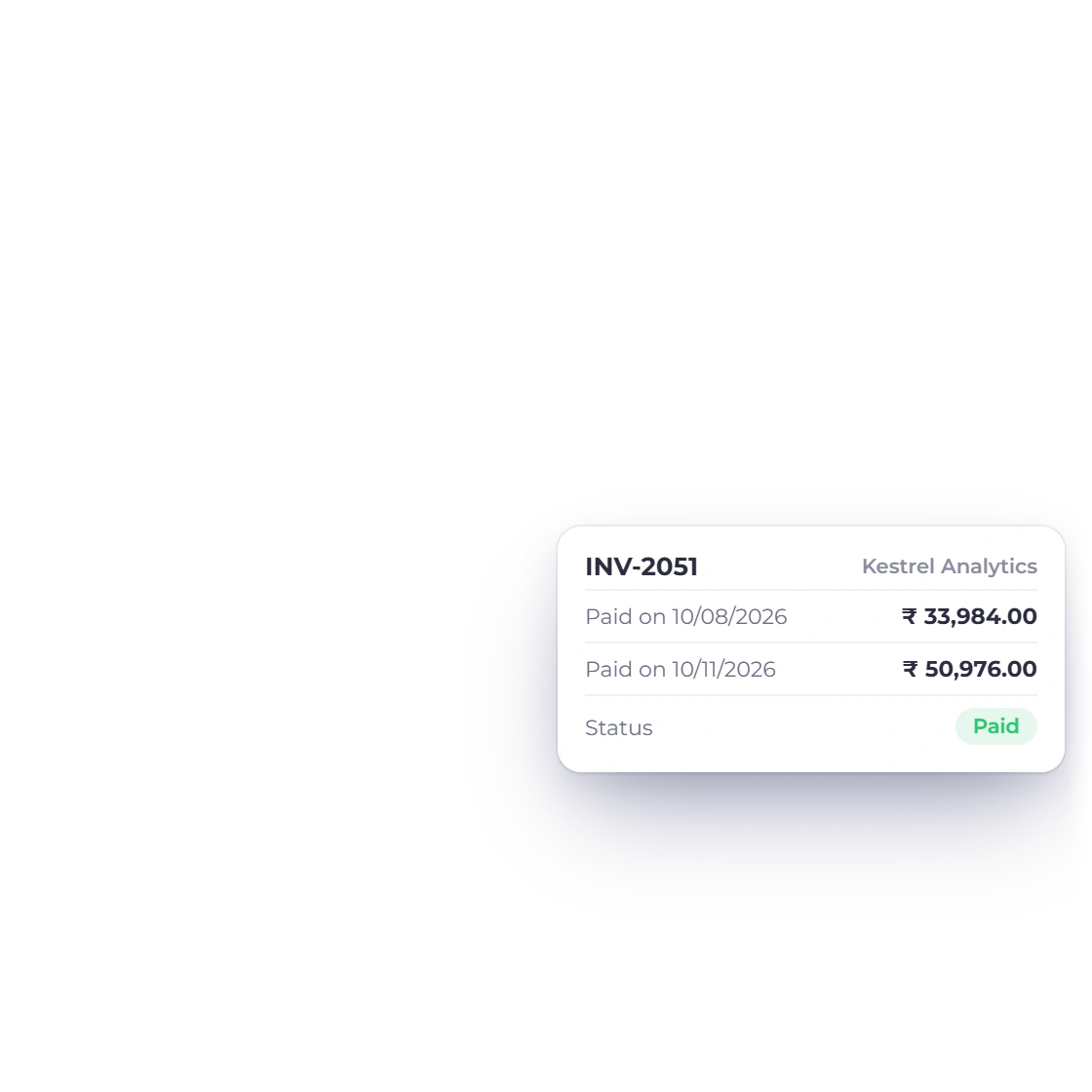
Invoice Crowd invoice INV-2051 after a part payment: Paid on 10/08/2026 33,984.00 rupees and Amount Due 50,976.00, with the Bank QR code now asking for 50,976.00 and carrying INV-2051 as the reference

Always the amount still due

The code carries the current balance due, so after a part payment it asks for the rest, and the invoice number travels as the payment reference. When the invoice is paid or voided, the code disappears.

  • Balance due filled in
  • Invoice number as the reference
  • Gone once the invoice is paid

When the money arrives

You confirm it

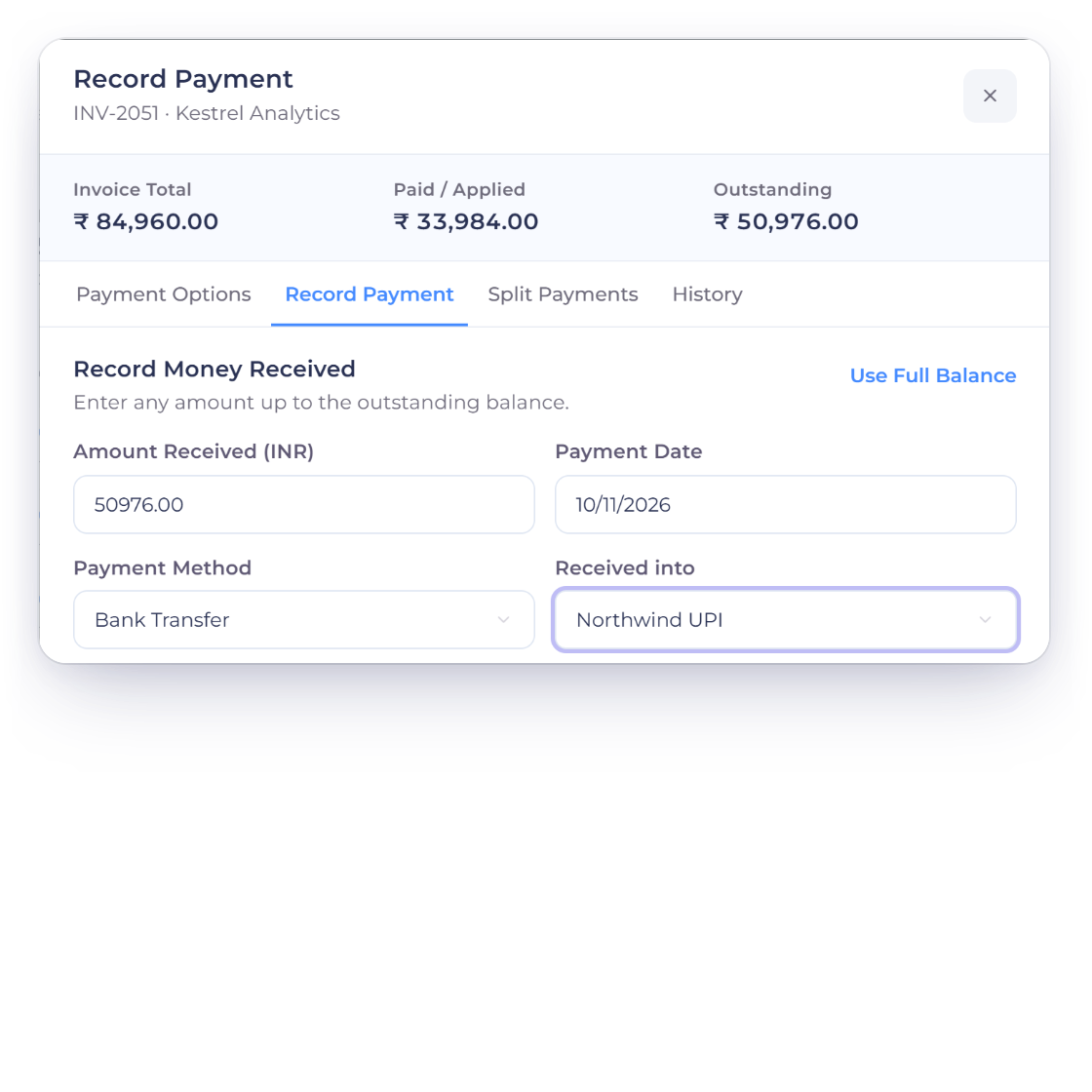
Invoice Crowd Record Payment for INV-2051, Kestrel Analytics: 50,976.00 rupees outstanding received by Bank Transfer into the Bank QR account Northwind UPI, which pays the invoice in full

Marked paid by you, not automatically

A bank transfer started from a QR code is not reported back to Invoice Crowd. Record the payment when the money reaches your account: choose Bank Transfer in Record Payment and the payment lands in your Bank QR account's own ledger account.

  • Record Payment when it arrives
  • Bank Transfer into the Bank QR account
  • No automatic paid status
Payments Received
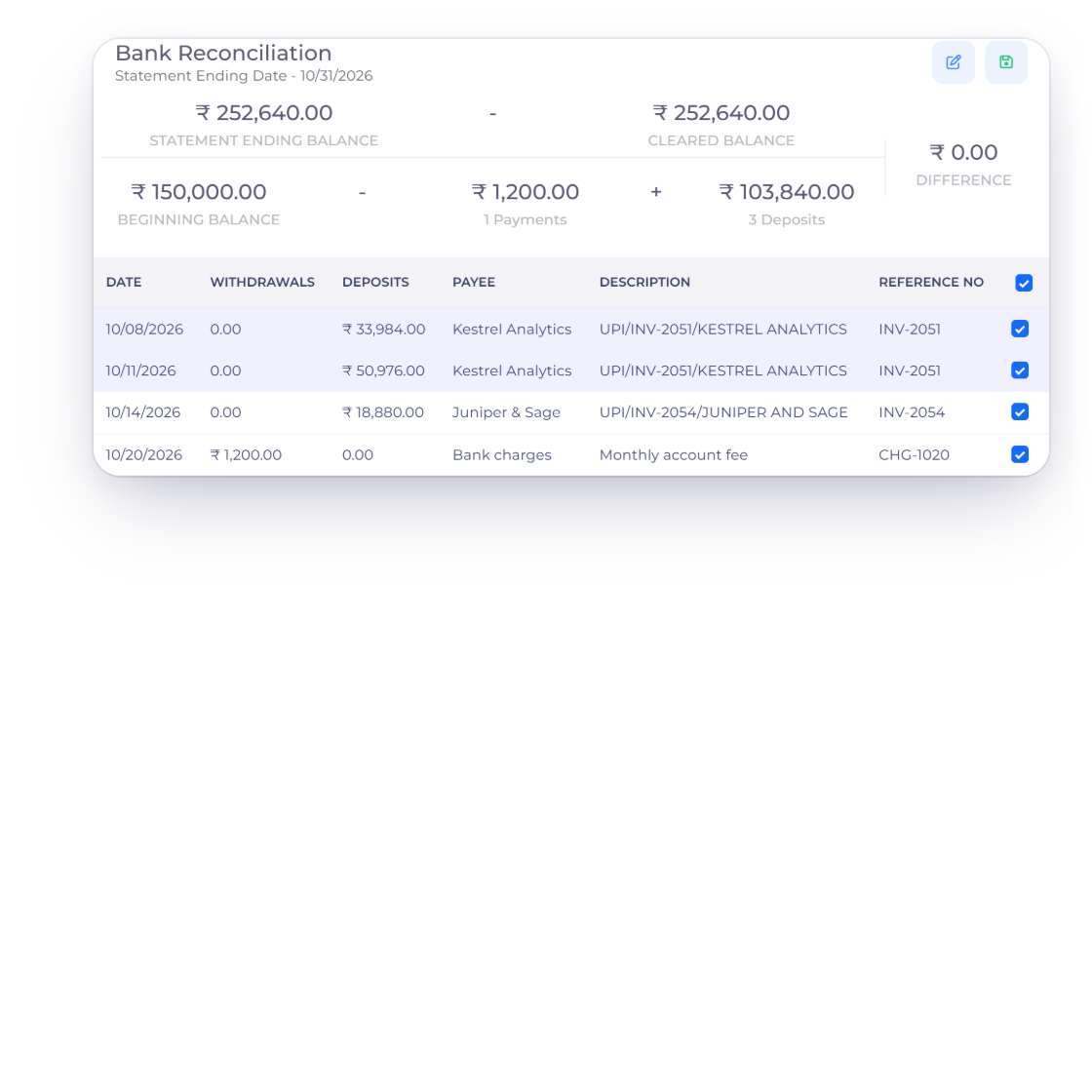
Invoice Crowd Bank Reconciliation for the Northwind UPI account in October 2026 with two UPI deposits carrying INV-2051 as their reference, matched and ticked, and a difference of 0.00

Matched from your bank statement

Because the invoice number is the payment reference, it appears next to the payment on your bank statement and in the statement lines you import into Bank Reconciliation, which makes the match quick to find.

  • Invoice number on the statement line
  • Open Bank Reconciliation from the settings
  • No bank feed needed
Bank reconciliation

Built in

The rules behind every code

Bank QR follows each standard's published format and only shows where it can be paid.

  • No gateway fee

    There is no provider in between, so Invoice Crowd adds no gateway fee to a Bank QR payment.

  • Sent invoices only

    The code appears once an invoice is sent. Drafts, credit notes, bills, recurring templates and payment links don't carry one.

  • Not for subscriptions

    Bank QR is unavailable on subscription invoices; use a gateway that supports subscriptions for recurring charges.

  • Part payments

    After a part payment, the code asks for the remaining balance rather than the original total.

  • Checked as you save

    IBANs, Pix keys, UPI IDs and phone numbers are validated in the format each standard requires.

  • Switched on per invoice

    Turn Bank QR on in the invoice editor's payment methods, like any other payment method.

  • Use a merchant UPI ID

    For UPI, a business (merchant) UPI ID is recommended; personal UPI IDs can be limited when they receive business payments.

  • Alongside your gateways

    Offer Bank QR next to card gateways on the same invoice, and let the customer choose how to pay.

  • Paid plans

    Bank QR is included in every paid plan. On the free plan, the code is not shown on any invoice.

Questions

Bank QR payments, answered

Which bank QR codes does Invoice Crowd support?

Six standards: UPI (India) for INR, Pix (Brazil) for BRL, EPC QR / GiroCode (SEPA) for EUR, Swiss QR-bill for CHF or EUR, PayNow (Singapore) for SGD and PromptPay (Thailand) for THB.

Is Bank QR a payment gateway?

No. Bank QR draws a code from your own bank or payment details, and the customer pays by bank transfer from their banking app. There is no provider, no checkout and no gateway fee, which is also why it doesn't count among the payment gateways.

Is the invoice marked paid automatically?

No. Bank transfers started from a QR code are not reported back to Invoice Crowd. Record the payment when the money arrives, or match it from your bank statement in Bank Reconciliation; the invoice number is the payment reference.

Where does the QR code appear?

On the invoice page your customer opens, in its phone layout and on the invoice PDF, for every invoice template. It appears once the invoice is sent and disappears when it is paid.

Can I put a UPI QR code on my invoices?

Yes. Choose UPI (India) as the QR Standard and enter your UPI ID and Payee Name. The code shows on INR invoices, and customers on a phone can tap Open in UPI App.

Which plans include Bank QR?

Every paid plan. On the free plan, Bank QR can't be added and no invoice shows the code; your details are kept, and the code returns on a paid plan.

Let customers pay straight from their bank

Add your bank details once, switch Bank QR on for an invoice, and the code follows it to the invoice page and the PDF.

  • No card required to start
  • 30-day free trial
  • Cancel anytime