
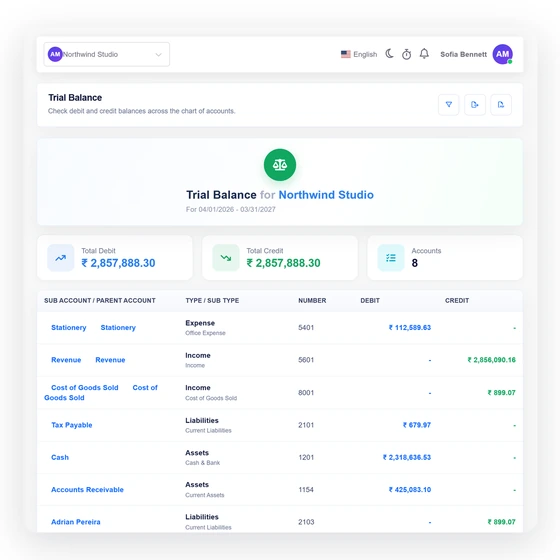
Compare debit and credit by account
Each category appears with its account number, type and the movement classified into debit or credit for the chosen period. Totals at the bottom expose whether the report ties.
Accounting
The Trial Balance combines income, expense, bill and other-account movement by category for the selected period. Debit and credit totals stay visible, including any difference that needs source-level review.
Last updated:
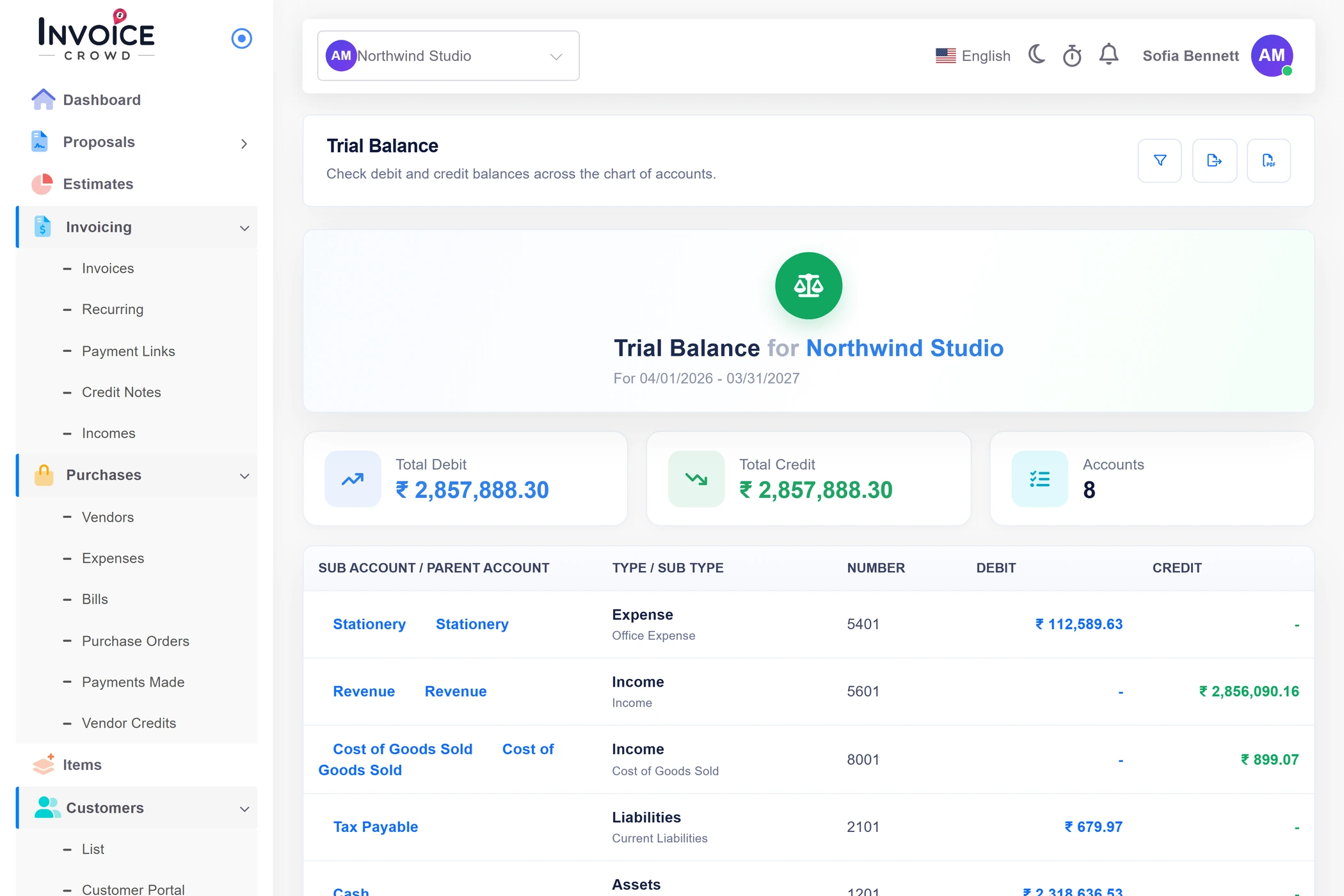
How it works
The report is useful because it puts the account totals next to each other without hiding drift. It is a diagnostic read model, not proof that every historic posting was balanced at write time.
One account row, one classified period movement.
Each category appears with its account number, type and the movement classified into debit or credit for the chosen period. Totals at the bottom expose whether the report ties.
The report is tenant-scoped and recomputes for the requested date window and currency context. It does not bring an opening-balance plug into the period automatically.
Use the report to narrow the review, then inspect the evidence.
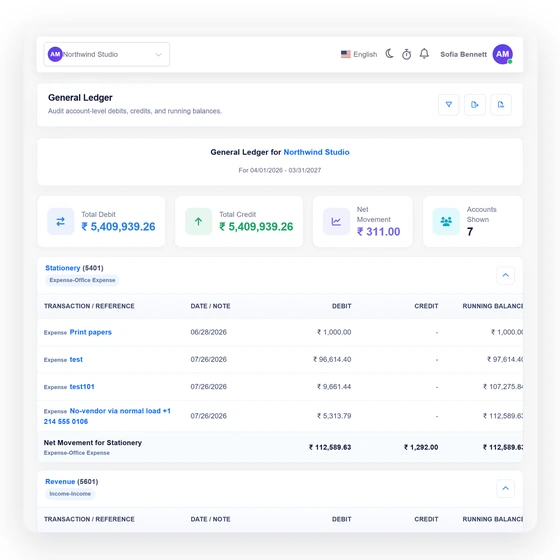
Invoice Crowd does not call a drifting report balanced. The total difference is a direct signal to inspect the affected accounts and source transactions.
The General Ledger is the transaction-level companion to this account summary. Use it to inspect dates, descriptions and sources behind a category that looks wrong.
A portable report still carries the same selected period.
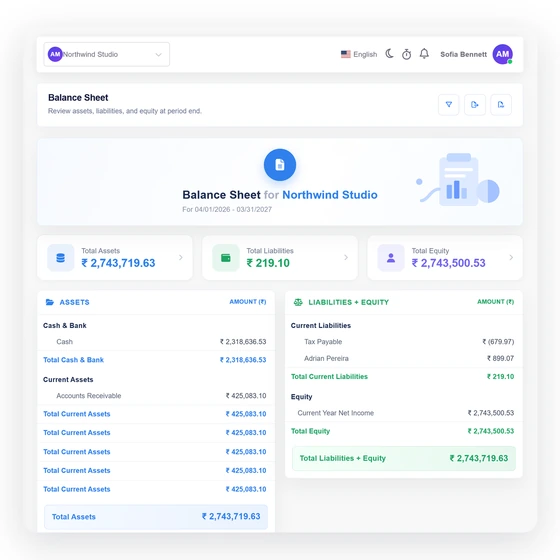
Invoice Crowd exposes PDF, CSV and Excel exports for the Trial Balance. The formats are generated from the report context rather than a separately maintained spreadsheet.
A zero difference is useful, but the current legacy reports still depend on the completeness and consistency of their source tables. The report does not certify the books or repair historical rows.
Built in
The columns, filters, exports and interpretation rules behind the report.
Each category appears with its account number, type and the movement classified into debit or credit for the chosen period. Totals at the bottom expose whether the report ties.
The report is tenant-scoped and recomputes for the requested date window and currency context. It does not bring an opening-balance plug into the period automatically.
Invoice Crowd does not call a drifting report balanced. The total difference is a direct signal to inspect the affected accounts and source transactions.
The General Ledger is the transaction-level companion to this account summary. Use it to inspect dates, descriptions and sources behind a category that looks wrong.
Invoice Crowd exposes PDF, CSV and Excel exports for the Trial Balance. The formats are generated from the report context rather than a separately maintained spreadsheet.
A zero difference is useful, but the current legacy reports still depend on the completeness and consistency of their source tables. The report does not certify the books or repair historical rows.
The report summarizes activity in the selected window.
See the combined amount classified to debit.
See the combined amount classified to credit.
Keep the chart reference beside every total.
Trace an account total into its source lines.
Review Assets, Liabilities and Equity for the period.
Questions
Invoice Crowd lists account-level movement for the selected period and classifies each amount into debit or credit columns, with total debits, total credits and the difference at the bottom.
No. A zero difference is a useful accounting check, but it does not prove that every source, date, account or amount is correct. The current report also depends on the completeness of the legacy source tables.
Use the account totals to narrow the problem, then inspect the affected account in Invoice Crowd's General Ledger and correct the factual source record through its normal workflow.
The current report summarizes the selected period and does not insert an automatic opening-balance plug. Include the intended range and review how opening adjustments were recorded.
Yes. Invoice Crowd provides PDF, CSV and Excel exports for the selected Trial Balance report.
No. The report is read-only. It does not create a balancing journal, rewrite a document or apply an inferred correction.
Compare debit and credit movement, keep the difference visible, and trace the result into the ledger before you sign off the period.