




Skip to content

Charge a late fee the day an invoice turns overdue

Invoice Crowd adds one late fee, flat or a percentage of the amount still owed, the day after an unpaid invoice's due date. The invoice warns the client in advance, the fee appears as its own line, and you can waive it on any invoice.

  • Flat rate or percentage
  • One fee, the day after the due date
  • Itemized on the invoice
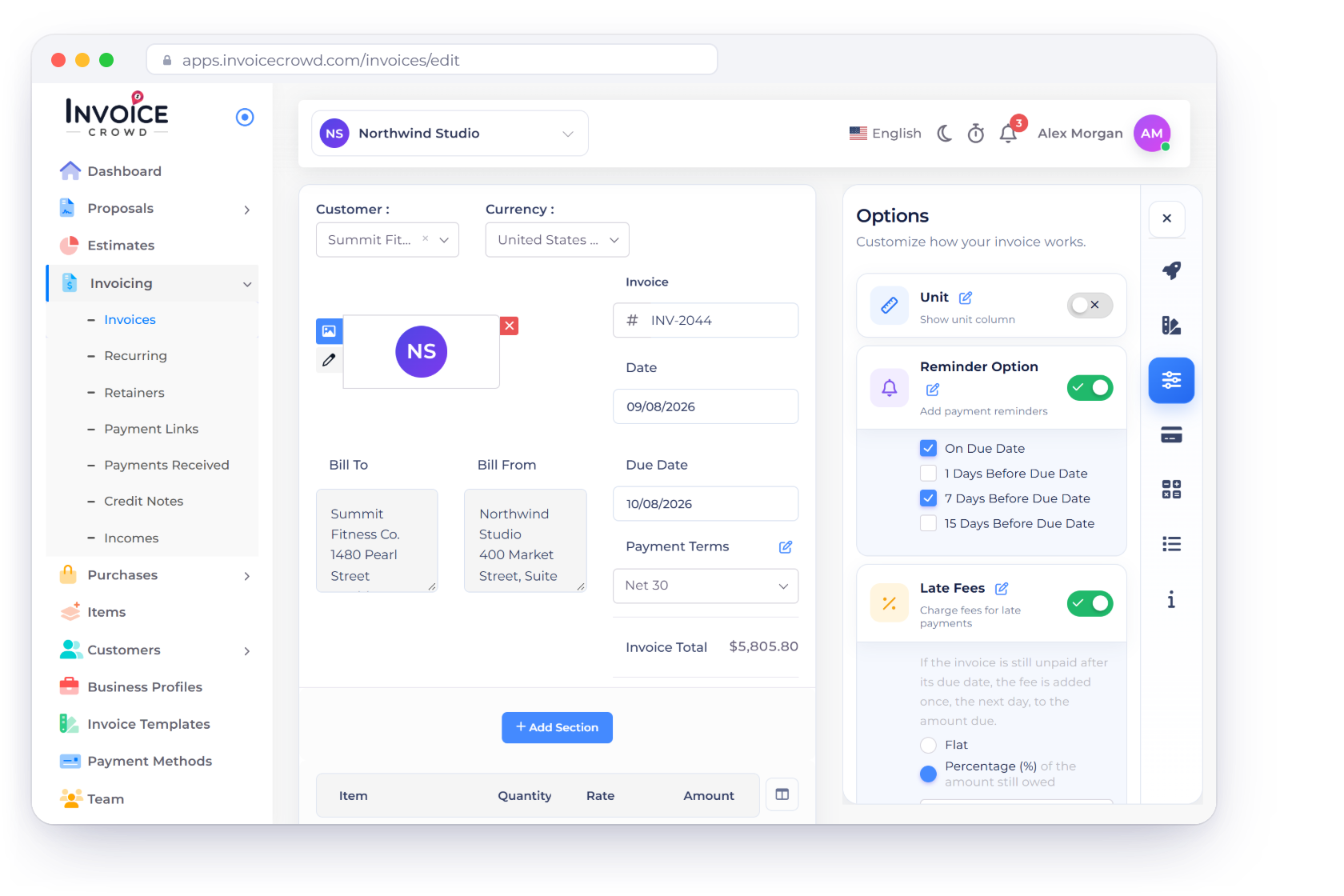
The Invoice Crowd invoice editor for overdue invoice INV-2044 with the Options panel open: Reminder Option on, and Late Fees on at a percentage of the amount still owed, with a pencil beside each option for its business default, and the totals with the one late fee line added the day after the due date

What is inside

From the rule to the line on the invoice

Late fees in Invoice Crowd are a rule you switch on once. The software watches the due date, shows the client a notice in advance, adds one charge, and records it in your books.

Setting the rule

Set once as your default

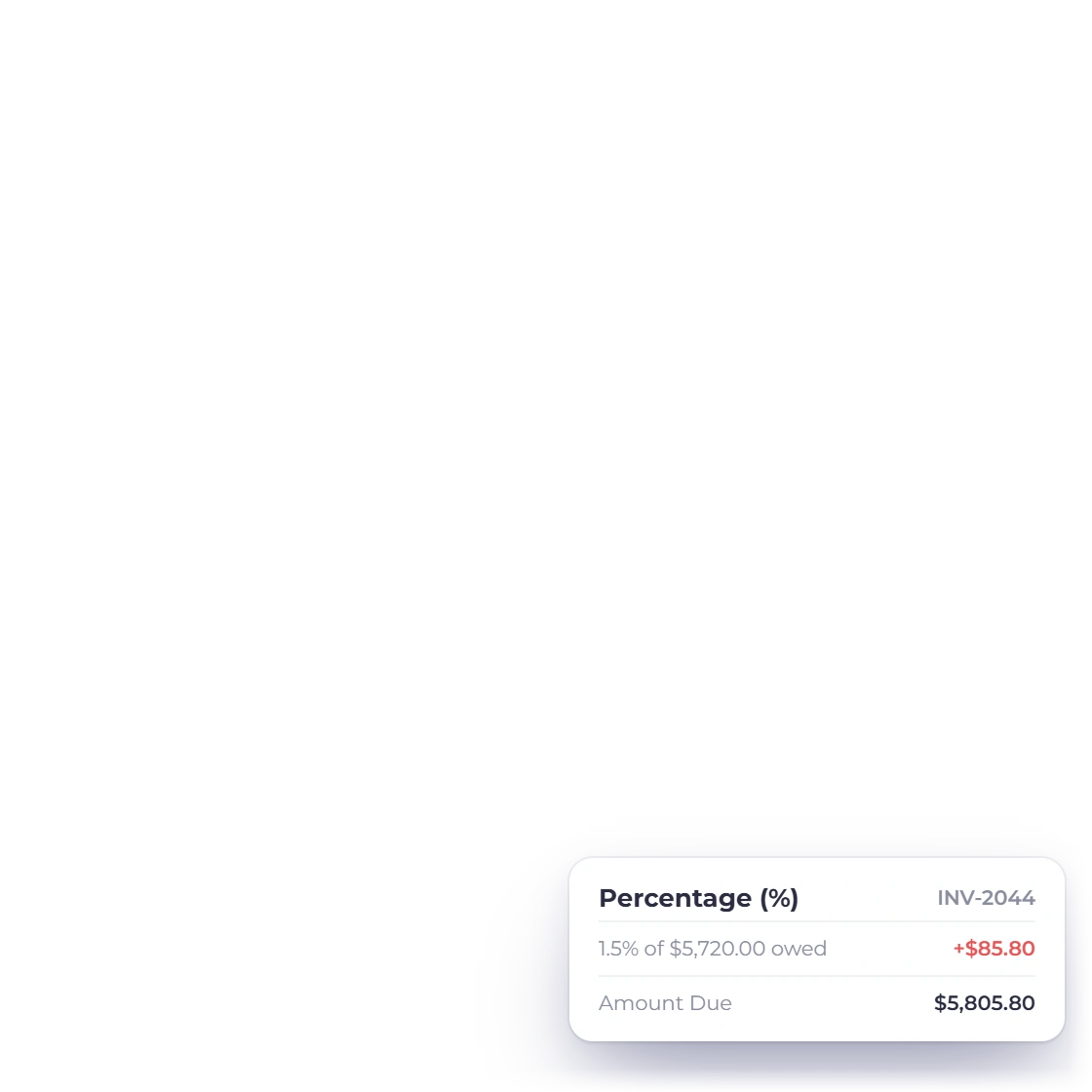
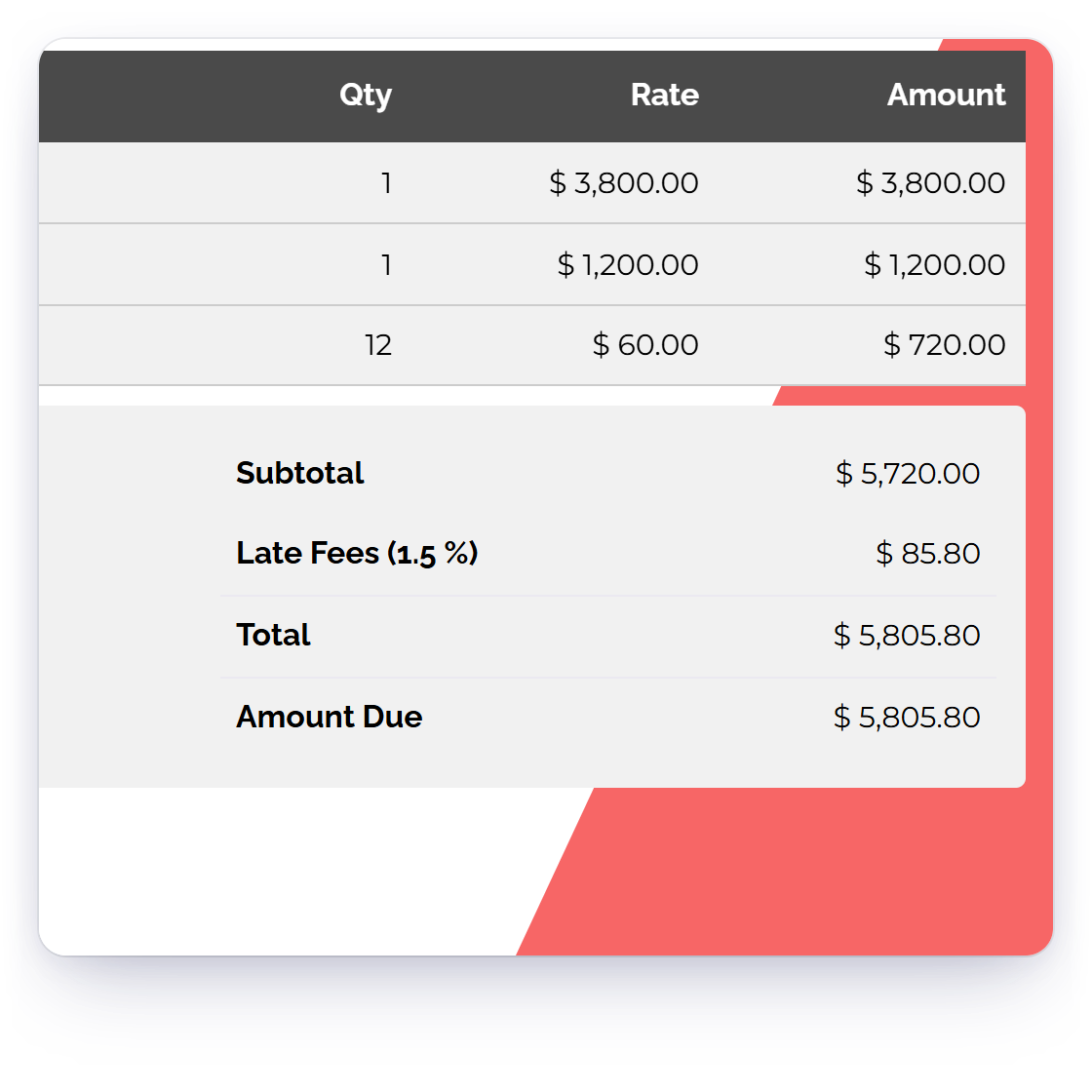
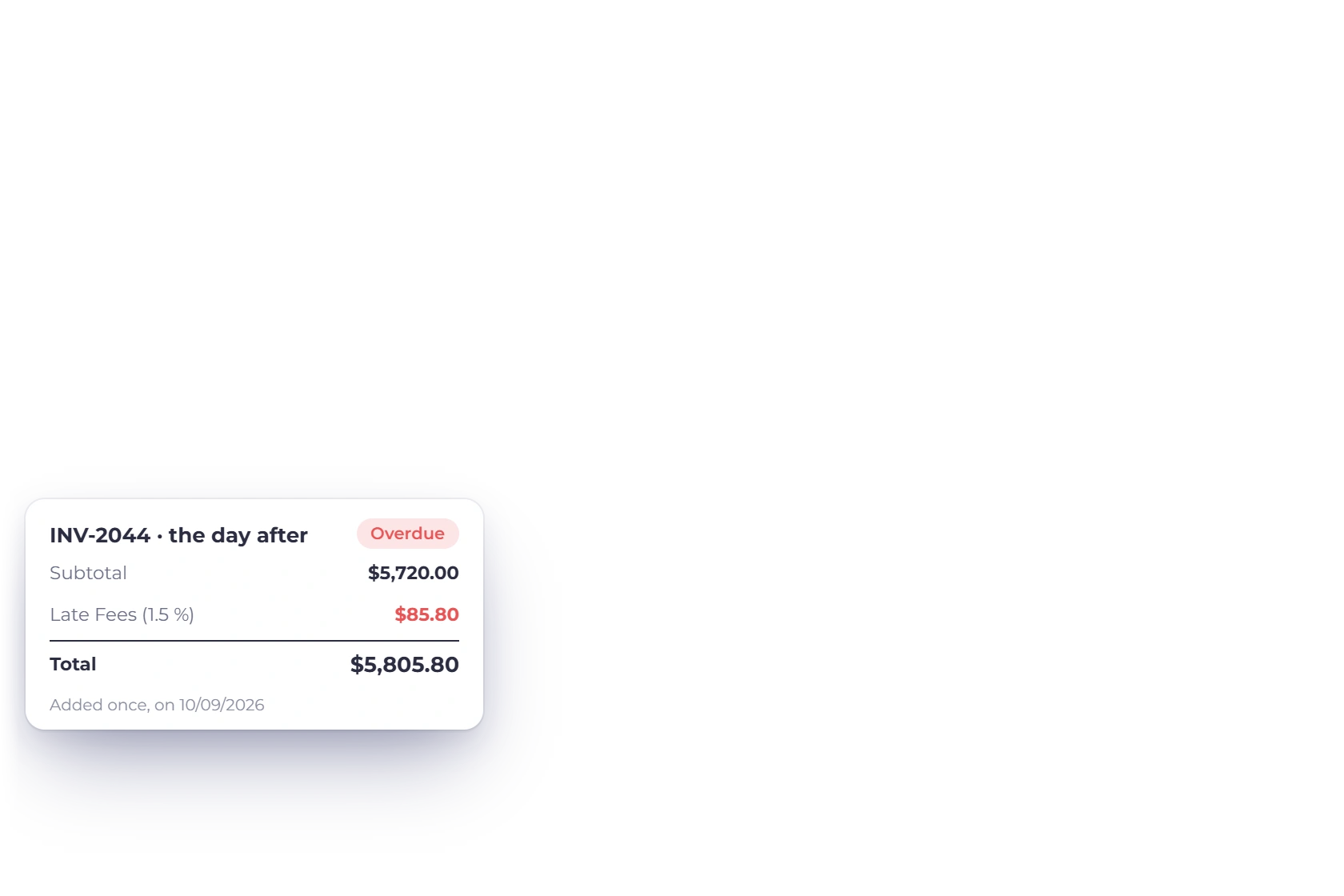
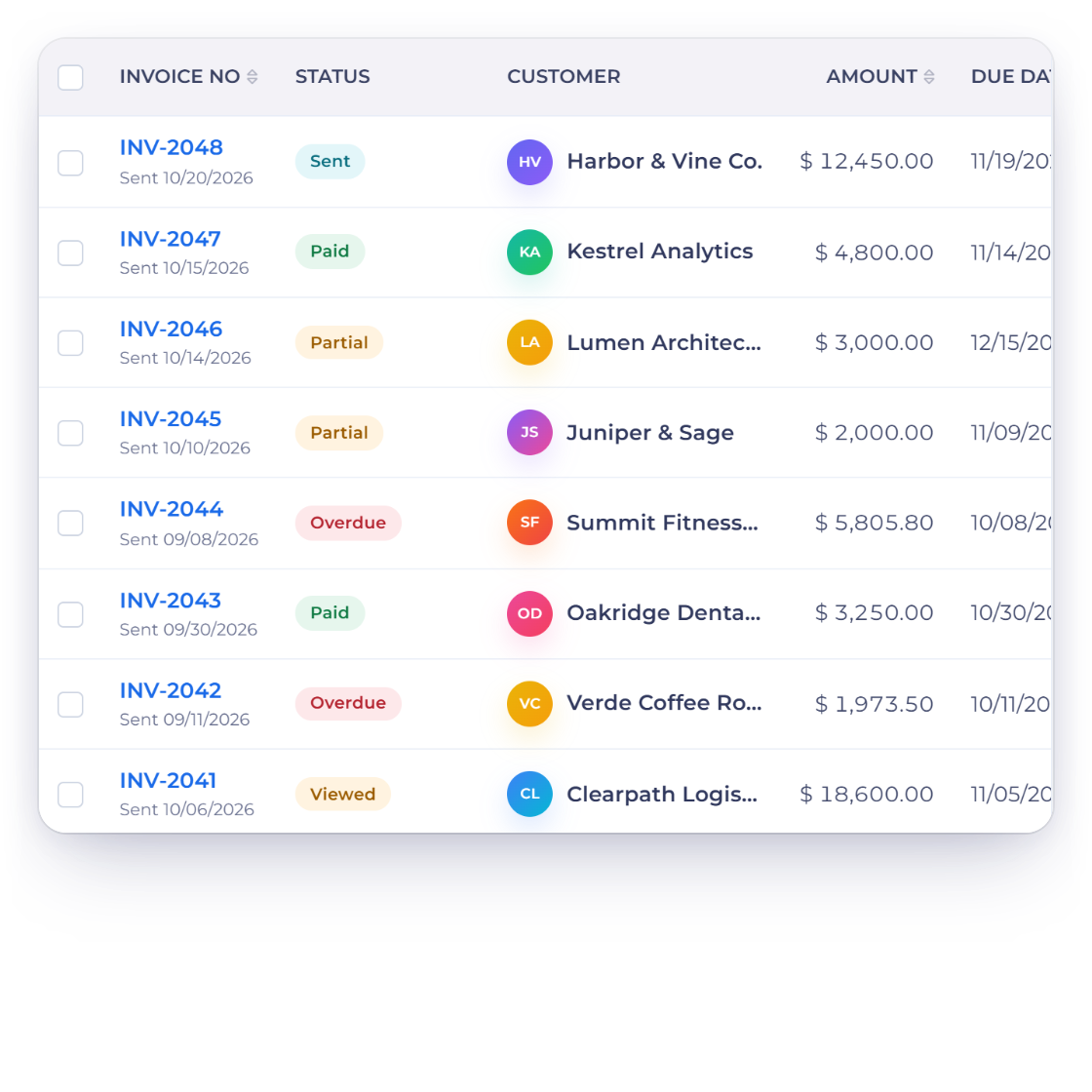
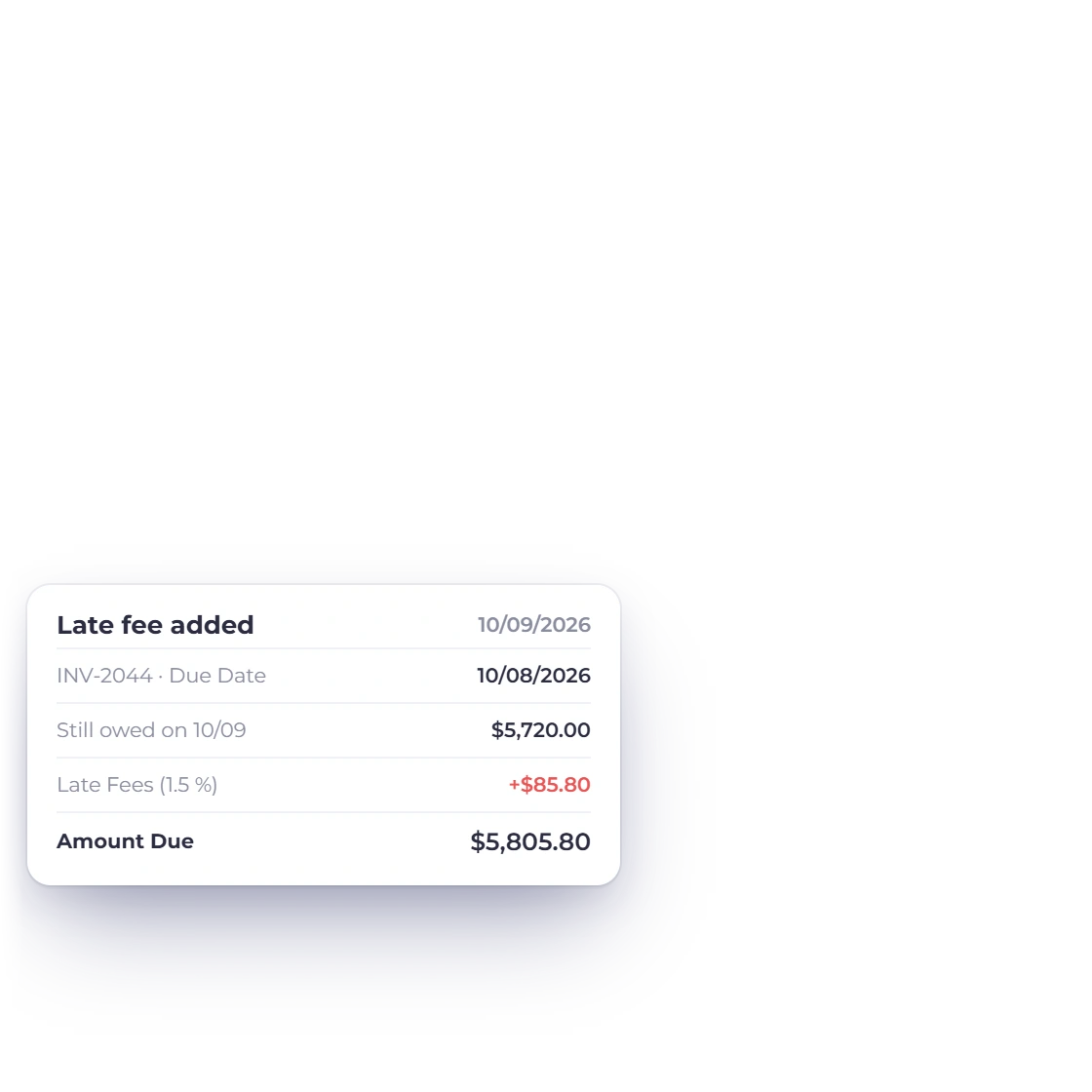
Invoice Crowd invoices list with overdue invoice INV-2044, and the daily check that added one late fee of 1.5 percent of the 5,720 dollars still owed the day after its due date

Automated late fee calculation

Switch on Late Fees as your business default, or on a single invoice, and decide what an overdue invoice should cost. A daily check adds the fee the day after the due date to any sent invoice that is still unpaid. Each invoice gets one fee, so the charge stays fair and predictable.

  • A business default you can change per invoice
  • The fee is added without reopening the invoice
  • Percentages work on the amount still owed
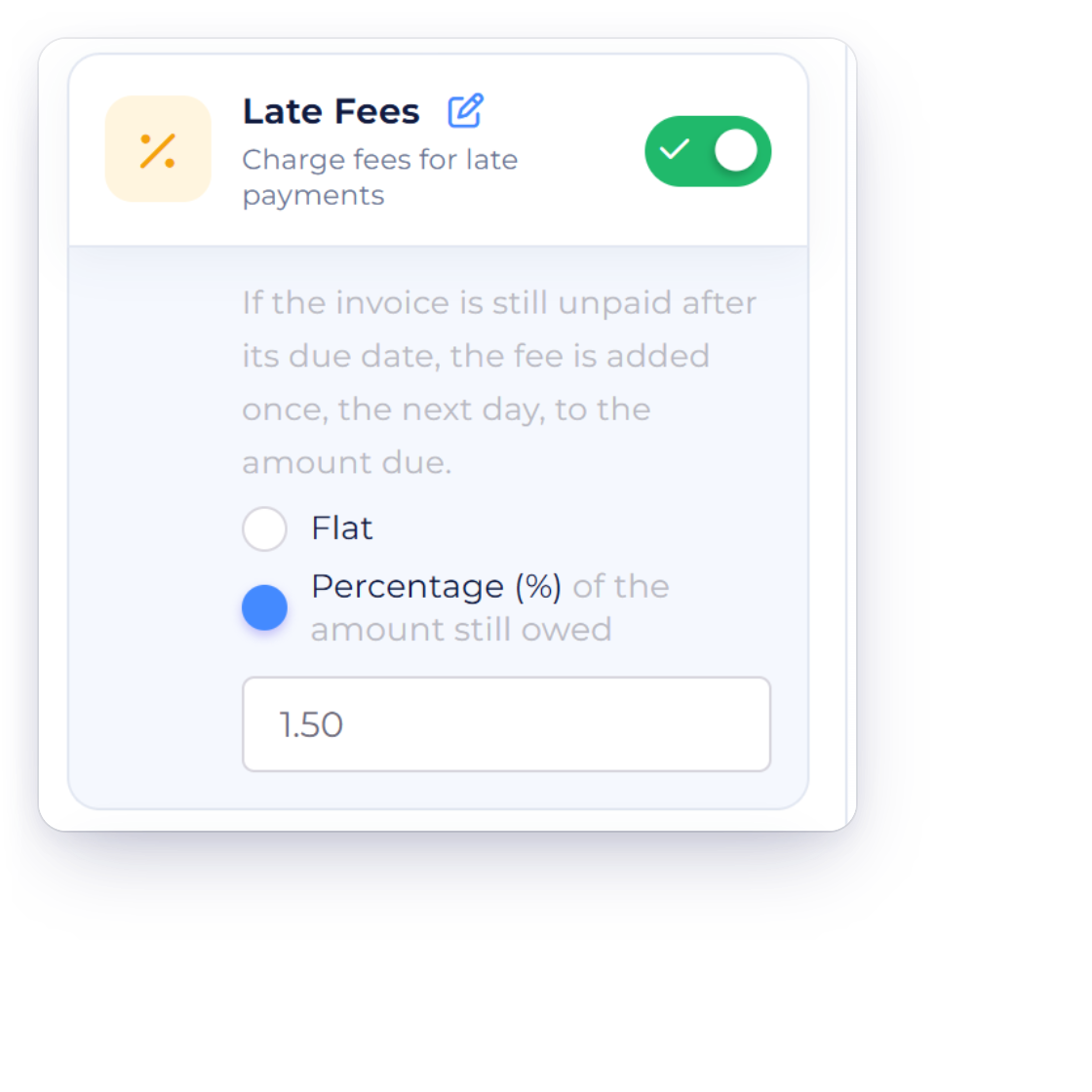
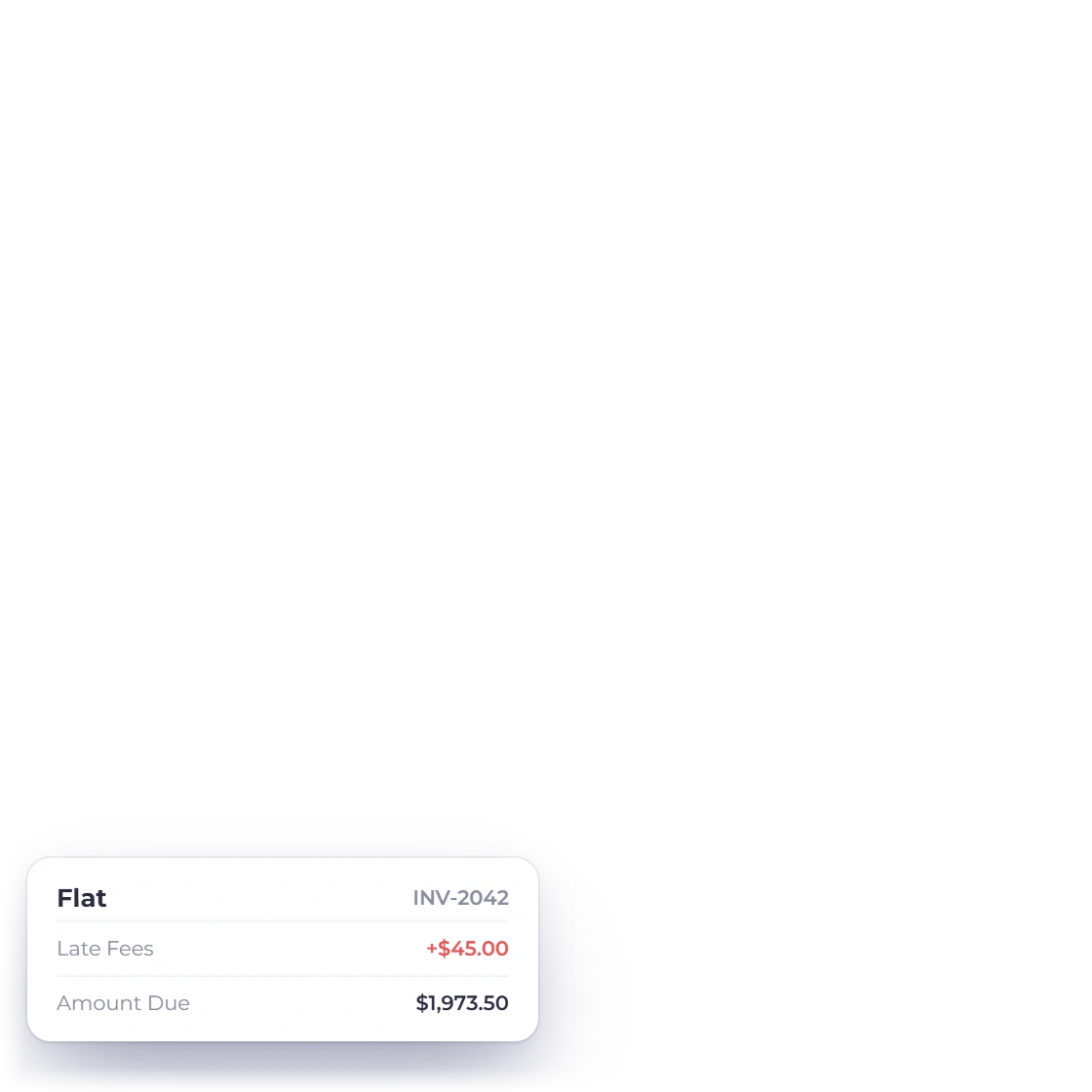
Invoice Crowd Late Fees option in the invoice editor with the choice between Flat and Percentage of the amount still owed, and two invoices showing each kind of fee

A flat rate or a percentage

A late fee can be a fixed amount or a percentage of the amount still owed when the fee is added. Pick whichever suits the work you bill for: a flat charge reads clearly on a small invoice, while a percentage stays proportionate on a large one.

  • Fixed amount or a percentage of what is owed
  • Different structures for different services
  • Charged in the currency the invoice was raised in

When it applies

You set the due date

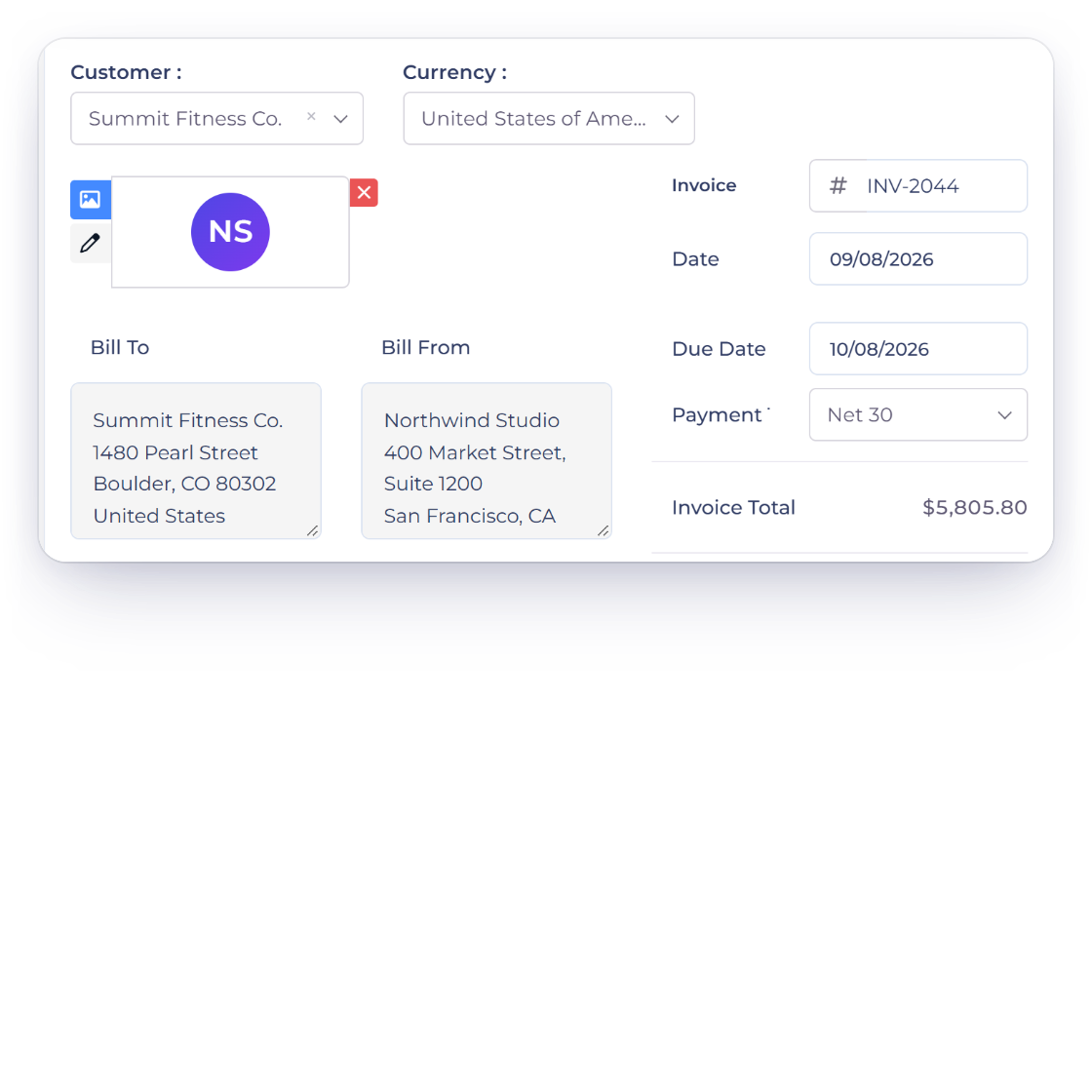
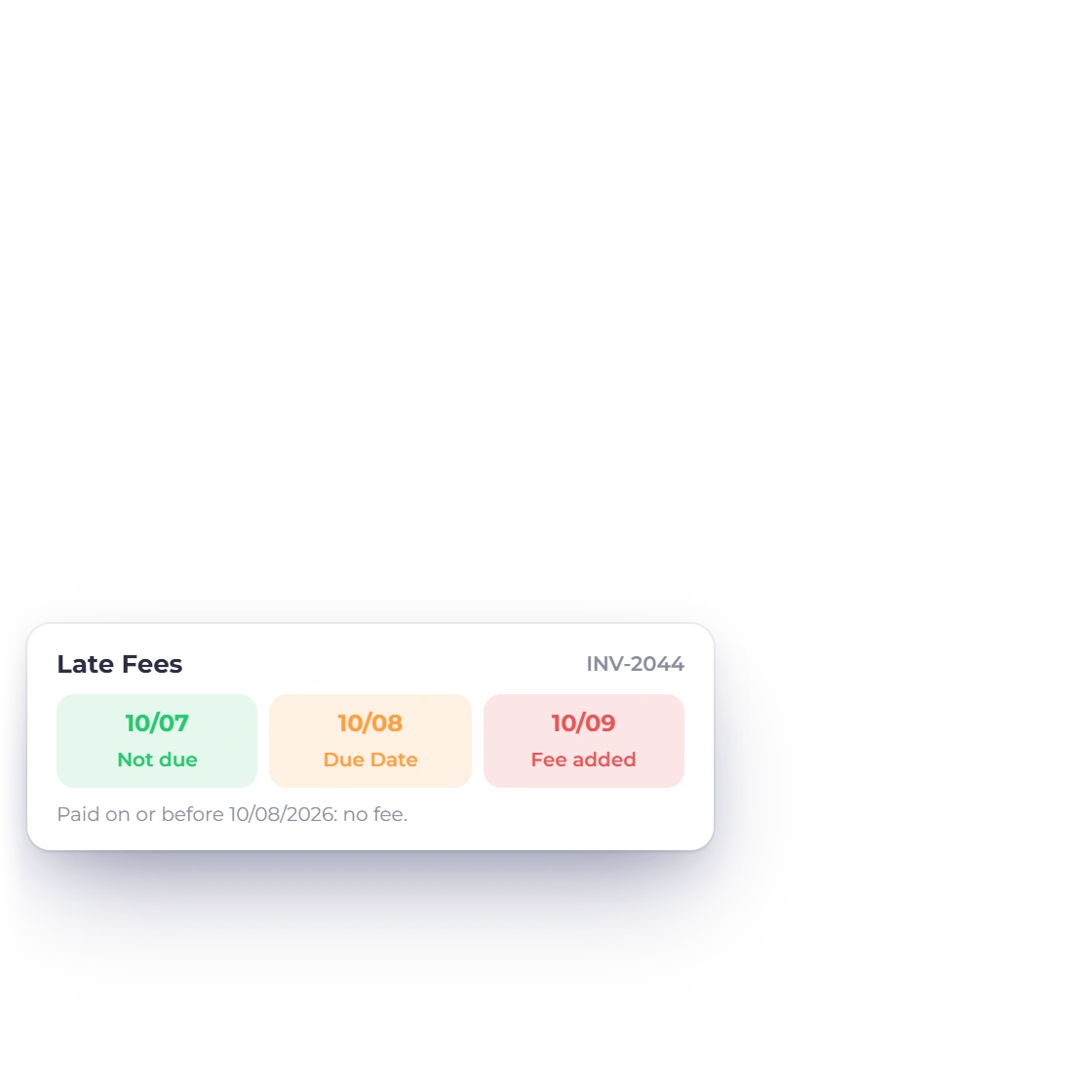
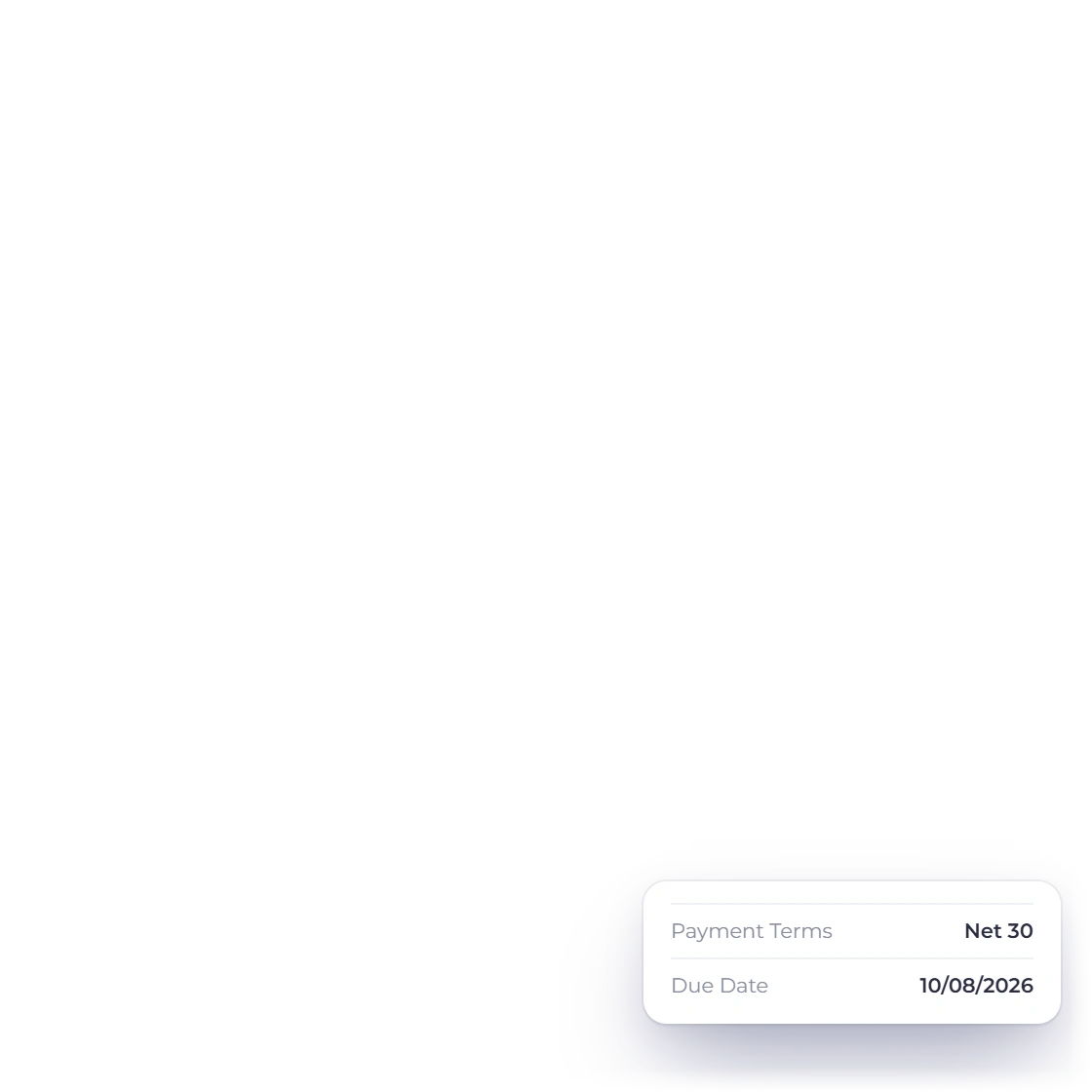
Invoice Crowd invoice editor with the date, due date and Net 30 payment terms of INV-2044, and the timeline of one late fee added the day after the due date when the invoice is still unpaid

Late charges tied to the due date

The fee starts the day after the due date, so the due date you set is the date that matters. Give a client more room by setting a later due date or longer payment terms on their invoice; an invoice paid on or before its due date never carries the fee.

  • Applies the day after the due date
  • Longer terms give a client more room
  • Different dates on different invoices
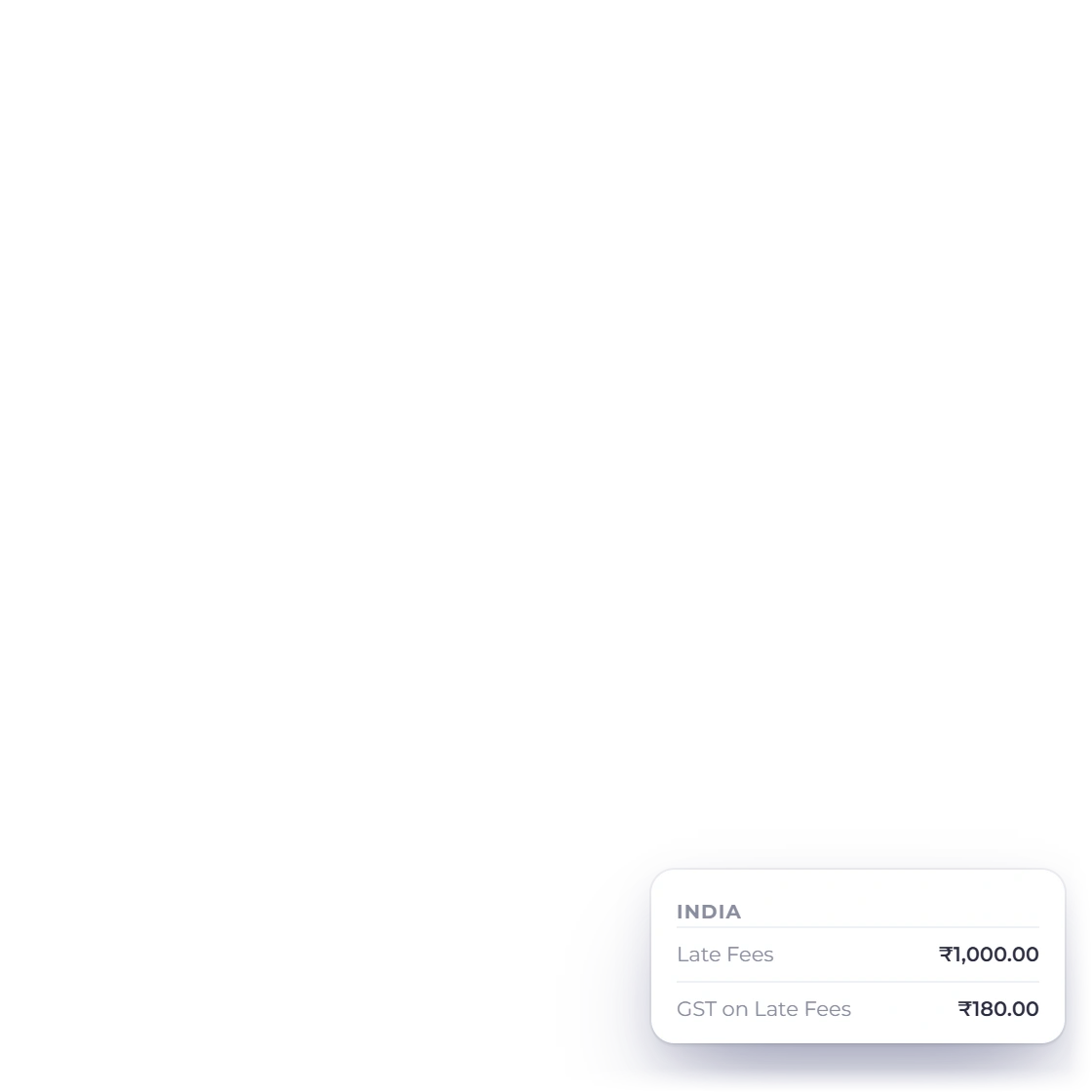
An overdue Invoice Crowd invoice as the client sees it, with Late Fees on its own line under the subtotal and the new amount due, the Waive Late Fee action on that line in the editor, and GST on Late Fees for Indian businesses

Added right on the invoice

The fee lands on the overdue invoice itself, itemized on its own line beneath the original amount. The client can see what they were billed and what the delay added, and the invoice total is the figure you are owed.

  • Shown as a separate line on the invoice
  • The original amount stays visible
  • Waive the unpaid fee on any single invoice
How invoices are built

After it is applied

The client hears about it, and so do your reports

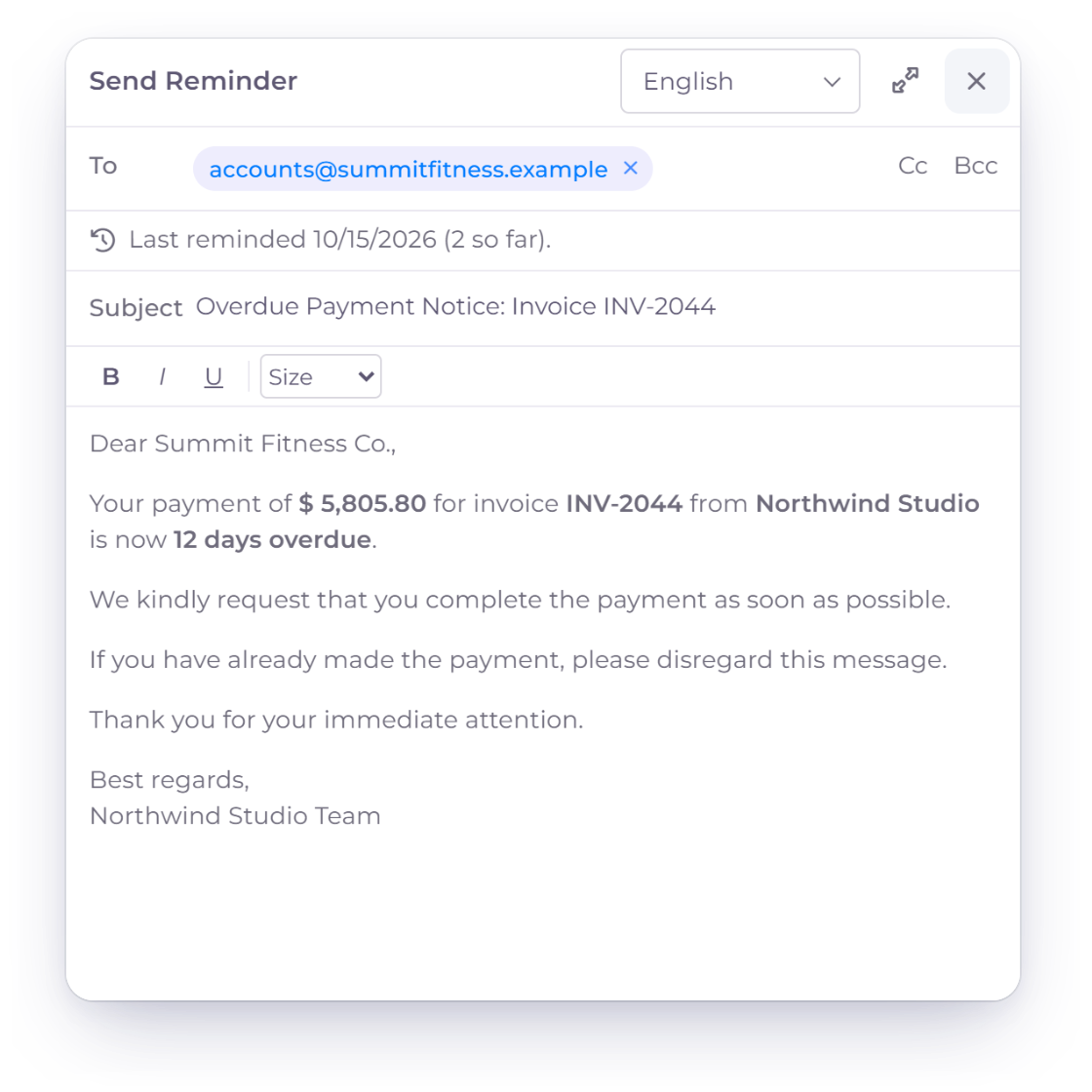
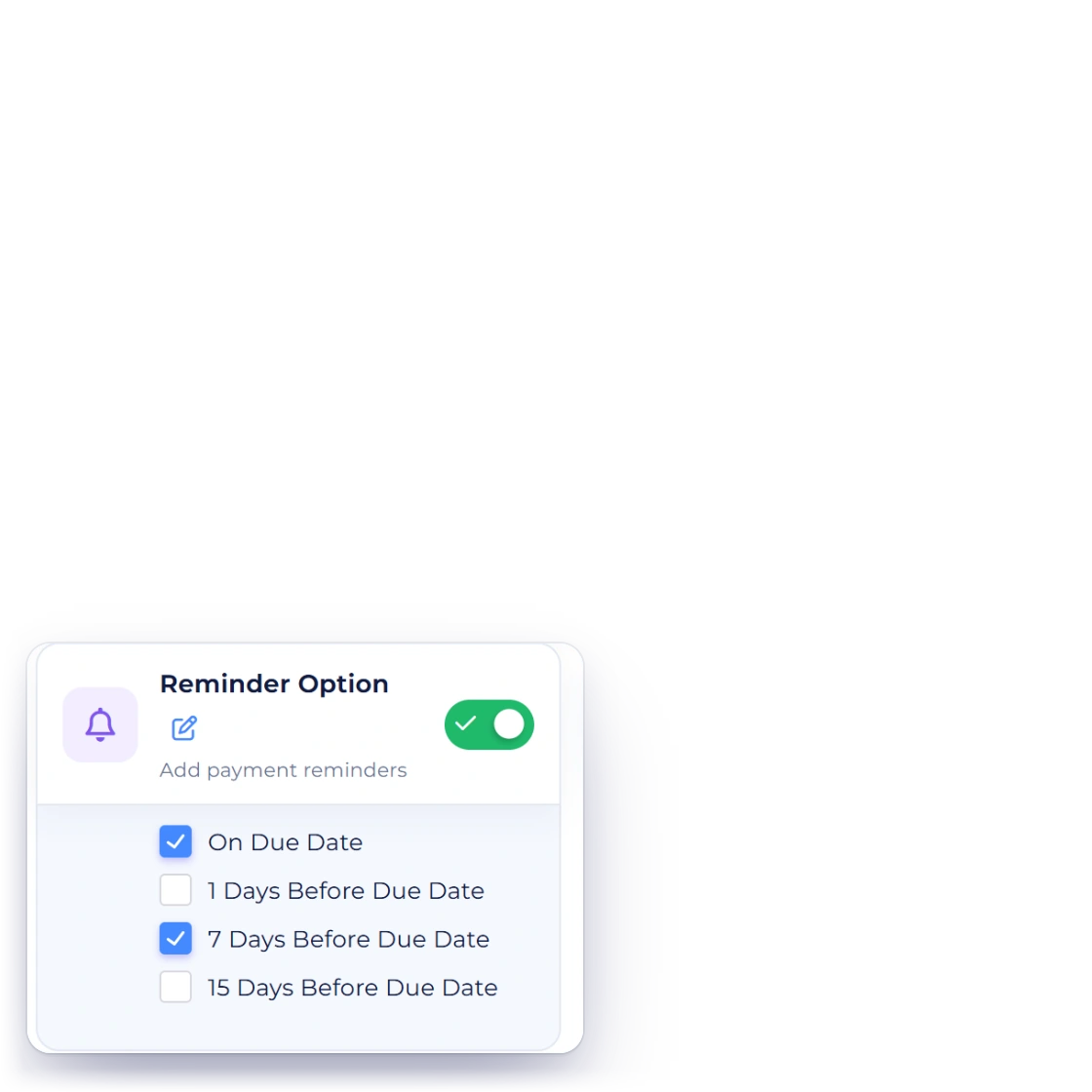
The Invoice Crowd send window in reminder mode with the Overdue Payment Notice for INV-2044 showing the amount outstanding with the late fee and the last reminded date, and the Reminder Option days ticked on the invoice

Clients are reminded after the due date

Before any fee, the invoice and its PDF say that a late fee applies after the due date. Add a reminder for after the due date and the client receives an Overdue Payment Notice with the amount now outstanding, late fee included, so a larger total never arrives unannounced.

  • Overdue notice on the schedule you set
  • The notice shows the amount outstanding
  • Fewer disputes over a total that changed
Payment reminders
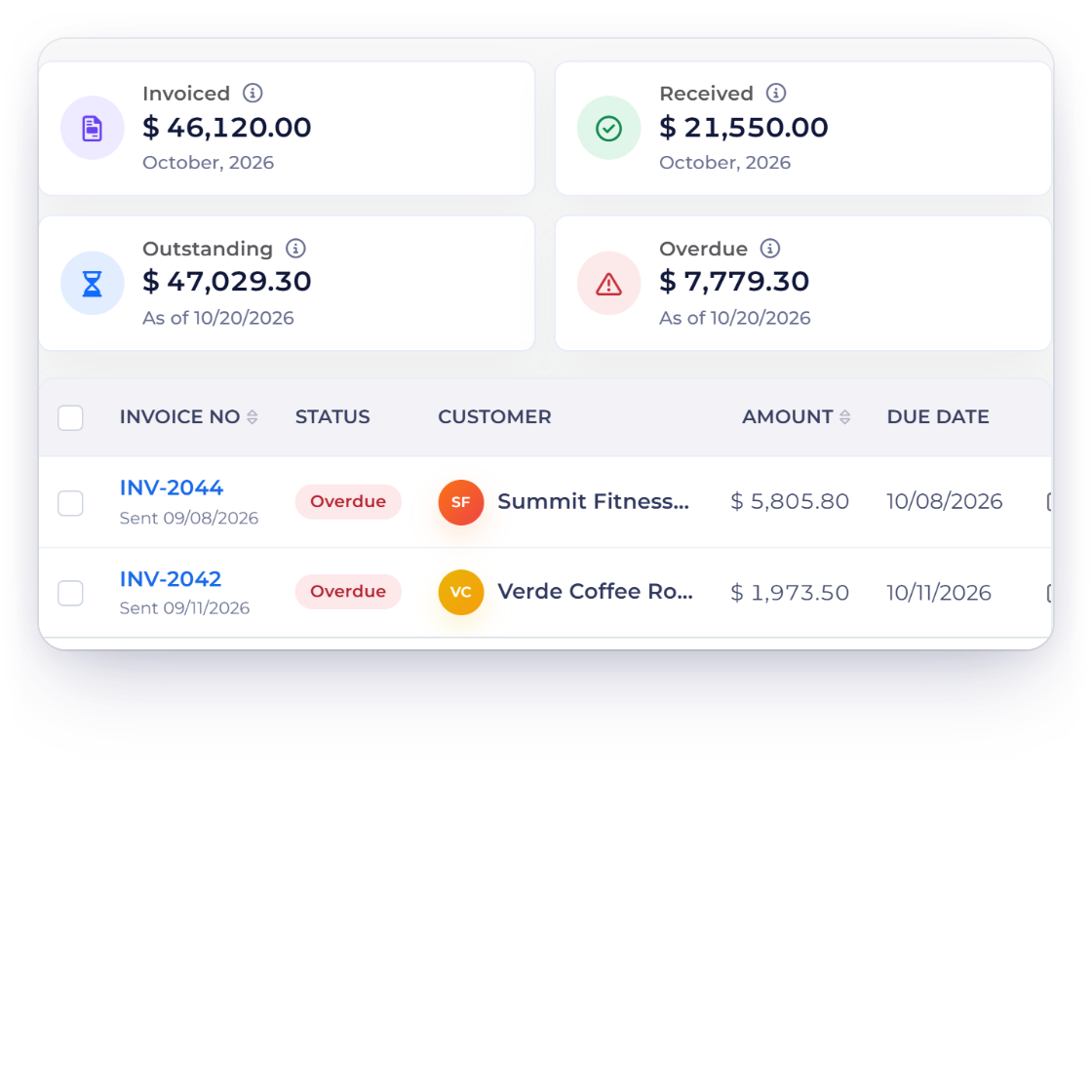
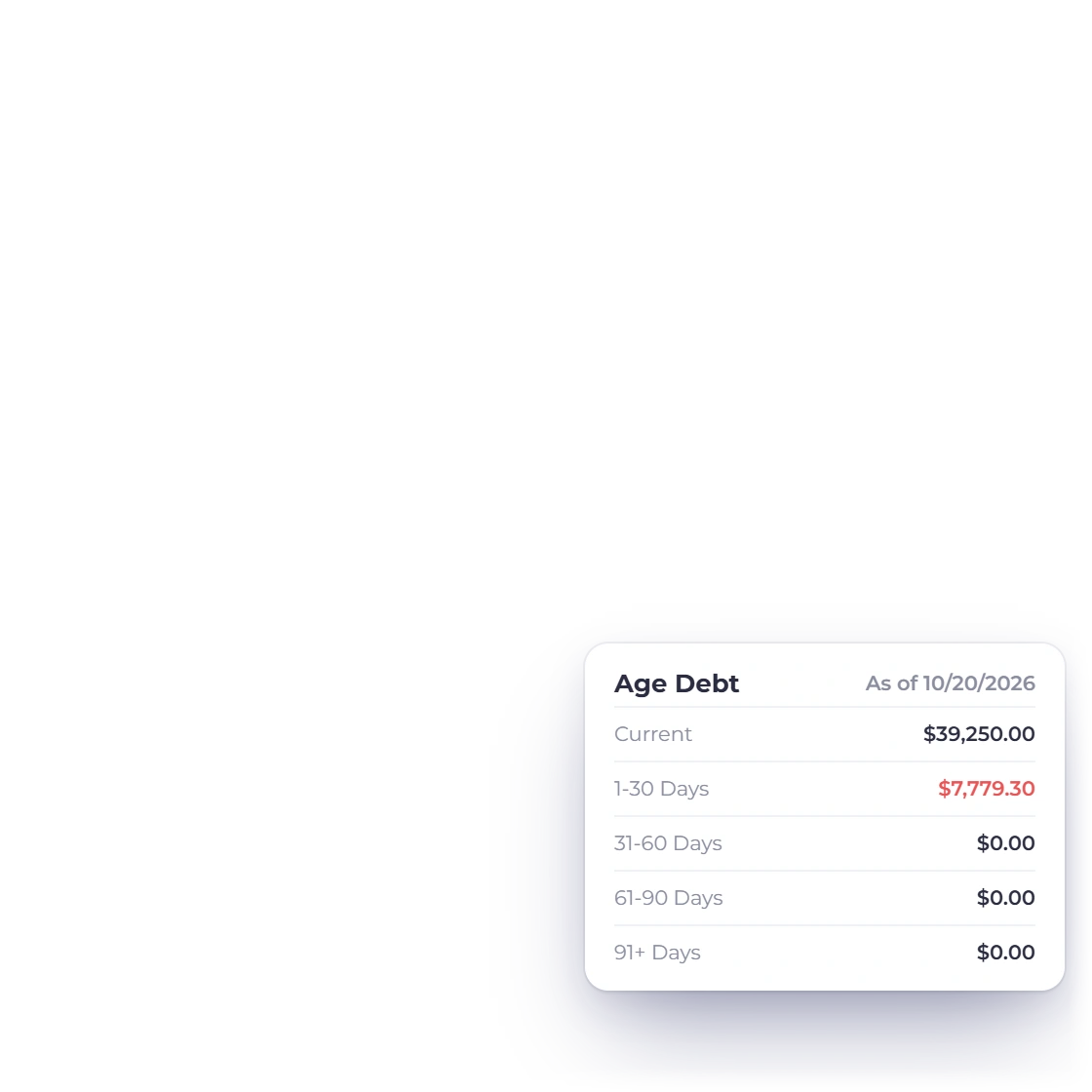
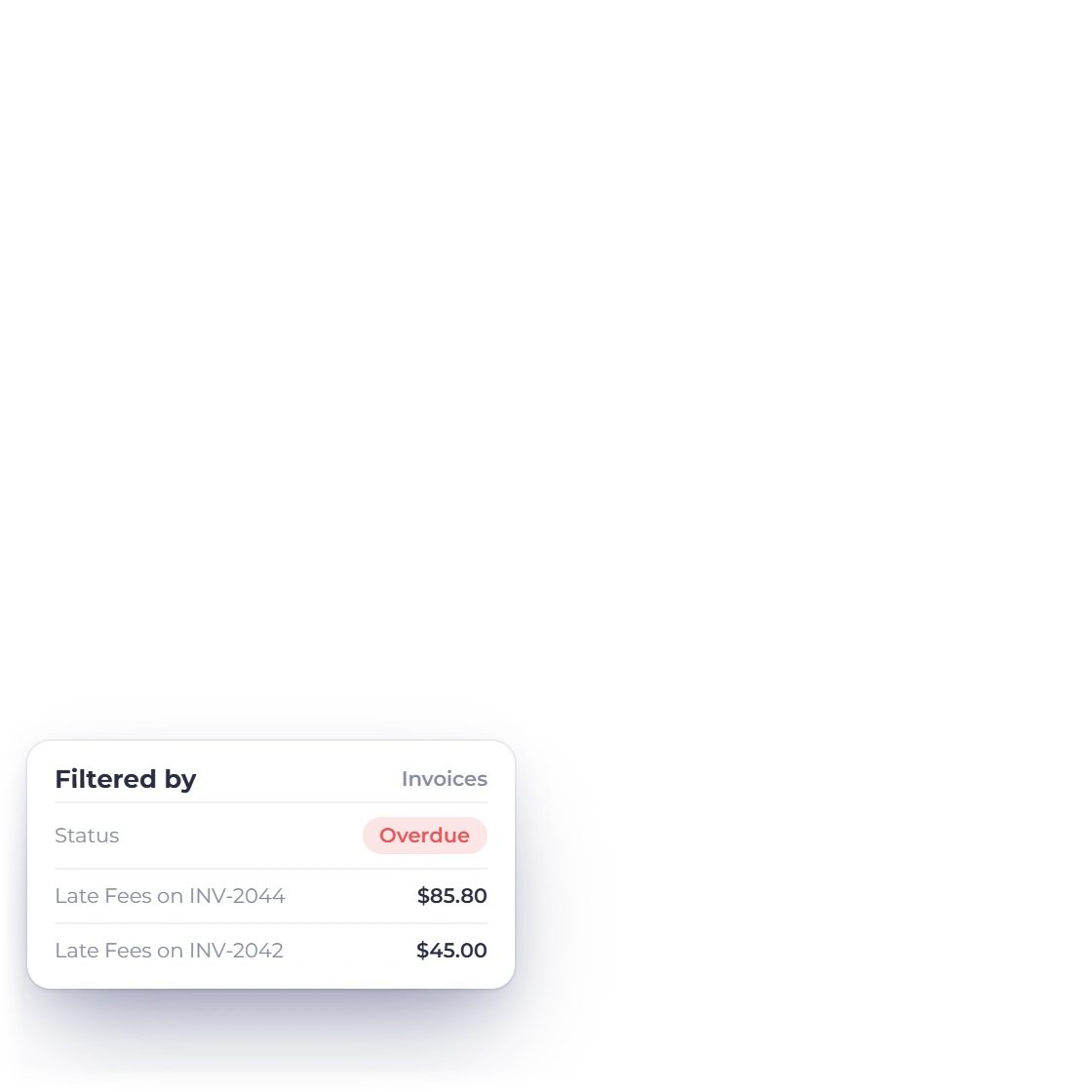
Invoice Crowd invoices filtered to Overdue with the Overdue tile, two overdue invoices whose totals include the late fee, and the Age Debt buckets Current, 1-30, 31-60, 61-90 and 91+ Days

Overdue tracking in the list and Age Debt

Filter the invoice list to Overdue to see every invoice carrying a fee, with totals that include it, and open the Age Debt report to see how long each customer has been behind. Late payment becomes a number you can plan around.

  • Every invoice carrying a fee
  • Age Debt buckets: 1-30, 31-60, 61-90 and 91+ days
  • Sits with the rest of your financial reports
Reports and exports

Also included

The rest of what late fee handling covers

Late fees use the same invoices, customers, currencies and gateways as everything else you bill.

  • Per-invoice rules

    Set the late fee on each invoice, so a client whose contract calls for different terms gets them.

  • Multi-currency fees

    A fee is charged in the currency of the invoice, so overseas billing stays consistent.

  • Overdue at a glance

    Filter the invoice list to Overdue to see every invoice carrying a fee and what it now totals.

  • Fees on part payments

    A percentage fee is worked out on what is still owed, so a part payment already made lowers the fee as well as the balance.

  • Payment reminders

    The invoice states the fee in advance and reminders go out before the date, so a fee is never the first thing a client hears.

  • Scheduled invoices too

    Recurring invoices follow the same overdue rules as the ones you raise by hand.

  • Visible when they pay

    Clients see the revised invoice and the fee line when they open it to pay.

  • Waive at any point

    Waive the unpaid fee on one invoice without changing the rule for everybody else. The waiver is booked that day and the fee stays on record.

  • Posts to your accounts

    Fee income lands in the ledger with the invoice it came from, ready to reconcile.

  • Paid online

    The revised total is settled through whichever gateway the client already uses.

  • Itemized every time

    Each fee appears on its own line, so the amount originally agreed stays clear.

  • Room through terms

    The fee starts after the due date, so longer payment terms give a particular client more room before it applies.

Questions

Late fees, answered

Can I waive a late fee for a particular client?

Yes. Before the due date, switch Late Fees off or change the amount on that invoice. Once a fee has been added, choose Waive Late Fee on the invoice: your customer no longer owes the unpaid fee, the waiver is recorded in your books that day, and the fee itself stays on record. Your other invoices keep the default.

How does the late fee appear on the invoice?

It is added to the overdue invoice as its own line, below the original amount. The client sees what they were first billed and what the delay added, and the invoice total is updated to the sum of the two.

Do late fees apply if a client has paid part of the invoice?

Yes, on what is still owed. A percentage fee is worked out on the balance due on the day the fee is added, never on what was already paid or credited. Later payments settle the invoice amount first and the fee last.

Can different services carry different late fee rules?

Yes. Late fees are set per invoice, as a flat amount or a percentage, with defaults for invoices in your business profile settings, so a small quick job and a long project can each carry the structure that suits it.

When exactly does the fee get charged?

The day after the due date, if the invoice has been sent and is still unpaid. The fee is tied to the due date you set on the invoice, so a later due date or longer payment terms give a client more room, and an invoice paid on or before its due date never carries the fee.

Does the client know a fee has been added?

Yes. Before the due date, the invoice and its PDF show a notice that a late fee applies after the due date. Once the fee is added it appears as its own line, and a reminder you set for after the due date sends an Overdue Payment Notice with the amount now outstanding.

How often is a late fee charged?

Once. Each invoice gets one fee, added the day after its due date, and the amount stays fixed. To give a client more time, set a later due date or longer payment terms. Switch late fees on in your business profile or on any single invoice.

Is GST or VAT charged on a late fee?

For businesses in India, yes: GST is charged on the fee at the rate of the invoice's own supply and shows as a GST on Late Fees line, and the notice on the invoice says plus GST. Everywhere else the fee is added without tax.

What if a credit note clears the invoice but not the late fee?

A credit note applies to the invoice's own lines. When that leaves only the late fee owing, Invoice Crowd lets you choose: Waive Late Fee to close the invoice, or Keep Fee to keep collecting it.

Stop absorbing the cost of being paid late

Write the rule, pick the date, and let overdue invoices carry their own penalty. Chasing becomes a report you read rather than a task you do.

  • 30-day free trial
  • No credit card required
  • Works on the invoices you already send