Skip to content

Split and partial invoice payments

Invoice Crowd lets a client pay one invoice in parts: split it into agreed amounts and dates, or allow partial payments above a minimum you set. The amount received and the remaining balance stay on the same invoice.

  • Amounts and due dates
  • Partial payment minimums
  • Paid and outstanding balances
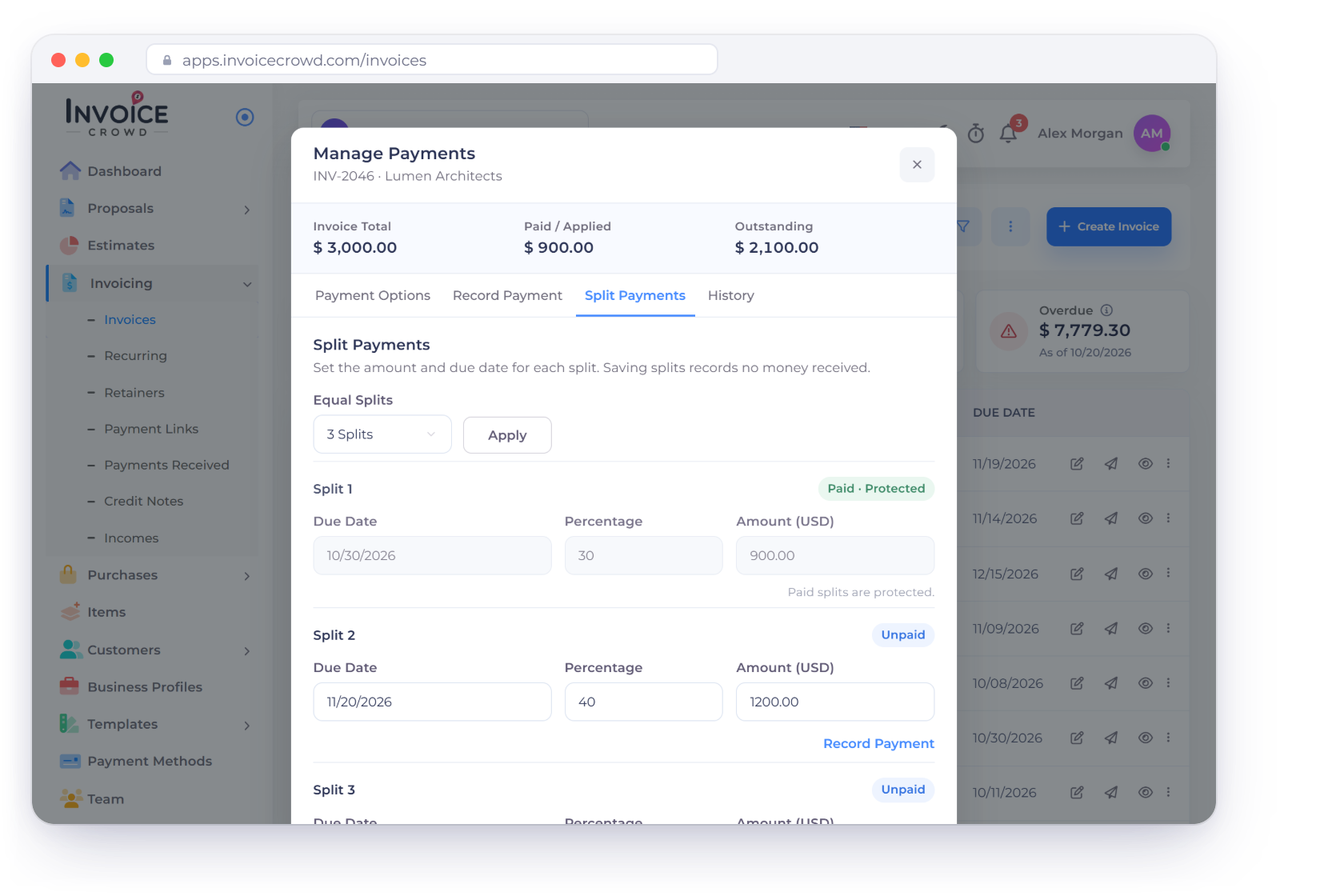
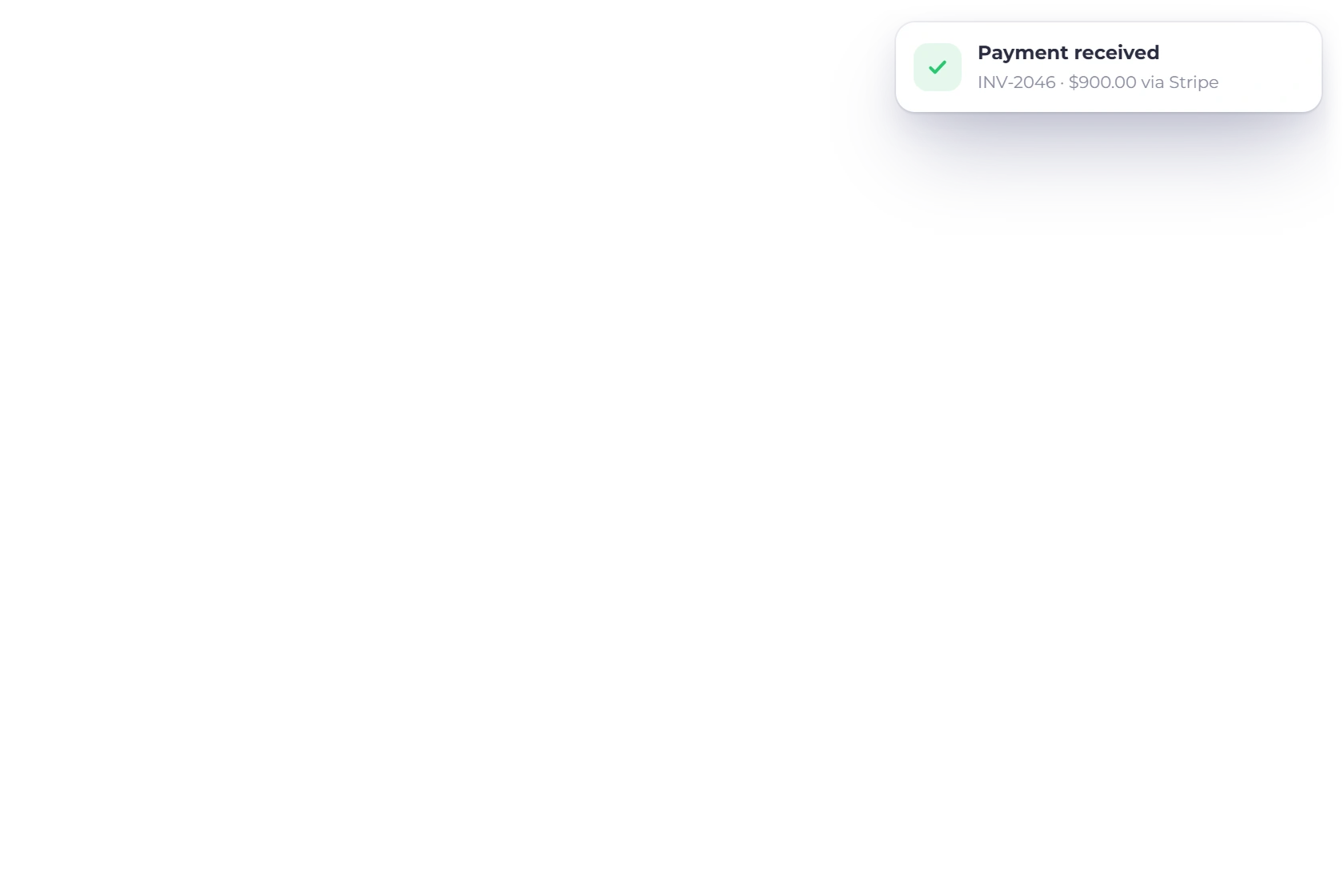
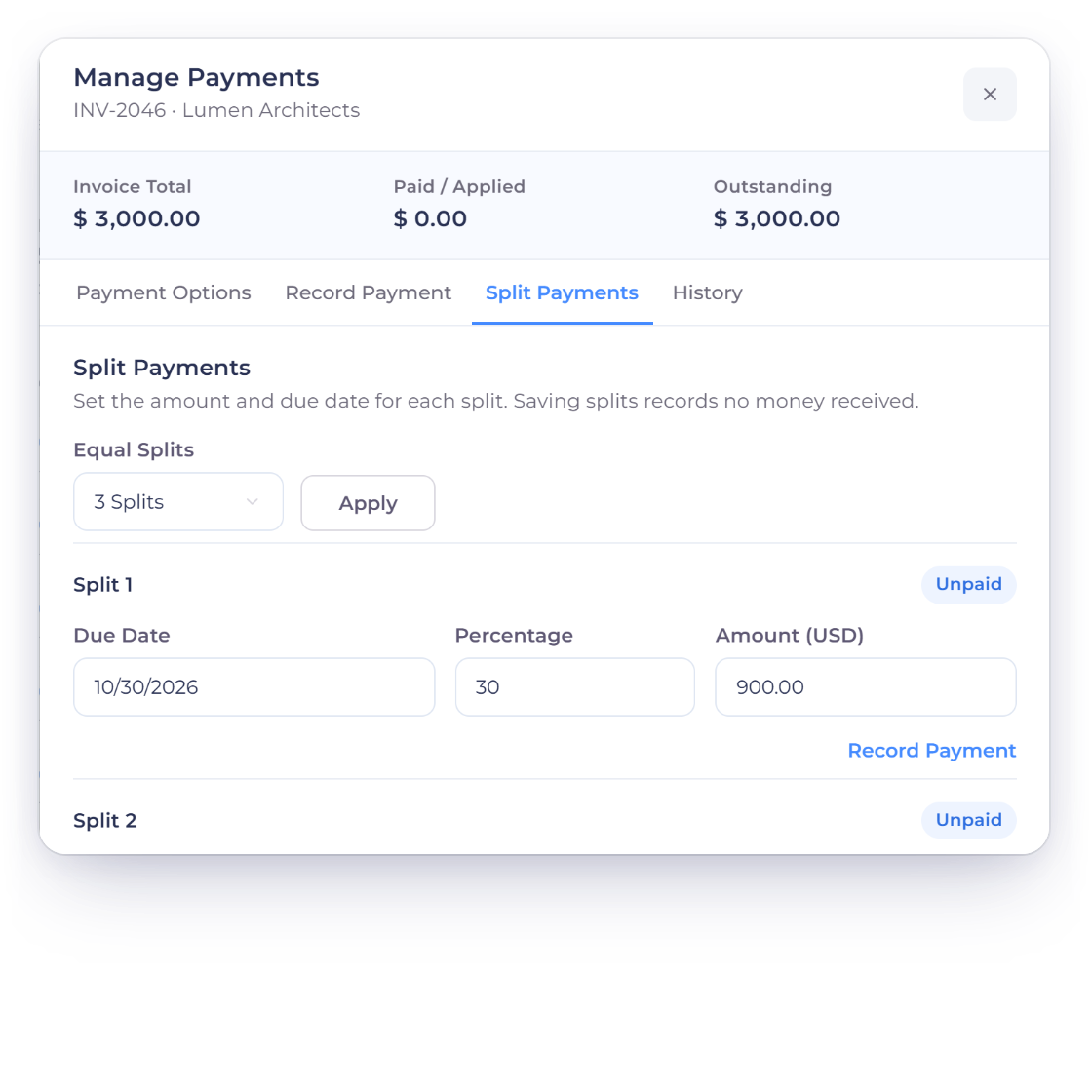
The Invoice Crowd Manage Payments window on the Split Payments tab for INV-2046, a 3,000 dollar invoice in three splits with Split 1 paid and protected, next to the Payment Schedule the client sees and the first instalment paid online

What is inside

Fixed instalments or flexible part payments

Both live in the Manage Payments window on the invoice. Choose Split when you agree the amounts and dates in advance. Choose Partial when the client decides how much to pay, above a minimum you set.

Split payments

You set the schedule

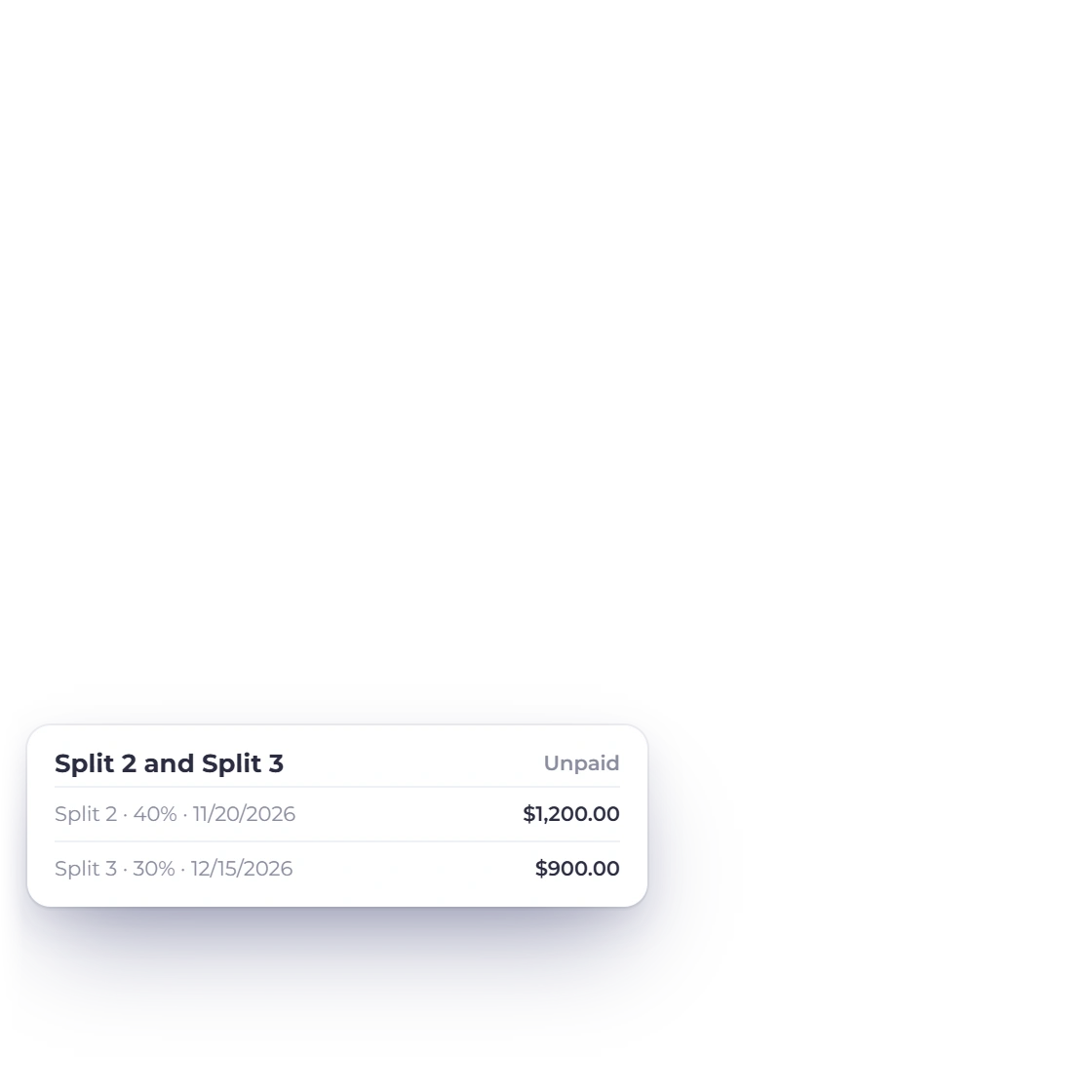
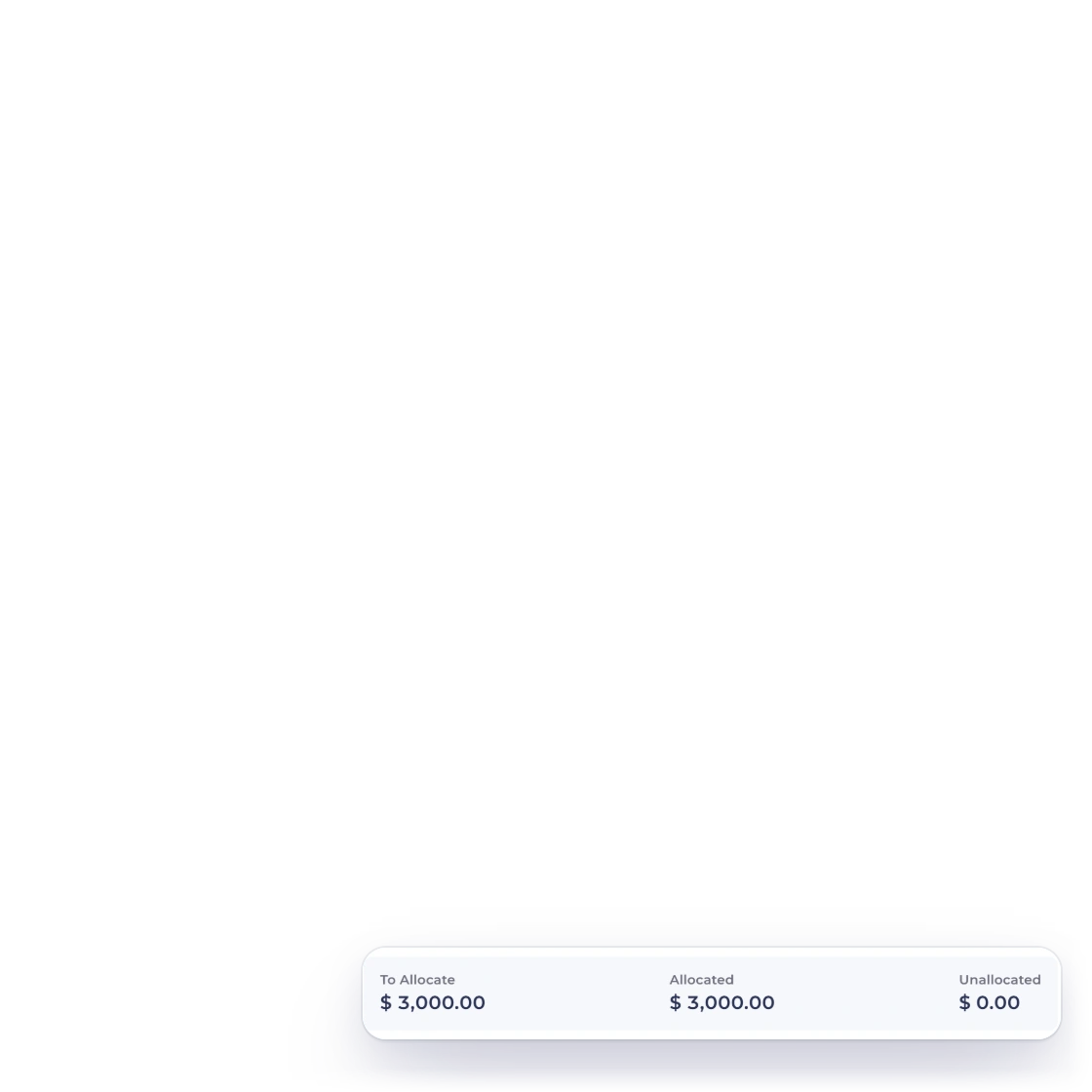
Invoice Crowd Manage Payments window, Split Payments tab, splitting INV-2046 for 3,000 dollars into 900, 1,200 and 900 dollar splits, each with a due date and percentage, with nothing left unallocated

Plan a $3,000 project in three payments

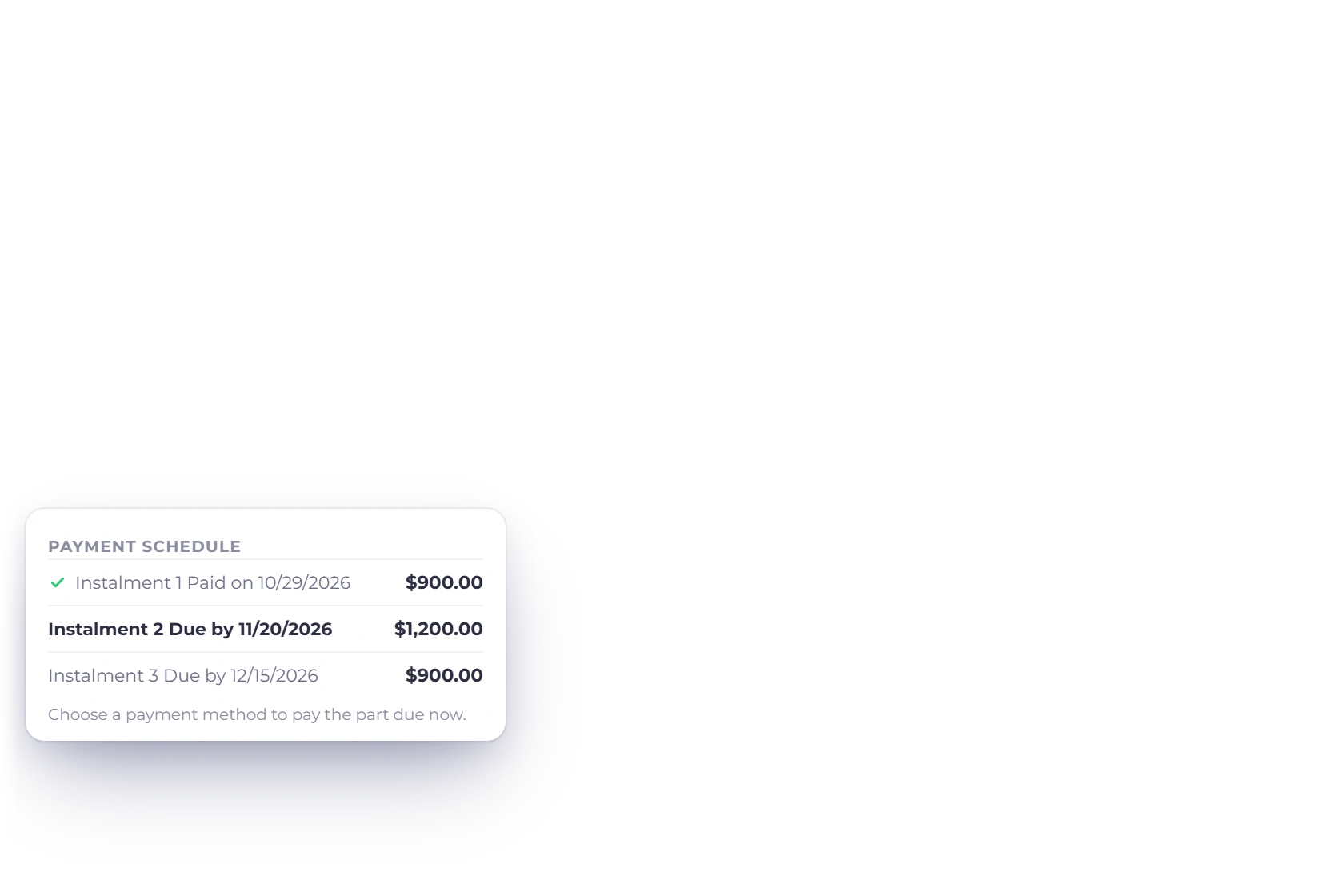
For example, agree 900 before work starts, 1,200 at a milestone and 900 on completion. In Split Payments, start from equal splits or a deposit row, then enter the amounts and dates that match the agreement. The schedule totals 3,000, and the client sees it as a Payment Schedule with each instalment's due date.
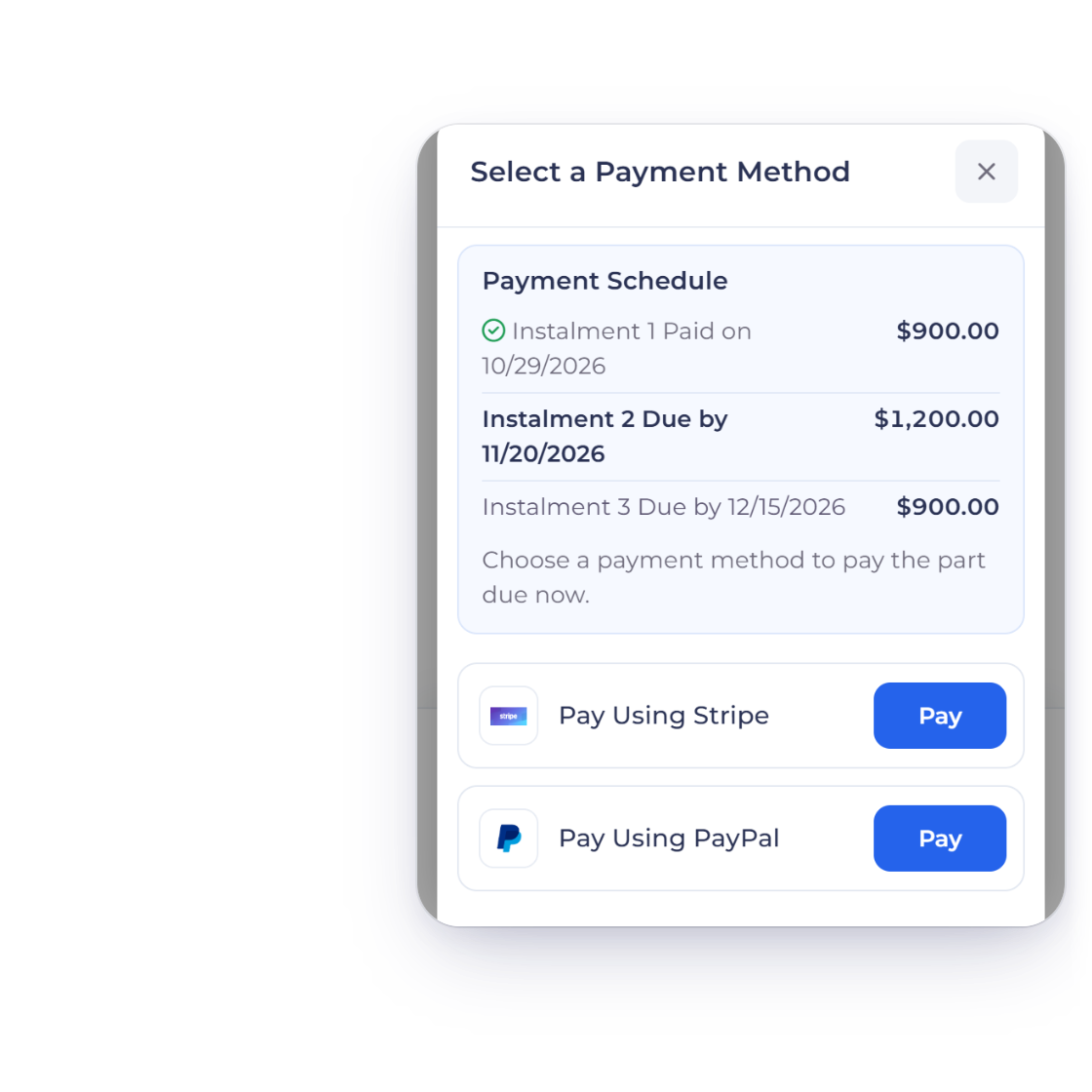
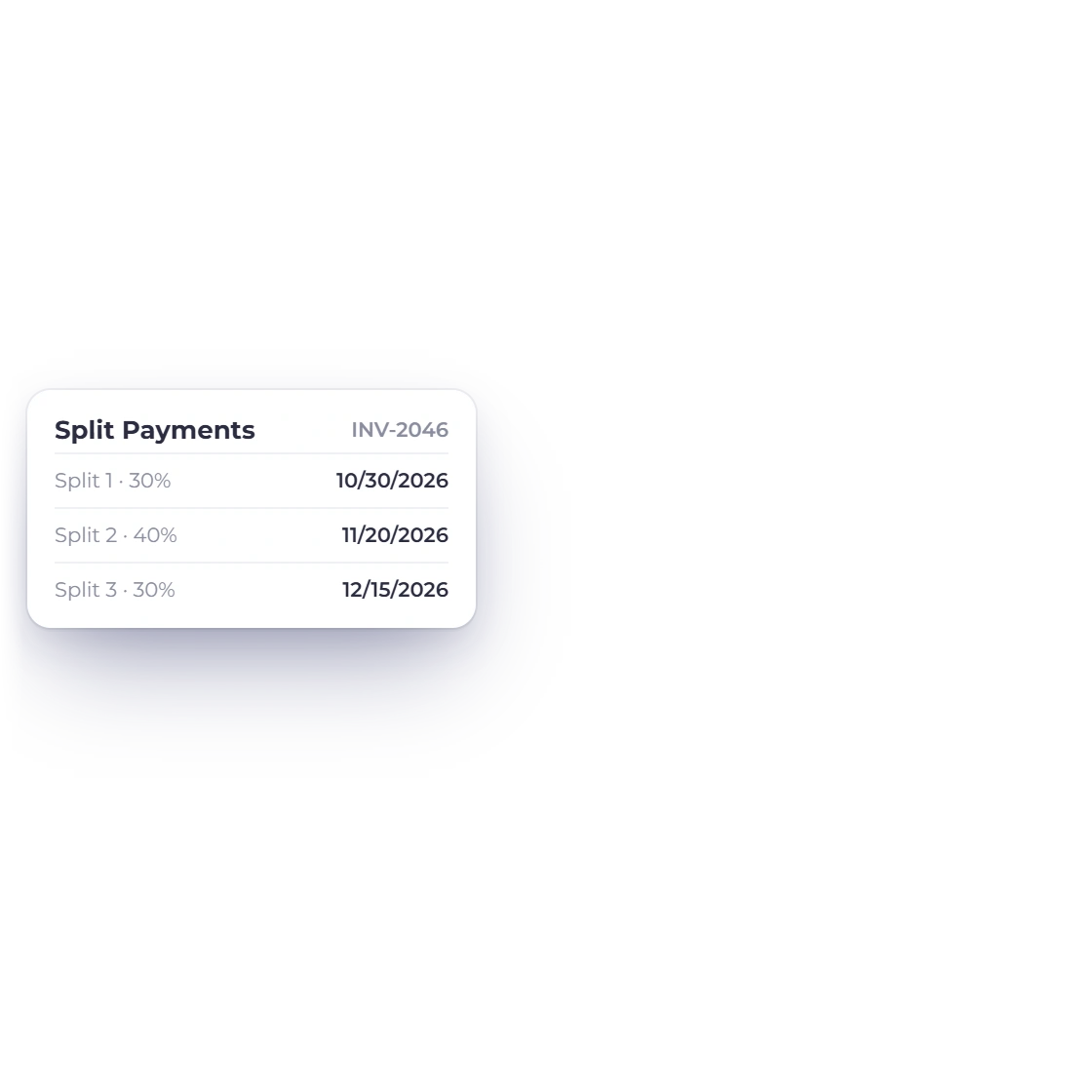
An Invoice Crowd invoice on a phone with the Payment Schedule: instalment 1 paid on 10/29/2026, instalment 2 due by 11/20/2026 and instalment 3 due by 12/15/2026, and the agreed due dates for each split

Clear due dates for every instalment

Each instalment carries the date you agreed, and the client sees exactly what is due and when. Pair the schedule with reminders to keep each payment on track.

How reminders work

Partial payments

The client sets the amount

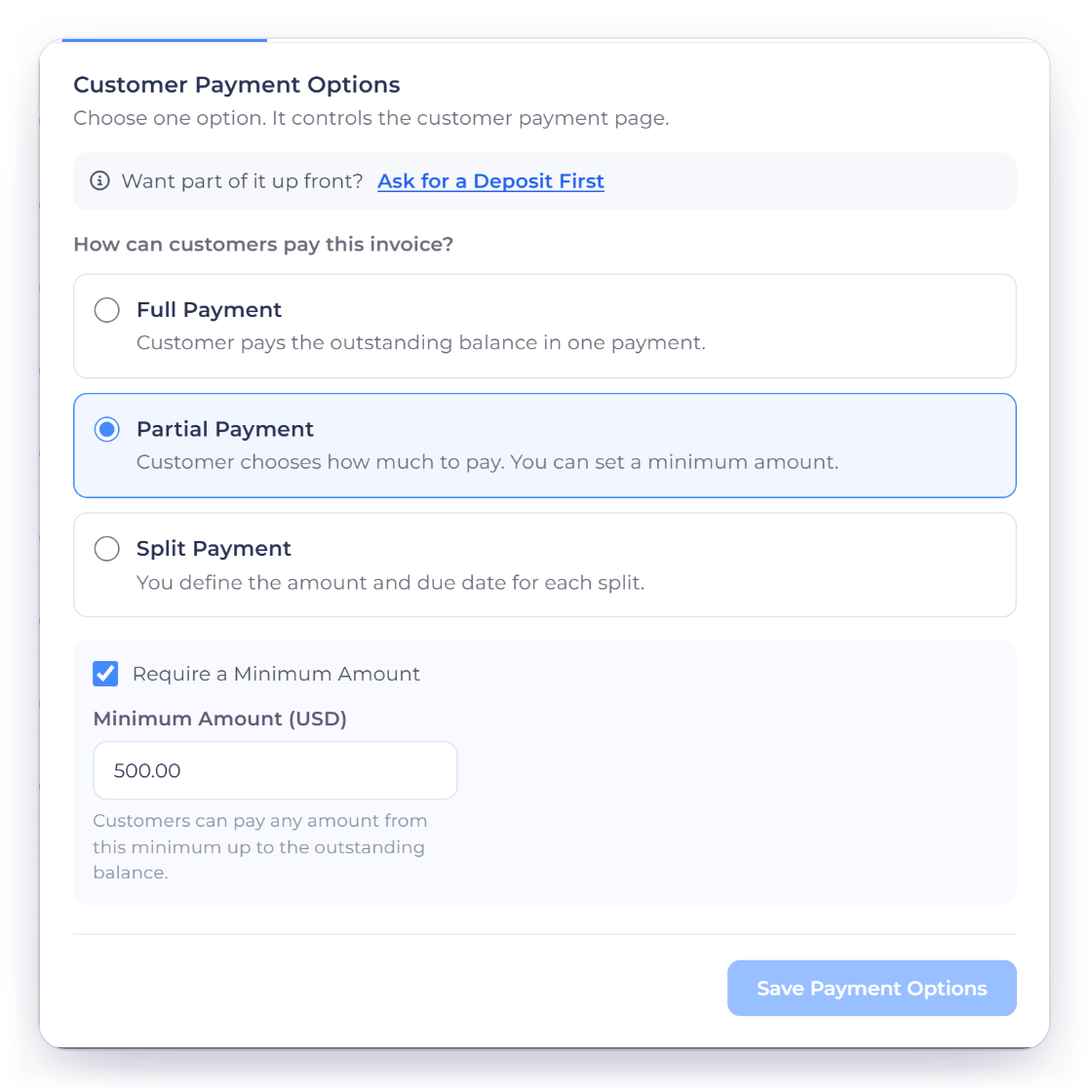
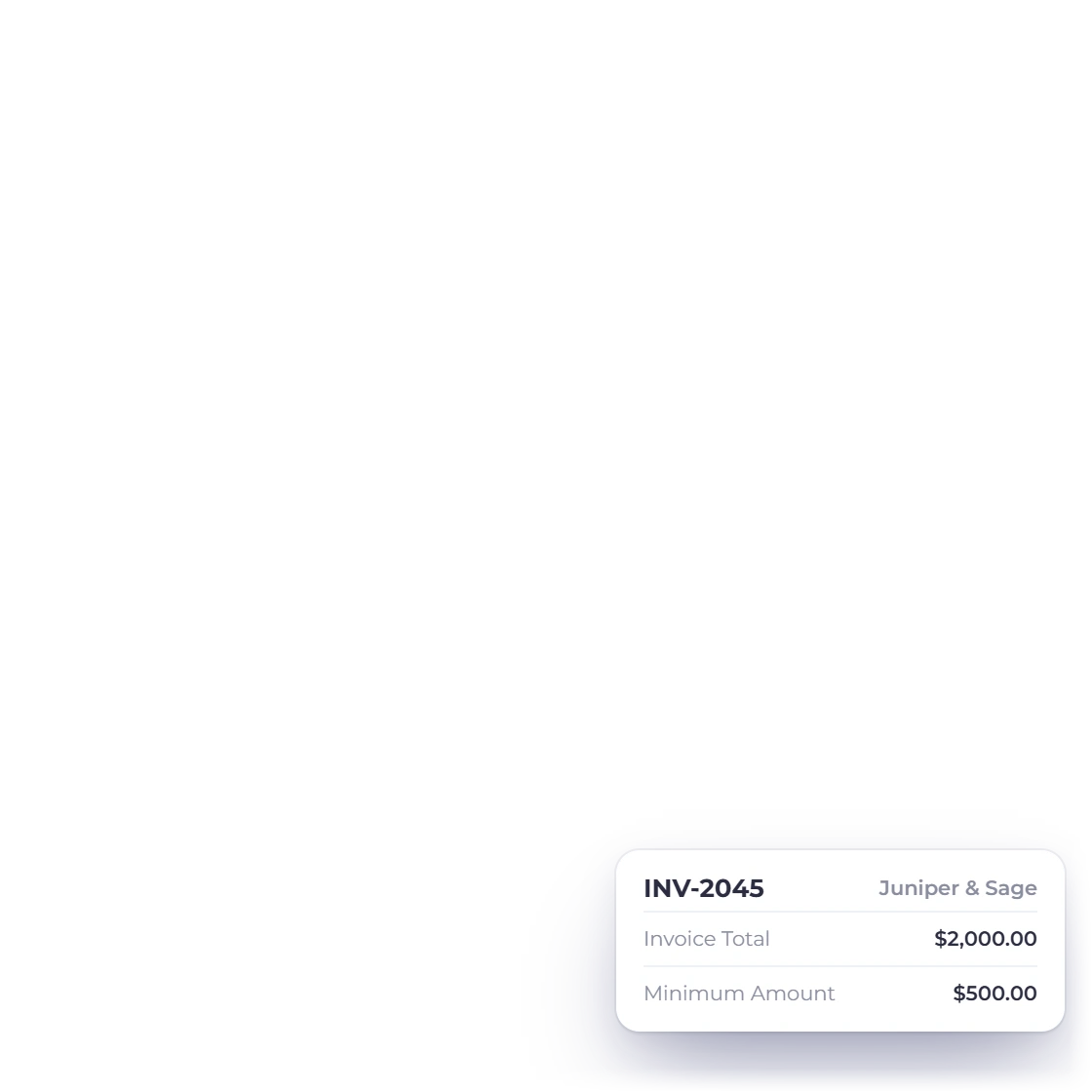
Invoice Crowd Manage Payments window, Payment Options tab, with Partial Payment chosen for INV-2045 and Require a Minimum Amount of 500 dollars on a 2,000 dollar invoice

Set a minimum partial payment

Choose Partial in Payment Options and switch on Require a Minimum Amount to set the smallest amount the client can pay. The client can then pay any amount above it, and the rest of the balance stays open on the invoice.

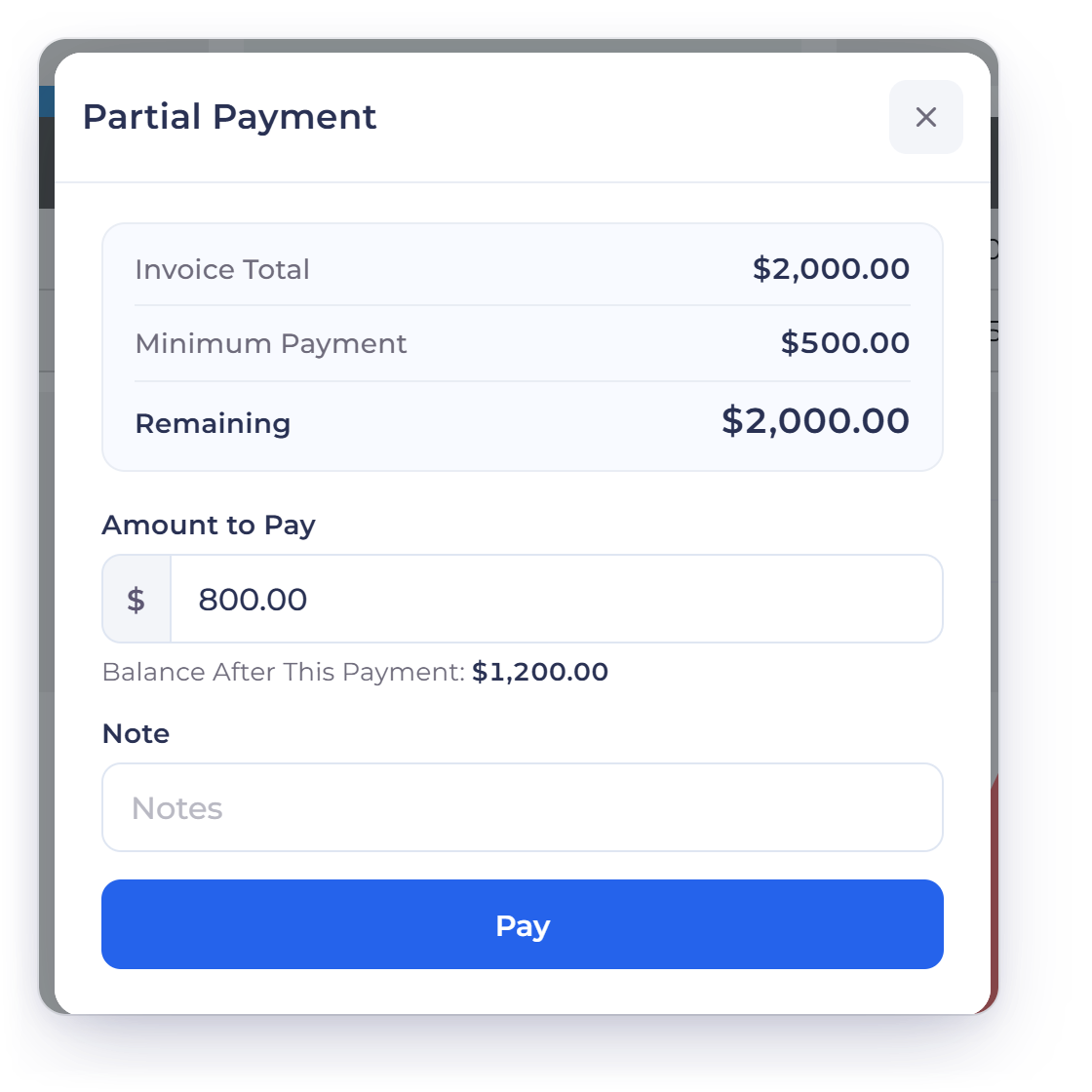
The Invoice Crowd Partial Payment window a client sees for INV-2045: invoice total 2,000 dollars, minimum payment 500, 800 dollars entered as the Amount to Pay and 1,200 dollars as the Balance After This Payment

Let the client pay above the minimum

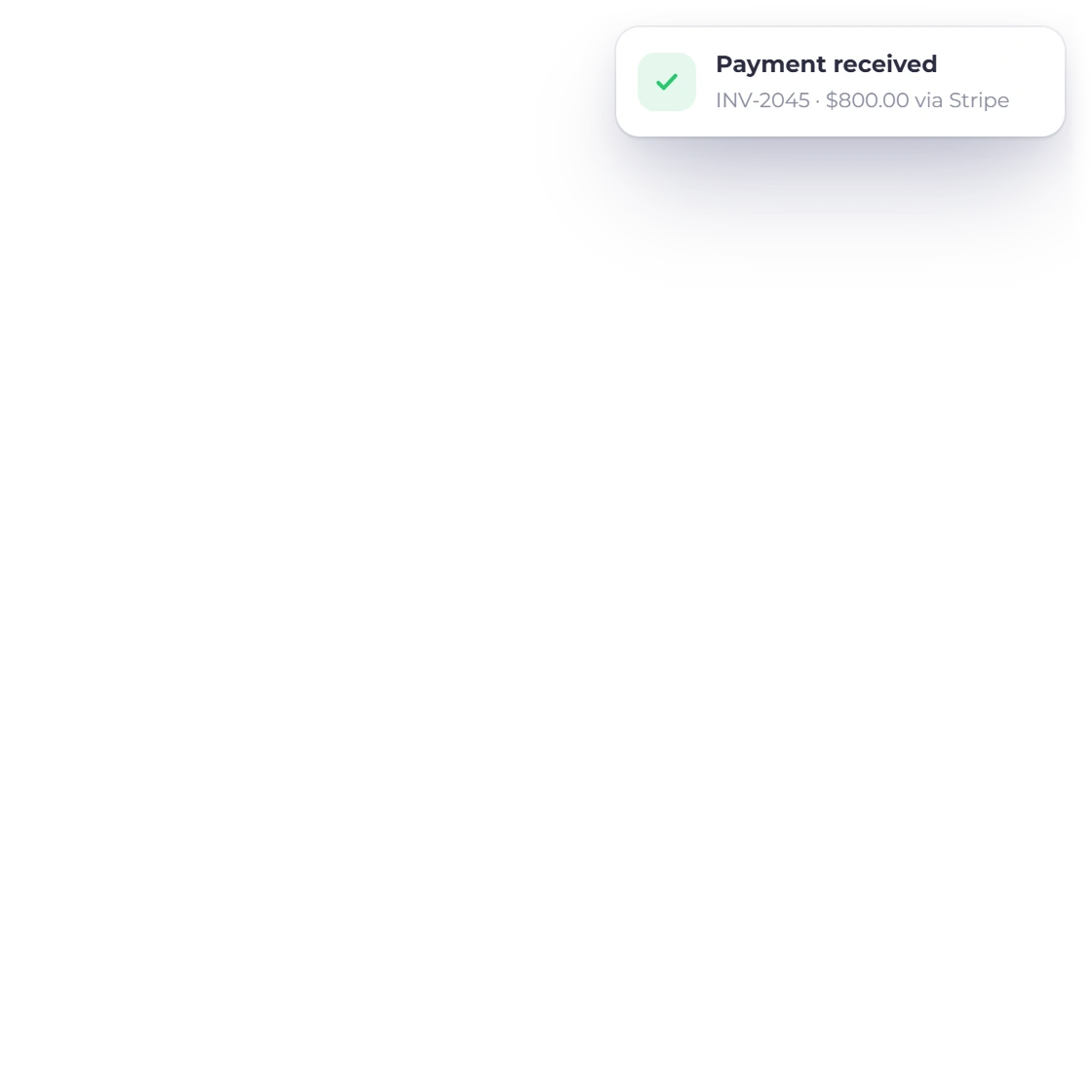
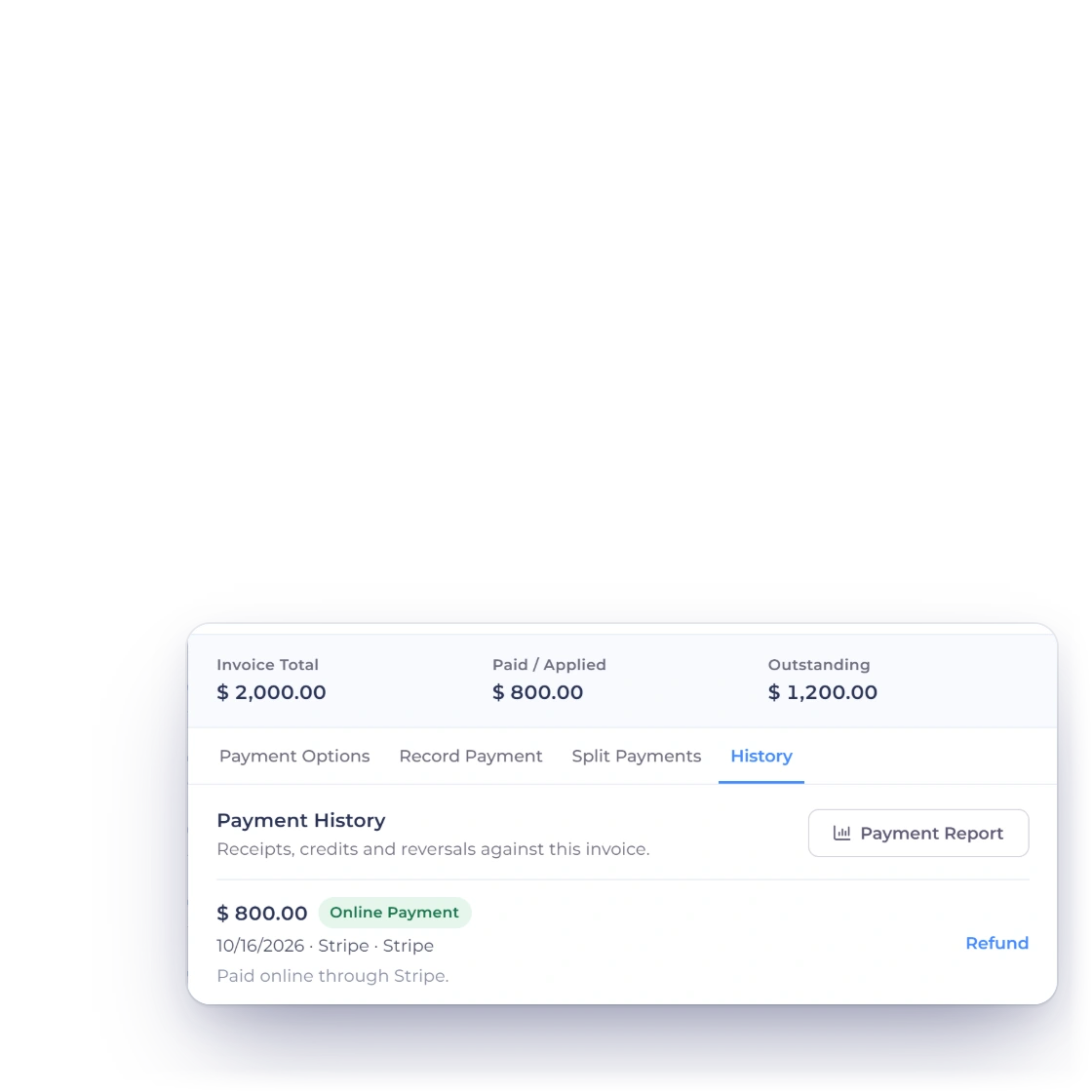
For example, a client may pay 800 toward a 2,000 invoice when the minimum is 500. Their payment window shows the Minimum Payment, the Amount to Pay and the Balance After This Payment, and after the payment is recorded, 1,200 remains due.

While it is being paid

The invoice does the bookkeeping

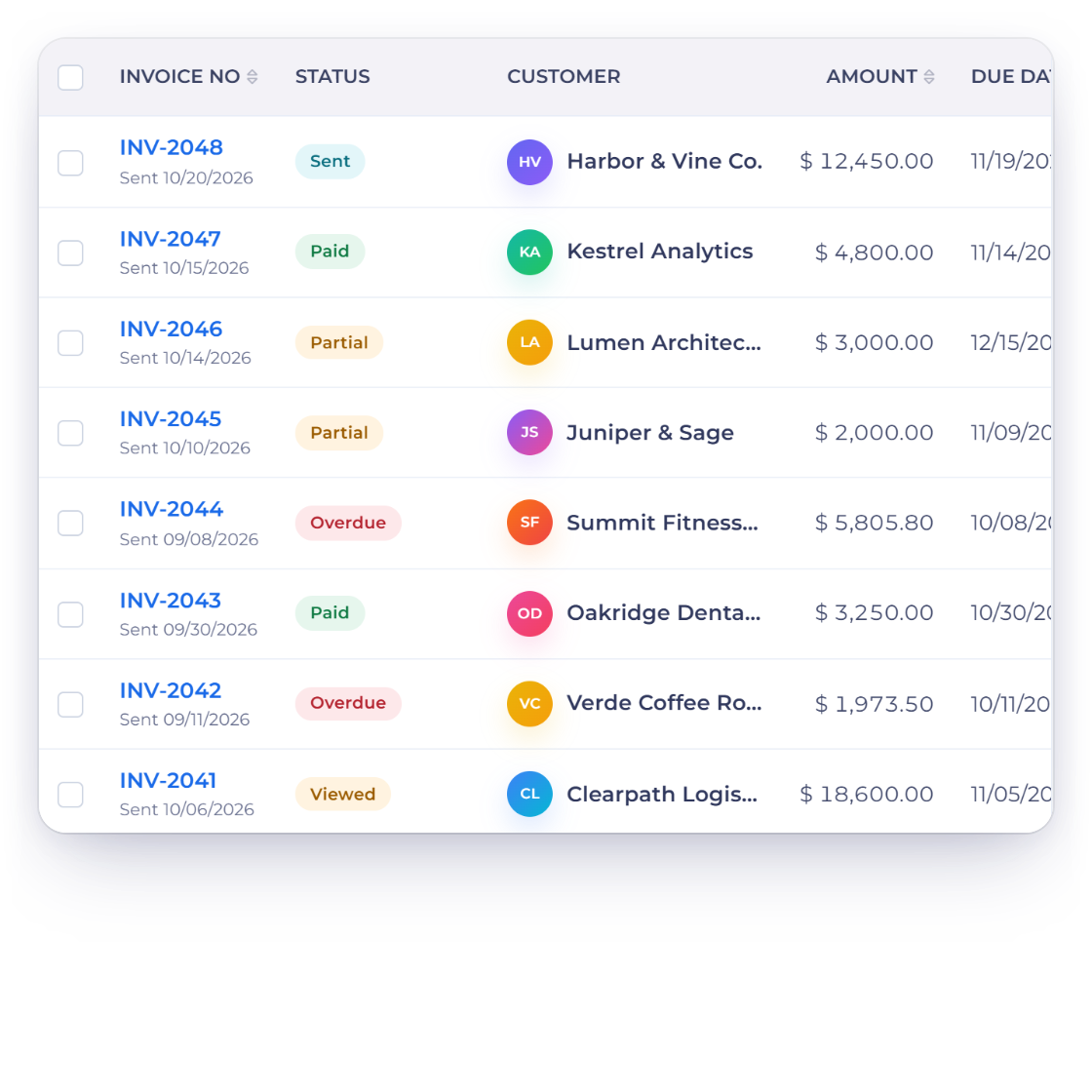
Invoice Crowd invoices list with two Partial invoices, and Manage Payments History for INV-2045 showing an 800 dollar online payment and 1,200 dollars still outstanding

See what is still owed

Every payment reduces the invoice balance as it is recorded, and the invoices list shows the invoice as Partial until it is paid in full. Each payment also gets its own receipt PDF.

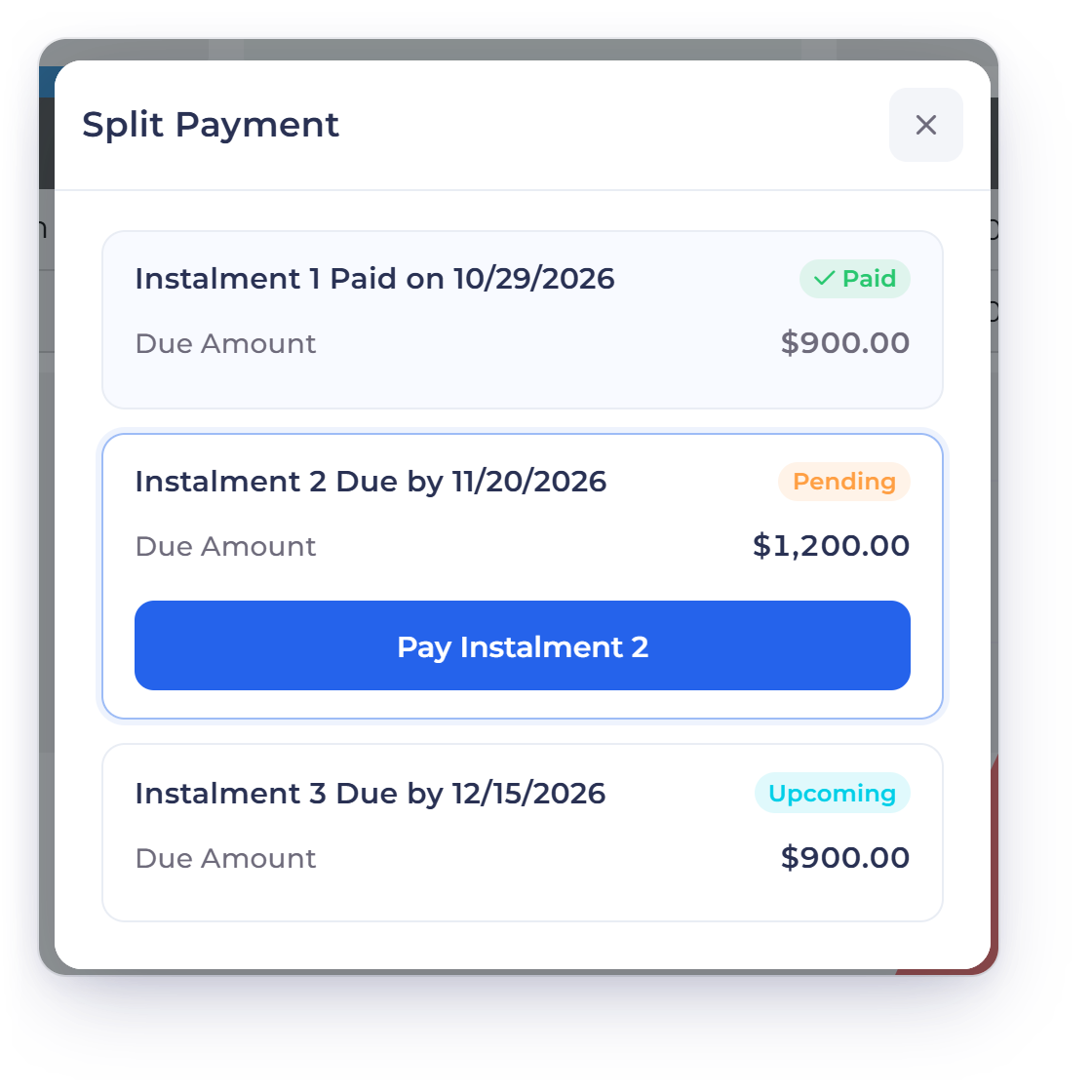
The Invoice Crowd Split Payment window a client sees, with instalment 1 paid, Pay Instalment 2 for 1,200 dollars and instalment 3 upcoming, and the phone footer with Pay Invoice and Pay in agreed splits

A clear payment page for clients

Clients see a button for the next instalment, or the minimum and remaining balance for a partial payment, on desktop and phone. Preview it before you send, and let reminders follow up on what is outstanding.

What the client sees

Also included

Keep the payment plan connected to the invoice

Use the invoice, customer record and payment history together when following up or checking a balance.

  • One invoice record

    Keep the original amount, recorded payments and remaining balance together.

  • Pay online, in parts

    Clients can pay each instalment or part payment online, right from the invoice.

  • Customer visibility

    Clients review their invoices and pay what is due from the customer portal.

  • Start from an estimate

    Convert an approved estimate into an invoice, then set the payment terms.

  • Check outstanding amounts

    Review invoices and payment history when reconciling what is paid and what remains due.

  • Choose the right payment request

    Compare a reusable payment link with the payment route on an existing invoice.

Questions

Split and partial payments, answered

What is the difference between split and partial payments?

Split payments use amounts and dates you agree in advance, shown to the client as a payment schedule. Partial payments let the client choose an amount toward the balance, above the minimum you set. You pick one in the invoice's Manage Payments window.

Can I use this for a project deposit?

Yes. Use Request Deposit on the invoice, or a deposit row in Split Payments, and the client sees Deposit Due Now with a Pay Deposit button. An estimate can also ask for a deposit that the client pays as they accept it. Agree what the deposit covers and how the rest will be paid, then preview the invoice before sending it.

What happens when a client pays part of an invoice?

Once the payment is recorded against the invoice, its outstanding balance is reduced by that amount, and the payment gets its own receipt PDF.

How are instalments different from recurring invoices?

Instalments settle one existing invoice over time, while recurring invoices create a new invoice on a repeating schedule. Choose the one that matches your agreement with the client.

Make the payment terms clear from the start

Create the invoice, set the instalments or the minimum, and send it with confidence.

  • Clear payment terms
  • One running balance
  • Pay online in parts